
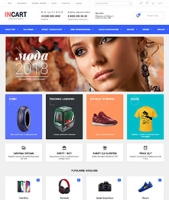
Plugins configuration o szablonie graficznym "InCart"
We have tried to create built-in styling for the most popular and useful plugins. Unfortunately, not all of them are adapted for full customization via the theme. The main issue is the specificity of our branded buttons. Below you will find plugins that, thanks to built-in styling, harmonize perfectly with the design but require minor configuration to fully integrate with it.
Callback (lite)
In the plugins settings, in the "form call button selector" column, specify: .incart-callback
Set the "Disable CSS" option switch to "yes".
Order confirmation notification
Go to plugins settings and in the field "link text on product page" enter the following HTML code:
<span class="uni-btn uni-btn--red"><span class="hover-anim"></span>Submit request</span>
The button will fully adopt our characteristic style.
Brands with images
Go to plugins settings and set the following values:
"Thumbnail sizes" - we recommend setting "400"
"Hook" - Do not use hooks (manual brand output)
"Output template on brand page: search results (frontend_search)" - copy the following code into this field:
{if !empty($brand.description)}
<div class="brands-p__descr">
   <div class="brands-p__descr-inner">
        <div class="brands-p__text">{$brand.description}</div>
    </div>
</div>
{/if}
{if $categories}
<div class="new-cat-menu new-cat-menu--list">
    <ul class="new-cat-menu__list">
        {foreach $categories as $sc}
        <li class="new-cat-menu__item">
            <a class="new-cat-menu__link" href="{$sc.url}">
                <span class="new-cat-menu__link-text">{$sc.name}</span>
            </a>
        </li>
        {/foreach}
    </ul>
</div>
{/if}