
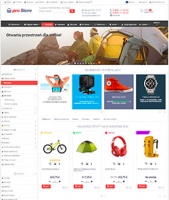
Updates o szablonie graficznym "proStore"
History of all updates to the motywu projektowego "proStore"
1.7.4 June 22, 2020
- Fixed a non-numeric value encountered notice in PHP versions 7.1+.
- Fixed breadcrumb error on Shopy-Script application text pages.
1.7.3 June 16, 2020
Change:- Added support for dynamic SKU characteristics in Shopy-Script application v.8.11.
- This feature is disabled by default. To enable it, look for the "Enable dynamic features" option in the Settings settings of the Shop theme.
- Added "Open Graph" meta tags for product page:
- product:brand;
- product:category;
- product:condition;
- product:retailer_item_id;
- product:availability;
- og:price:amount;
- og:price:currency.
- Added order view button to the order list in the buyer's personal account.
1.7.2 February 14, 2020
Bug fixes:- Fixed recently discovered Google error with the itemReviewed field on product page.
- Fixed image height issue in list item display mode.
- Fixed issue where the scalable slide of the main slider was narrow due to Lazyload.
1.7.1 January 29, 2020
Change:- Google has discontinued support for "breadcrumb" markup using data-vocabulary tags. Therefore, micro-markup has been changed to a type supported by Google.
- Added two micro-markup fields to product lists: URL and aggregateRating (for products with reviews).
1.7 January 9, 2020
- The main change is lazy loading:
- Product images on lists and categories.
- Promo cards and slider images.
- Category and subcategory images.
- Also improved the algorithm for displaying additional information in the classic tile mode inside sliders on the homepage.
- Previously, the slider would shift content by the height of the block with displayed information; now it does not shift.
1.6.2 December 27, 2019
- Fixed issue where product reviews were not added when CDN was enabled.
1.6.1.1 September 17, 2019
- Fixed error on checkout page for Shopy-Script application users without recommended products support in Cart.
- Removed incorrect headers in blog archives.
1.6.1 September 10, 2019
Bug fixes;- Fixed image handling in reviews;
- Fixed support for recommended products in the new checkout.
1.6.0.2 November 30, 2018
- A hidden setting has been added to force user cookie clearing.
1.6.0.1 November 26, 2018
Fixes:- Fixed error that caused the checkout button not to appear in embedded widgets within a "subfolder".
- Removed broken link to JS script.
- Fixed display of the "Buy now" button on smartphones.
- Fixed error where on smartphones the first product was displayed alone, and the next two were shown in a row.
1.6 November 21, 2018
Main:- New theme settings screen meeting new Web Systems Pro requirements.
- Support for the new checkout mode in Shopy-Script application v.8.
- Login and registration pages redesigned.
- prostore.wa_apps2 block added to the bottom header panel.
- "Sticky" menu now works on mobile devices as well.
- On mobile devices, product cards in categories are now displayed two per row.
- Category product card grid is now powered by flex technology.
- Improved display speed of product menu and slider.
- Added link to "Full version" of the site (disabled by default).
- Fixed VK widget width.
- Fixed Retina script error that looked for Retina versions in images that do not support this feature.
- Minor fixes in micro-sections.
- Fixed footer display in certain cases.
- Fixed display of Christmas decorations during "sticky" menu.
1.5.9 May 10, 2018
proStore for Website:- Asynchronous loading of fonts from Google servers.
- Due to PKN attempts to block Telegram, Google servers are sometimes affected by these blocks. If this happens, font loading may be delayed, reducing website loading speed. Since this issue is intermittent, this change might go unnoticed during regular use.
- Fixed language switch visibility for the "MyLang" application on mobile devices.
- Added additional parameters qty_step and qty_min to the cart page.
- Additional parameters qty_step, qty_min, and price_item can now be set not only for specific products but also for categories.
- If these additional parameters are added to a category, all products belonging to that category will inherit the values of these parameters.
- In this case, the product's own additional parameter is "stronger" than the category's additional parameter.
- Option to restore original prices. Useful in case you have multiple SKUs and the cost of one of them is zero.
- Removed the plugins label "Product code".
- Removed the build.php file, which in some cases could cause theme update errors.
1.5.8 April 12, 2018
proStore for Site:- Fixed the Instagram widget. Due to changes in the Instagram API, the old widget no longer works.
- Helpdesk for the plugins "SEO-filter" from BodySite.
- Option to hide a large number of features in product filters.
- Option to hide a large number of specification parameters in product filters.
- Hiding a large number of tags.
- On product category pages, in schema.org micro-markup, for products without a short description, the <meta> tag has been replaced with <div style="display:none;"> due to Yandex's incorrect handling of the meta tag.
- Fixed the /compare// link which does not exist when no items are added for comparison. The issue is not critical as the link is "protected" by the nofollow attribute and is inactive when the comparison list is empty.
- Fixed plugin display in the top panel тфпцлг (if this feature is enabled).
1.5.7 March 28, 2018
proStore for Site:- Minor script fixes.
- Badges in the slider are now always subtle.
- If a product price is zero, a "price on request" message will be displayed instead.
- New visual editor.
1.5.6 March 20, 2018
- Update overview is available on the knowledge base page.
1.5.5 March 6, 2018
- Commented out the code for the plugins "SKU and feature selection in categories", which was causing an error on the store homepage after the Web Systems Pro update on March 5, regardless of whether plugin is installed or not.
- Fixed script errors on the network when the sidebar is disabled.
- Prevented double-clicking the checkout button, which in some cases caused duplicate orders.
1.5.4 February 19, 2018
proStore for Site:- Added an additional parameter hide_switcher=1 to hide the icon indicating the presence of sub-items in the menu when all sub-items are hidden via the hide=1 parameter.
- Small delay in submenu appearance when hovering over the top menu.
- Fixed typos in Settingss (visible only to new customers or after resetting theme settings).
- Improved initialization of social network widgets in the sidebar.
- Added styles to properly align text in the editor after the latest update of the Shopy-Script app.
- Optimized loading of scripts for increasing/decreasing quantities sent to the cart page.
- In the detailed tile product view mode, badges are not displayed and are moved to the top of the product card on request.
- In all product display modes, the above-mentioned badges now always have a background.
- Added support for the plugins "Photos like on Ali" in product specifications.
- Added support for the plugins "Feature and option selection in categories" by developer Genasyst.
- Improved display of posts in multiple columns.
1.5.3 January 24, 2018
- Fixed a bug that caused pages created in the "Site" app to disappear from the top header bar in version 1.5.2.
1.5.1 December 5, 2017
- Minor improvements and bug fixes.
1.5 October 9, 2017
- Added themes for the "Hub" and "Helpdesk" apps!
1.4.11 September 27, 2017
Improvements:- Added a new mode for the top and bottom header bars - wa-apps() menu;
- Redesigned tags;
- New mode for displaying promotional cards in the main slider - scalable image without side cropping;
- Fixed display of lists in blog posts when a blog thumbnail is available;
- Limited width of select elements for additional services in the purchase block on the product page on mobile devices;
- Fixed bug with accepting the privacy policy without checking the box on the checkout page.
1.4.9 August 23, 2017
Improvements:- Added a delay for menu disappearance when the cursor accidentally leaves the menu area.
- In the homepage product tab's initial view option, added options to display products in large and small lists. Available for new customers or after restoring factory settings.
- On the desktop version of the theme, Viber and WhatsApp buttons are hidden in the "Tell a friend!" block.
- Fixed the "Agree to personal data processing policy" checkbox in Internet Explorer 11.
1.4.8 August 16, 2017
- Fixed a critical error related to the following files:
- sidebar.products.html
- sidebar.products-list.html
- Moved file sidebar.products-list.html to the Shopy-Script app.
- Modified file sidebar.products.html.
1.4.7 August 15, 2017
Improvements:- Added additional parameters top_menu_img and side_menu_img.
- Only the menu_img parameter, unlike top_menu_img and side_menu_img, is displayed only in the top and side menus respectively.
- New "Tell a friend!" buttons. Now includes Viber, Telegram, and WhatsApp!
- You can configure the buttons in the social.html file within the "Site" app theme.
- Out-of-the-box support for the "MyLang" app. Now to make app work with the theme, simply enable and configure it (the app app itself, not the theme). No need to perform any code manipulations in theme files.
- Added a notification about outdated browsers for visitors using Internet Explorer versions below 9.
- Added smooth animation for menu items appearing.
- Added a product list that can be displayed in the sidebar. To enable this list without restoring factory settings, open the sidebar.products.html file in the "Site" app theme.
- For new buyers, as well as those who reset the Settings of the theme, the list setting is available from the theme design (sidebar section).
- Now, if a visitor enters the cart page and it is empty, they will be redirected to the store's homepage.
- Added the ability to upload a custom image on the 404 error page. Available only in the Shopy-Script app and only after restoring factory settings.
- If a sidebar menu item is open (using the additional menu option side_open=1), the link is displayed in bold.
- Fixed an issue occurring on Android devices when interacting with responsive tables. For example, on the order confirmation page.
- Fixed header blocks positioning - prostore.header_info on checkout pages. Also limited the maximum width of the custom image on the successful checkout page so that if the image is wider than the screen, it does not extend beyond the screen and does not create a horizontal scrollbar.
- Optimized cart operation.
1.4.6 August 4, 2017
Improvements:- Improved display of characters in product filters;
- Improved filter visibility on mobile devices.
- Now, when you change at least one option in filters on mobile devices, the "Show" button changes to a "Result" button, which when clicked hides the sidebar and scrolls the page to the top of the product list.
- Added the ability to hide part of the category description under a spoiler.
- Added an additional parameter top_full=4 (or 2,3,5,6) for product categories and pages, allowing this category to be displayed full-width in the header menu. The number after the equals sign indicates the number of columns in the menu.
- Fixed display of sub-item icons in the top header menu in Internet Explorer 11;
- Fixed priceRange to pricerange in micro-markup to prevent Yandex validator warnings;
- Fixed display of radio buttons in registration forms;
1.4.5 July 24, 2017
Improvements:- Added support for "checking" agreement to personal data processing when submitting product reviews.
- Added support for "checking" agreement to personal data processing when subscribing to the newsletter.
- Proper currency flag for Kazakhstani Tenge.
- Added additional parameters:
- qty_min - minimum quantity in the field added to the cart of a product;
- qty_step - step for increasing/decreasing this number when clicking +/- next to the above field.
- Added content dimming when hovering over the menu.
- Helpdesk plugins "Photos like on Ali".
- For developers, added the trigger $(document).trigger('ajax_loaded');
- It fires when a page loads in a popup window or tab, or when a review form is submitted.
- Added the option to simultaneously display both page menu and product menu in the top header panels. Available after restoring factory settings.
- Fixed an issue where the checkbox for agreeing to the data processing policy on the registration page and in the review form was not visible in Firefox.
- Fixed a bug with 100% discount (not affecting all users).
1.4.4 July 20, 2017
- Fixed bug where product code overlapped with radio button on product card;
- Improved gallery algorithm on product page;
- Checkboxes are now styled in standard Web Systems Pro forms ("Remember me", etc.);
- Added new set of colorful emoji icons!
1.4.3 July 17, 2017
- Added checkbox option for new Belarusian ruble currency (BYN);
- Optimized automatic collapsing of bottom menu in header;
- Added ability to hide sidebar on pages, product pages and product categories using optional parameter hide_sidebar=1;
- Fixed layout bug of the cart in header that occurred when order amount exceeded 6 characters;
- Increased indentation: search examples in header and address input hints on checkout page;
- Cosmetic improvements to checkboxes;
- In bottom panel, counters now have rounded background;
- Optimized loading of script responsible for initializing product quantity field in cart;
- When switching product list views or loading product category without reloading, info blocks are now hidden together with product list;
- Option to hide "Buy" word in purchase block on product page (to access option, restore factory settings);
- Optimized algorithm for displaying remaining stock quantity - if product units exceed 100 pieces, stock quantity is no longer displayed.
1.4.2 July 3, 2017
- Optimized "sticking" of purchase block on product page.
- Improved algorithm for hiding categories without images when using image plugins.
- In categories with missing products, view selection buttons and product count per page selection are now hidden. In theme Settingss, added option to hide news indicating no products in category. Option available after restoring factory settings. To disable product delay message without resetting theme settings, open category.html file of Shopy-Script application theme. Find line {$hide_error="} and set value to 1.
- Product image descriptions in product galleries are now disabled by default.
1.4.1 June 28, 2017
Bug fixes:- Fixed critical bug on product category pages when plugins "Icon, image and banner for category" (wmimageincat) was not installed.
- Fixed plugin display bug in header menu when multi-row menu display option is enabled.
1.4 June 26, 2017
New features:- Added popup cart. Now you can proceed to checkout page bypassing cart page by opening it in popup window. Feature is disabled by default. Enable in theme -> Settings of store –> Cart -> Enable cart in popup.
- Added quick order edit feature in checkout. Works similarly to popup cart, but on checkout page. Now you don't need to return to cart page to change product quantity or add/remove products. Feature is also disabled by default. Enable in theme -> Settings of store –> Checkout page -> Enable order edit button.
- Added 58 additional fonts (Google fonts and several others not in Google font collection). You can connect up to 3 fonts of your choice for specific selectors in Settingss.
- Added live search feature. Activates after typing three characters in search field. Enabled by default. Disable in theme -> Header –> Search in header. (Although setting is in header section, feature applies to all search forms).
- New marketing feature: automatically appearing modal popup. Shows only to new users until they close popup or click "Do not show again" (in other mode).
- Another marketing feature: best sales banner. Can be displayed continuously or until user closes it.
- Show second product image (if exists) on product card hover. Disabled by default. Enable in theme design -> Settings of store –> Additional product card display settings –> Show second product image on hover.
- Added display of latest product reviews. (No additional plugins required). Can be displayed at bottom of homepage or in sidebar.
- Support for two popular category image plugins: "Images for category" (categoryimage) and "Icon, image and banner for category" (wmimageincat). You can enable category image display below header menu: theme -> Header -> Category images of products in header. For plugins "Icon, image and banner for category" (wmimageincat), added support for "Banner" format. This image will be displayed at very top of category.
- Added support for plugins "Brands with pictures and descriptions" (productbrands). Photos of brands displayed at bottom of homepage. Can also be moved to sidebar.
- Improved the product quick preview view.
- For each header menu (top and bottom), added a source selection option: pages or product categories.
- In the bottom menu header, added an option to display the menu in multiple rows. That is, disabling the "More" button when menu items that do not fit in a single row were hidden under this button. If the option is enabled and the menu contains multiple items, it will be displayed across several rows.
- On the checkout page, added highlighting of the active shipping or payment method row.
- For standard product badges (stickers), as well as favorite and compare icons, added settings to change colors.
- Added functions to hide description and features on the product page.
- Added the ability to display HTML tags in the short description on the product page.
- The top slider on the homepage now becomes visible faster after page load.
- For promotional cards below the slider, in the "Image on solid background" mode, added an option to display the timer below the promotional card title (previously the timer was displayed only above the title).
- prostore.header_info_1, prostore.header_info_2, and prostore.header_info-blocks for speaker phone information in the header.
- prostore.header_info_1 and prostore.header_info_2 are the left and right columns respectively, while prostore.header_info (for advanced users) replaces both columns with its own content. In other words, if all three blocks are created, only prostore.header_info will be displayed-it takes precedence. Sample code for these blocks can be found in the file header.info.html in the "Site" theme.
- prostore.header_search-displays content below the search form in the header.
- prostore.header_tb_content-replaces the content from the theme for the top sales banner.
- prostore.index_panel-adds content to the bottom "sticky" panel containing history, compare, and favorites. Sample code is located in the file index.panel.html in the "Site" theme.
- Additional parameter: rev_slider=N-displays Revolution Slider on category and product pages with this additional parameter. Where N is the slider number from plugins.
1.3 April 25, 2017
New features:- Added a quick view button to the product card on category pages.
- Added an option to enable "sticking" of the horizontal product menu while scrolling the page. By default, "sticking" is disabled. Before enabling, make sure that the dropdown menu items do not extend beyond the visible screen area. Otherwise, the part of the menu items extending beyond the visible screen will not be accessible. Default settings for this menu have also been changed. Now, displaying plugins and brands in the horizontal product menu is initially disabled.
- In the top panel of pages in the header, added a separate menu item-"Home"-that links to the homepage. The item's name and icon can be changed in the top page bar management settings section. Changed the default order of menu items in the top bar: Home - app pages - wa-apps() menu.
- In the color settings for top panels (pages and products), added an option to hide vertical separators between menu items.
- Fixed a bug where on mobile devices, images from the "Photos" app in the footer were not clickable.
- Fixed a bug where the layout would break in the top menu due to overly long menu item names.
- Improved the algorithm for sending the contact form without page reload.
- Changed the appearance of the empty cart in the header. Previously it said: "Your cart is empty". Now it shows zero quantity of items and zero total amount.
1.2.1 April 20, 2017
- Fixed a price display issue when enabling plugins "Flexible discounts".
- Other minor fixes
1.2 April 11, 2017
- The theme now features a header with search, contacts, and a duplicate of the cart button. The header includes two highlights:
- In the Shopy-Script app, search suggestions now appear above the search bar. In the settings, you can choose which product list to use for product names, and where the link leads: to the product page or to the search results page.
- The second highlight is that links to contact pages open in a popup window. By default, the header is enabled.
- Added top horizontal navigation bars:
- Top bar with pages and menu wa-apps(), currency selector, and login links. You can add an extra page to the menu, and it will open in a popup window!
- Horizontal product menu below the header. Using additional submenu parameters, you can create multi-column layouts (from 2 to 4 columns).
- Menus now drop down on hover instead of clicking an icon. However, for fans of the old navigation logic (opening menus by clicking an icon), there's still an option to switch back to that mode. Additionally, since there's no "hover" on mobile devices, the icon-click menu mode has never been removed and always works. You can also change the site background and content, as well as text and link colors.
- The most interesting part - now each key design element: top navigation bars, sidebar (including mobile), bottom basket panel, footer, product description background - has 61 independent color schemes! This means you can assign a unique color scheme to each design element! Moreover, if none of the colors suit you, you can set any custom color in a special field!
- Buttons haven't been ignored either! Buttons now also have their own 44 color schemes!
- You can now limit the site width starting from 1200px. For example, if you set the width limit to 1200px, the page won't stretch beyond 1201px. By default, it's set to 1366px (15" screen width).
- The main slider can now be displayed either full-width or content-width.
- Footer width can also be adjusted: full-width or content-width. By default, it's set to full-width.
- Buttons for favorites, comparison, etc. now have labels (labels can be disabled) and center alignment option. Tooltips on the bottom bar (when adding items to lists) have been removed.
- Buttons now turn colored on hover, and also become colored for a few seconds when an item is added to a list.
- Added option to disable the sidebar: on the homepage, product page, category pages, and cart page.
- Added Promocards below the main slider. Promocards have two display modes: text over the promotional card image and image over the promotional card background. Additionally, Promocards from below the slider can be moved to the sidebar and shown on every Shopy-Script app page.
- The standard contact form {$wa->block("site.send_email_form")} now works without page reload. It can also be added to pages opened in popups.
- If a product has limited stock, the quantity information is now displayed in the purchase block on the product page. Previously, it just said "In stock".
- Added option to enable/disable borders around product cards in product categories. Enabled by default.
- Added option to enable HTML tags in the short description on the product page.
- Helpdesk plugins "Flexible discounts".
- Bug fixes and minor improvements.
1.1.1 February 16, 2017
- Slightly updated several theme files for the "Site" app.
- Prevented caching of banners in the sidebar that prevented banner changes from theme settings.
- Fixed a bug that occurred when simultaneously connecting Instagram account and the recent photos block from the "Photos" app.
1.1 January 28, 2017
- Added two new color schemes: Dark and Cream.
- Added two long-awaited product card display modes: Classic, Detailed, Minimalist (this mode comes from previous versions), Large List, and Small List. In the theme Settingss, you can select the default display mode, as well as which mode switches should be visible to visitors in the panel above categories and search results. All are enabled by default.
- In the detailed product card display mode, there's an option: Display as mosaic or as rows. When selecting the latter, part of the product description is truncated. This is necessary to align all product cards to the same height.
- Changing the number of products displayed per page now happens without reloading.
- Added option to insert a news text block on the successful checkout page (checkout.success).
- Added option to limit the number of promotional cards displayed in the top slider. By default, the first 10 promotional cards are shown.
- Minor cosmetic changes.
1.0.1 December 23, 2016
Modern:- Themes for the "Blog" and "Photos" apps.
- You can also add the latest news widgets and/or photos from the "Photos" app to the sidebar and footer!
- Holiday decorations: 9 header banners and 6 footer decorations!
- Product sorting by category and order can now work without page reloading! Can be applied for all categories or only selected ones (via additional parameters).
- Tabbed pages with main content can now be added both to product category pages and to individual product pages.
- Badges can now be transparent when a product is not highlighted.
- Additionally, automatic discount badges now include an automatic discount percentage calculation feature!
- Added the ability to display product features on mouse hover. Can be applied for all products or only selected ones (via additional parameters).
- On 404 error pages in the Shopy-Script app, as well as in product categories with no products, you can now add a secret product list to avoid showing visitors an "empty" page!
- Fixed review issue: repaired "broken" links when the site is installed in a domain subfolder. The "My Office" menu has been completely redesigned!
- Site search can now be displayed instantly! In the theme Settingss, you can choose the search display mode: in a pop-up window (as in the previous version) or shown immediately in the sidebar.
- Completely redesigned error pages and successful order completion pages.
- The emoticon from the "Default" theme has been replaced with a positive smiling man! Moreover, in the theme Settingss you can upload your own image to thank the customer for placing an order!
- The "Back to top" button can now be removed from the bottom panel and will be visible on screens of any width. In the previous version, the button was not visible on mobile devices because it took up too much space in the panel.
- Fixed a bug where disabling the sidebar lock caused all footer links to become unclickable.
- Fixed a bug where some fields in the theme could not be edited.
- Added the ability to insert information blocks into the self-purchase block on the product page.
- Sidebar menu items now have icons. Also, the sidebar menu can now be minimized.
- Improved page rendering smoothness.
November 23, 2016
- Initial release.