
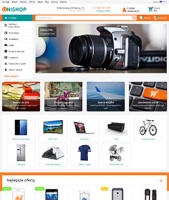
Updates o szablonie graficznym "Unishop"
History of all updates to the motywu projektowego "Unishop"
2.8.0.1.wsp June 29, 2022
- Added Polish language.
2.8 June 16, 2020
- Support for Shopy-Script app v.8.11: SKU option in the address bar and feature-to-product linking.
2.7 April 28, 2020
- Added ability to display links from the "Extended menu" app in the catalog menu, option "link source".
- Separate content management settings for dropdown and expanded catalog menus.
- Added options to rename tabs on the product card: "Features tab name", "Reviews tab name", "Description tab name".
- Ability to display product lists on the homepage using a carousel, option "Create product lists on homepage" in the homepage section.
- Ability to display product carousel on the product card, option "Product list view on product card" in the Product card section.
- Added discount stickers in product preview and product card, options "Stickies discount, %" and "Stickies savings" in the Product catalog section.
- Fixed panel exit with cart after adding product to cart, option "Effect after adding to cart (desktop)".
- Minor file optimization.
- Other minor fixes.
2.6.1 January 21, 2020
- Adaptation adjustments for plugins "One-step checkout".
- Fixed lazy loading of images on custom product lists.
- Technical fixes.
2.6 November 18, 2019
- Fixed countdown timer in promotional cards.
- Ability to display popup gallery in application page content.
- Ability to display popup in application page content - text window appearing after clicking any button (links).
- Added instructions for working with tables in content: horizontal scrolling for wide tables and mobile table view.
- Layout adjustments for plugins "One-step checkout".
- New card type "Accordion cards" added to the product card, with separate display settings for mobile version, options "Design main product content (desktop)" and "Design main product content (mobile)".
- Product card now supports tab sorting, options "Show main description (desktop)" and "Show main description (mobile)".
- Integration with "Smart filter" plugin.
- Minor improvements and fixes.
2.5 August 28, 2019
- Added share button output function in blog posts: "script for share buttons in post".
- Ability to link product list to a blog post (news) and display it on the news page. To do this, register in Settingss of the post under "Advanced options" on a new line: products_list=list_id.
- New option "Sort options" in product filter.
- Ability to set popup cash offer when adding to cart, option "Effect when adding to cart".
- Improved filter saving in subcategory list links. Now you can save filtering only for desired features by specifying feature aliases separated by commas in the "Saved filter aliases" option.
- Modified image loading for Retina displays in category images. Option available only when using plugins "Images for category" (from skilbe). Activate using options "Retina category images in content" and "Retina category images in menu".
- Image uploading in reviews.
- Cross-sell products on checkout page in Cart.
- New return form option on product card: "Disable "Site" field".
- Ability to minimize product selection on product card during distribution via "purchase options", option "Number of open purchase options".
- Other minor fixes.
2.4 June 21, 2019
- Built-in tile gallery in product preview for "list" and "tile" types.
- Lazy loading of images for product lists, categories, etc.
- Ability to select main font from list: Open Sans, Roboto, Exo 2, Ubuntu, Arial, Fira Sans, Montserrat, Helvetica, PT Sans, Play. Option "Main font" in theme appearance settings.
- Product card main content now supports anchor tab navigation. Clicking a tab results in smooth scrolling to content. Option "Design main product content" in the Product card section.
- Integration with "SEO-regions" plugin.
- Integration with "Automatic city detection" plugin.
- Other minor fixes.
2.3 April 29, 2019
- Display a video icon on product lists, with quick preview in a modal window on click. Controlled by the "Show video popup button" option in the "Product Preview" section.
- Ability to save active filters when navigating to subcategory content, via the "Save filtering and sorting in subcategories" option in the "Category Page" section.
- "Notification message" widget, through which you can inform about cookie collection, technical issues and other important information. Supports an identifier mechanism that allows creating new news to display to all users.
- Action widget (or any notification message) in a popup window, options are located in the "Action widget in popup" section.
- Ability to use a compact popup display option to explain an item after adding it to the cart from product lists (only item selection options), controlled by the "Minimal product option selection view" option in the "Catalog" section.
- Ability to set a stub image instead of the default one (for products and categories without images), option "Stub for products and categories" in the "Catalog" section.
- Display of the "Facebook Comments" widget on product card tabs (can be used for "discussions", "do you have questions?", "Reviews", etc.), options are located in the "Product Card" section.
- Ability to display configuration instructions on store pages, website, photo gallery and blog social media widget pages.
- Ability to display features in tile preview, option "Show features in product preview tile view". Output is configured separately for desktop and mobile versions. To align card height, use the options "Block height with name in preview (tile view)" and "Overall block height with name and features in preview (tile view)".
- Ability to specify individual managers (via identifier) who will be able to edit products from the storefront.
- Other minor fixes.
2.2.1 April 3, 2019
- Fixed breadcrumb overlap with image on product card.
- In mobile version, fixed image zoom in product popup gallery.
- Other minor fixes.
2.2 March 26, 2019
- Completely redesigned homepage slider (without changing visual appearance), faster and smoother performance, better operation on touch devices.
- Fixed a bug in the slider causing a product to be added to the cart twice.
- Ability to display product lists on pages of any app.
- New feature in category, above the product list: output selected features from filter, with option to quickly disable.
- Implemented dropdown of subcategories in breadcrumb.
- Microdata on product card was modified according to new validator recommendations.
- In product card gallery, added option to display image description, option "Show current product image description" in the "Product Page" section.
- Added swipe gestures to scroll through main image in product card gallery.
- In mobile version, created a more convenient popup gallery with image zoom capability.
- Other minor fixes and visual adjustments.
2.1.1 February 1, 2019
- Fixed critical bug related to the "Buy with 1 click" plugin
- Reduced delay time on category menu hover
- New option "Category hover delay" in dropdown category menu
2.1 January 24, 2019
- Fixed filter sliders in mobile version.
- New option "On product lists, display price range" for items with options and variations.
- Added additional parameter for category menu_hide=1, which hides the category in the menu.
- Added additional option for category sidebar_open=1, which by default reveals the category in the sidebar category menu.
- New option "View product list on product card" in the product page subsection. Option allows customizing the product list view (tiles, table or list) for recommended, recently viewed and cross-sold items.
- Revealed category tree on product card.
- Fixed layout on product card in IE browser.
- Fixed cursor hover behavior on dropdown category menu.
- New option "In category content, remove tags from plugins tag editor" in the "Category Page" subsection.
- Integration of free plugins (Skilbe) "Buy in 1 click".
- Integration of plugins (Bodysite) "Buy with 1 click".
- Integration of plugins "Search Pro" (Bodysite).
- Integration of plugins "Brands Pro" (Bodysite).
- New options "Show left sidebar on brand page", "Show right sidebar on brand page", "Show left sidebar on search page", and "Show right sidebar on search page" in the catalog sidebar subsection.
2.0 December 3, 2018
- Single-page design
- Improved authorization and registration forms
- Routing changed according to the Shopy-Script application documentation
- The project theme settings file has been cleared for safe import and export of settings
- Other edits.
- Ability to open a page in a popup window.
- New promotional cards option on the home page: "Image in promotional card displays background" in the "Home page" section.
- Ability to display text instead of zero price, option "Text instead of zero price" in the "Catalog" section.
- New options in the "Catalog" section: text instead of "Out of stock", text instead of "On order", text instead of "Product with selected features is not available for purchase", text instead of "This product is temporarily unavailable for order".
- Ability to display article selection via select on the product page, option "Type of article selection via select" in the "Product page" section.
- Option for info blocks to replace link clicks with popup window, option "Open page in popup window" in the "Home page" and "Product page" sections.
- Fixed swipe issue in product gallery for iOS.
- Other minor fixes and bugs.
1.6.7.1 October 29, 2018
- Fixed a bug that appeared in the last update: array output of the top menu (visible only in the page source code).
- Fixed a bug in the product gallery in Firefox browser.
1.6.7 October 23, 2018
- New option "Text under logo" (section "Website header").
- On the product page, ability to display info blocks content other than the home page (section in Settingss product page).
- In the product card image gallery, a video icon now appears instead of the image preview.
- New option "Disable sliders in filter" (section "Category page"). This option may be needed when using the plugins filter.
- New options "Back to top button" and "Fixed panel" (section "Website footer") to disable respective blocks on the page.
- New option "Do not display article options that are not available for purchase" to hide articles unavailable for purchase (section in Settingss product page).
- Ability to separately configure product preview options on the category page (search, brand) for desktop and mobile devices. Added options: Product preview list for mobile devices, Product preview with table for mobile devices, Product preview as tiles for mobile devices, Default product preview view for mobile devices (Catalog section).
- For mobile devices, possibility to display 2 products per row (mini-tile style), option Product preview as tiles for mobile devices (Catalog section).
- On the product page, possibility to separately define select output options. Option "Option aliases to be listed via select" (section "Product page").
- New option "Download icon font styles from third-party server" in the "Other settings" section. May be required when using CDN.
- New options "Logo width, px" and "Logo width when screen size is less than 950 pixels, px" in the "Website header" section. To adjust logo width.
- New option "Disable popup gallery".
- For menus using app "Extended menu", added support for target option. Please update footer_links_sections and footer_links_company HTML blocks.
- New cart option in header: using plugin "Cart + order in 1 step" with output option "Checkout + cart" (section "Catalog").
- Fixed micro-moments in breadcrumbs.
- Fixed display of "More categories" button on mobile devices in full site mode.
- Integrated plugins "Tag Editor".
- Other minor corrections.
1.6.6 August 25, 2018
- Appeared tabs in Settingss of the theme.
- Main theme styles are now displayed in minimized CSS files (instead of styles in HTML code) - if the options "Base color" and "Button color, active links, etc." are not filled.
- Fixed a bug in product popup gallery in the recommended product card.
- Output of info blocks to product cards. Option "Information blocks on product card". The information blocks themselves are filled in the "Home page" section.
- Fixed JS error in slider (time field) of plugins order connection.
- New options "Tags in product and category card" in the product card.
- Ability to display posts from a specific block. Options "Blog ID on home page" (section "Home page") and "Blog ID" (section "Catalog sidebar")
- Other minor corrections.
1.6.5 July 27, 2018
- Ability to hide links in sidebar page menu using additional option sidebar_menu_hide=1
- New option "Output hook with additional information"
- Tile gallery in product list for "list" view
- New options "Display slider in random order" and "Display promotional cards in random order"
- New options "Number of cross-sell products on card" and "Number of recommended products on card"
- New option "Logo for Retina displays" for Website header and footer
- Checkout now includes an order composition
1.6.4 June 21, 2018
- It is now possible to display arbitrary blocks in the right and left sidebars of the catalog, for example, banners.
- An option has been added to limit the number of visible color options in the filter (Maximum number of displayed options for characteristics of type "color" in the filter).
- In the popup gallery, the image preview has been removed if there is only one photo.
- An option has been added to limit the number of visible items in sidebar plugins, for example, brand lists (Number of visible items when displaying plugins in the sidebar).
- A second option for displaying the brands block on the homepage has been added, called "Brand design option on the homepage". The new option displays the block header and a link to the all brands page.
- Customization of the plugins "One-page checkout".
- Adaptation of the plugins "Cart in one step".
- Other minor fixes.
1.6.3 May 28, 2018
- Integration with the plugins "Stickies".
- An option for popup with dark background has been added to the product card gallery, called "Dark background for popup in gallery".
- Ability to display thumbnails in the gallery popup window, option "Show thumbnails in gallery popup window".
- Fixed display of video product in the video gallery popup.
- Image zoom has been added to the product card, option "Enable zoom for large image".
- In the mobile version, navigation arrows have been added to the product card gallery for browsing images.
- New options for homepage lists: "Default display 2 lines in list".
- New option for displaying social network link. Friends network in footer.
- Integration with the free plugin "Order connection".
- Integration with the free plugin "Image for blog".
- Integration with the plugin "Tile gallery".
1.6.2 April 15, 2018
- Fixed broken links in the slider.
- New option in theme settings: "Slider delay".
- In the Shopy-Script app, direct access to edit the file category.description.html is now available in themes.
- Fixed bug in cart: amount was not recalculated when editing services.
- Radio buttons are now displayed in shipping and payment methods.
- New option for the product card to display an additional tab: "Name of additional tab". Tab content is filled via blocks in the "Site" app. Block ID: "product_addinfo".
- New footer options: "Remove links to Web Systems Pro" and "Show payment icons".
- Fixed issue in product card: change of large image related to active characteristic after page load.
- Fixed issue in product card: change of old price when switching product options.
- Customization of the plugins group of characteristics in the product card, in the main content.
- Integration with the free plugins "Photos for categories".
- Other minor fixes.
1.6.1 March 3, 2018
- Added multi-level support for additional links in the category menu.
- Fixed H1 heading on the separate product reviews page.
- In the admin panel, added access to the template for displaying latest reviews on the homepage: home.reviews.html.
- Fixed layout in pagination.
- In auto-loading search results, fixed total number of found products.
- In the mobile version, fixed display of level 3 in the category menu.
- Integration with the "Menu" app for header and footer links:
- For header links, added output option "From Menu app" and "Menu app ID for top menu output".
- For footer links, new options added: "Footer links block #2", "Menu app ID for footer block #2 output", "Footer links block #1", and "Menu app ID for footer block #1 output". HTML code for blocks footer_links_sections and footer_links_company must be updated.
- Fixed script for the "Additional scripts" option in the plugins "Buy with 1 click" settings. Link to code: without checkbox for consent to data processing and with checkbox for consent to data processing.
1.6 January 15, 2018
- Theme adapted for the plugins "SEO-filter".
- Fixed comparison link.
- Fixed characteristics in selected items.
- New settings: "Load font styles file at the bottom of the page" and "Load custom styles file at the bottom of the page".
- New product card setting: "Display stock quantity when stock level is critical".
- Fixed bug on blog with multiple published blogs.
- Other minor fixes.
1.5.4 December 23, 2017
- Fixed product card gallery layout in Chrome after the latest update.
- New options in product card settings:
- Display stock availability.
- Show quantity of goods in stock.
- New options in Settingss for product preview:
- Show stock availability in preview.
- Show quantity of goods in stock in preview.
- In the "Blog" app, added a hook in head.
1.5.3 December 18, 2017
- Added setting for displaying products randomly on homepage lists
- Fixed display of product card gallery image previews
- On the product card, the alt attribute content is now displayed for brand logo
- Added setting for multiple article selection to separate article value from radio buttons on product card
- Added social network tab to product card with option "Script for sharing buttons". To generate the script, use the service https://www.addthis.com/
1.5.2 December 4, 2017
- Restored categories in content on homepage for mobile version
- Removed "More categories" link from main category menu in mobile version
- Fixed "sliding" arrows in main category menu
- Added setting "Display video in product gallery as last item"
- Fixed shipping methods at checkout: some options were not selectable
- Added setting "Maximum number of tags displayed in sidebar" for tags in sidebar. Remaining tags are hidden behind "Show all" button
- Changed image cropping format to improve display of product gallery image previews
- Fixed "glitch" when sliding in product gallery image carousel
- Added setting "Show articles on product card if option selection exists"
- Added link to mobile/full site version in footer (for mobile version)
- Added settings "Show color name for 'color' type options on card" and "Show color name for 'color' type features in filter"
- Other fixes and corrections.
1.5.1 November 9, 2017
- Added "RSS link" option to hide RSS icon in footer
- For Shopy-Script app, added access to custom style and script files: unishop.custom.css, unishop.custom.js
- Added target="_blank" attribute to social network icons in footer so links open in new tab
- Added settings "Disable generated style files" and "Disable minimized script files" to work with original main style and script files
- Added option "Link to switch from mobile to full site version"
- Added popup map opening feature when clicking address in header, with setting "Map link for iframe". Please update header_address block content: html markup.
- Slider: now if you leave "Slider height, px" option empty, slider height will adjust to each slide's content.
- Fixed sorting select: options no longer stay open after filtering or changing product list preview view.
- Fixed Google Recaptcha in product card reviews
- Minor adjustments and fixes.
1.5 October 12, 2017
- Added theme for "Helpdesk" app
- Added theme for "Hub" app
- Added block with latest product reviews on homepage
- Modified breadcrumbs for brand plugin pages
- Added banner output in category via additional parameter banner
- Fixed formatting in short description on "Blog" app post list
- Added itemprop="image" parameter for image in "Blog" app post detailed view
- Other minor fixes
1.4.0.3 September 24, 2017
- For products with 0 stock and active warehouse option "Customers can place order even if product is out of stock", order message is now displayed on lists;
- Fixed error in product slider with specifications when product has no specifications;
- Updated instructions for plugins "Buy now" one-click purchase. Modified "Additional scripts" code in plugins settings
1.4.0.2 August 30, 2017
- Fixed error on product list related to items without articles
- Fixed popup of autocomplete search during page scroll down
- Added new setting "Category submenu alignment" with options: "Horizontal (in row)" and "Vertical (in column)"
- Fixed typos in Settings theme
- Fixed helper output for plugins "Callback" (was working only in Shopy-Script app)
- Added setting "Show number of products in subcategories", disabled by default. Product count in subcategories is not displayed. It is recommended to enable this option if all categories have disabled option "Include products from subcategories", because subcategory product counts are not included
- Minor optimization of script and style loading
- New setting "Show category description below product list"
- New setting "Display product features in slider"
- Possibility to add static pages to main category menu. Settings "Additional menu items", "Identifiers of additional pages in category menu", "Display additional category menu pages at the end"
- Fixed "More categories" button in category menu when only one level is displayed
- Other minor fixes
1.4.0.1 August 24, 2017
- The 'frontend_homepage' hook has been added to the main application page Shopy-Script
- Added output block for counters and metrics in the website footer. Create a block with the ID "footer_codes" (Application page -> Blocks)
- Fixed an issue in Firefox with the product preview popup not appearing
- Added a vertical carousel for product gallery image preview when there are more than 6 images
- Added tel tag for mobile version in phone numbers; to complete the update, replace the header_contats, footer_contacts blocks (HTML markup) and the contact page (HTML markup)
- Other minor visual fixes and improvements
1.4 August 21, 2017
- Added "Mailer" application, subscription form on the homepage
- Added interface for plugins "Browser Push Notifications"
- Fixed some visual issues
1.3.3.1 August 17, 2017
- Fixed image display issue on product lists on the homepage.
1.3.3 August 16, 2017
- Visual issues
- Fixed non-working category menu in mobile version when the setting "Dim background on hover over category menu" is enabled
- Fixed search form in mobile navigation
- Added settings to control display of description, features, and reviews on product card. Settings "Show description", "Show specifications", "Show reviews"
- Added setting "Display only selected categories on main list". Allows selecting categories to be shown on the main list. If enabled, add the additional parameter "show_in_list_mainpage=1" to selected categories; parameter applies only to the first level.
1.3.2 August 11, 2017
- Fixed some visual issues
- Added ability to display images in preview and detailed view of blog posts
- Animation of moving product to cart
- Dim background on hover over category menu, disable via setting "Dim background on hover over category menu"
- Fixed link in level 3 categories
- Updated instructions for adding contact page to site; added element fixing incorrect form layout.
1.3.1 August 10, 2017
- Creating a contact page
- Ability to display article in product preview, Settings show article in product preview "tile" view, show article in product preview "list" view, show article in product preview "table" view
- Ability to display quantity input field in product preview for "list" and "table" views, Settings show quantity field for cart in product preview "list" view, show quantity field for cart in product preview "table" view
- Ability to display "Buy now" button in product preview for "list" view, setting show "Buy now" button, preview view "list"
- Visual improvements.
1.3 August 8, 2017
Category dropdown menu update:
- New category menu setting "Display dropdown list of subcategories" with options:
- Relative to entire block
- Relative to parent category
- The "Relative to parent category" option is recommended if the first level of categories is very long. Example with selected option:
- New category menu settings "Maximum number of category menus in sidebar on homepage" and "Maximum number of categories in category dropdown menu"
- New setting "Sidebar length"
1.2.1 August 4, 2017
- Fixed lazy loading of products in catalog
- Added plugin hook to category
- Fixed layout errors
1.2 August 2, 2017
- Fixed incorrect layout if app Shopy-Script in site structure is not in the root directory
- Minor visual layout fixes.
1.1 July 26, 2017
- Added 9 color schemes
- Added option to set light gray main background (setting "Main background color")
- Minor layout changes
- Some visual improvements
July 17, 2017
- Initial release.