

Instructions o wtyczce "Disable shopping cart"
1. How plugins works in other apps
The Plugin "Disable cart" is activated automatically only for the "Shop" application.
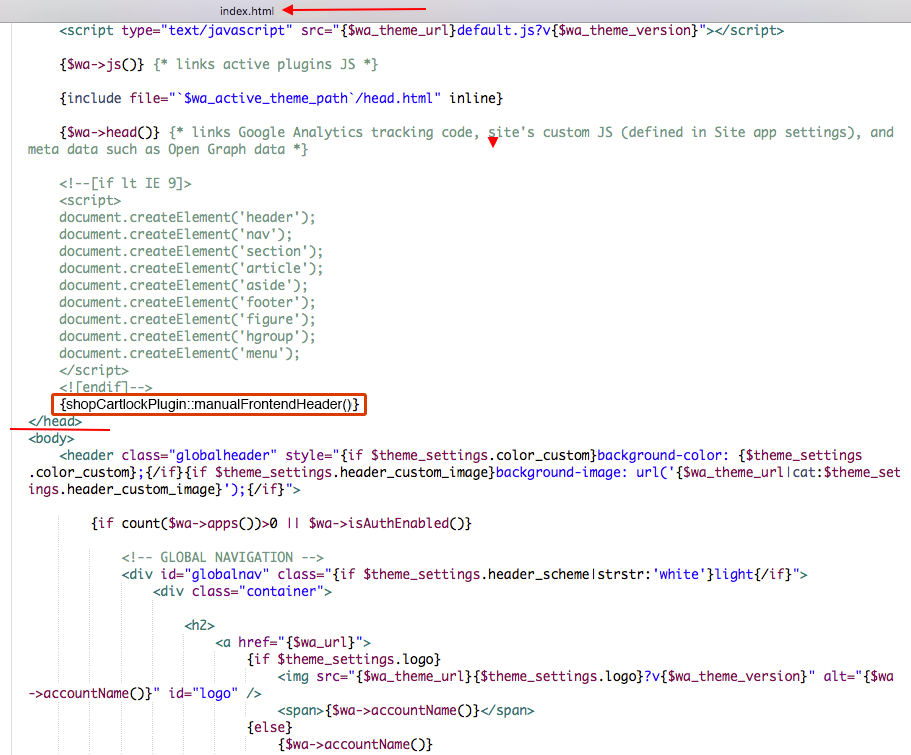
If you want to activate the plugin in other apps ("Site", "Blog", etc.), go to the "Site" application -> "Design" -> "Themes". Select the index.html file and insert the following line of code before the closing </head> tag:
2. If something does not work
If some elements of the cart are still visible after installing the plugins - you need to fine-tune the plugin to match your design theme.
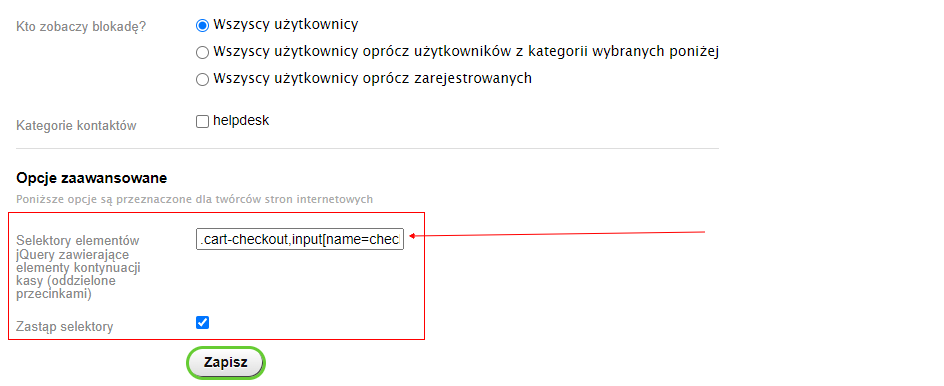
In the plugins settings, under the "Advanced options" section, enter the following values into the field "jQuery selectors containing checkout continuation elements (comma-separated)" for your design theme:
Website theme "Default"
.cart-checkout,input[name=checkout],#cart,.purchase.addtocart input[type=submit],.add2cart input[type=submit]
Website theme "Megashop 2.0"
.head-cart,.addtocart-button
Website theme "Easysale"
.s-add-button,.product-quantity-field,.quantity-wrapper,.add2cart .submit-wrapper,.s-cart-checkout
Website theme "Mobisite"
#cart, .cart, .to_cart_button
Website theme "Tasteful design 2.0"
.addtocart input[type=submit],#cart,.cart
Website theme "Supreme"
.h_cart,.btn_add2cart,.qty_wrap
Website theme "Material design"
.addtocart button[type=submit],.input-group.qty,.add2cart input[type=submit]
If you have another website theme, try the following code:
.header-cart__icon,.product-tile__add2cart,.js-cart-preview.bar-fixed-b__item.empty,.product-card__add2cart,.header-cart__content,.js-cart-preview.bar-fixed-b__item,form.js-add-to-cart.product-list__cart,form.js-add-to-cart.product-tbl__cart,.js-cart-preview.m-header-cart
And if nothing helps, please post your question to the technical support forum here (we try to respond quickly). There may already be a solution for your design theme.