

Guide o wtyczce "Callback"
Configuration guide for plugins "Callback"
In the "Callback" plugin, you can configure both email and SMS notifications. If you don't want to receive notifications at all, set up application saving in the admin panel. You may enable all three options simultaneously or disable all of them (but why?!).
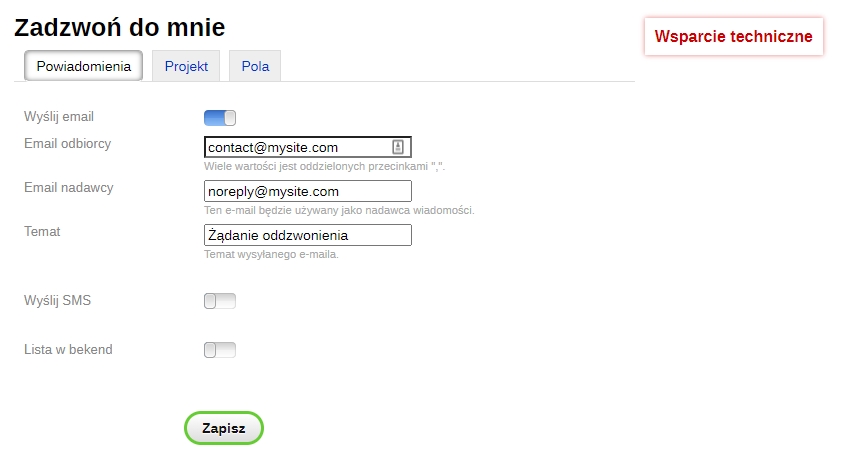
Configuring news email has standard fields for this news format: sender, recipient, subject. If there are multiple recipients, separate them with commas.
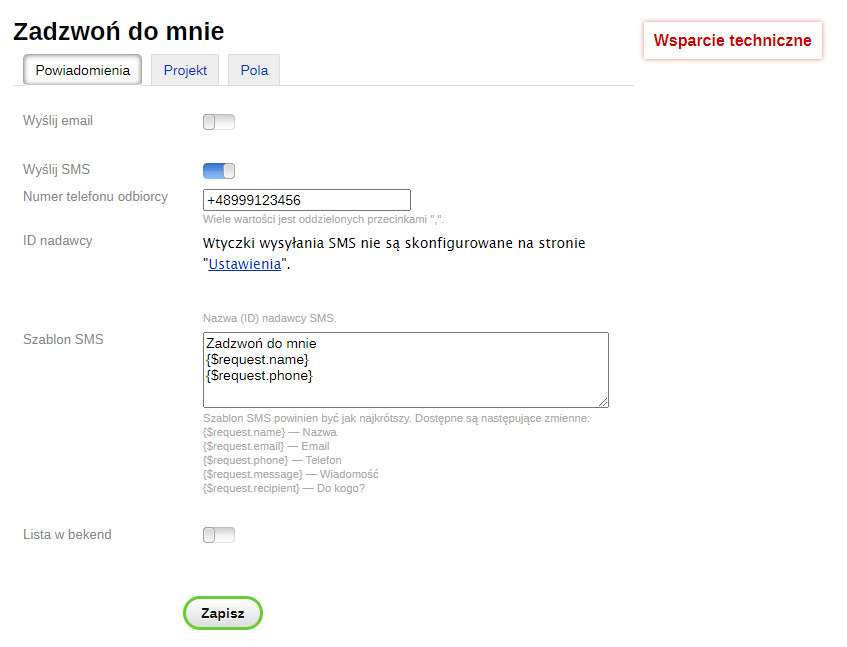
If you haven't configured SMS in the Shopy-Script app yet, do it first, then proceed to news settings in "Callback".
You can also send an SMS to several numbers by separating them with commas.
The sender list will be generated automatically. If you want to specify another sender, use the "other sender" option. Note that another sender does not mean a star!
The SMS template needs to be short. You can leave only the phone number if you wish.
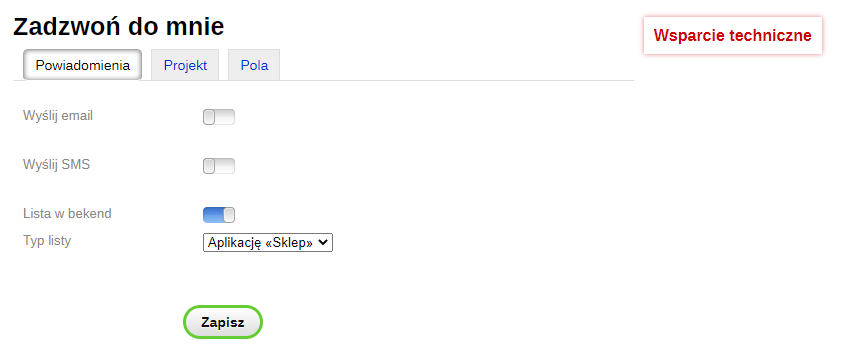
But when saving applications in the backend, for now (I'll keep the suspense) there are no additional settings.
This is how the callback requests section will look:
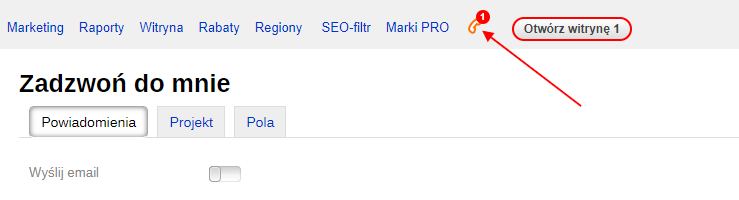
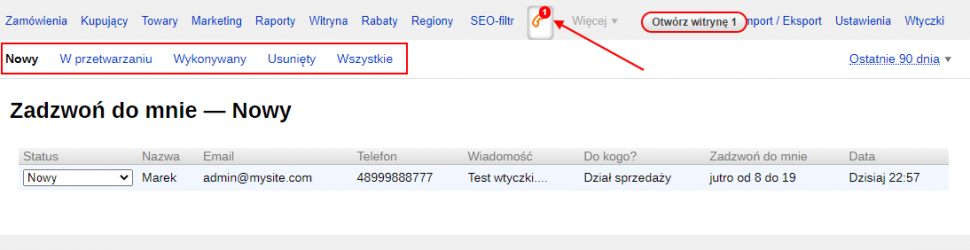
By the way, you can configure this section in the Contacts or Team app.
Configuring the appearance of plugins is extremely simple and does not require editing themes, except in cases where you want to use plugins not only in Shop but also on Blog, Photoss, etc., or if you want to create links/buttons to open the form. But first, let's consider the default settings.
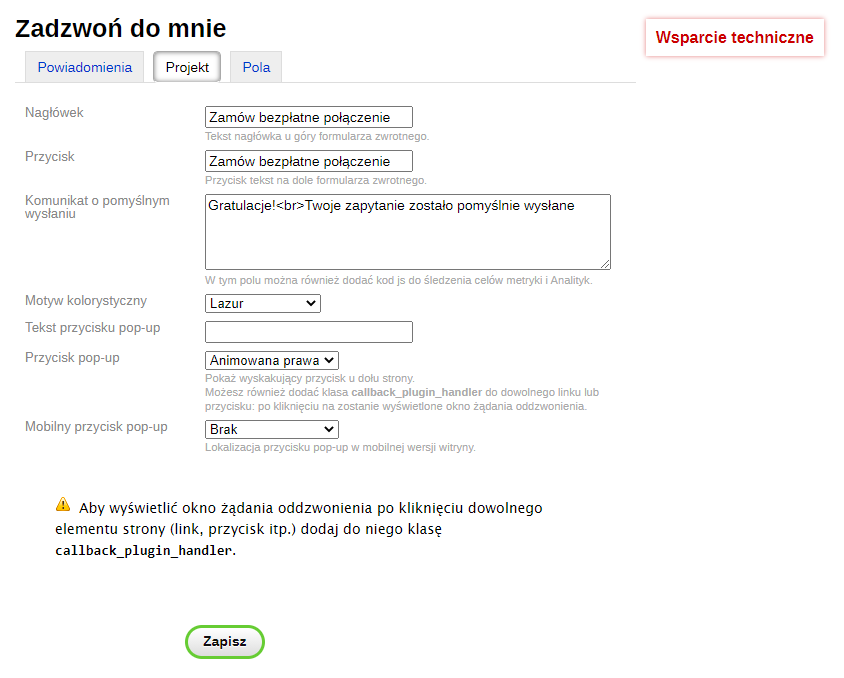
In the default settings, we would like to highlight two elements:
- The button and form elements color is changed via the "Color theme" setting.
- The "Pop-up button" setting allows displaying a call-to-action button in the storefront. The button can be static or animated. It can be positioned on the left or right side, and a flat button can be placed on the side of the screen or at the bottom.
Custom Settings.
As I mentioned earlier, plugin is designed for Shop, so the form does not work initially in other apps. Fixing this is quite simple:
add {if $wa->shop}{shopCallbackPlugin::head()}{/if} to the head.html file of non-shop themes (Photos, Blog, Site, etc).
Another case when you'll need to edit code is when you want to make your link a callback form trigger. In HTML mode, add a class to the link. It goes like this:
Was: <a href="#mylink">Can I request a call?</a>
Became: <a href="#mylink" class="callback_plugin_handler">Can I request a call?</a>
Or like this:
Was: <a href="#mylink" class="myclass">Can I request a call?</a>
Became: <a href="#mylink" class="myclass callback_plugin_handler">Can I request a call?</a>
It works not only with links but with any element on the page.
In this tab, you will be able to configure the fields that will be displayed in the request form.
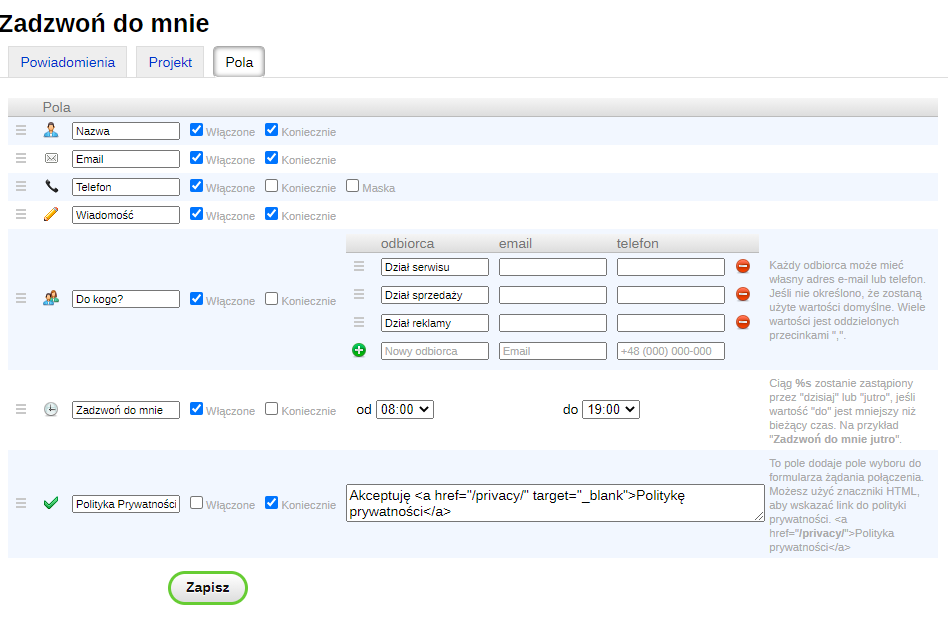
You can change the field order by dragging the "burger" icon.
An error occurred. Please try your request again in a few minutes.
This happens when the Webasyst Framework "cannot" send a news email on behalf of a specified sender.
First, never use a sender from a free domain such as @gmail.com, @yahoo.com, @mail.ru, @yandex.ru, etc.
Instead, you can configure a business email server such as Gmail, Zoho, Yandex, or another email server, for example, from your hosting provider.
If the sender is correct, you can try configuring SMTP or, conversely, disabling it if SMTP is already configured.
In the worst case, you are not sending emails at all. Try contacting your hosting support. You have likely exceeded the news daily/monthly limit.
I am not receiving emails.
Check your Spam folder. If there are no emails there, refer to the point above.
The button does not appear in the blog/photo gallery
Plugin is intended for Shop, so the button does not appear in other app.
To fix this, add {if $wa->shop}{shopCallbackPlugin::head()}{/if} to the head.html file(s) of the Blog/Photos theme.