

Configuration o wtyczce "Messengers widget"
Plugin enables sending events to Yandex.Metrica and Google Analytics. The chat has its own documentation regarding event tracking in counters; the up-to-date documentation can be found on the chat's website.
Configuring events in Google Analytics
In Google Analytics, data is automatically sent via the counter connected in Settingsch >Web Systems Pro<. Make sure you have entered the Google Analytics Property ID in the admin panel under Site -> Settings website -> Google Analytics Property ID.
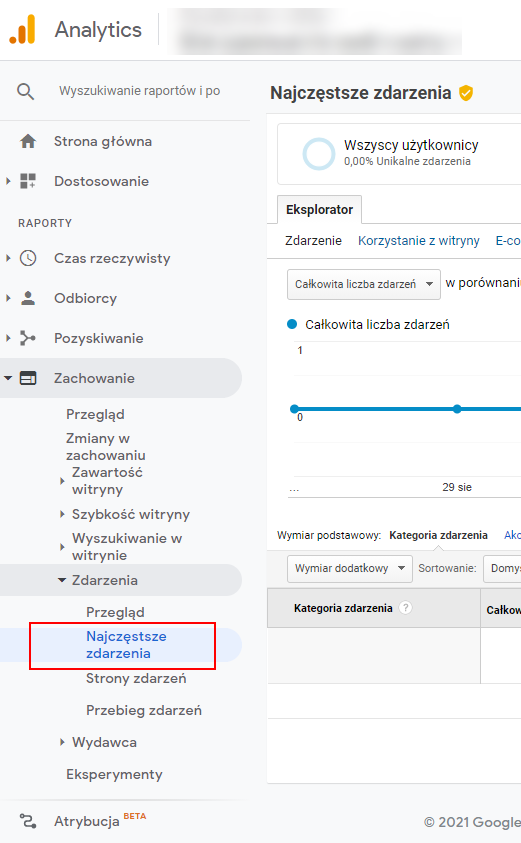
To view the number of tracked events in Google Analytics, navigate to Behavior -> Events -> Top events.
Configuring events in Yandex.Metrica
Unlike Google Analytics, in Yandex.Metrica you must manually add all events. This is done in the section Settings -> Goals -> Add goal.
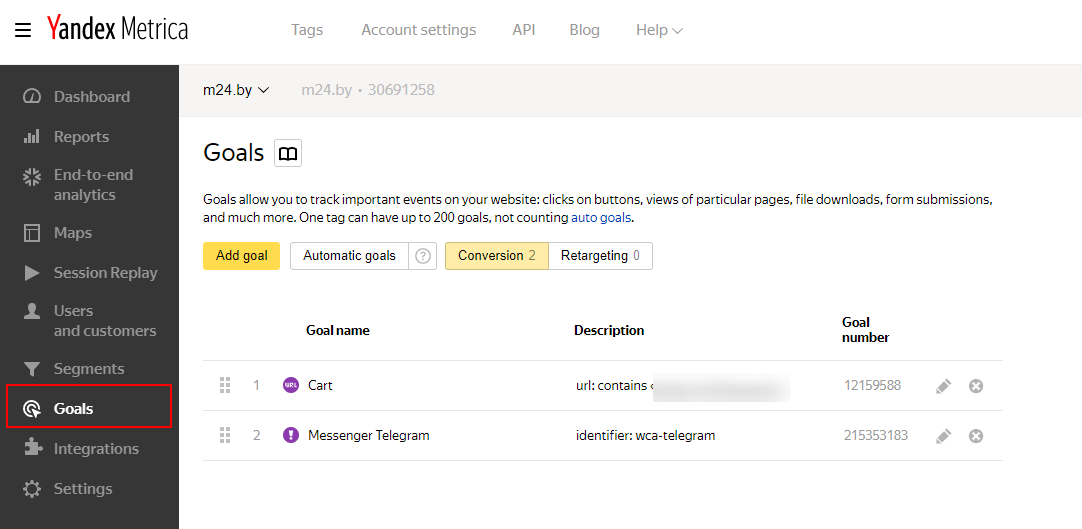
In the window, fill in the following:
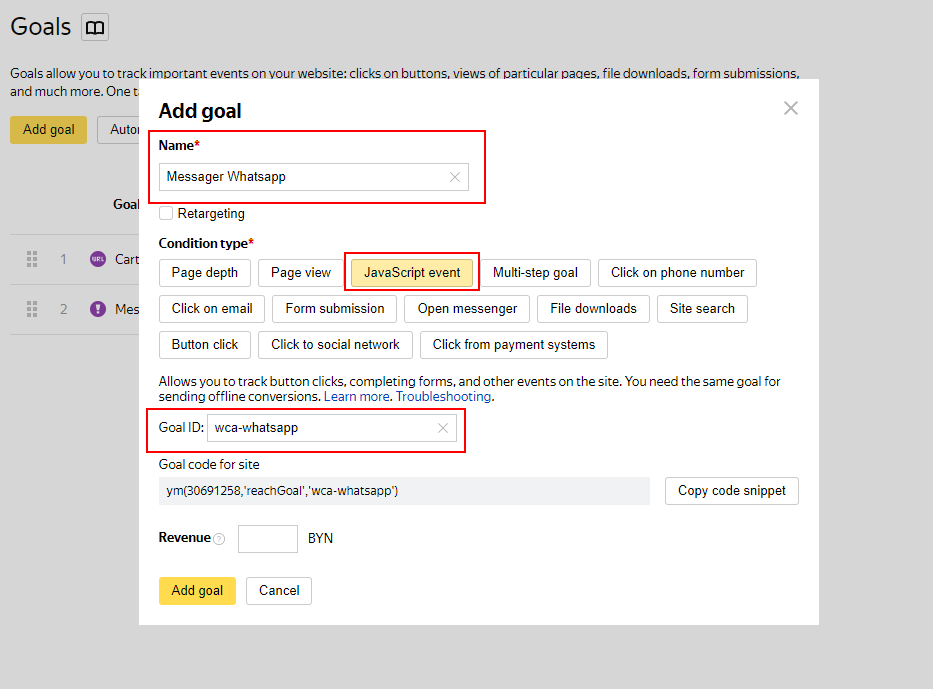
Name - any name (e.g., Widget - "Goal name")
Select condition type JavaScript event
Goal ID - specify the corresponding event from the list below
It is not necessary to configure all goals immediately; you may set up only the essential ones.
List of goals for Yandex.Metrica
wca-call - Call button
wca-telegram
wca-whatsapp
wca-instagram
wca-viber
wca-email
wca-vkontakte
wca-facebook
wca-wechat
wca-skype
wca-btn-1 - Additional button 1
wca-btn-2 - Additional button 2
wca-btn-3 - Additional button 3