

Guide o wtyczce "OpenRouter"
Obtaining an OpenRouter API Key.
To use the plugins OpenRouter in the Multilang application, you need an OpenRouter account and a personal API key - one access point to hundreds of language models from various developers. Registration and key creation take just a few minutes.
Step 1. Log in at OpenRouter (you can sign in using Google or GitHub) and go to the API key management section API Keys. Click the New Key button:
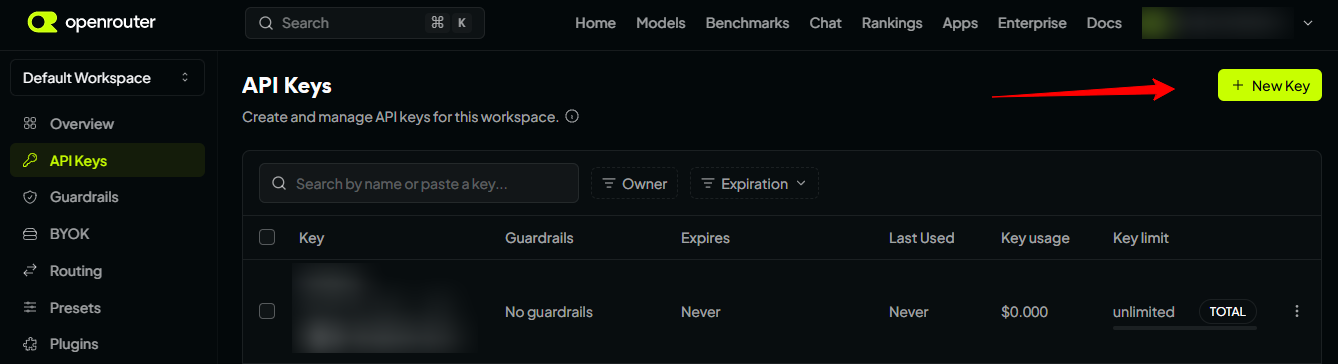
All keys you create will be displayed here later, along with their creation and last usage dates.
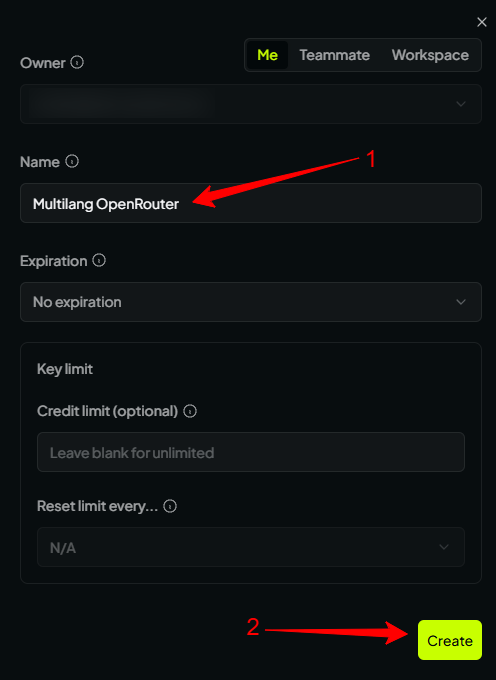
Step 2. Fill out the key creation form. In the name field, enter any descriptive name, for example Multilang OpenRouter, to easily identify it among other keys. You can leave the other fields empty, but if needed, you may set a spending limit for this key - a convenient way to manage your translation budget. Confirm creation by clicking Create:
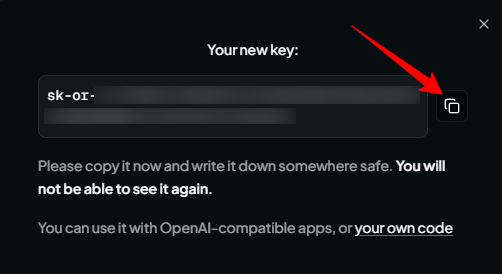
Step 3. Copy the key immediately after creation. OpenRouter displays the key value only once - after closing the window, it cannot be recovered. Click the copy button next to the key row (it starts with sk-or-) and store it in a secure location:
Step 4. Select a text translation model. Go to the OpenRouter model catalog, find a suitable model, and copy its slug using the copy button - for example openai/gpt-4o-mini or google/gemini-2.0-flash-001. This slug must be entered in the plugins settings:
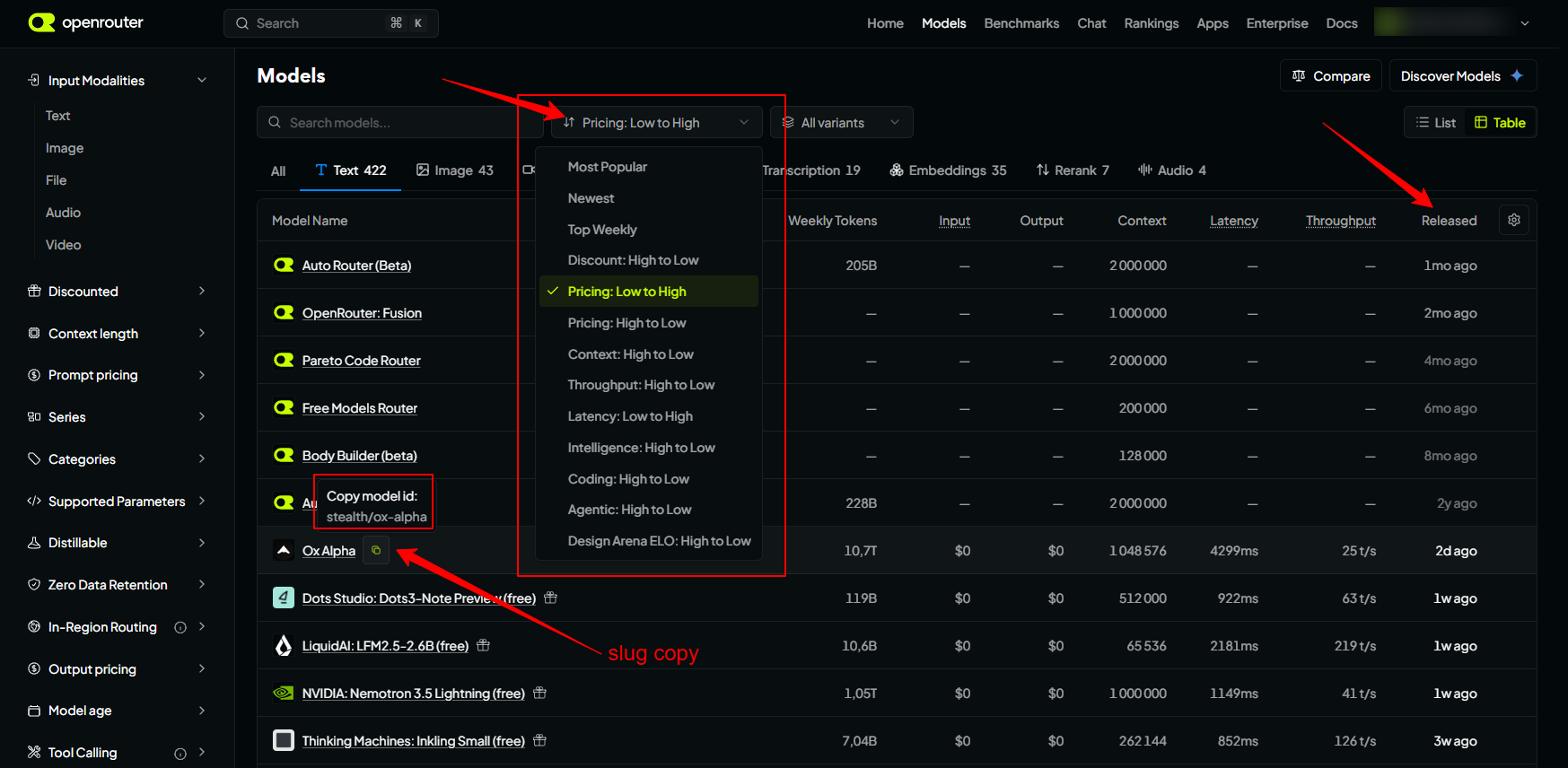
To quickly find the right model, use filters such as "by price, lowest to highest" (as shown in the screenshot above). Also check how recently the model was released - look at the "Released" column.
How to use the key in the plugin.
Open the plugins OpenRouter settings in the Multilang app, paste the copied key into the API Key field and the model slug into the Model field. Save the settings and select OpenRouter as the translation provider in the Multilang app settings. Then plugin is ready to work: start translating products, categories, and pages directly from the app interface.
If you're unsure which model to choose, start with the cost-effective openai/gpt-4o-mini - it handles product description translations very well at minimal cost. You can change the model at any time by updating one line in the settings.
Good to know!
- An active OpenRouter key is required for operation - the same key works with all models in the catalog.
- Charges are deducted from your OpenRouter balance according to the pricing of the selected models; funds can be added via the panel at Credits.
- The catalog includes free models (slugs with the
:freesuffix), but they have limitations - about 20 requests per minute and only 50 requests per day for accounts without top-ups. For regular bulk catalog translations, a paid model is recommended. - Never share your API key or publish it in public repositories - if exposed, delete the key in the Keys section and create a new one.