
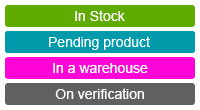
Settings o wtyczce "Product statuses in order"
Settings plugins step by step
1. Go to your template editor as shown in the screenshot:

2. Insert the code as shown in the screenshot:

Code:
{$status = shopProductorderstatusPlugin::getHtmlStatus($item.pds_status_id)}
<td>{if $status}{$status}{else}Pending confirmation{/if}</td>
Instead of "Pending confirmation", you can enter any text that will be displayed when no status is selected.
3. In themes other than Default 3.0, the code may differ, but there is a general rule.
Our plugins code should be placed within the following block:
{foreach $order.items as $item} ... Our code ... {/foreach}, this rule also applies to the notification template!