

RSS guide o aplikacji "Blog"
RSS Feed Configuration Guide
1. Displaying the RSS feed description field
To display the RSS feed description field, you need to create a new block with the ID rss_description. Go to "Site - > Blocks - > New block" (as shown in the screenshot below), enter rss_description in the ID field, and enter the required text below.
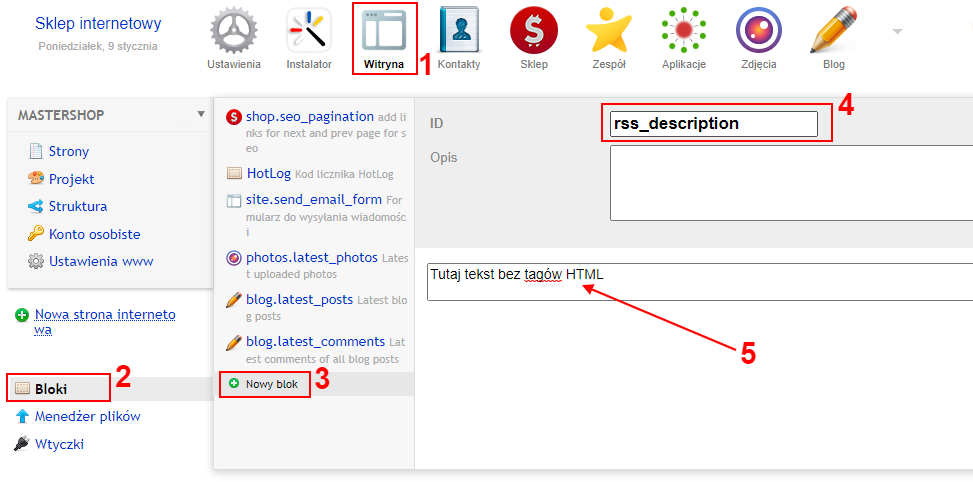
Tags HTML and code cannot be entered in this field!
2. Displaying the main post image in the RSS feed
With the "Images for blog" plugin, it is possible to display the main image of each post in the RSS feed. Plugin is sold separately. Instructions on how to display the main post image in the RSS feed can be found here.