

Access o aplikacji "Locksite+"
Creating a contact with limited permissions
Open applications "Contacts" or "CRM" and click the "New contact" link
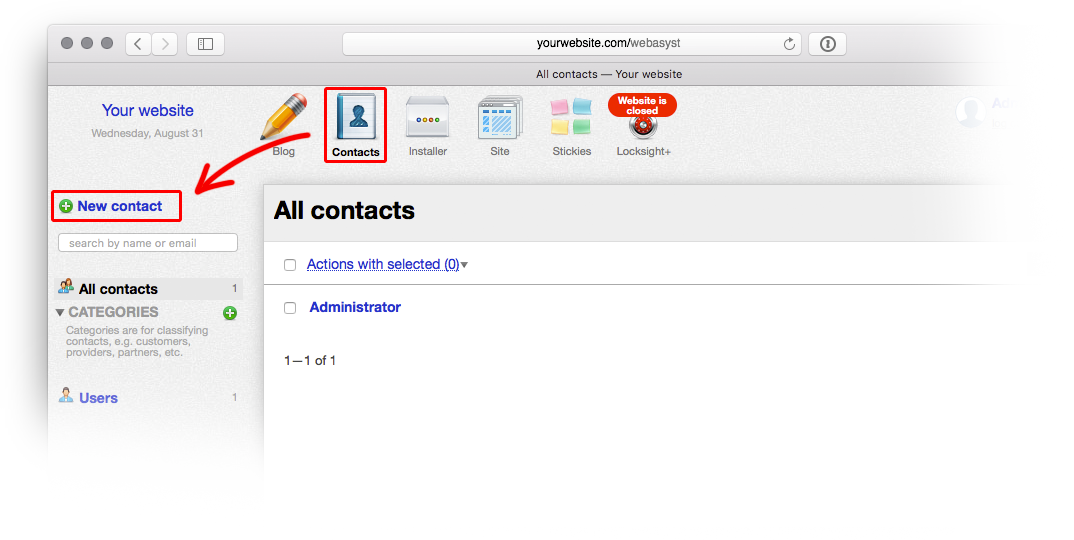
Enter contact information and save the contact. In the window that opens, select the "Access" tab, move the access settings slider to the "Enabled" position, and from the dropdown list "Backend", select "Limited access".
Then enter a username and password that will be used to access the locked website.
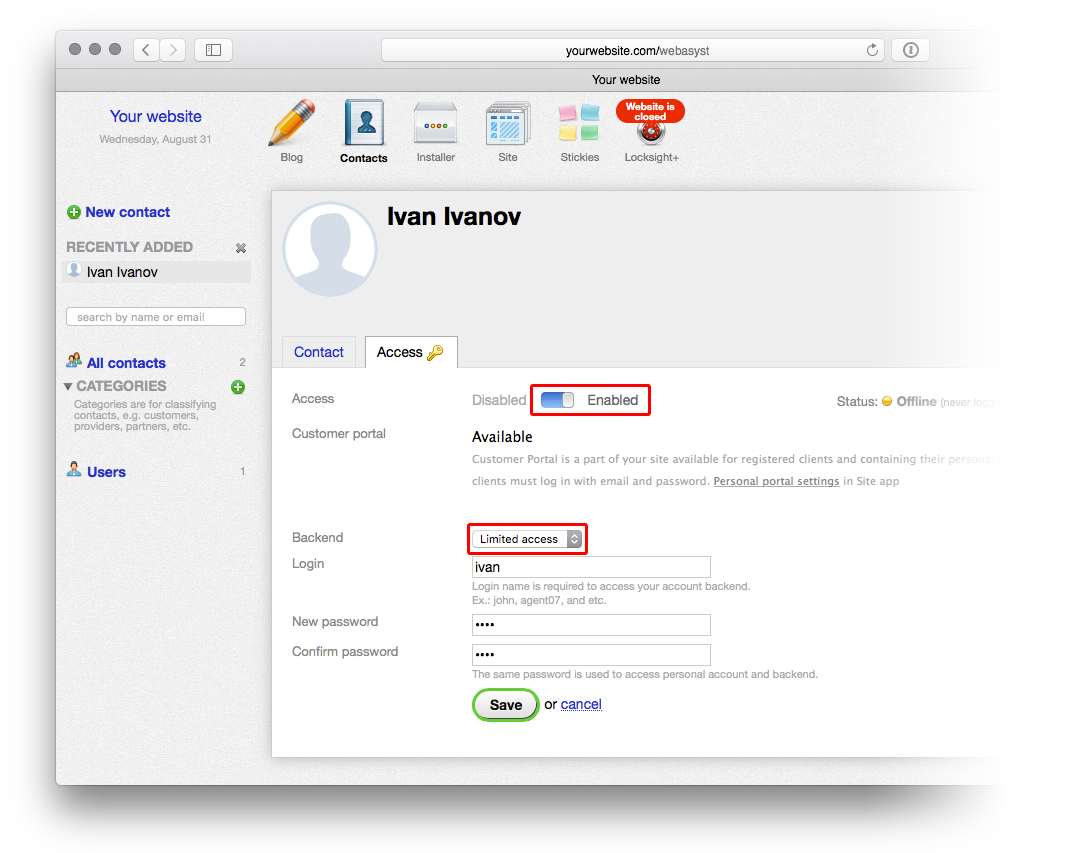
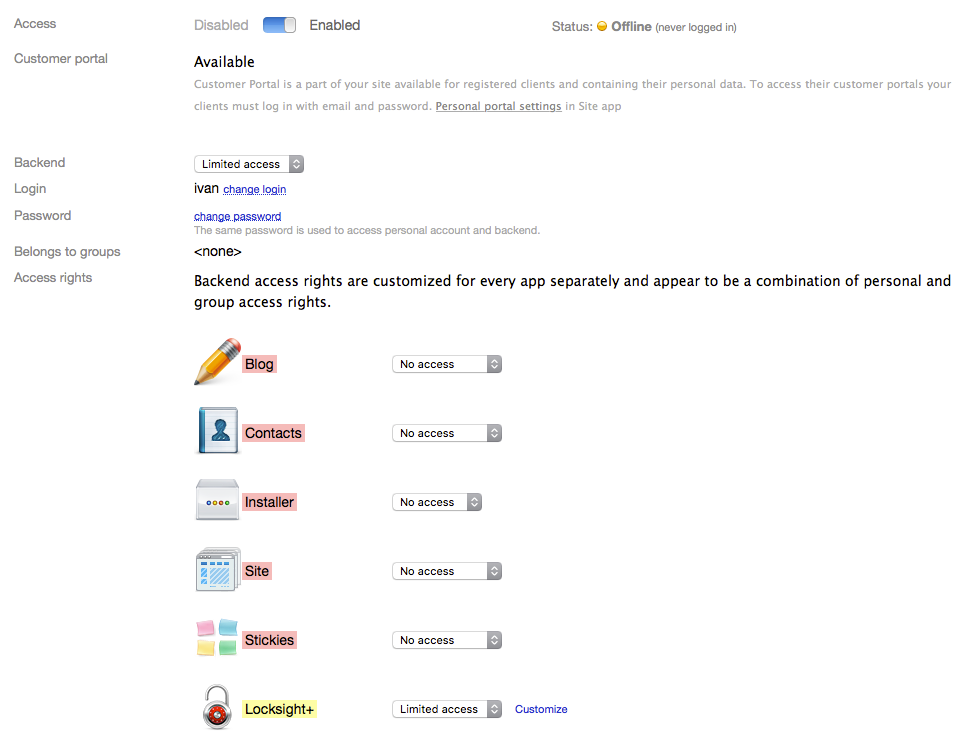
Click the "Save" button. The interface for configuring access to specific applications will appear on screen. From the dropdown list next to the "Locksite+" application, select "Limited access":
In the window displayed, select the actions that the contact is allowed to perform. For example, if you want a person to be able to view the locked website but you do not want them to accidentally open the website, you should select only one checkbox in the relevant section.
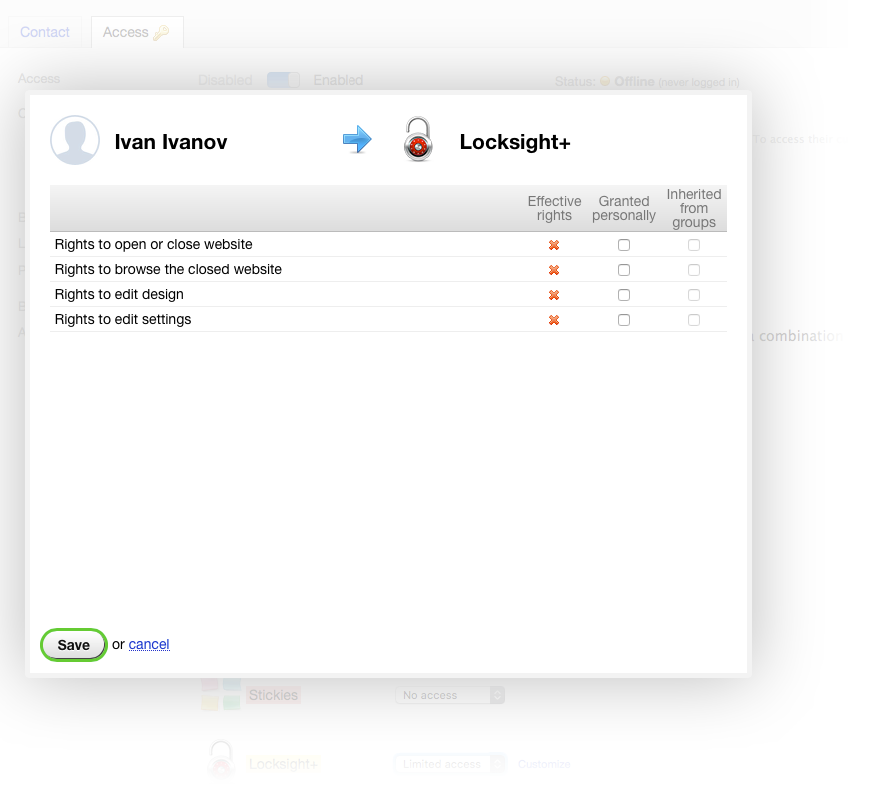
After saving the changes, the contact configuration is complete.