Remote - app for time tracking



Tracks work time, shows team activity
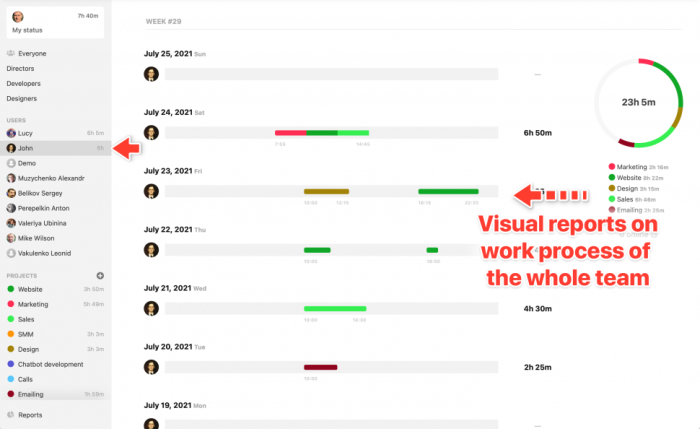
"Remote" is a simple app for tracking work time (time tracker) with additional useful features that clearly show who is working on what and for how long, who is on vacation or on a business trip.
Why do you need the app Remote
An idea for every team with at least one employee.

-
Find out exactly what time your employees are working
-
Helps remotely monitor work progress
-
Stay updated on what the team accomplished each day
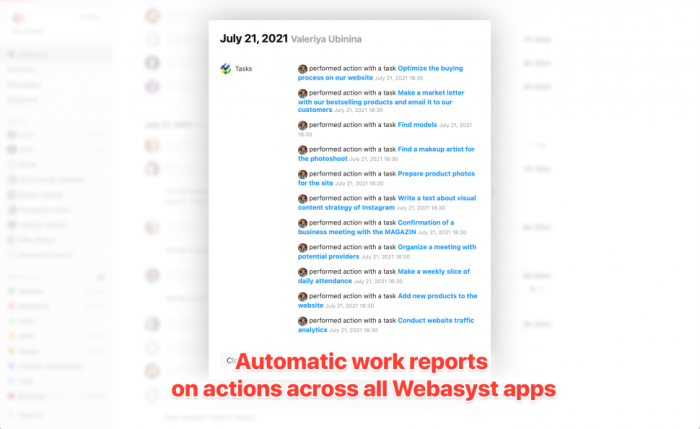
Automatic reports
wa_log - the same log displayed on the backend dashboard of >Web Systems Pro<) and shows what has been done.
Features
-
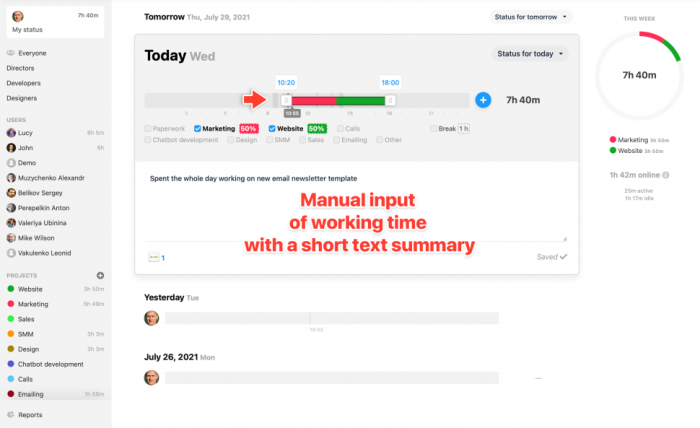
Easy time entry
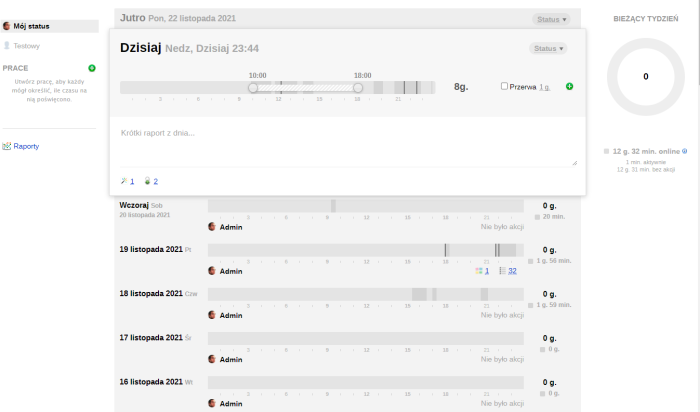
Drag the start and end time sliders, specify breaks, and the app will automatically calculate and display the rest.
-
Work reports: text-based
When work didn't go as planned or when you simply want to discuss a success, write a short daily work report in the form of a news.
-
Work reports: Auto!
"Remote" collects all information about activities across various apps in >Web Systems Pro< from the >Web Systems Pro< framework channel (wa_log) and clearly displays them on a timeline.
-
Daily statuses
"Sick", "On a business trip", "In a meeting", "In the office", etc. — each employee can update their status information for a day with just a few clicks.
-
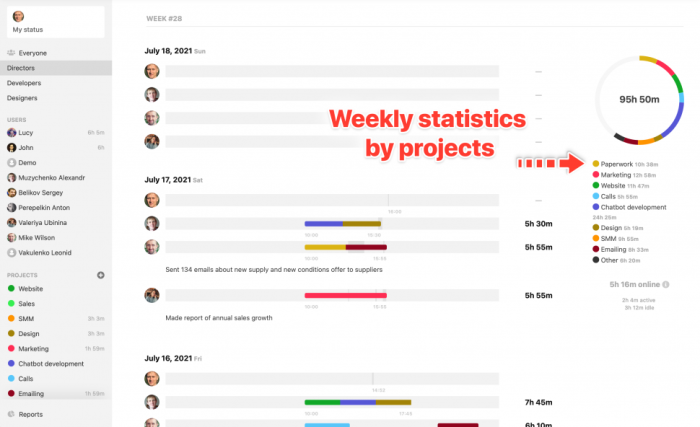
Project Time Tracking
Mark the projects you worked on today. Application will give you a nice report on the total time spent on a given project.
-
General Reports
Track overall reports on employee work time over long periods-month, quarter, or full year. You can drill down into projects for each employee.
Why does an online store need all this?
Application "Remote" has become a very useful tool for our team's work, and it immediately became clear that app would be helpful for everyone using Web-systems.pro and the Shopy-Script app. Regardless of what kind of tasks your team handles-marketing, sales, customer support, custom work, software development, or design-if there are at least two people in your team, app will already help establish interaction across the entire team. And especially in remote working conditions!
| Technical specifications | |
Localization settings | English, Polish, Russian |
Installed in the cloud | TEAM Start, TEAM Pro, TEAM Premium |
UI backend support | 1.3, 2.0 |
Software type | Application |
Free | No |
| Developer and application version | |
Developer | 1312Inc |
License | Web Systems Pro |
Version | 2.3.0.2.wsp |
Update | 12/07/2023 |