

Guide o wtyczce "PayPal"
Accepting PayPal payments using the Shopy-Script app.
To start accepting payments via PayPal in the Shopy-Script app, you need to:
1. Register with PayPal
Create a business account with PayPal.
Setting up a business account may require additional steps, such as providing bank account information, etc.
Tip: If you already have a personal PayPal account, we recommend creating a new account with PayPal to receive payments, even though you may be prompted to upgrade your personal account to a "Business" level. Having a separate business account allows you to provide your legal business details, which positively affects buyer trust.
In the payment encryption settings of your PayPal account, select UTF-8 encoding.
2. Install the plugin
In the backend of your website, go to the "Installer" app, use the search feature to find the "PayPal" plugin, and click the "Install" button.
3. Add the payment method to the Shopy-Script app
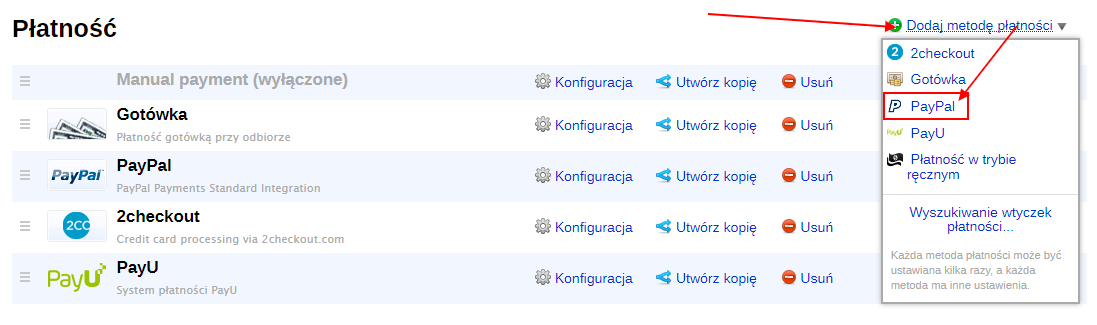
In the control panel of the Shopy-Script app, open "Settings → Payments" from the dropdown menu "Add payment method" and select "PayPal".
If needed, change the default name and description of the payment method. These will be visible to customers during checkout.
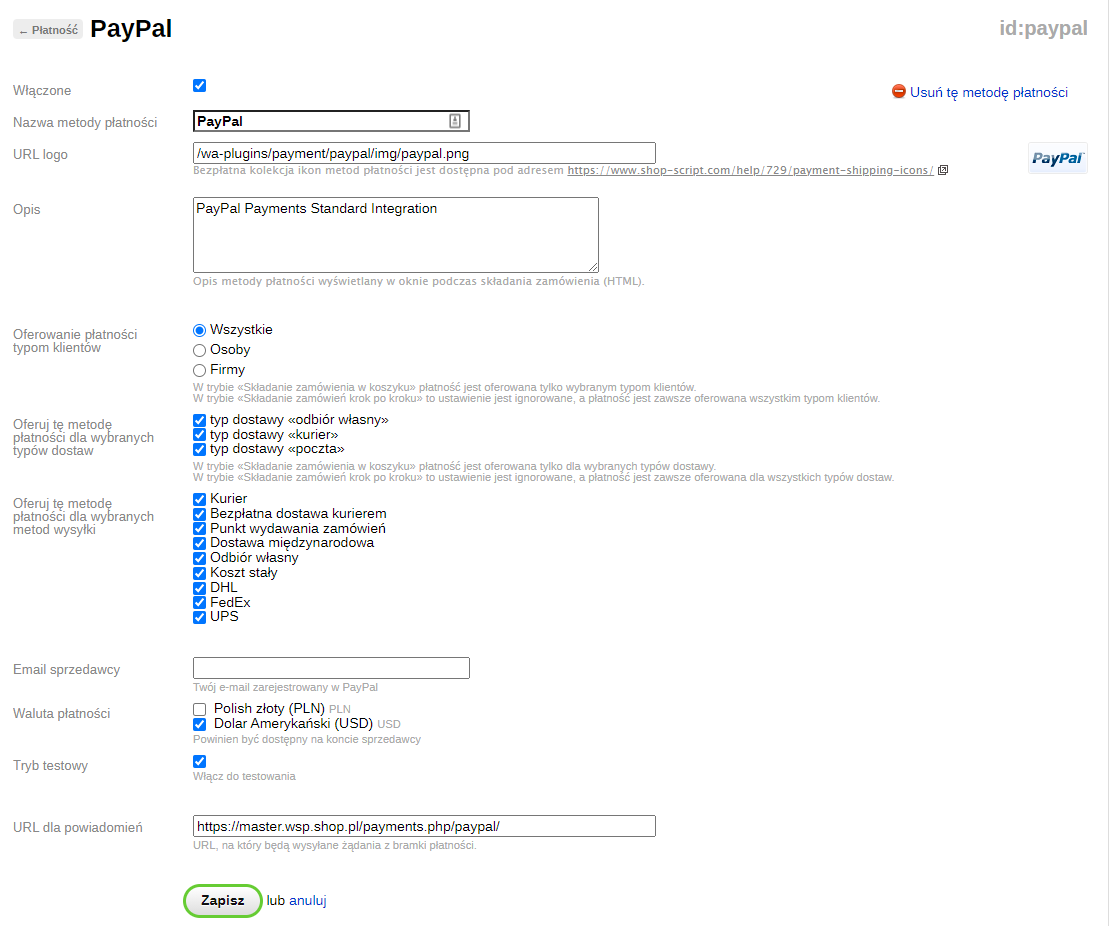
To place an order in Cart:
- Select which customer types this payment method should be available for.
- Select which delivery types this payment method should be available for.
- Select shipping methods for which this payment method should be available.
- Enter your seller email address registered with PayPal.
- From the list of configured store currencies, select those supported by your PayPal accounts.
- To test the plugins, enable test mode if you are setting up the PayPal integration for the first time. To make test mode work, configure a test account in the PayPal sandbox. Place several test orders. After completing testing, disable Test Mode to start accepting real payments from buyers.
- Copy the notification URL and save it in your account on the PayPal website. This is necessary to automatically update order statuses in the Shopy-Script app during payment processing on your PayPal account.
Done! Your store is now connected to PayPal.