Texture to characteristics - plugin for Shopy-Script applications




Description
The Plugin "Texture to characteristics" implements a visual demonstration of invoices, colors, and materials offered by the store, which are difficult to describe in words.
The Plugin works only for features based on which products are generated.
As an example, let's consider products from a furniture store (plugin can also be used in other industries).
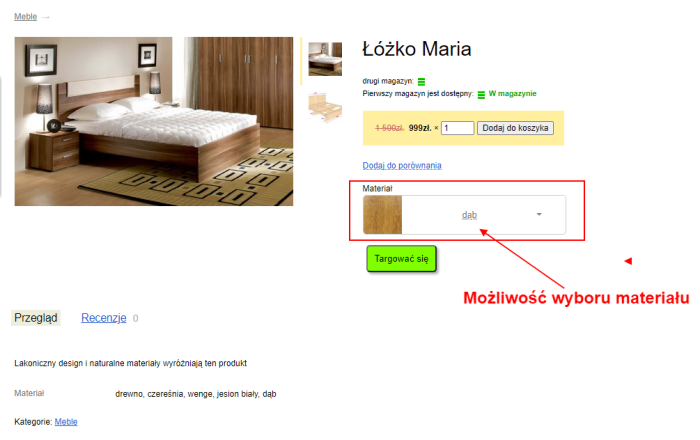
The Plugin is displayed as a block with the name of the selected feature (in our example, this is material).
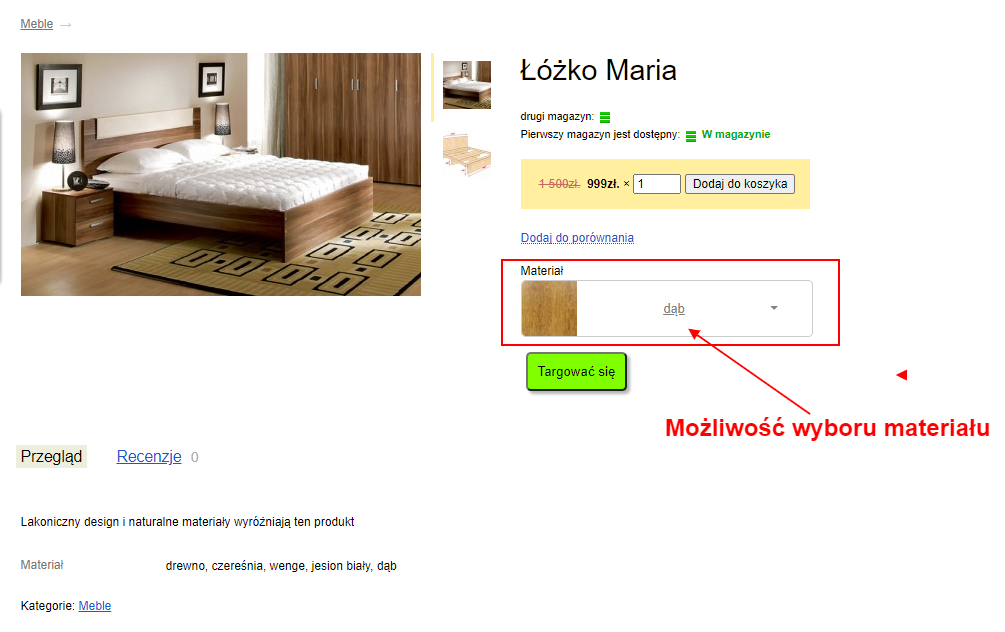
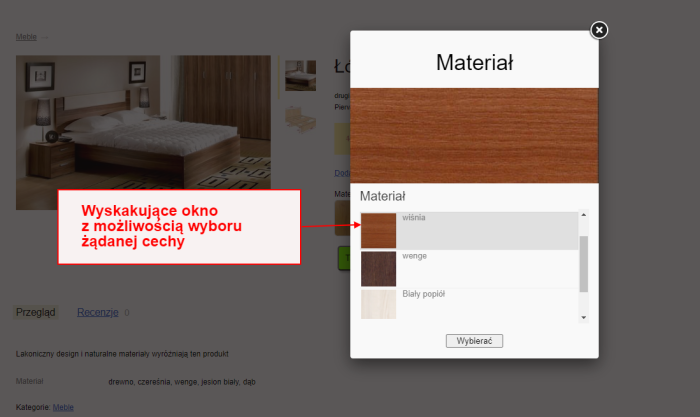
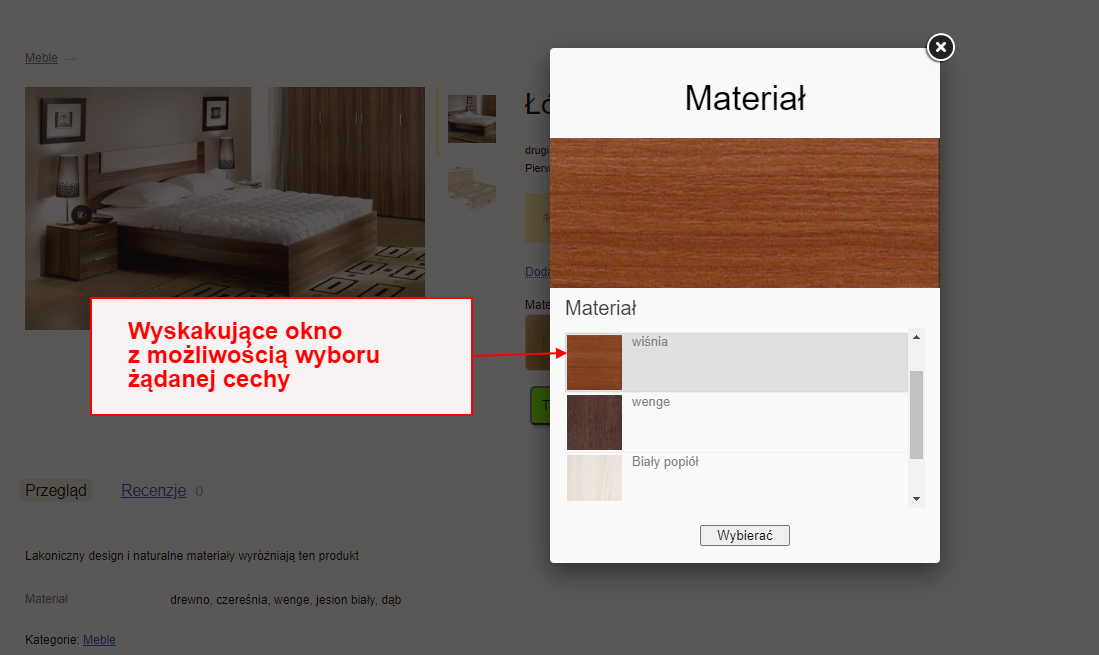
When you click on this field, a window appears where the user can visually review the available materials (this is especially useful when the product image in the catalog shows only one color, while in reality more colors are available).
In the pop-up window, select the desired material and click the "Select" button.
Settings
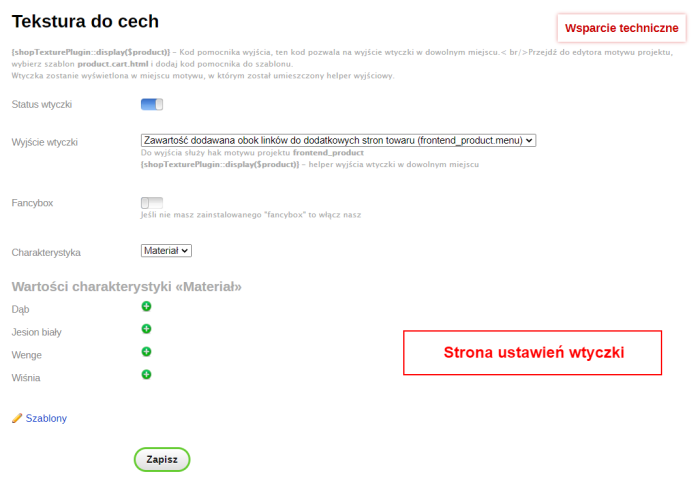
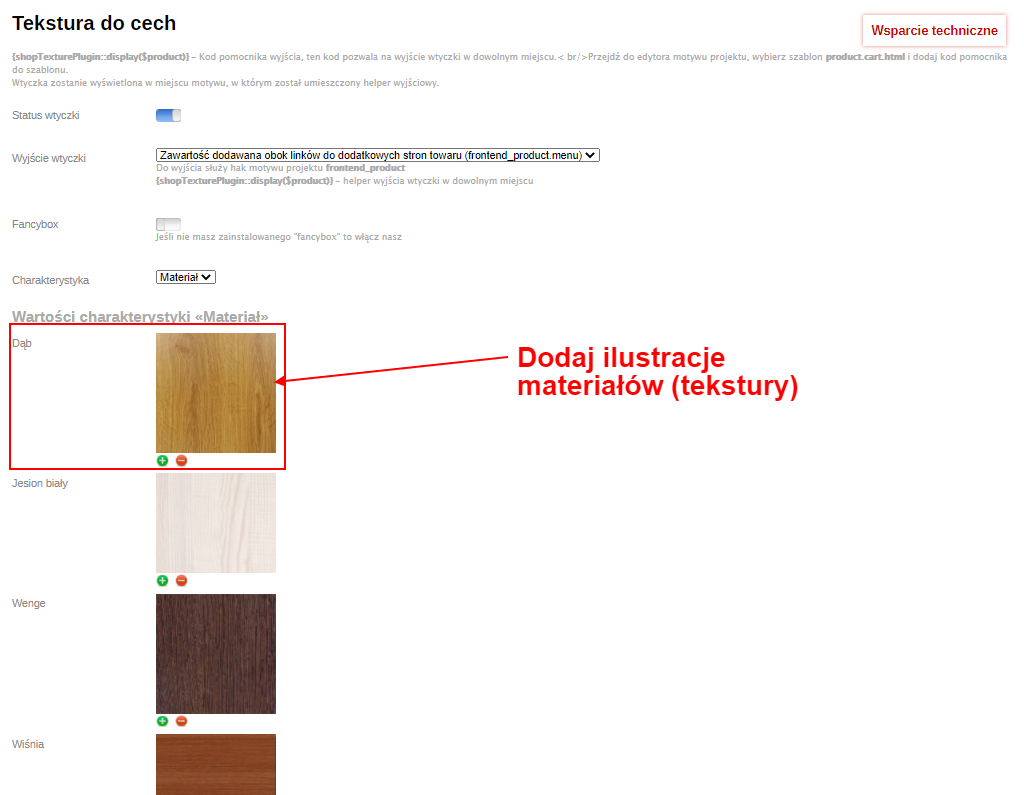
The settings page looks as follows:
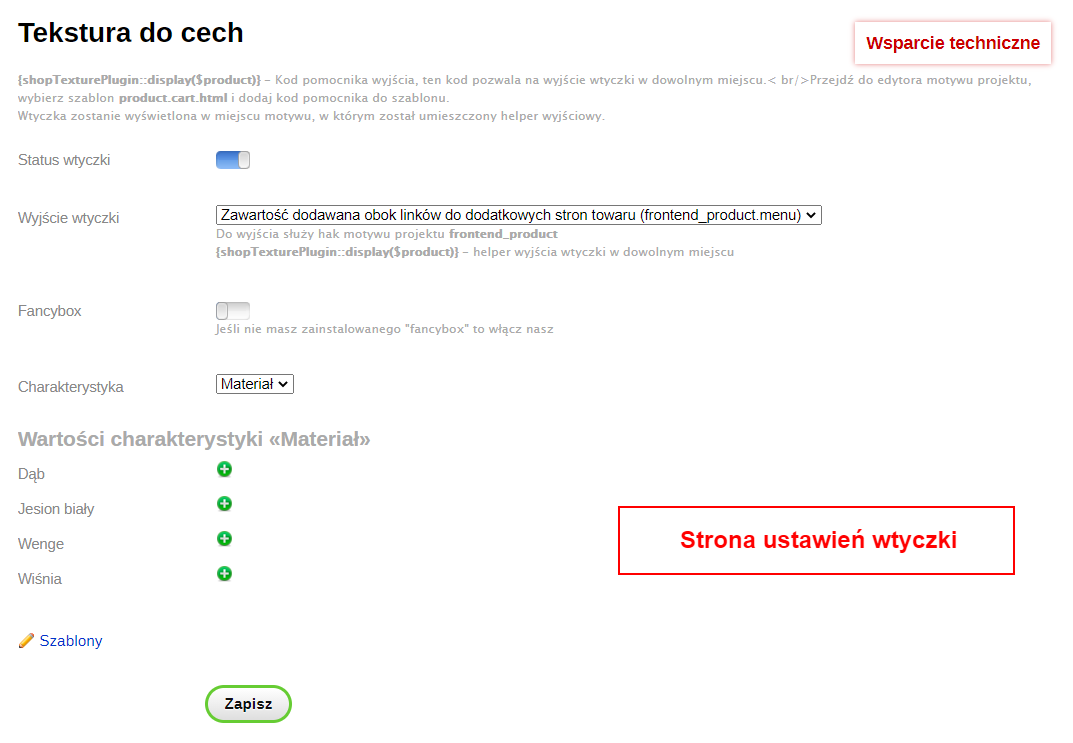
Available settings:
- plugins status (enabled/disabled).
- Output plugins in standard location (enabled/disabled). If this option is enabled, plugin will be displayed in the standard location defined by website theme. You can change the output location by disabling this option and inserting the {shopTexturePlugin::display($product)} output helper into your project theme template. The Plugin can be moved within the product tab (project template product.cart.html).
- FancyBox (enabled/disabled). The FancyBox library is required for proper operation. If you don't have this component on your site, enable it in the settings of our plugins.
- Feature. This section displays only features of checkbox type (multiple selection possible). This type, for example, usually applies to the "Color" feature. Returning to our example: in the "Material" feature, the checkbox type has also been selected. Features and their types are edited in store options (Shop -> Settings -> Product types and features).
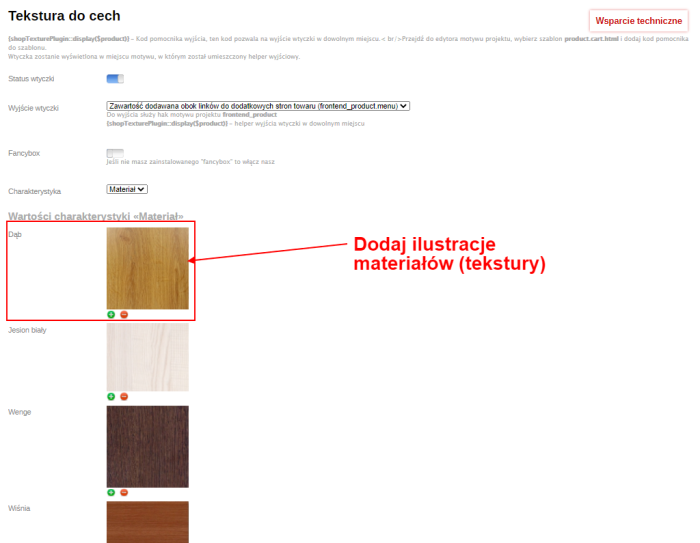
To upload an image, click the "plus" next to one of the values and add the corresponding image.
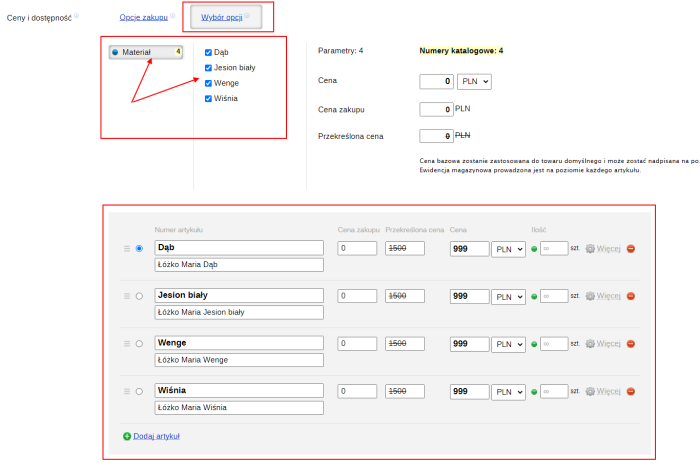
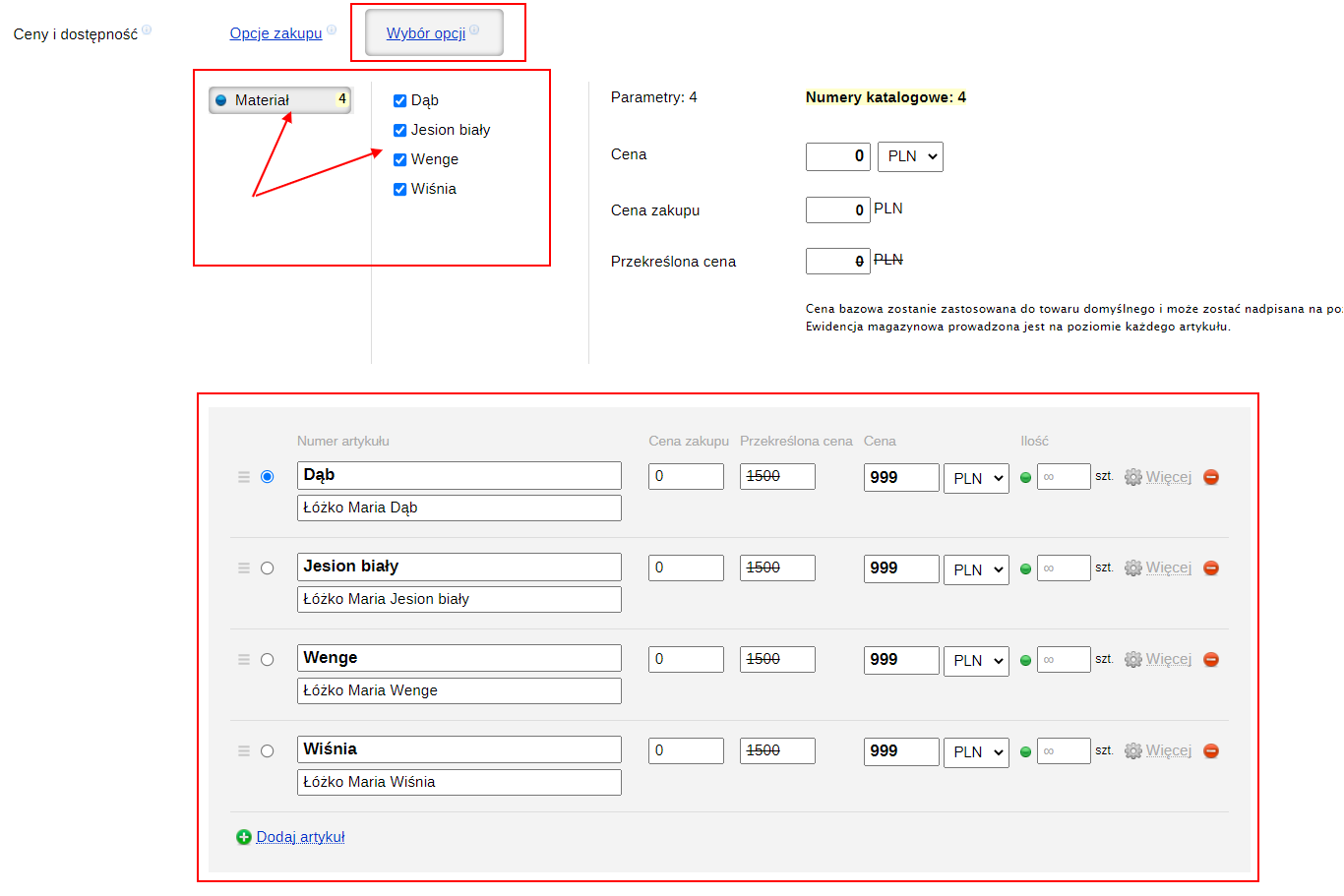
For properties to be selectable in the custom section, you must ensure that on the product editing page the properties are set as Option selection:
Before removing features, we recommend first removing texture images, because after removing features, the corresponding textures will no longer be available for editing or deletion.
| Technical specifications | |
Developed for | Shopy-Script |
Localization settings | English, Polish, Russian |
UI backend support | 1.3 |
Software type | Plugin |
Free | No |
| Developer and version plugins | |
Designer (programmer) | WA-plugins |
License | Web Systems Pro |
Version | 1.1.1.1.wsp |
Update | 10/31/2021 |