

Deleting and restoring comments o wtyczce "Indexing accelerator"
Deleting and restoring comments
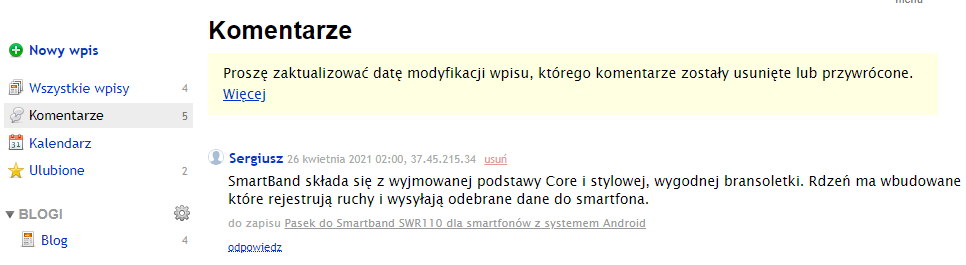
Please note! After deleting or restoring comments from the backend, you must manually update the date of the changes made. Otherwise, these updates may remain unavailable to search engines and website visitors.
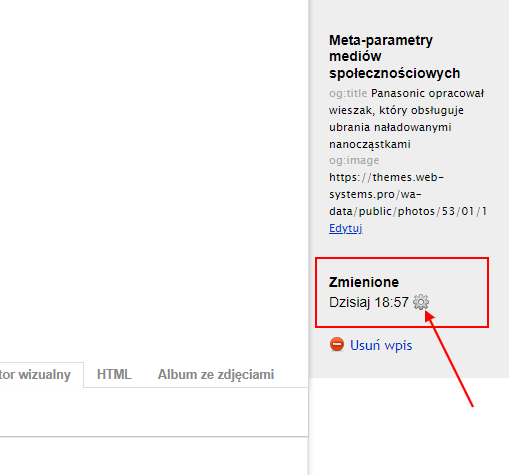
To fix updates made to comments in the backend, go to the post with the changed comments. Click the gear icon in the right column (next to the "Changed" header). A window will appear where you should press the button "Reset modification date of the current post".
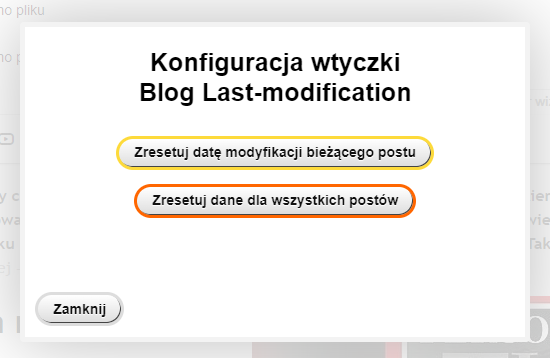
In the displayed window, click the "Reset modification date of the current post" button:
We will release an update that automatically fixes comment timestamps in the backend as soon as >Web Systems Pro< adjusts the procedure for deleting and restoring comments on the server itself.