Guide o wtyczce "SEO-SKU"
Integration Instructions
To ensure full functionality of plugins, integration of plugins with the design theme is required.
Product items can be of two types: "Purchase Options" and "Option Selection".

Depending on the type of items used in your online store, you will need to make certain changes in the theme templates (if both types are used, you will need to apply changes accordingly for both types).
Available plugins helper functions:
{shopSeoskuViewHelper::getSkuUrl($sku_id)} - returns a direct link to an item by its ID.
{shopSeoskuViewHelper::getSkuData($sku_id)} - returns an array with item parameters (product_name, meta_title, meta_keywords, meta_description, url) by its ID.
{shopSeoskuViewHelper::getSkuIdBySkuFeature($product, $feature_id, $value_id)} - returns the item ID for items of type "Option Selection".
{shopSeoskuViewHelper::getSkuUrlBySkuFeature($product, $feature_id, $value_id)} - returns a direct link to an item of type "Option Selection".
1. Displaying direct links to items of type "Purchase Options"
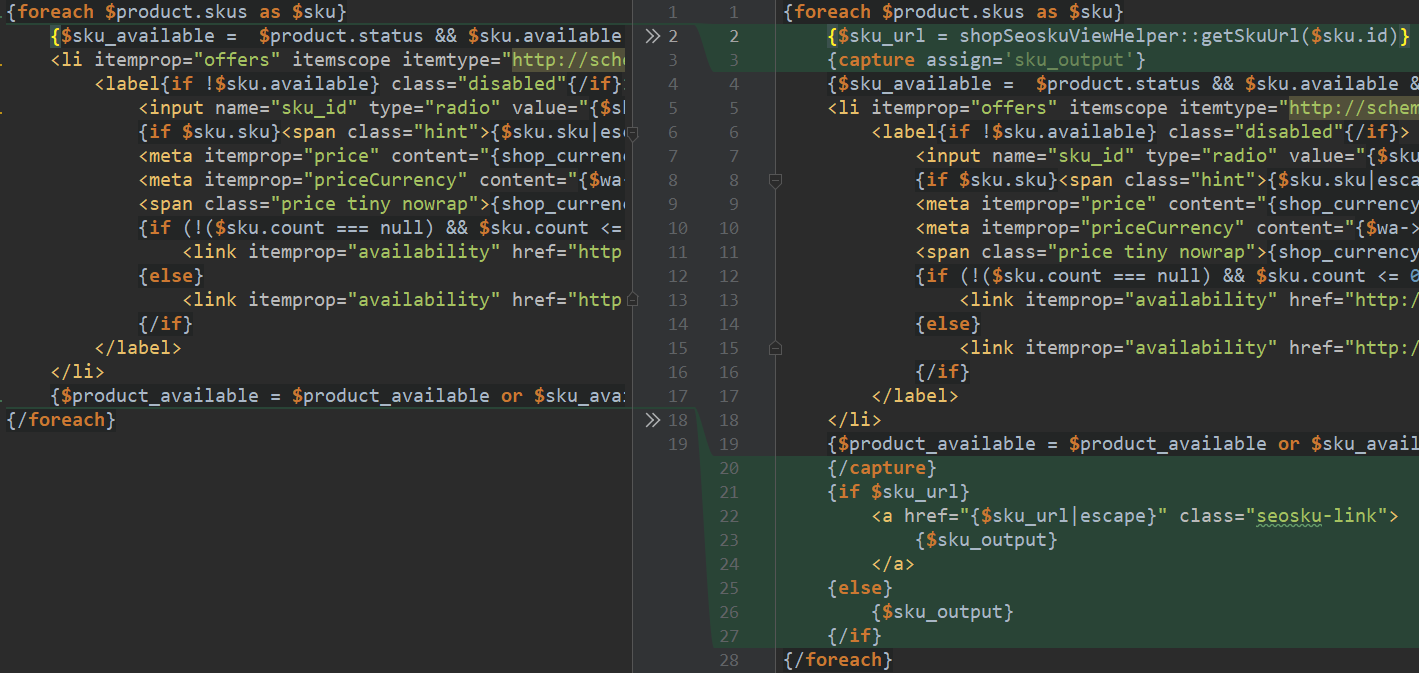
1. Locate in the template (usually product.cart.html, but the name of such a template may vary for each theme) the beginning of the output block for items in the format {foreach $product.skus as $sku}. Your theme may contain several such blocks, as some may be used for displaying Schema.org, others for stock availability, etc. What you need is the exact block responsible for the item selection selector.
2. Wrap the entire content inside {foreach $product.skus as $sku}...{/foreach} with {capture assign='sku_output'}...{/capture}
3. Before {capture assign='sku_output'}, insert the code {$sku_url = shopSeoskuViewHelper::getSkuUrl($sku.id)} to obtain the link to a specific item.
4. Immediately after {/capture}, insert the following code:
{if $sku_url}
<a href="{$sku_url|escape}" class="seosku-link">
{$sku_output}
</a>
{else}
{$sku_output}
{/if}
Changes illustrated using the Default 3.0 theme. Template product.cart.html
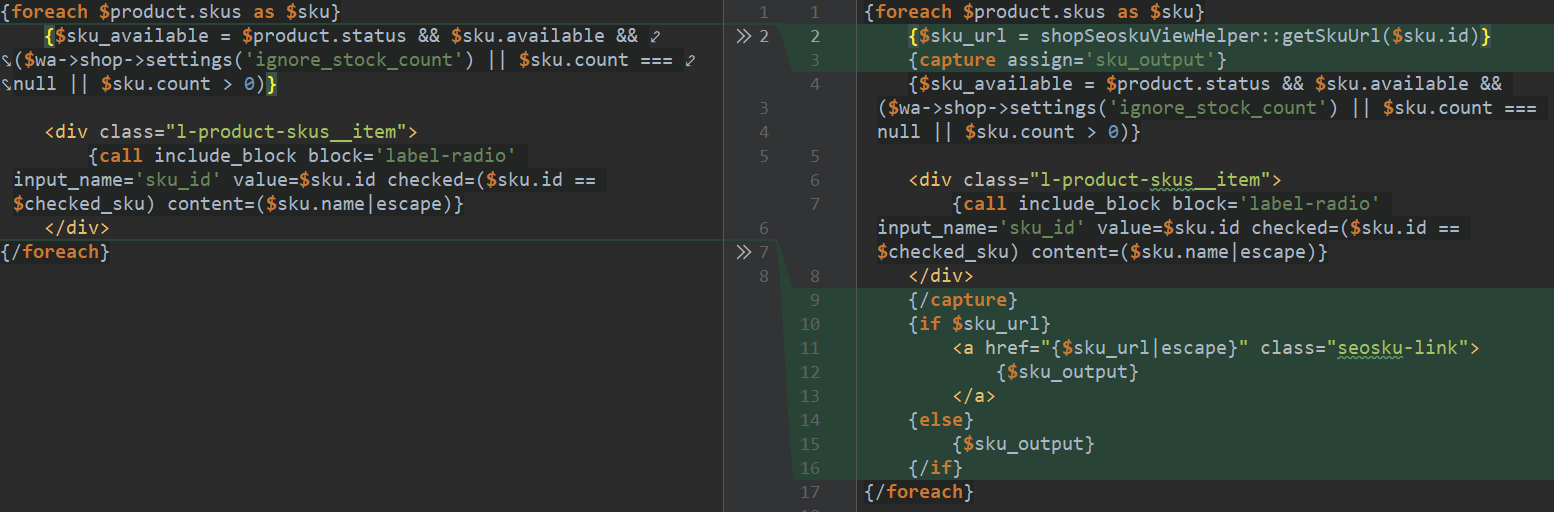
Changes illustrated using the "MegaShop 2.0" theme. Template product-skus-select.html
2. Output of direct links for items of type "Option Selection".
1. Locate in the template (usually product.cart.html) the beginning of the item selection output block by searching for {foreach $features_selectable as $f}. Note the variable $f, which may have a different name in your project.
2. Inside the foreach block, locate the nested foreach loop of the form {foreach $f.values as $v_id => $v}. Note the variable $v_id, which may have a different name in your theme.
3. If within the previous foreach block there is an element <a ...></a>, assign it the attribute (subsequent elements will not matter) href="{shopSeoskuViewHelper::getSkuUrlBySkuFeature($product, $f.id, $v_id)|default:'#'|escape}". Pay attention to the variables $f and $v_id, verify them against your template (see previous paragraphs).
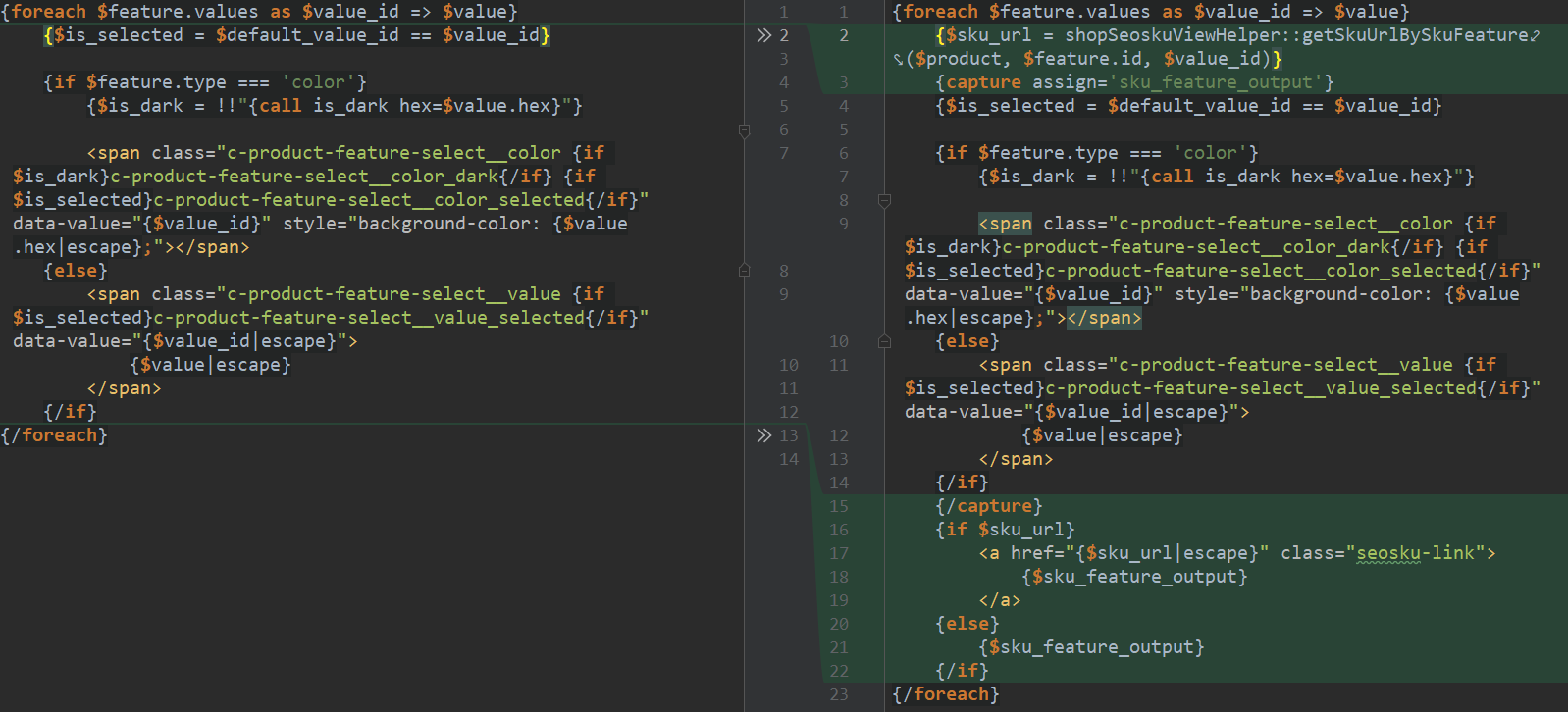
4. If the block foreach does not contain an element <a ...></a>, wrap the entire content inside {foreach $f.values as $v_id => $v}...{/foreach} with {capture assign='sku_feature_output'}...{/capture}.
5. Before {capture assign='sku_feature_output'} , insert the code {$sku_url = shopSeoskuViewHelper::getSkuUrlBySkuFeature($product, $f.id, $v_id)} to obtain the link to a specific item.
6. Immediately after {/capture}, insert the following code:
{if $sku_url}
<a href="{$sku_url|escape}" class="seosku-link">
{$sku_feature_output}
</a>
{else}
{$sku_feature_output}
{/if}
Changes illustrated using the Default 3.0 theme. Template product.cart.html
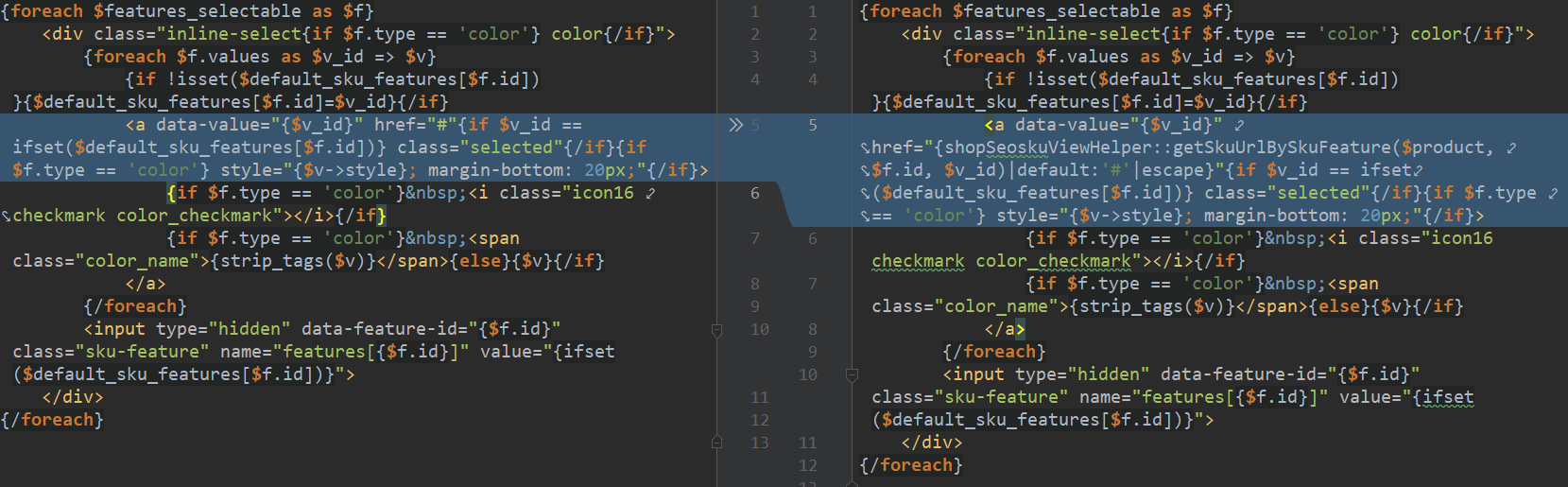
Changes illustrated using the "MegaShop 2.0" theme. Template product-skus-select.html