Pocket Lists PRO - plugin for the "Pocket Lists" app
Pushes order processing to level 80.

Pocket Lists PRO



Maximum capabilities with the "Pocket Lists PRO" module.
Plugin "Pocket Lists PRO" automates the "Pocket Lists" app in conjunction with Shop-Script and makes teamwork efficient and convenient. Here is how it works:
IF
ORDER ACTION = "Sent"
THEN
CREATE TASK «Check the status of order #{$order_id} shipment by tracking number {$tracking_number}, order amount {$order_amount}»
ASSIGN TO =(select manager),
WHEN =within 5 daysafter the order is placed,
PRIORITY =!!!,
DUE DATE =1 day
- Main advantage. Automatic creation of tasks based on order actions in Shop-Script. When any action is performed on an order (for example, the order is created, sent, or marked as completed), a task is automatically created in Pocket Lists. The rules for creating such tasks, assigning them to managers, due dates, and priorities - all of this can be flexibly configured.
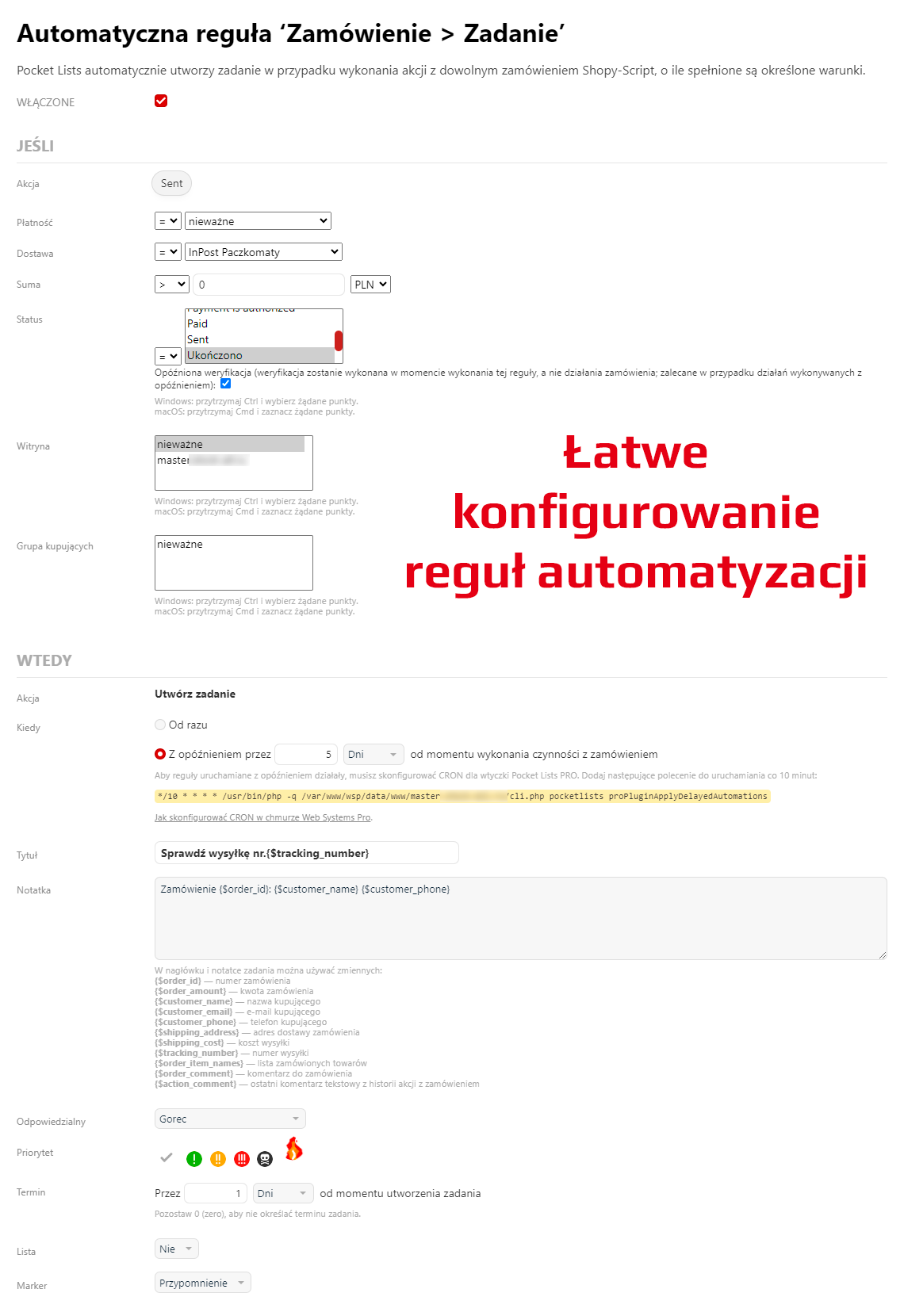
Automatic task creation - Quick entry themes:
Pay ...,Contact ...,Remind ...,Send ...,Clarify ...- these tasks are performed every day. Speed up their creation with quick themes that replace manual data entry. Create tasks with just a few clicks:
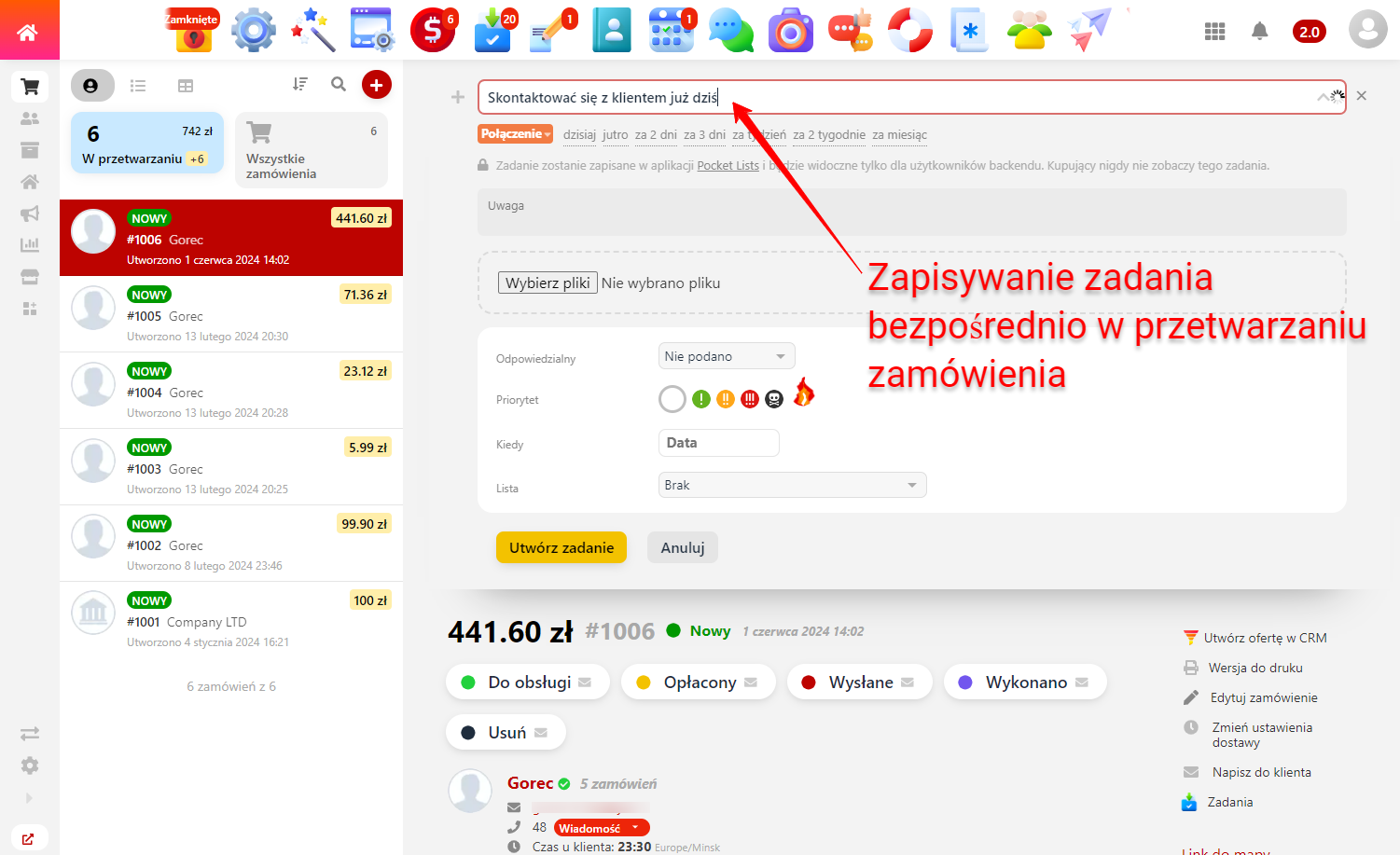
Saving a task directly in order processing
Click according to the theme or pressAlt + #(# - the serial number of the theme - and done! The list of themes is configured in any way, with the ability to group them into blocks that will be consistently suggested when entering task text. - Task markers allow you to categorize tasks:

Task markers
Markers are universal. Markers can be like task types (call, meeting, shipment, payment, idea, request, etc.), as well as statuses (in progress, testing, published, overdue, etc.) or all of them together. Customize the list of tokens exactly as it fits your workflow. - Kanban: visualization of all tasks using the created markers. If transactions in Web Systems Pro CRM are too complex for your workflow, the kanban board in Pocket Lists PRO is a great alternative and a starting point!
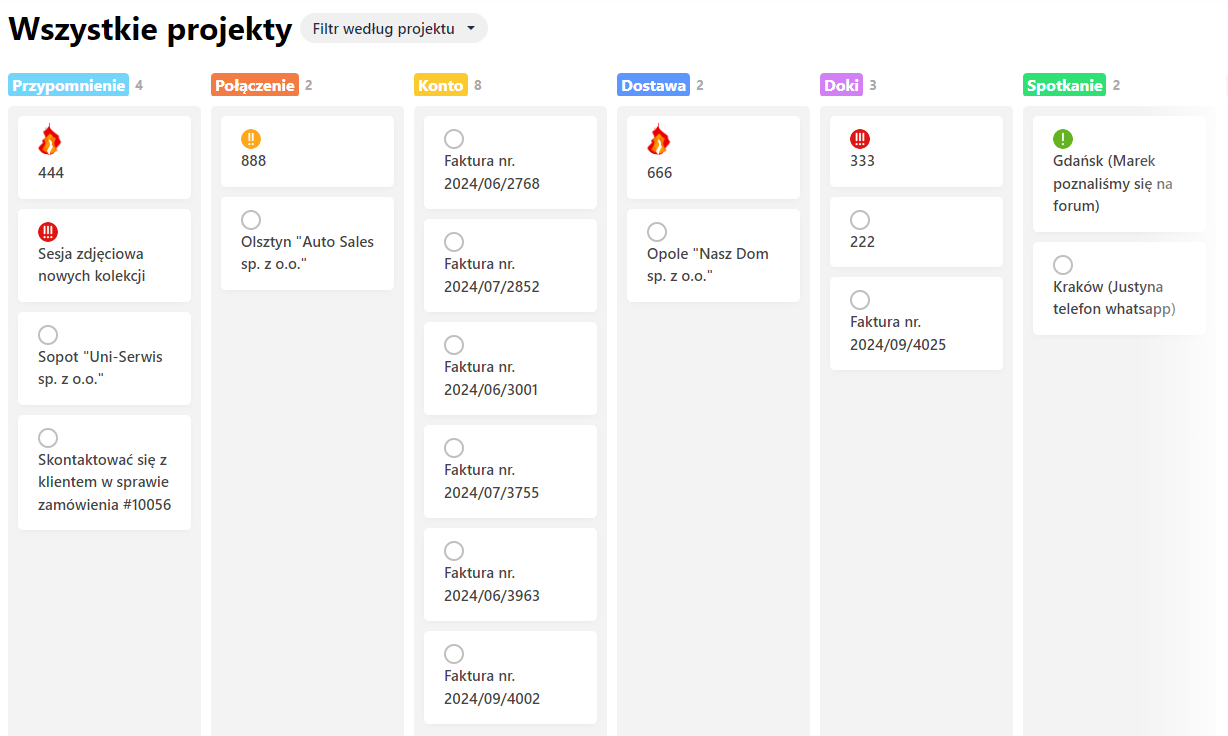
Kanban board - Activity history: a detailed timeline of everything that happens in Pocket Lists: who added and completed which task, in which project which list was created, etc. Track the timeline within the entire company, a single employee, a project, or a list.
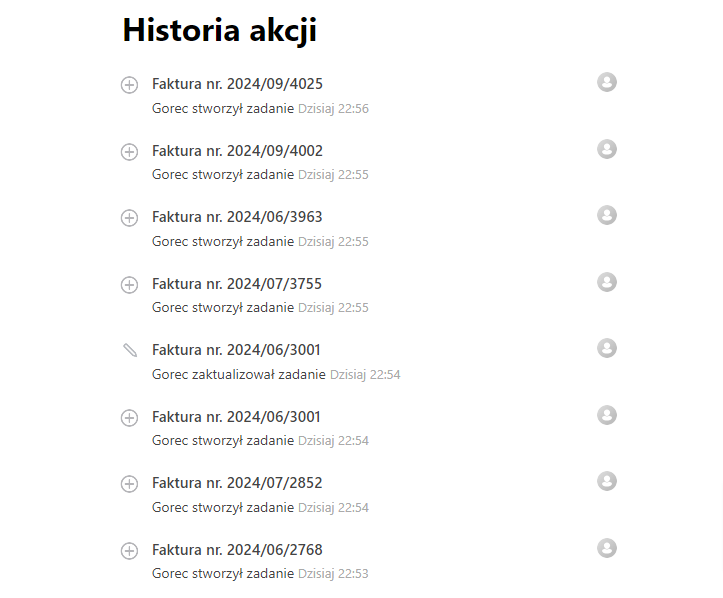
Activity history
Keep order processing under full control and forget about lost sales.
More o wtyczce "Pocket Lists PRO": Updates
Categories:
| Technical specifications | |
Developed for | Pocket Lists |
Localization settings | English, Polish, Russian |
UI backend support | 1.3, 2.0 |
Software type | Plugin |
Free | No |
| Developer and version plugins | |
Designer (programmer) | 1312Inc |
License | Web Systems Pro |
Version | 2.0.4.1.wsp |
Update | 06/28/2024 |
Loading...
Loading...
With this product also buy




-
-

Export the product catalog to an RSS feed with attributes for Google Shopping.