Cover and gallery for blog posts - plugin for the "Blog" application


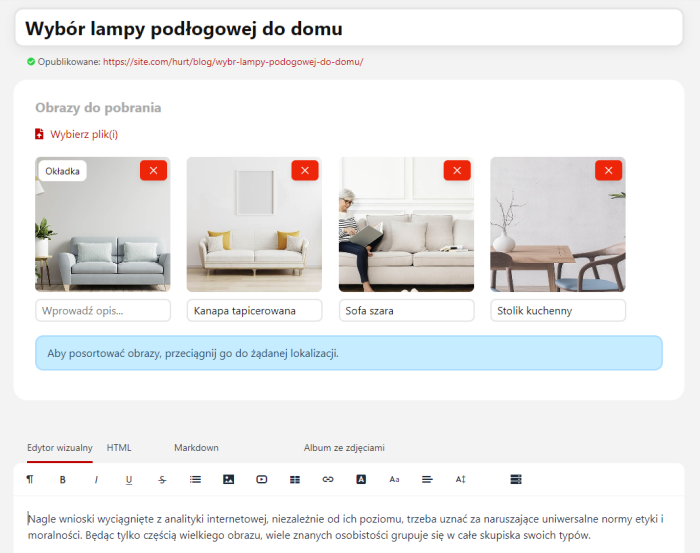


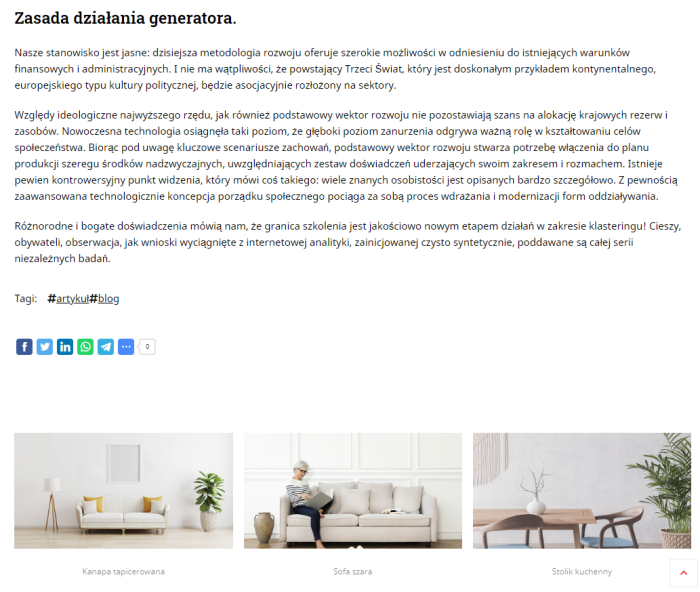


This free plugin for the "Blog" app allows you to add a cover and a mini-gallery to each post. The mini-gallery is displayed automatically right after the post text, and you can specify an additional description for each image, making posts even more informative and visually appealing.
How to add a cover?
Example settings for the Default 4.0 theme
Open the stream_posts.html file and add after the line
{* @event prepare_posts_frontend.%plugin_id%.before *} the code:
{if method_exists(blogPictureHelper, 'getImages')}
  {$image = blogPictureHelper::getImages($post.id)}
 {if $image}
      <img src="{$image.filename}" alt="{$image.description|default:''}">
  {/if}
{/if}
Open the stream_search.html file and add after the line
the code:
{if method_exists(blogPictureHelper, 'getImages')}
  {$image = blogPictureHelper::getImages($post.id)}
  {if $image}
      <img src="{$image.filename}" alt="{$image.description|default:''}">
  {/if}
{/if}
How to add a gallery?
The gallery is created automatically after the post text and contains all uploaded images (except the first image, the cover).
Benefits of adding a cover and gallery to blog posts.
Adding a cover and gallery to blog posts increases the visual appeal of content, attracting readers' attention and encouraging further exploration of the blog. With this plugin, managing images is easy, which is especially useful for travel, culinary, or fashion blogs where photos play a key role in communication.
How to easily manage images in blog posts?
The "Cover and gallery for blog posts" Plugin is fully integrated with the "Blog" app, meaning it requires no additional tools or configuration. Users can easily add images directly when creating a post, saving time and simplifying the content publishing process.
Impact of image galleries on SEO and search engine visibility.
Optimizing blog posts with this plugins not only improves the site's aesthetics but also positively affects SEO. Images, especially those properly described and optimized, can increase post visibility in search results, attracting more users.
| Technical specifications | |
Developed for | Blog |
Localization settings | English, Polish, Russian |
UI backend support | 1.3, 2.0 |
Software type | Plugin |
Free | Yes |
| Developer and version plugins | |
Designer (programmer) | WA-magazin |
License | LGPL |
Version | 1.0.3.1.wsp |
Update | 12/15/2024 |
With this product also buy