

Installation o wtyczce "ChatAndBot"
Option 1. Installation using plugins.
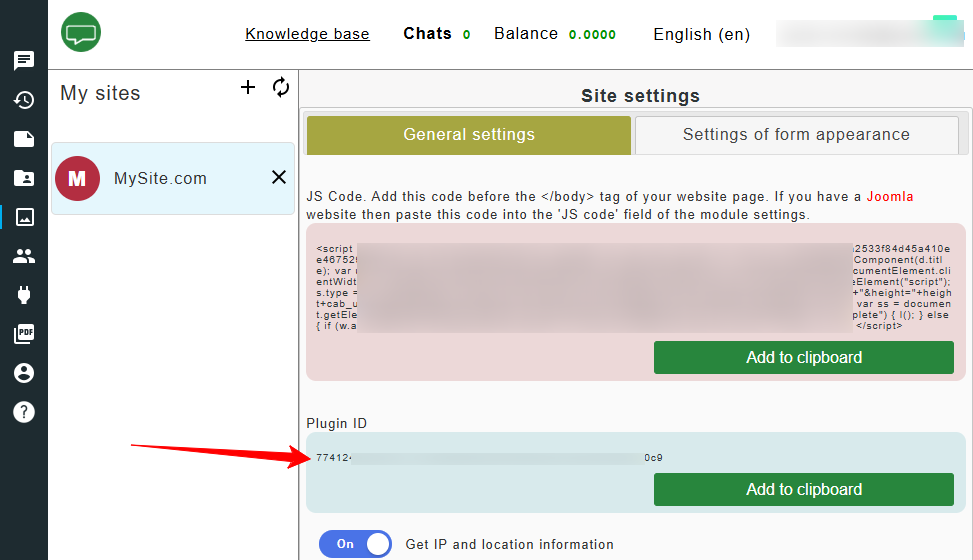
- Create an account at chatandbot.com and copy the value from the "ChatAndBot plugins ID" field.
- Go to your website's admin panel and open “Installer” > “Plugins”.
- Use the search function to find the “ChatAndBot” plugin and click “Install”.
- Then go to “Shop” > “Plugin” and open the settings of the installed plugins.
- In the “plugins ID” field, paste the code copied in the first step, enable the plugin, and click “Save”.
- Done!
Option 2. Installation using a block.
- Create an account at chatandbot.com and copy the value from the “Widget code” field.
- Go to your website's admin panel and open “Site” > “Blocks” > “New block”.
- Fill in the “ID” and “Description” fields (you may enter "chatandbot" in both). Paste the widget code copied in the first step into the block content and click “Save”.
- Copy the block code.
- Go to “Themes” > “index.html”. Instead of “index.html”, you can use other themes.
- At the bottom of the theme, locate the closing “body” tag and paste the block code before it. Then click “Save”.