Flex order - plugin for Shopy-Script applications




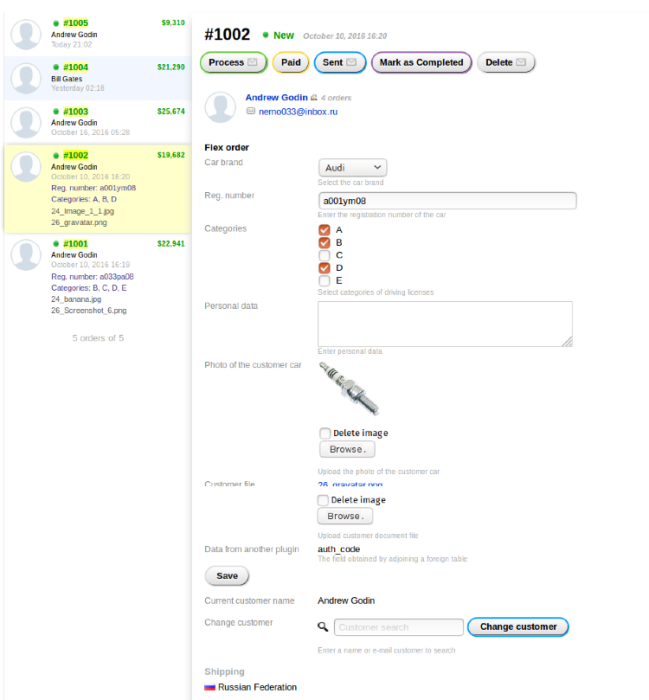


Plugin "Flex order" enables the exchange of additional information with the customer within an order or the storage of necessary information hidden from the customer. Plugin has a web form editor. For each form, you can configure user access and the place where the information will be displayed. Also, some fields can be displayed on the order list. You can allow the user to upload files directly to the order or enter additional information. You can simply show the user certain information without the ability to change it. For example, you can upload several documents that they can download to their personal account. plugin also allows you to replace one customer with another.
Plugin can also retrieve data from any tables related to the order. This option is intended for advanced users and should be used with caution.
Additional parameters for the order
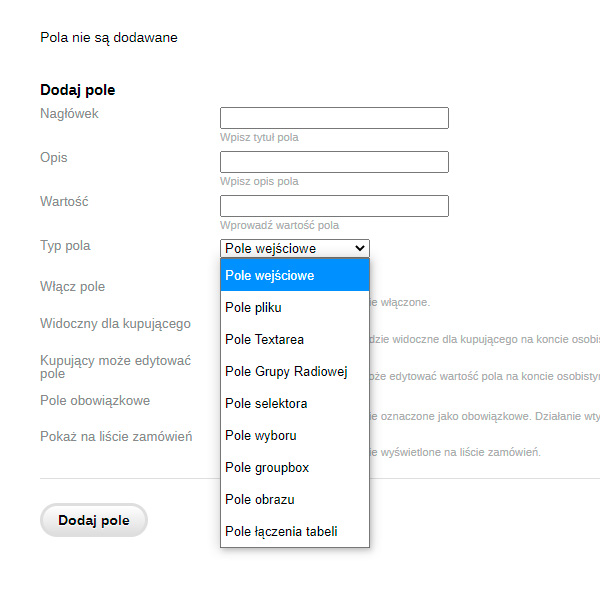
The full list of all possible fields for the form editor is visible in the screenshot below:
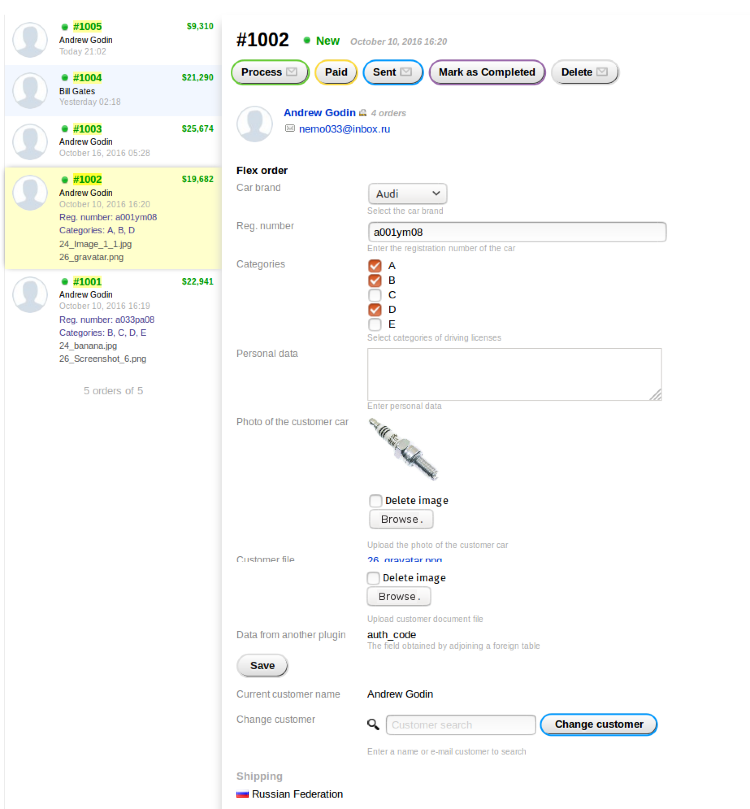
After setting all additional fields, orders will look like this:
Remember that you need to be careful with the access settings for the customer. For example, if you specify supplier details and set this field as public, the buyer will see this field in the order.
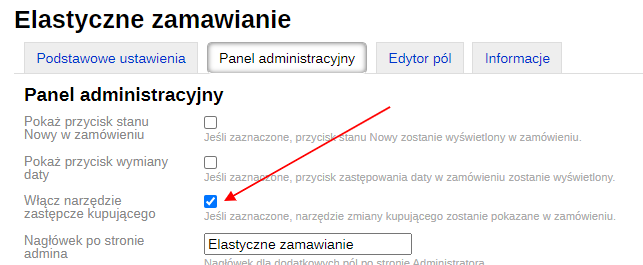
The ability to replace one buyer with another will appear if you enable it in the plugins settings:
Buyer's order in the personal account
When the customer changes, their bonuses are not recalculated.
After filling in and saving the fields in the order, the buyer will see something like this in the personal account:
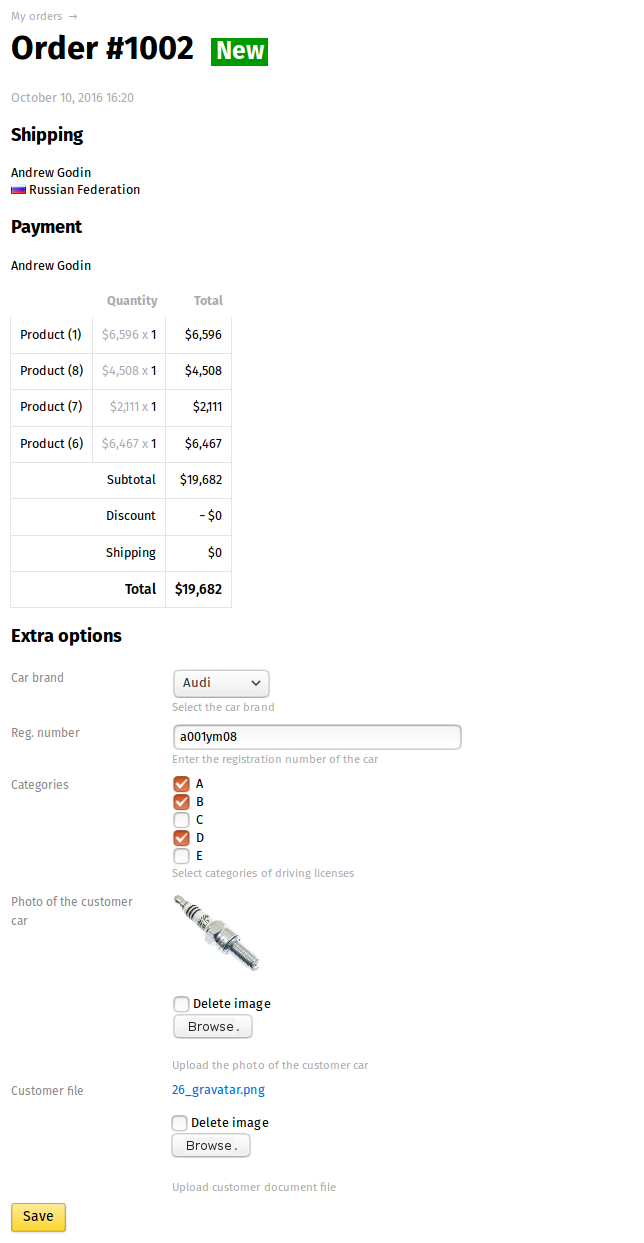
If the user does not have access to edit the fields, the data will be displayed simply as information.
| Technical specifications | |
Developed for | Shopy-Script |
Localization settings | English, Polish, Russian |
UI backend support | 1.3, 2.0 |
Software type | Plugin |
Free | No |
| Developer and version plugins | |
Designer (programmer) | ITFrogs |
License | Web Systems Pro |
Version | 1.3.0.0.wsp |
Update | 06/01/2023 |