Helpdesk - app for handling customer inquiries


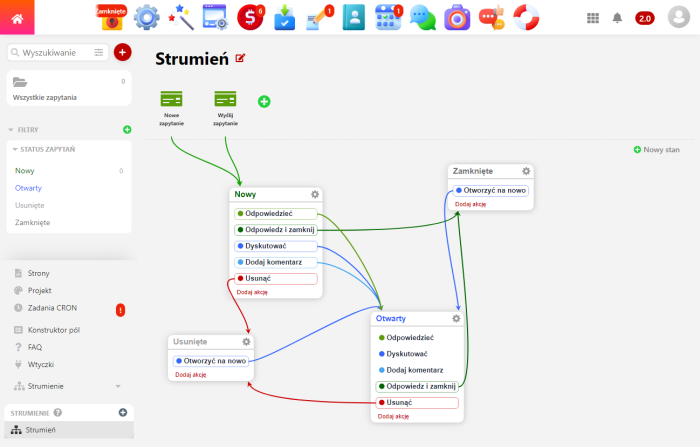
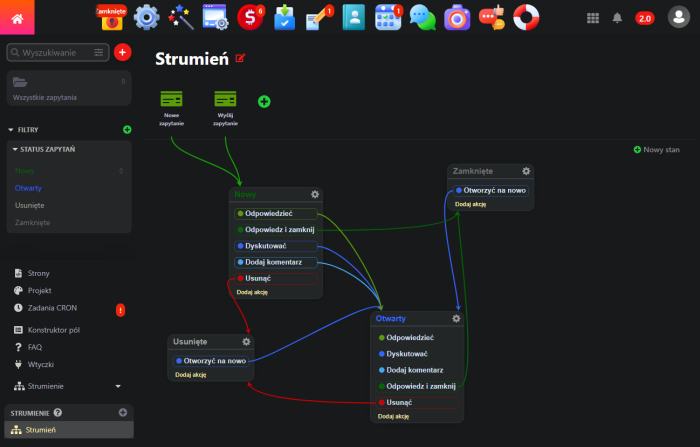
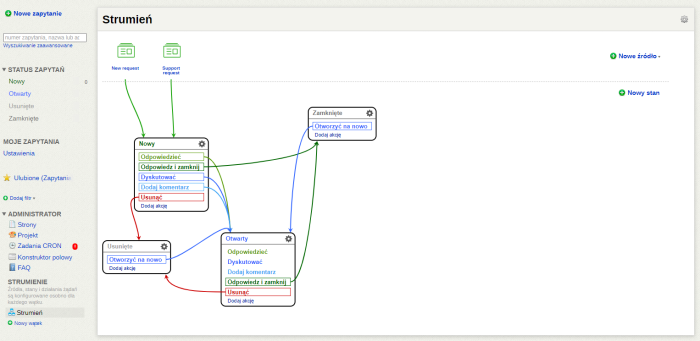
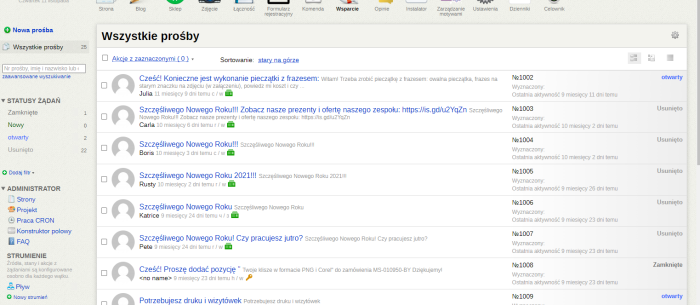
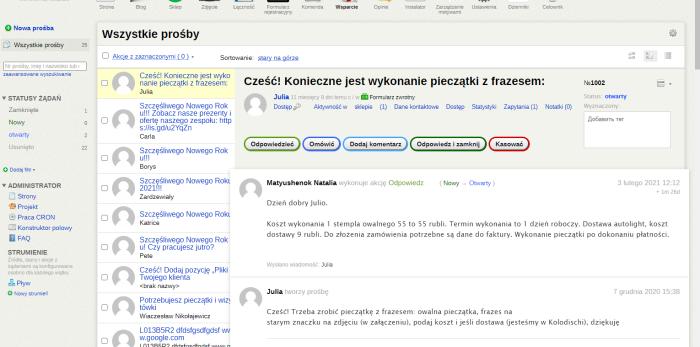
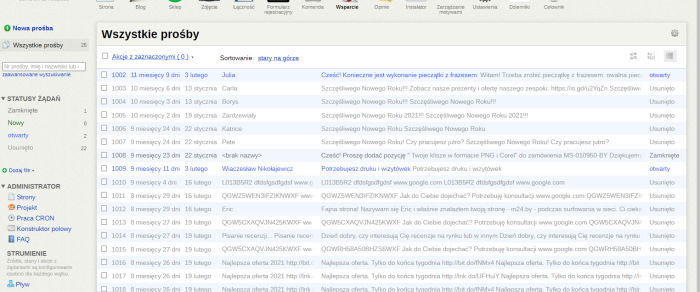


Step-by-step handling of customer inquiries across multiple streams.
Thanks to the "Helpdesk" application, you and your customers know exactly when and what the status of each ticket is.
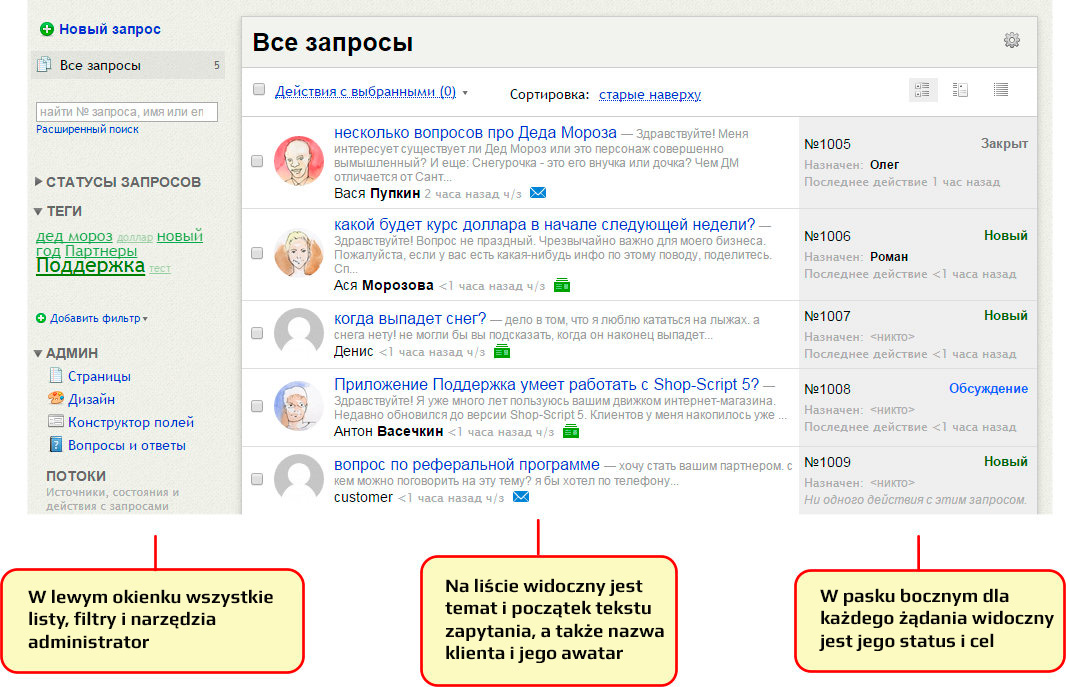
What customer requests look like in "Helpdesk".
All inquiries belong to one list. But such a general list is not always convenient because it displays both newly received requests and already processed ones; both payment questions and repair requests. Ticket system allows you to create convenient filters for viewing different types of inquiries on separate lists. These lists can be available to everyone or only to certain users who have configured them for themselves personally.
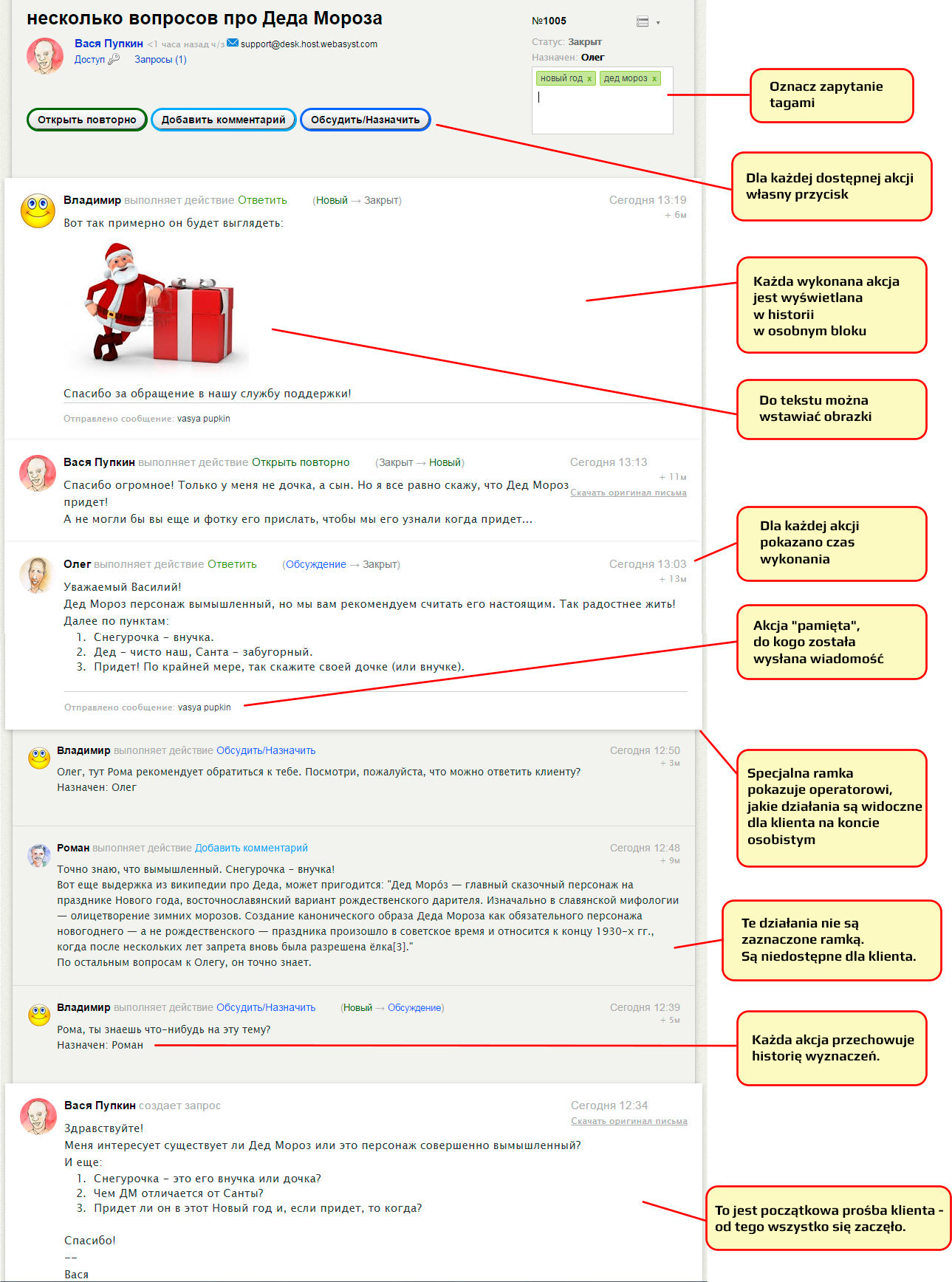
The request view page shows its entire history in detail. Sometimes it is very long because the customer may ask additional questions multiple times after receiving a response.
The life and fate of a request, or what is your business process.
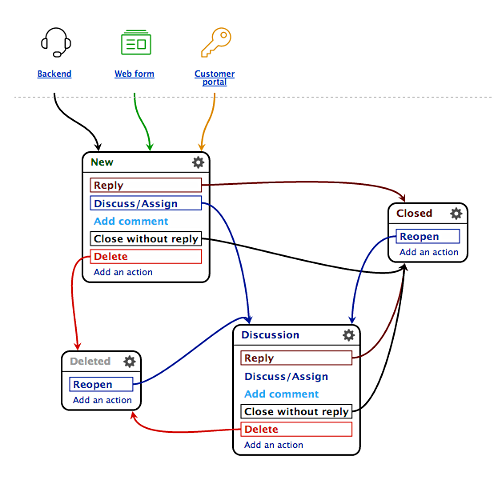
You received a new request. What to do with it? You may have several options for further actions depending on the type of business you run, how you build relationships with customers, and finally, what this particular request is about.
For example, if you mainly deal with customer technical inquiries regarding software (how to install, how to configure, whether a required feature exists, whether you plan to implement such and such functionality, etc.), your business process for requests might consist of the following steps:
- a new request is received;
- if the request is a pre-sales consultation, you respond immediately;
- if the request is technically complex and requires attention from specialists, you forward it to the technical department; after receiving advice, you respond to the customer.
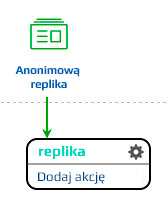
Or it could be even simpler! For example, if you collect wishes (criticism and comments) using a form on your site, the processing process for such newss would look something like this:
During request processing, requests may move through different statuses, which can be added and customized to suit the business process.
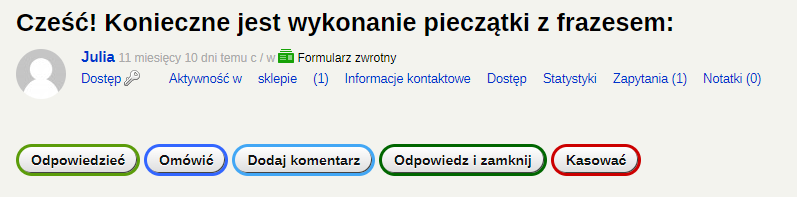
Action buttons for a request.
For each status, you can configure any number of actions. An action is something that can be done with a request, for example: reply to the customer, add a comment, forward it to a specialist, close it without a reply, delete it.
When configuring each action, you can define the fields to be processed while it is being performed - from simply filling in a text field to selecting the required value from a provided list. Such lists can be used, for example, to set the request type (technical, financial, presales). Additional fields allow you to specify any parameters; all this data is stored in the request history. The values of additional fields are also available when performing an advanced search of requests.
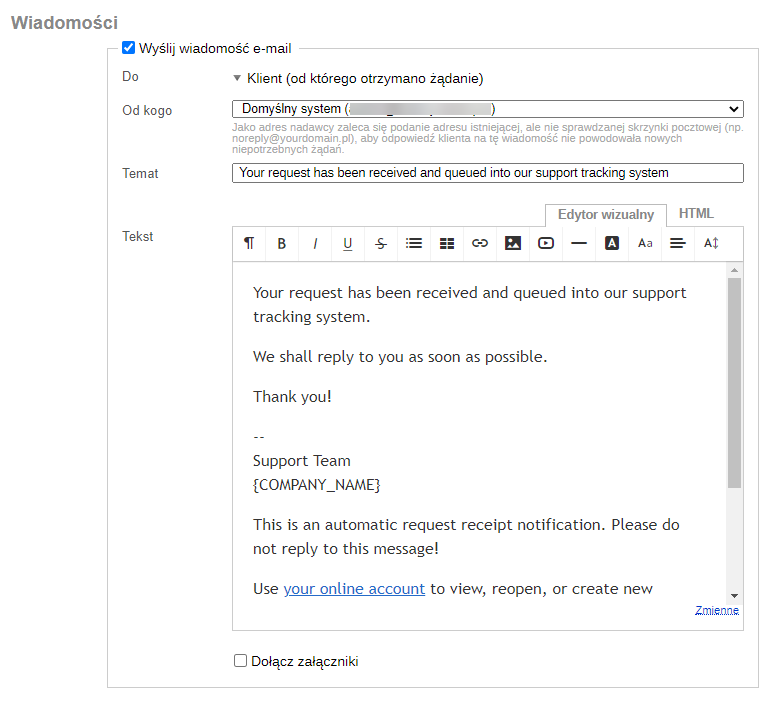
Configuring news email.
In the settings for each action, you can configure news email themes that will be sent when the action is performed. Here you choose who these news are intended for: the customer, a designated user, the manager supervising such activities... The text of the news, its appearance, and the insertion of individual customer and request data can be configured flexibly. Configure the theme only once, and all the necessary, standard notifications will always be sent to all specified recipients.
Working on requests as a whole team.
"Helpdesk" was designed for multi-user operation. All technical support employees can perform the same duties, or they can be divided into groups, each responsible for its own area (for example, some employees process basic news from customers, while others analyze more complex, non-trivial cases). To do this, "Helpdesk" has special tools that make it convenient to configure group work with different types of requests.
User assignment. When performing any action, a request can be assigned to any user. The assignment means that only the user to whom the request is assigned is responsible for taking further action on that request. Each time, you can assign the user yourself while performing the action, or the assignment can take place automatically, invisibly to you — this depends on the settings of the specific action.
Group assignment. If your technical support operators work in shifts, for example, it does not matter which of them processes the next request. You can immediately assign the request to the entire group, and the employee currently working who belongs to that group will see it in the list of "their" requests and send a reply to the customer or perform other necessary actions.
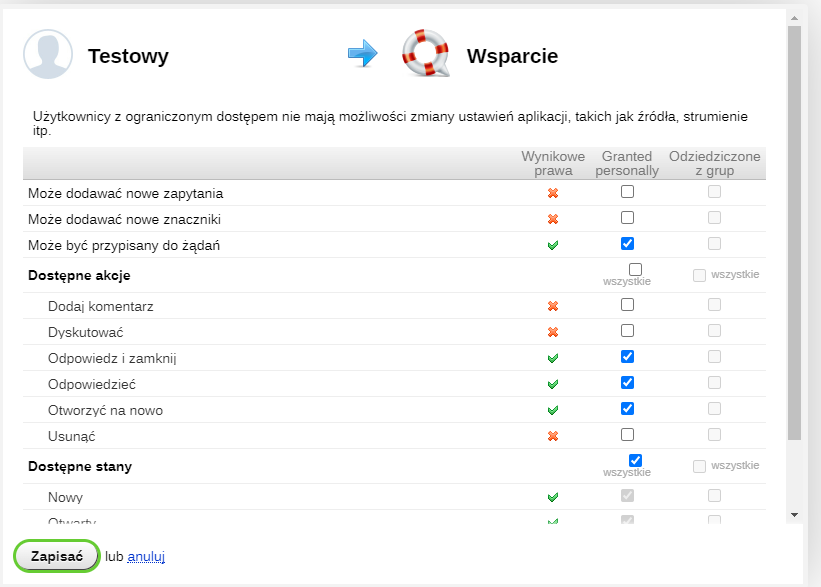
Access rights. For each user or user group, you can specify which request statuses are available to them and what actions they are allowed to perform on requests. For example, an accountant may not need to see requests in the "repair" status (if equipment repair requests move to this status), but it is important for them to see requests in the "awaiting payment" status, for which they can perform the "payment received" action.
Responding to customers.
In most cases, inquiries require a reply. The exception may be news from automatic replies configured in customer inboxes - such automatic replies can simply be deleted.
Your reply can be sent to the customer via email in response to their message or made available only on their personal account. To do this, you need to customize the news template in the "Reply" action in different ways. In the first case, add a variable containing the text entered during the action execution to the template. In the second case, a link to the personal account, which can also be easily inserted using a variable, is sufficient in the notification about the reply.
Replies to frequently asked questions.
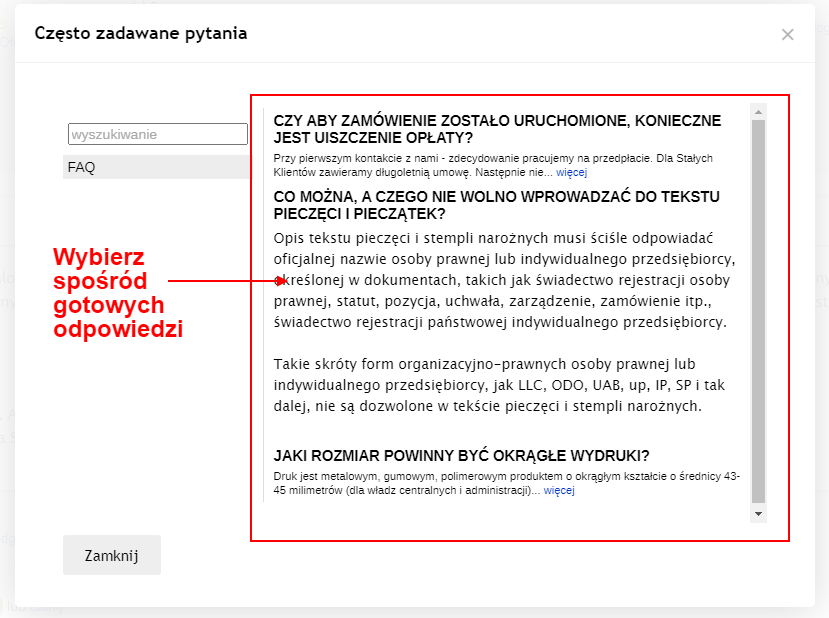
Quite often, customers ask the same questions. To quickly respond to customers with such identical questions, create a list of template replies.
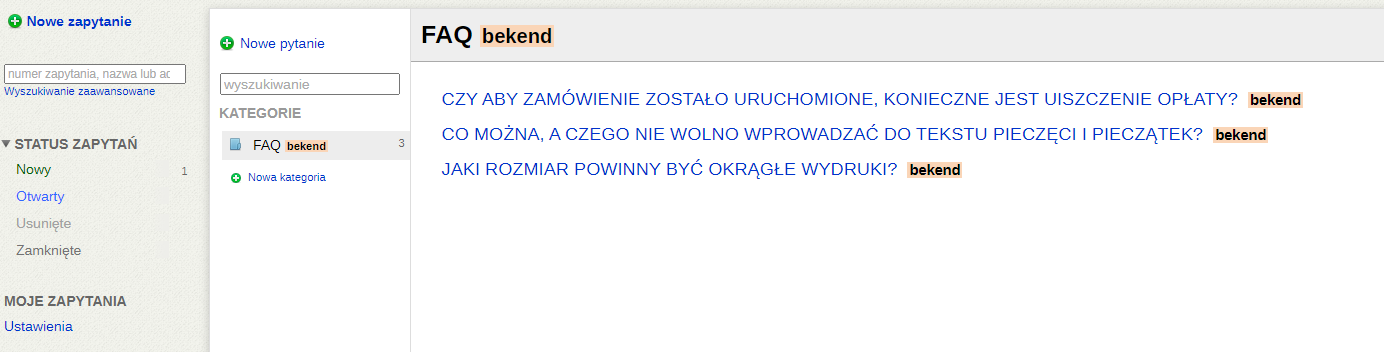
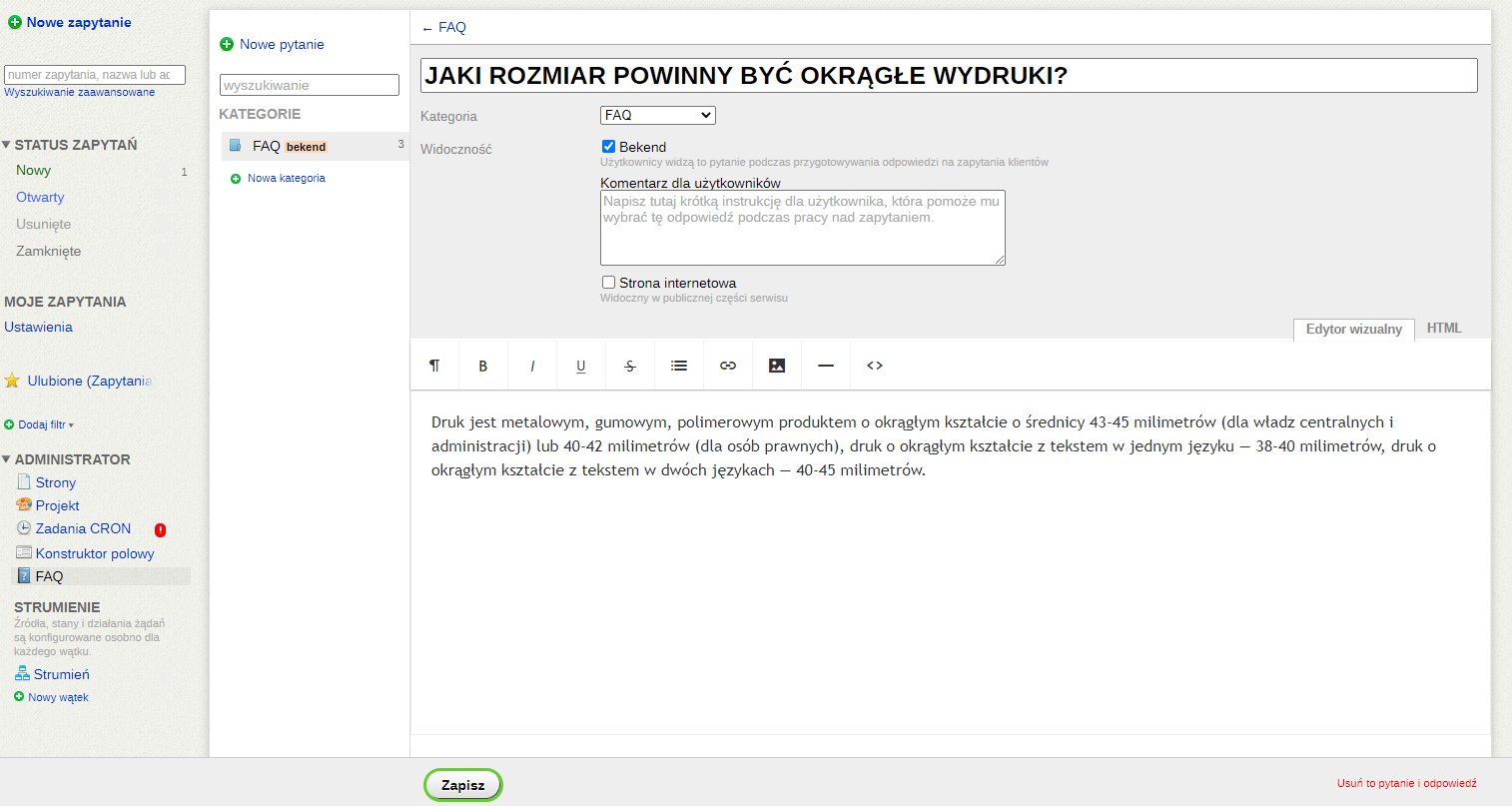
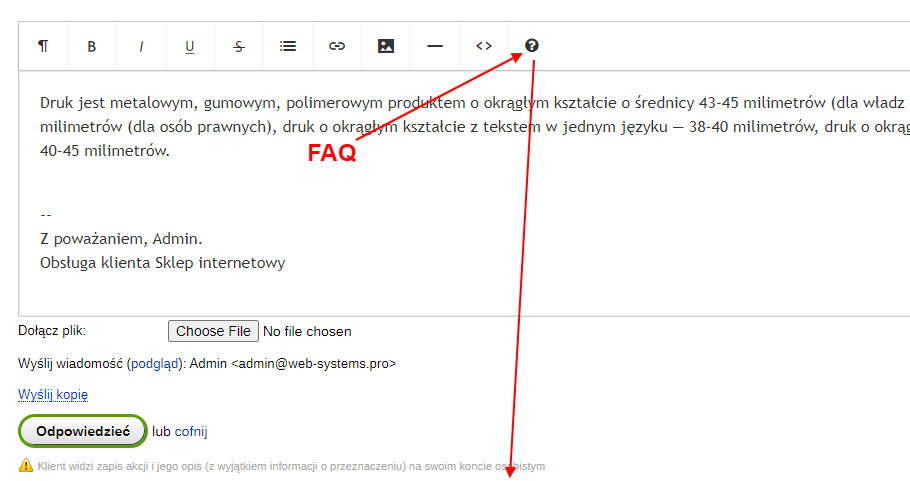
Each of these pre-prepared templates is easy to use in the reply text with a single button in the news editor: just select the desired one, and its contents will be inserted immediately. You just need to press the "Reply" button!
Replies to frequently asked questions can be used not only within "Support" itself. Share them for display on the website so customers can find answers to their questions on their own. This will help reduce the number of repetitive questions and allow specialists to focus on inquiries that require a detailed response.
Personal account for your customers.
Many websites have a link labeled "Customer login", which is usually located in the top right corner of the site:
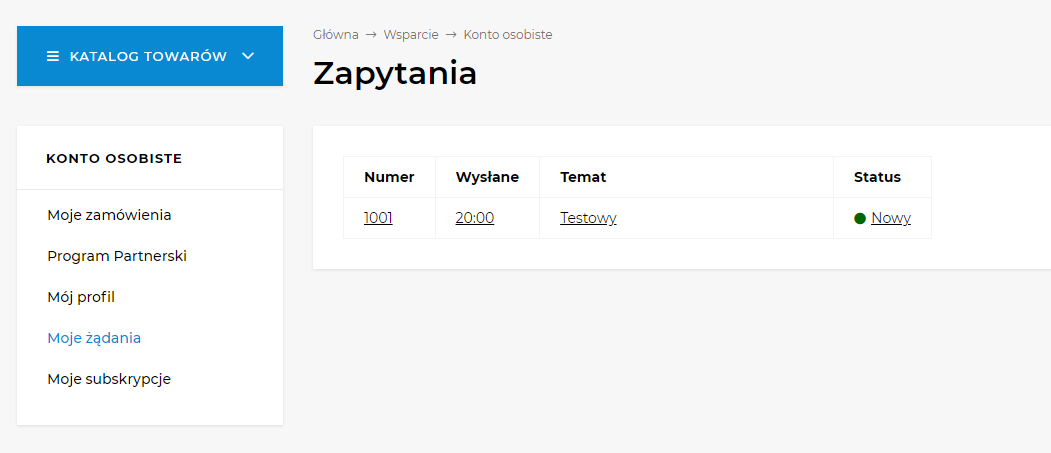
This is the entrance to the personal account, the customer's own space on your site. The personal account typically includes sections like "My Profile", "My Subscriptions", "My Orders". You can immediately add a "My requests" section, where customers will view the entire history of communication with customer support.
Many convenient features.
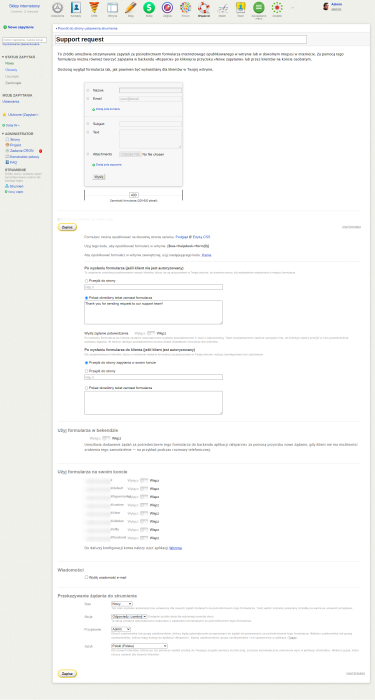
- configuring multiple parallel threads for separate processing of requests from different websites;
- spam protection;
- automatic email confirmation of request registration;
- three convenient viewing modes in request lists;
- a feature for quickly rating customer responses to monitor customer service quality;
- displaying unread requests in a separate list;
- a "Watch" feature for monitoring all actions with specific selected requests.
- setting up the left panel: adding/removing filters, dragging up/down, "My Filters" section;
- configuring the design of the FAQ section for publication on the website;
- publishing your own information pages in the "Helpdesk" section of the site.
| Technical specifications | |
Localization settings | English, Polish, Russian |
Installed in the cloud | SHOP Pro, SHOP Premium, TEAM Premium |
UI backend support | 1.3, 2.0 |
Software type | Application |
Free | No |
| Developer and application version | |
Designer (programmer) | WA |
License | Web Systems Pro |
Version | 2.0.8.200.1.wsp |
Update | 06/15/2026 |