Shop o aplikacji "Pocket Lists"
Pocket Lists will make order processing in the Shopy-Script app more convenient and help you better control the sales process by quickly creating tasks and reminders related to orders:
- Create reminders and tasks directly on the order page in the Shopy-Script app.
- Assign tasks to responsible managers.
- Set task priorities and deadlines.
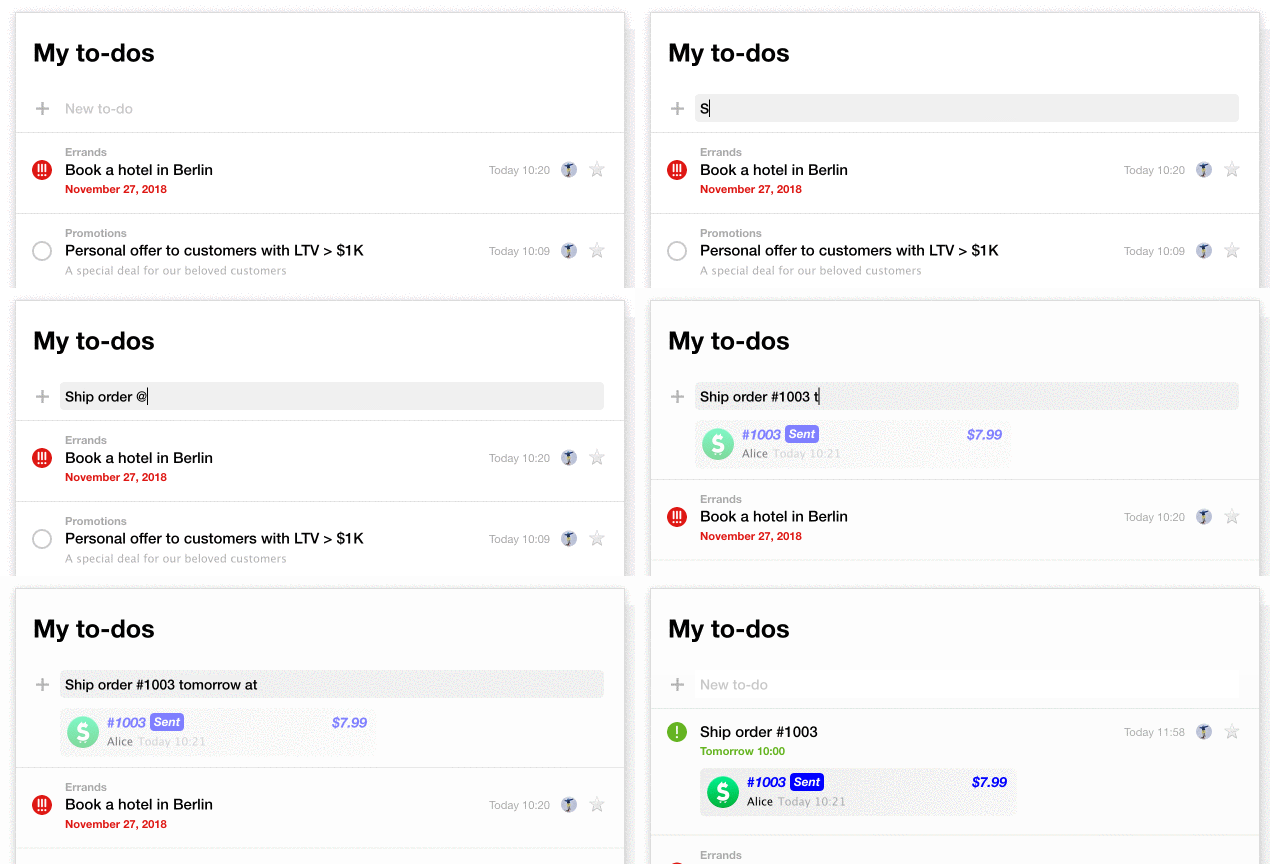
- Set deadlines and reminders by typing text like "do it tomorrow at 3:00 PM".
- Track tasks and team progress on a separate Pocket Lists app screen.
How does it work?
No setup is required to get started. Just ensure you have both applications installed - Shop (versions 7.X or 8.X) and Pocket Lists —, and that your Web-systems.pro user has the proper access rights (access to Shop tasks is allowed).
And start assigning tasks!
From the Shopy-Script app interface
On the order page, click the "Create task" link and enter the task content. For example, "call the customer tomorrow at 3:00 PM". The task will be linked to this order and will appear on the order page and in the Pocket Lists interface until it's marked as completed.
From the Pocket Lists interface
When creating a task, add a link to the order by copying and pasting it into the task text, or by typing the @ symbol and then finding the desired order by its number: