Number of views - plugin for the "Blog" application


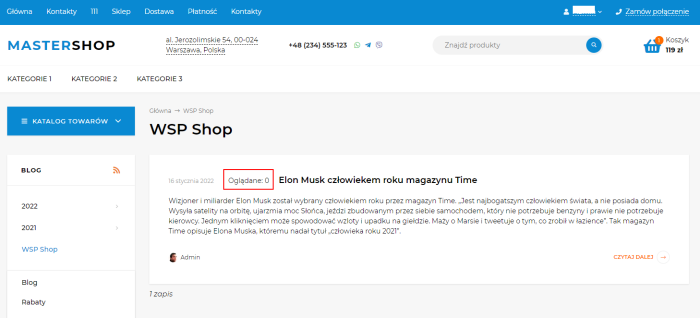
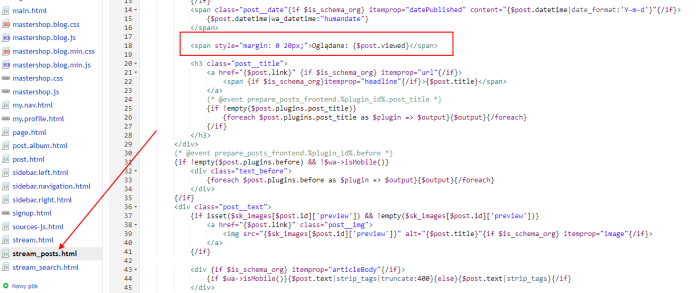
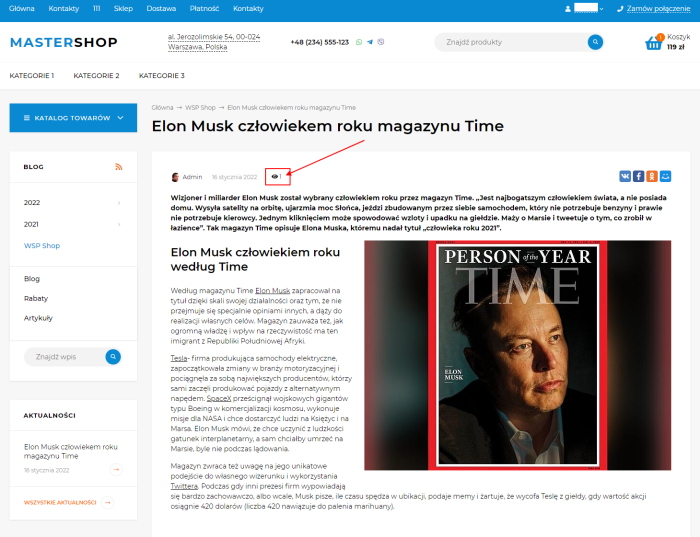
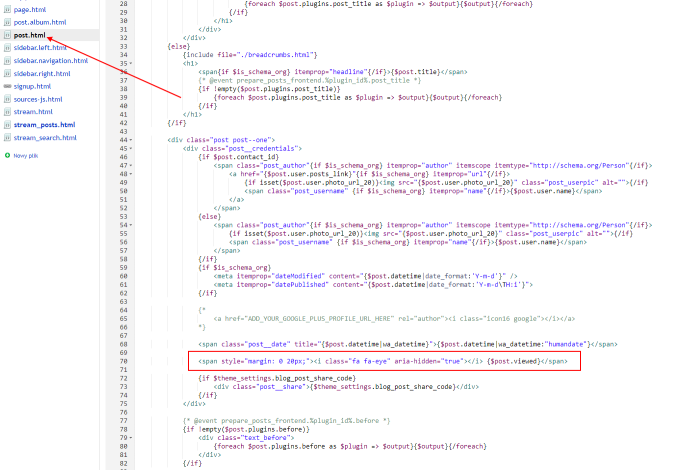



Plugin "Number of views" allows you to extend the standard functionality of the Blog application. The Plugin enables displaying the number of article views on the article list or on the news page. It creates an additional viewed variable that is added to posts. This variable can be displayed in the theme using , provided that $post is the post variable.
How it works: when a customer visits for the first time, a viewing label is added to the cookie file and stored for one month. Therefore, the customer cannot refresh the page to fake the view count.
Configuration
The Plugin has no available settings. It only provides a variable that can be used to output the number of views in the theme.
If website theme uses fontawesome fonts, you can add an icon before the view count.
Example code to insert would look like this:
<strong><i class="fa fa-eye" aria-hidden="true"></i> {$post.viewed}</strong>
Styling of plugins (placement, reformatting, adding icons/text) is available within free technical support. To request this, please submit a request with a clear description of the required format and placement. To perform the work, access to the Blog application design theme is required. Advisory service in the format "tell me where and what to insert - I'll do it myself" is not provided.
Note! The count can be displayed not only in the blog application but also on the Shop website.
| Technical specifications | |
Developed for | Blog |
Localization settings | English, Polish, Russian |
UI backend support | 1.3 |
Software type | Plugin |
Free | No |
| Developer and version plugins | |
Designer (programmer) | WA-plugins |
License | Web Systems Pro |
Version | 1.0.0.1.wsp |
Update | 01/15/2022 |