Product-sets - plugin for Shopy-Script applications



Group products and sell them as sets!
Plugin "Product-sets" allows you to create a new product that includes other products from your store. In this case, the set-product will be displayed on the website as a new product unit.
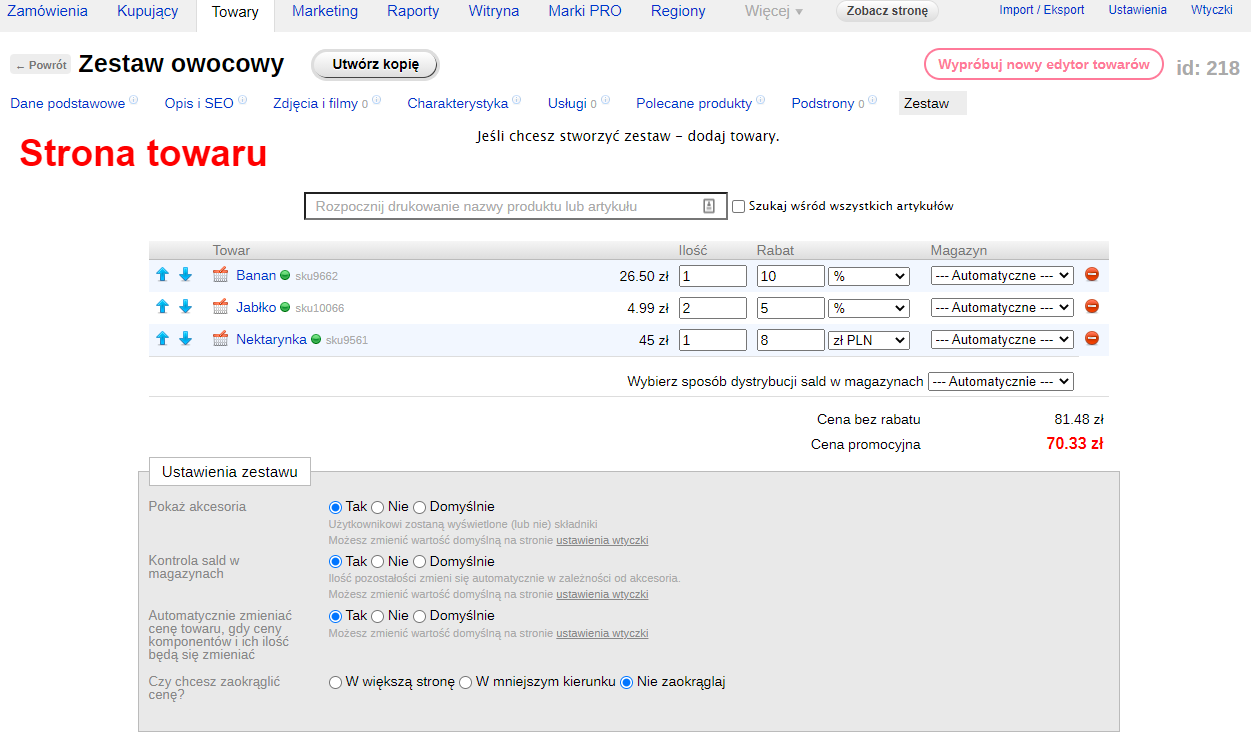
What is a set-product?
A simple example will help you understand.
Let's say you're selling a table. For the buyer, it's just a table, but if you're the manufacturer, for you it consists of:
- Tabletop 1x1.5m - 1 pc
- Wooden legs 50x50x1000mm - 4 pcs
- Wood screws - 4 pcs
- Can of paint - 1 pc
You need to take these components into account and calculate the number of tables sold accordingly.
After purchasing a table, you want one table unit and its components to be deducted from inventory according to their quantities.
Another example.
You need to sell excess stock. You organize a sale. Create 10 new set-products containing the same item. But you set a discounted price and show the Buyer that the set consists of discounted products.
You have all the tools available for working with products: you can create a new category "set sales", you can install special stickers on set-products.
Differences between the "set-products" plugin and discount bundles:
- 1) Plugin "set-products" creates a new Product unit that is displayed on the Website as a regular product, but contains other products in its composition
2) Plugin "Discount bundles" groups products and allows them to be purchased together immediately, while no new product unit is created - 1) Working with a product set is exactly the same as with a regular product 2) Since plugin "Discount bundles" does not involve the concept of a "new product unit", bundles lack standard product features (services, pages, specifications, etc.)
Read more about the features of plugins below.
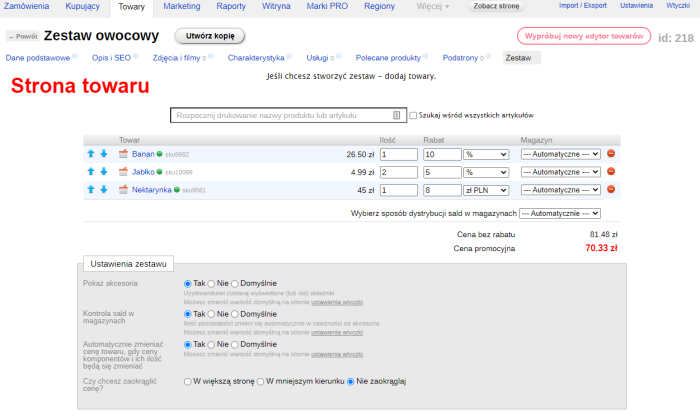
Create sets from any products
Using search with advanced autocomplete, you can add any products to a specific SKU as set-products.
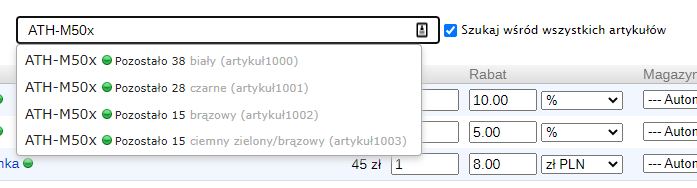
The components are strictly defined, and the buyer will not be able to change the SKU or quantity of any set item.
Each SKU has its own set!
You can create a unique set for each SKU! A simple example will clarify everything:
Let's return to the table mentioned above. Suppose the tabletops come in different colors: red, green, blue. Instead of creating 3 different set-products with different tabletops, you can create 3 SKUs and assign a specific tabletop color to each.



Other set elements were intentionally removed from the example to make the principle of creating sets per SKU easier to understand.
Moreover, nothing prevents you from creating SKUs with completely different components.
Automatic balance and pricing control
Plugin allows automatically adjusting the quantity of the set-product based on the availability and quantity of its components.
There is also an option to automatically adjust the price of the set-product.
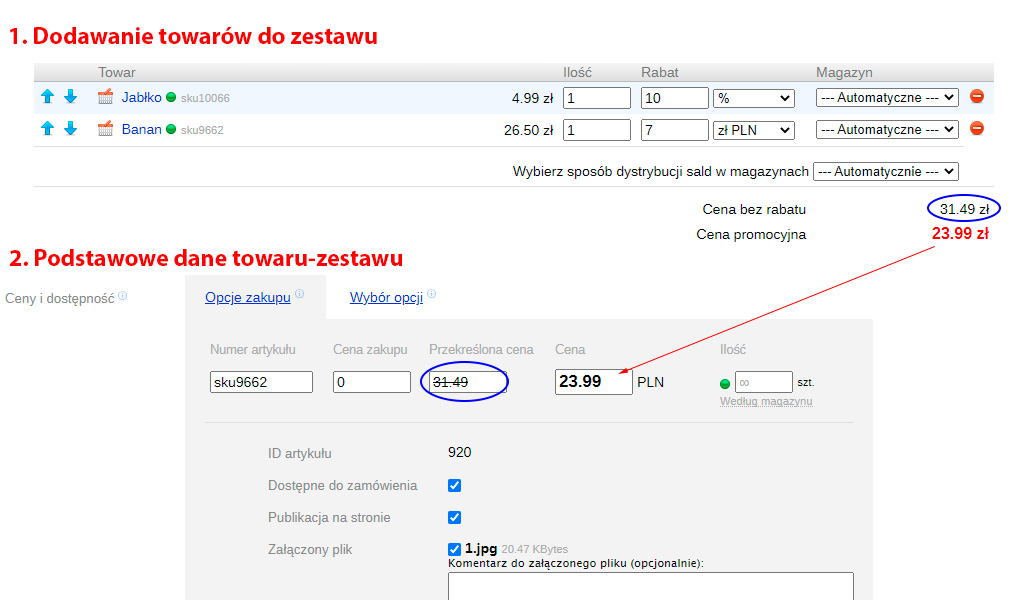
Working with warehouses and stock balances
When selecting components, you can choose which warehouse will be primary for the product in the set and the mode.
Possible options:
- If a specific warehouse and the mode "Only this warehouse" are selected, stock deductions and returns will apply only to this warehouse. Set-product balances are calculated solely from the selected warehouse.
- If a specific warehouse and the "automatic" mode are selected, stock will first be deducted from this warehouse, then proportionally from other warehouses. Stock returns will be distributed proportionally across all warehouses. Set-product balances are calculated only from the selected warehouse.
- If the "automatic" warehouse and "automatic" mode are selected, stock will be deducted automatically. If one of the warehouses has unlimited stock, it will be selected as the main warehouse.
Distribution of set-product stock can be automatic or manual.
Displaying components
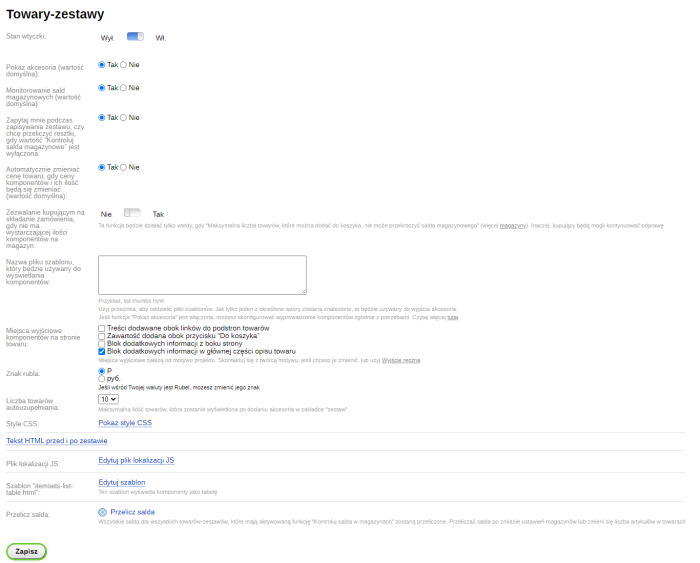
If needed, you can choose whether to display components for set-products or not.
Included in the set
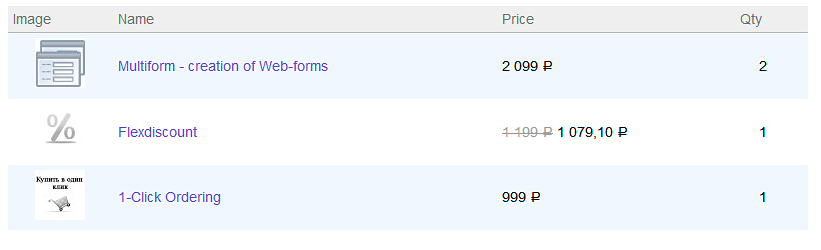
If a unique set is created for each SKU, components will be displayed accordingly on the storefront for each SKU.
How to customize the appearance of components? Why might accessories not be displayed? Where and how should they be rendered? How to show additional information about components? - read on the Displaying sets page.
Checking balances in the Cart
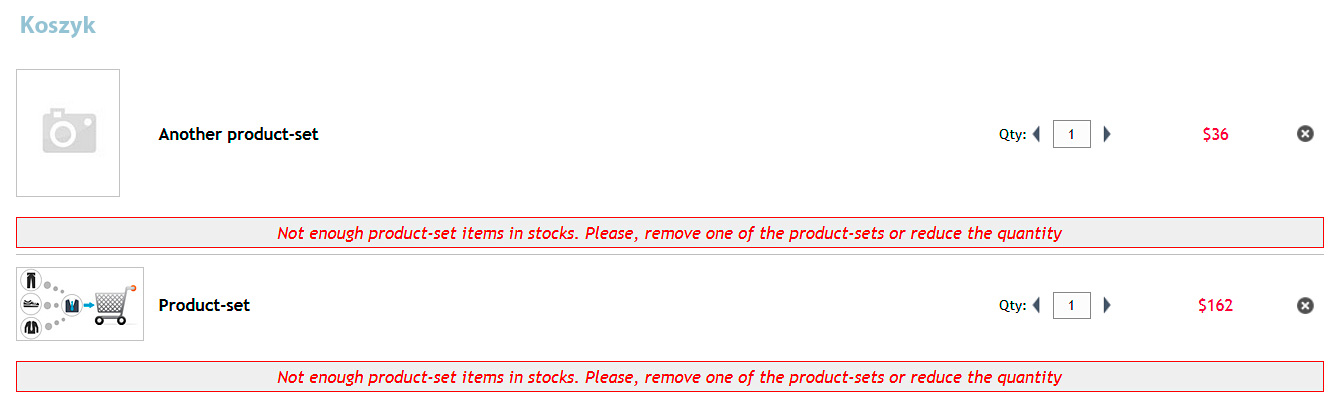
On the plugin store's cart page, the buyer can check component availability, and if quantities are insufficient, will be notified and further registration of the product will be blocked.
Two types of checks are available:
- Between bundle products
- Between bundle products and regular products
In the first case, if several bundle products in the cart contain identical components and their total quantity exceeds warehouse stock, the buyer will be notified and further registration will be blocked.
In the second case, if the cart contains a bundle product and a regular product that is part of this bundle, and the quantity of the product is insufficient for purchasing the bundle, a notification will be displayed and further registration will be blocked.
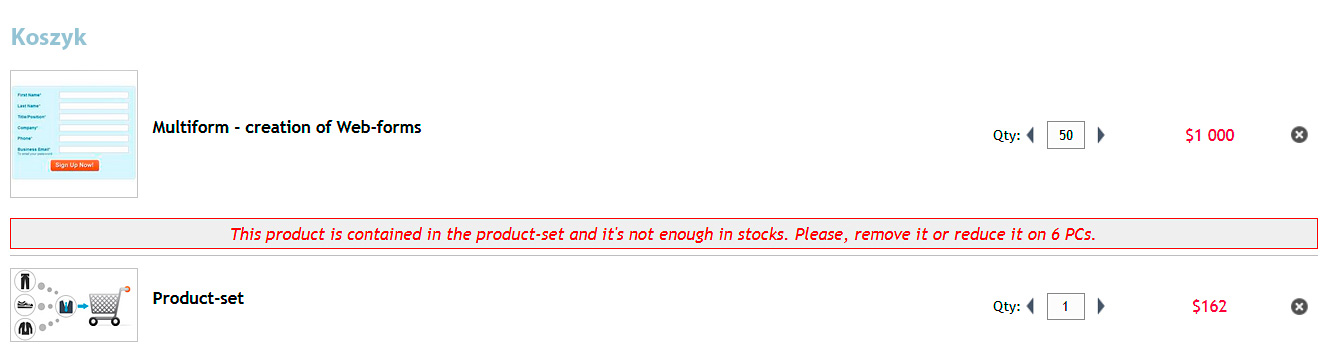
!!! During the second check, there is one important point: you must have only one warehouse for this check to work correctly. In other cases, no check will be performed. !!!
How to perform checks when removing a product from the cart, or changing product quantity in the Cart? More information on the Configuring the cart page.
Website localization for any language
The Plugin has been created in such a way that it can be easily adapted to different languages.
| Technical specifications | |
Developed for | Shopy-Script |
Localization settings | English, Polish, Russian |
UI backend support | 1.3 |
Software type | Plugin |
Free | No |
| Developer and version plugins | |
Designer (programmer) | iGaponov |
License | Web Systems Pro |
Version | 1.1.1.1.wsp |
Update | 10/27/2021 |