SEO-filter - plugin for Shopy-Script application








Plugin "SEO-filter" is a professional tool for SEO specialists. It unlocks additional capabilities allowing optimization of product selection result pages by attributes: creating meta tags, descriptions, human-readable URLs, and adding these pages to Sitemap.xml.
Unlocks the SEO potential of your project by 300%! Captures low-frequency search queries quickly, conveniently, and without harming main navigation!
Important! Plugin does not replace the functionality of the standard filter, which should be built into the website theme of the site. It allows creating additional pages based on selected attributes and optimizing them for search engine results. This means that for the "SEO-filter" to work, the standard attribute selection filter must be set up on the page. Optional: You cannot set different "SEO-names" and URLs for the same attributes!
Main features of plugins:
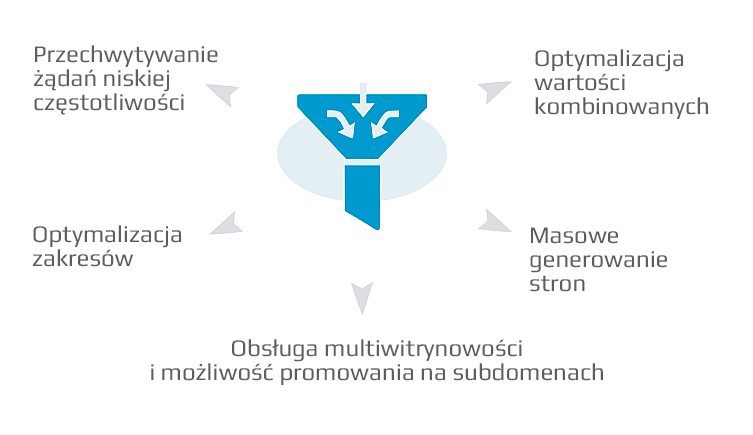
 Attract new customers by covering low-frequency search queries
Plugin "SEO-filter" allows configuring site optimization for low-frequency search queries. It opens optimized filter pages for indexing by search engines.
 Maintain usability and catalog structure
You don't need to manually add pages: plugin "SEO-filter" creates them automatically. Thus, when buyers filter products, they enter a subcategory. Navigation elements and catalog structure remain unchanged; only meta tags, descriptions, and URLs are modified.
 Optimization using 2 or more attributes
You can create a filter and add more than one attribute to it, for example, if you want to optimize a page for the query "White Samsung phone with 5-inch screen".
 Support for multiple attribute types
Supports the following filter types: select, checkbox, boolean, ranges, and value range selection for numeric attributes. These can be combined in any order.
 SEO templates
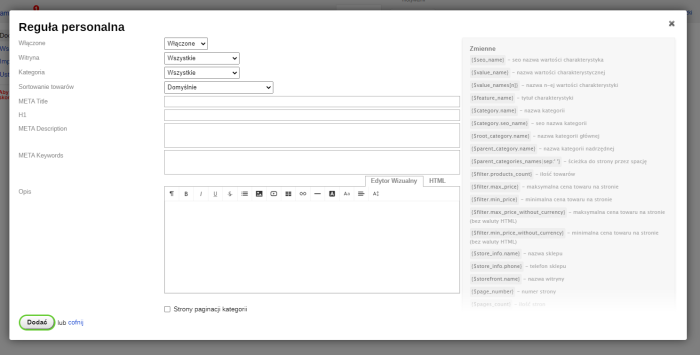
A shared template for meta tags and descriptions is available to quickly configure filter result optimization. Individual templates can also be added for specific filters.
 Support for Human Readable URLs
Create Human Readable URLs. The option for Human Readable URLs offers two modes: simple (inserts the filter between the category URL and the filter URL) and short (the filter URL appears immediately after the category URL).
 Flexible filter settings
Configure filters for specific categories, add exception categories. Create additional variables for storefronts. Helpdesk support for multi-store setups.
 Smarty support
Plugin supports Smarty (a compiled module template engine for PHP). If you have programming skills, you can take advantage of Smarty's capabilities.
 Bulk filter generation
Bulk generation saves time otherwise spent adding filters manually. "SEO-name" and "Human Readable URL" will be generated based on attribute names.
 Sending data to Yandex.Metrica
If AJAX filters are configured on the site (i.e., filters operate without page reload), statistics about their usage can be sent to Yandex.Metrica by entering the counter number in the plugins settings.
 Attribute linking
Plugin links products to "SEO-filter" pages. When a user clicks on an attribute on the product card, they will see other products sharing the same attribute.
How does plugin work in practical examples?
Task 1. Filters are configured and displayed in categories on the site. For all categories, it's necessary to optimize product selection pages for the attributes "Color" and "Color + Brand".
Solution:
1. Purchase, install, and activate the "SEO-filter" plugin;
2. On the settings page, add common templates;
3. Go to the filter list;
4. Select "Bulk filter creation";
5. Add color to "Attributes";
6. Click "Create";
7. Select "Bulk filter creation" again;
8. Add color and brand to "Features";
9. Click "Create".
The problem was solved using the plugins "SEO-filter".
Task 2. Filter results need to be optimized. On pagination pages of filtered results, include the page number in the Title, starting from the second page.
Solution:
1. Purchase, install and enable the "SEO-filter" plugin;
2. Add common templates for generating titles and descriptions;
3. Generate or create filters manually;
4. In the plugins settings, enable the "Page number" option;
5. Save changes.
The problem was solved using the plugins "SEO-filter".
All features of plugins:
Basic
- Adding general rules for creating meta tags, H1 headers and sample descriptions;
- Adding individual themes for specific websites, pages, filters;
- Changing meta tags, descriptions, H1 titles without reloading the page (using AJAX filters);
- Creating filters by 2 or more features;
- Support for "Human-friendly URLs";
- Multi-site support;
- Bulk filter generation;
- Smarty support;
- Blocking selection of filter features if no products are associated with them (features become inactive);
- Feature overflow;
- Sitemap.xml update via CRON;
- Compatibility with plugins "SEO-optimization", "SEO-regions", "SEO-redirects" and "Link canonical";
- Creating variables for store websites;
- Creating variables for filters;
- Using variables and modifiers.
Additional features (require editing the project theme code):
- Replacing links in site navigation;
- Replacing links in sorting;
- Replacing filter links with optimized pages;
- Adding filtering links on the brand page.
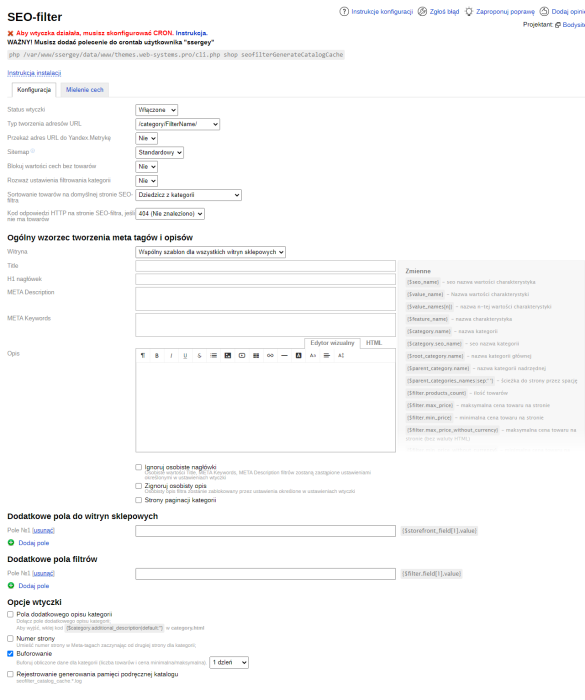
Basic settings:
- plugins status;
- URL type formation;
- Sending URL to Yandex.Metrics;
- Sitemap (standard or separate);
- Sitemap update (automatic and scheduled);
- Blocking feature values without products;
- Include category filtering settings (if enabled, plugin will only work with those features by which products can be filtered in the category);
- Product sorting on the default SEO-filter page;
- HTTP response code on the SEO-filter page if no products are available.
General pattern for creating meta tags and descriptions:
- Select website;
- Title;
- H1 header;
- META Description;
- META Keywords;
- Description;
- Additional description.
Category pagination page theme:
- Title;
- H1 header;
- META Description;
- META Keywords;
- Description;
- Additional description.
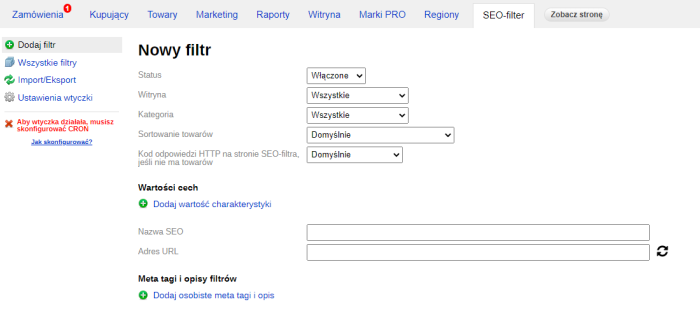
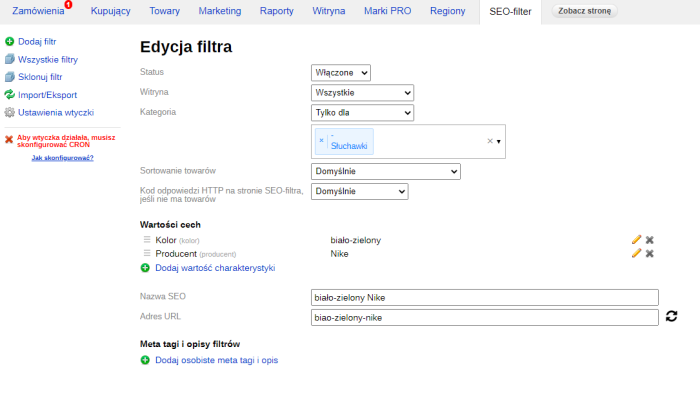
Manual filter addition:
- Select status (enabled/disabled);
- Select website;
- Select category;
- Select product sorting;
- Select features and their values;
- SEO-name;
- URL (+ URL update based on "SEO-name");
- Additional fields of filters;
- Adding individual meta tags and descriptions.
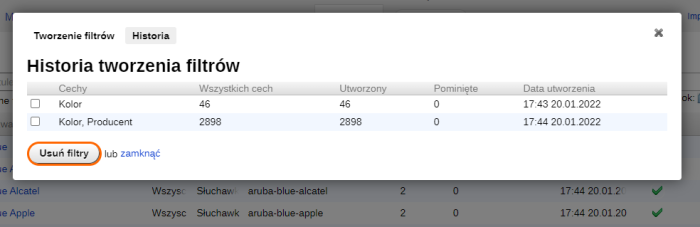
Bulk filter creation:
- Select website;
- Select category;
- Select features;
- Form for specifying custom meta tags and descriptions;
- Displaying bulk filter creation history.
View full filter information:
- SEO-name;
- Site;
- Category;
- URL;
- Number of features;
- Number of individual rules;
- Last modification date - enabled/disabled.
Filter list management:
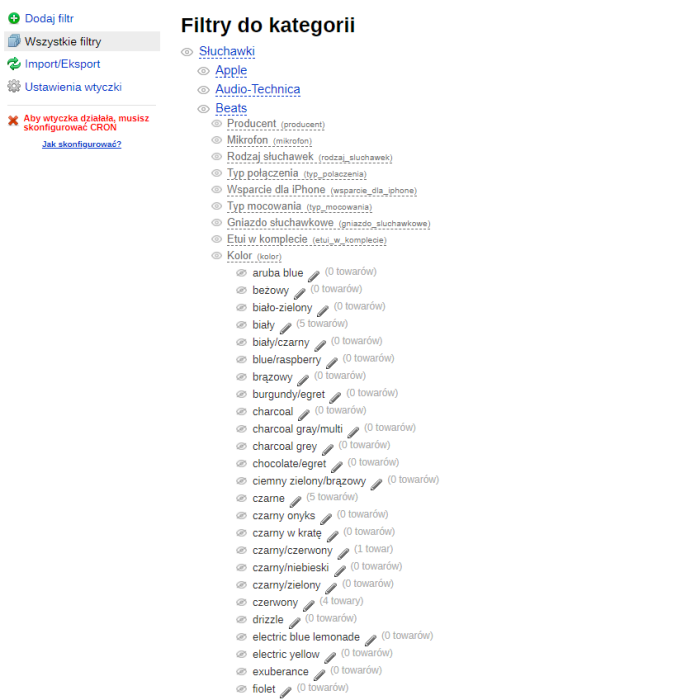
- Two display modes for creating, editing and deleting pages (table with filters and tree with categories);
- Filtering by Website, feature, number of features;
- Search by title, URL;
- Display 30, 60, 90, or all filters per page;
- Selecting and enabling/disabling/deleting filters.
Additional:
- Additional category description fields;
- Page number on filter pages in categories.
| Technical specifications | |
Developed for | Shopy-Script |
Localization settings | English, Polish, Russian |
UI backend support | 1.3, 2.0 |
Software type | Plugin |
Free | No |
| Developer and version plugins | |
Designer (programmer) | Bodysite |
License | Web Systems Pro |
Version | 2.44.0.1.wsp |
Update | 12/04/2024 |