Normal phone mask - plugin for Shopy-Script applications





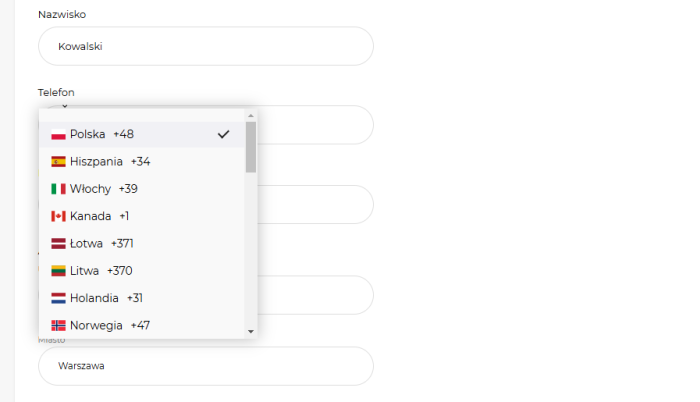


Plugin "Normal phone mask" implements scripts that process the "Phone" field, converting the entered data into a single convenient format "+48 (987) 654-321".
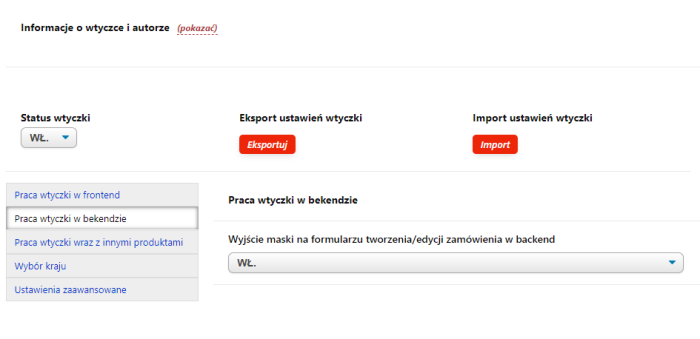
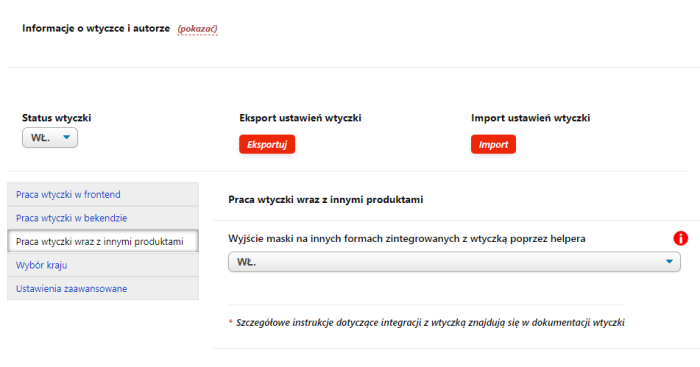
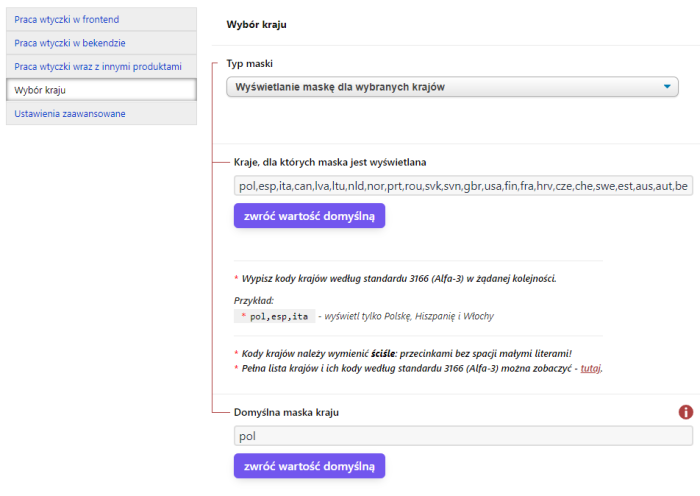
View settings for plugins "Normal phone mask".(same as in the admin panel)
Main advantages of plugins "Normal phone mask":
Quick phone mask implementation
Plugin works on a "Install, enable, forget" principle. There are no complicated settings. You won't need to involve a developer.
Phone mask for any country
Plugin enables displaying a phone mask for any country in the world.
Automatic conversion of pre-filled phone number to required format
If the phone number was automatically inserted into the cart (from a personal account or via another plugins), plugin checks the phone number before applying the mask and either places it into the required format (if possible), or clears the phone number field.
Disabling browser autocomplete suggestions
If a user previously selected their phone number on another website, the browser might remember it and suggest filling in the same number on your site. Plugin blocks this browser feature to prevent incorrectly formatted numbers from being inserted (this is necessary because the other site might lack a phone mask, and the browser-saved number might start with zeros, for example).
Disabling the ability to paste a phone number from clipboard
When attempting to paste a phone number from the clipboard using the context menu ("Right mouse button"--> "Paste") or keyboard shortcut (Ctrl+V), plugin cancels this action and displays a message to the customer requesting manual phone number entry.
Automatically moves cursor to the beginning of the field
After clicking the phone number field, the cursor will always be placed correctly: at the beginning of the field if it is still empty; to the right of the last entered digit if only part of the digits have been entered; at any position within the field if all digits are filled. With a regular mask, the cursor is often accidentally placed in the middle or at the end of the field, making normal phone number entry difficult.
Highlights the field border when the field is not fully filled
If you try to remove focus from the phone number field that is not completely filled in, the field's border will turn red to draw the user's attention (the field will be cleared).
Separate numeric keyboard on mobile devices
On certain mobile devices and in certain browsers, a numeric keyboard appears when entering a phone number instead of the standard full keyboard with all characters.
Optional feature: field placeholder (the "placeholder" attribute)
For an empty field, plugin displays a placeholder in the correct format: "+48 (___) ___-___" if the corresponding option is enabled in plugins settings; if disabled, it removes the placeholder "+48 (111) 222-333" added by the standard functionality of the Shopy-Script application in certain versions.
Optional feature: red border when focus is removed from the field
If the user does not fully enter their phone number and switches to another page element, plugin will highlight the field in red to draw attention to it. You can enable this option "Always" or only when the "Phone" field is required.
Unique module for plugin settings import
Plugin has a built-in module for exporting and importing settings. You can transfer plugins settings from one project to another or apply recommended settings from the documentation with just a few clicks!
Multi-site support and additional settings in each Chikurov SEO plugin
It's like multi-site, but significantly more functional. You can dynamically override plugins settings for each individual store site, user category, user device type, URL page, etc. (how does it work?)
Detailed documentation and tips on the settings page
Plugin has been refined in the smallest details not only in terms of functionality but also regarding ease of configuration and testing.
Where does plugin work?
Checkout page in cart
Plugin adds scripts to implement a standard phone number mask for the "Phone" field in the one-page cart of the website (https://site.com/order/).
Step-by-step checkout page
Plugin adds scripts to implement a standard phone number mask for the "Phone" field on the step-by-step cart page of the website (https://site.com/checkout/).
Registration page
Plugin adds scripts to implement a standard phone mask for the "Phone" field on the registration page of the website (https://site.com/signup/).
Authentication and password recovery pages
Plugin adds scripts to implement a standard phone mask for the "Phone" field on the login page (https://site.com/login/) and the password recovery page (https://site.com/forgotpassword/).
Buyer's personal account page
Plugin adds scripts to implement a standard phone mask for the "Phone" field in the buyer's personal account under the profile edit tab (https://site.com/my/profile/).
plugins form "Buy in 1 click" (Bodysite)
Plugin adds scripts to implement a standard phone mask for the "Phone" field in the quick order form displayed by the "Buy in 1 click" plugin (you can configure on which pages the scripts should be shown).
plugins form "Order in 1 step" (Bodysite)
Plugin adds scripts to implement a standard phone mask for the "Phone" field in the checkout form displayed by the "Order in 1 step" plugin (https://site.com/cart/).
plugins form "Request a callback" (Bodysite)
Plugin adds scripts to implement a standard phone mask for the "Phone" field in the order form displayed by the "Request a callback" plugin (shown on all site pages). Additionally, plugin finalizes the design and layout of this form.
Order creation/editing form (in backend)
Plugin adds scripts to implement a standard phone mask for the "Phone" field in the order creation/editing form in the website's administrative panel (https://site.com/wsp-panel/shop/?action=orders#/orders/new/).
Anywhere!
For any phone number input field, you can quickly connect a standard phone mask by following the instructions. Detailed information about integrating plugins with the design theme and other plugin plugins can be found in the documentation.
In the current version, plugin partially supports UI 2.0 - plugins settings do not support the dark version of the backend.
| Technical specifications | |
Developed for | Shopy-Script |
Localization settings | English, Polish, Russian |
UI backend support | 1.3, 2.0 |
Software type | Plugin |
Free | No |
| Developer and version plugins | |
Designer (programmer) | Chikurov SEO |
License | Web Systems Pro |
Version | 9.4.0.2.wsp |
Update | 03/22/2025 |