Brand logos - plugin for Shopy-Script applications
Ability to add a logo image to each brand.

Brand logos




plugins Features
Store administrators can add a logo file for each brand and display these images in the theme.
Functions
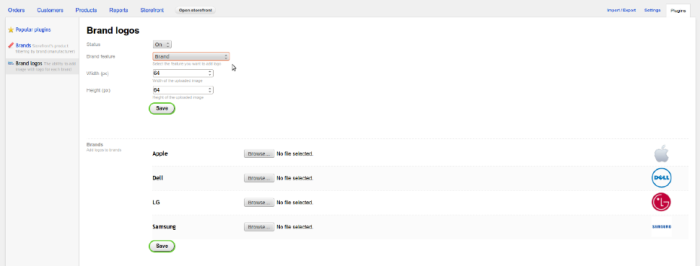
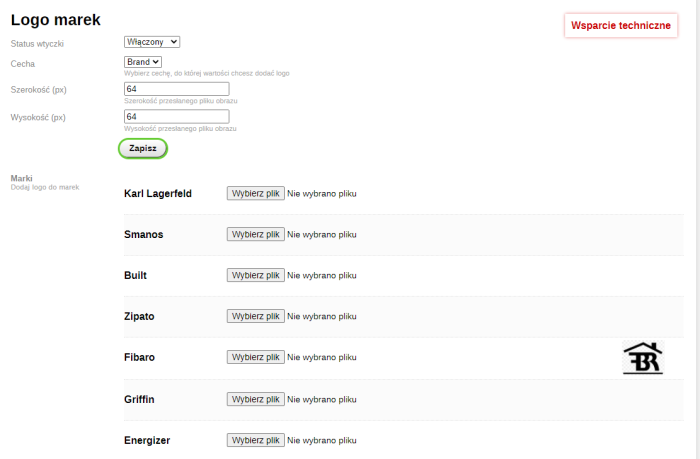
Enable the plugin in the settings, select the feature whose values you want to add a logo to, and upload images for each feature value.
To display the brand logo on the storefront, insert the following code in the desired location in the theme:
{shopBrlgsPlugin::displayProductBrandLogo($product.id)} - you must specify the product id as a method parameter.
Please note:
Configuring and integrating plugins requires editing the design theme code.
Technical Helpdesk includes:
- Advice and answers to questions regarding the purchase and use of plugins;
- Consultations on the functionality and features of plugins.
Technical Helpdesk does not include:
- Configuring plugins and integrating it with the design theme (possible only for an additional fee - contact plugins technical support);
- Improvements based on individual requests;
- Resolving conflicts or integration with other plugins or apps;
- Consultations on other matters not related to this plugin.
If a user or third-party developers have modified the plugins code, the developer does not guarantee update compatibility with the modified product version and disclaims any obligation to provide support.
| Technical specifications | |
Developed for | Shopy-Script |
Localization settings | English, Polish, Russian |
UI backend support | 1.3 |
Software type | Plugin |
Free | Yes |
| Developer and version plugins | |
Designer (programmer) | mSeverin |
License | LGPL |
Version | 1.0.0.1.wsp |
Update | 04/26/2023 |
Loading...
Loading...
Loading...