Automatic notifications above site header - plugin for Shopy-Script applications
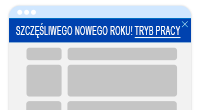

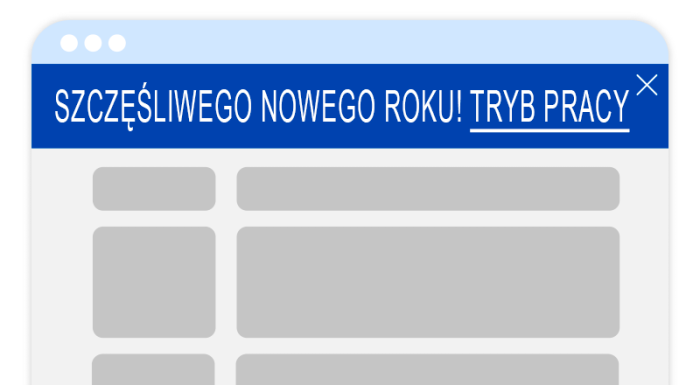

Plugin "Automatic notifications above site header" allows you to quickly configure the display of convenient notifications about the company's operating mode during holidays, promotions, and other important newss that may be useful for buyers on the page without modifying the design theme. The great thing about the plugin is that it can automatically show/hide new notifications depending on the current date and warn the site administrator in the backend about upcoming holidays. A must-have for every store!
Why do you need Automatic notifications and what are the capabilities?
The notification above the header is the first thing a potential customer sees after opening any page of the site. It is important that the design is up-to-date, well-developed, and consistent with the company's corporate identity, and not "sloppy" or a "standard design".
Main advantages of plugins:
Easy configuration, requiring no integration with the design theme
Plugin does not require integration with the design theme and does not require cron command configuration: everything works out of the box. The styling of the notification block and its individual elements can be set using the builder (see plugins settings) without writing any CSS code. No expert help is needed for design: any user can configure the design.
High-quality SEO-friendly frontend layout
The notification block layout is carefully designed:
- notifications look good on all devices of different widths, regardless of how much text you want to fit and how many lines it occupies;
- notifications do not stretch the screen on narrow mobile devices;
- icons used by the plugin are loaded in .svg format, load instantly, and are displayed identically in all browsers;
- plugin does not clutter the source code of web pages, information from notifications cannot be indexed and ends up in search engine snippets instead of the main page content.
Pre-set holiday settings
Plugin allows you to set up to 9 different notifications simultaneously, 2 of which are already pre-configured for you: international holidays - the days when customers clearly expect a notification about opening hours. And if your store operates outside the country, you can easily change all settings to "your" days.
Ability to automatically enable and disable notifications
Plugin allows you to set up the site so that it displays notifications only on days when notifications are relevant.
Example: there is no need to enable daily notifications with the desired notification display start date. Configure the notification in advance, and it will turn on when needed.
Another example: at the end of January, you no longer have to suddenly remind yourself and frantically search for information on how to remove the New Year holiday notification - plugin will stop displaying it on the day you previously specified in the settings (by default for New Year holidays it is January 12).
Automatic reminders in the admin panel before enabling notifications on the site
If you use at least one notification configured to work in automatic mode, plugin displays a warning in the site admin panel about the planned publication of the notification 3 days before publishing it on the site.
Example: at the end of December, you enabled the plugin and configured the display of notifications with the New Year holidays operating mode, and then calmly went about your business. The holidays are over, the notification about the New Year holidays operating mode automatically stopped being displayed. Time passes. The beginning of March arrives, and plugin displays a warning in the site admin panel that March 8 is coming soon and you need to check/update the notification display for March 8. The same applies to all other holidays during the year!
Thoughtful notification testing mode
Before placing each notification on the website, you can test it on a test page and carefully refine the block's visual component without worrying that users will see some kind of "intermediate distortion" during testing.
The site administrator is also protected from accidentally hiding a notification (when using the "Cross to hide notification" display option, the site test page does not save information in cookies that the notification must be hidden for 1 hour).
| Technical specifications | |
Developed for | Shopy-Script |
Localization settings | English, Polish, Russian |
UI backend support | 1.3, 2.0 |
Software type | Plugin |
Free | No |
| Developer and version plugins | |
Designer (programmer) | Chikurov SEO |
License | Web Systems Pro |
Version | 1.2.0.0.wsp |
Update | 08/07/2023 |