Product manager - plugin for Shopy-Script application
Pins a manager to a product.

Product manager




Capabilities of the "Product manager" plugins.
Plugin allows you to assign administrators or site managers from the "Contacts" app to any product in the store.
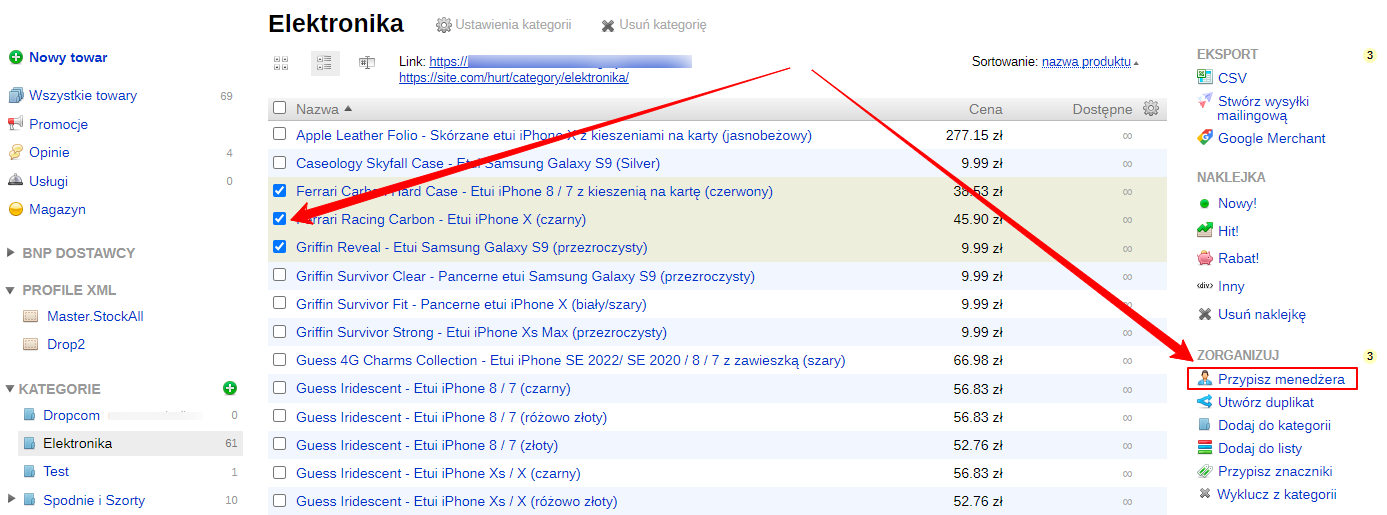
On the product list, select the desired products, then in the "Organize" menu on the right side, choose "Assign manager":
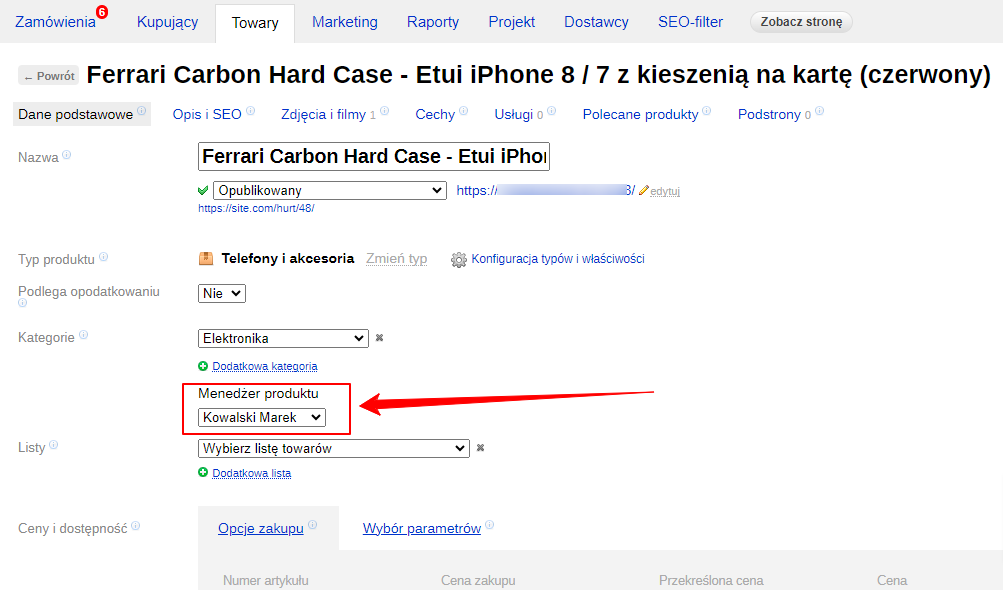
You can also assign a manager in the product editing screen by selecting them in the appropriate field:
A widget with their contact information and photo will appear on products with an assigned manager.
All manager information must be entered in the "Contacts" app:
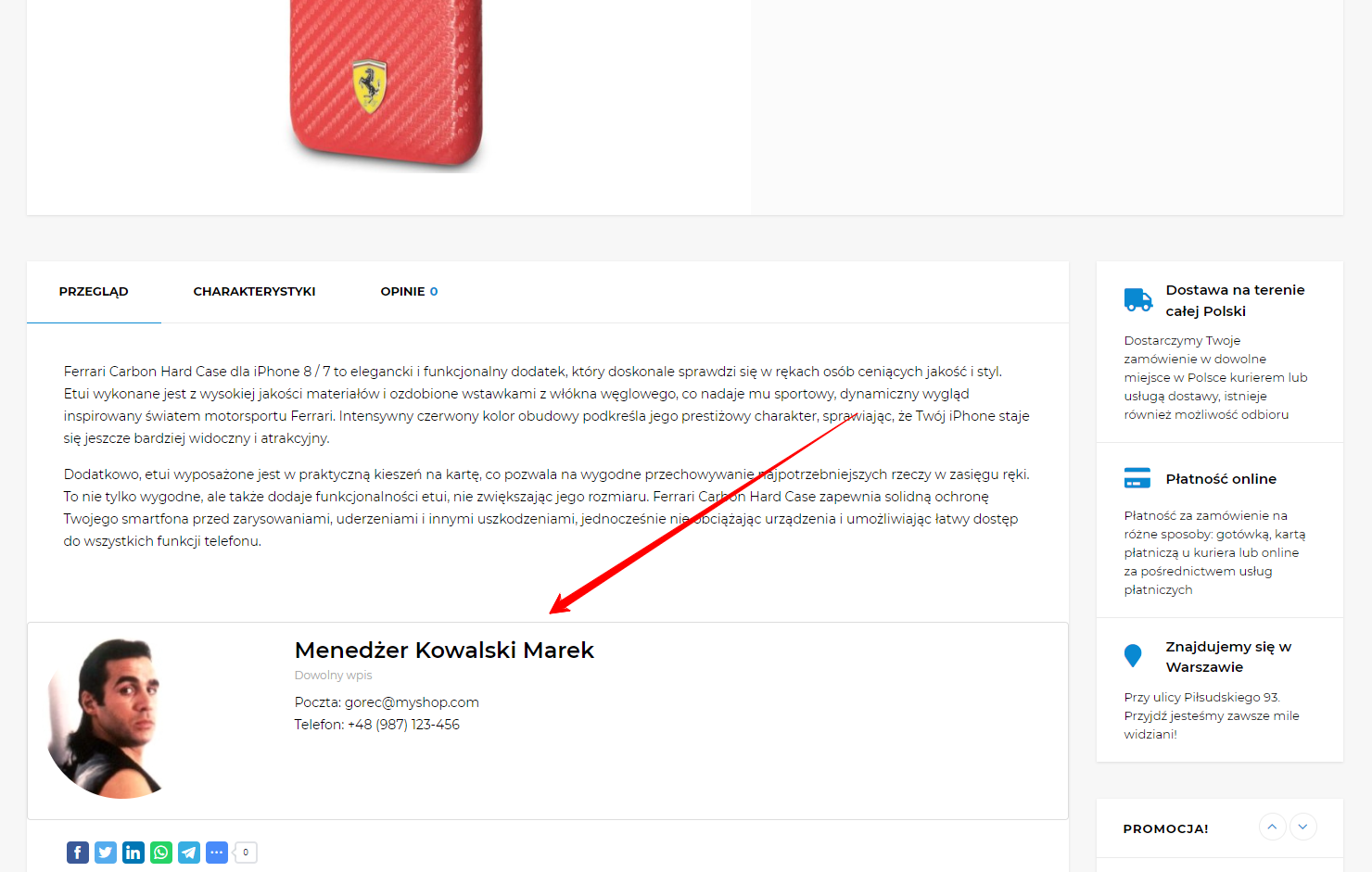
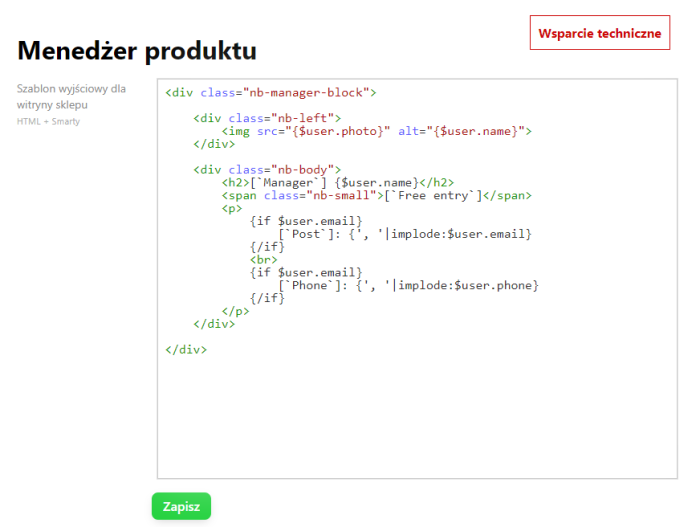
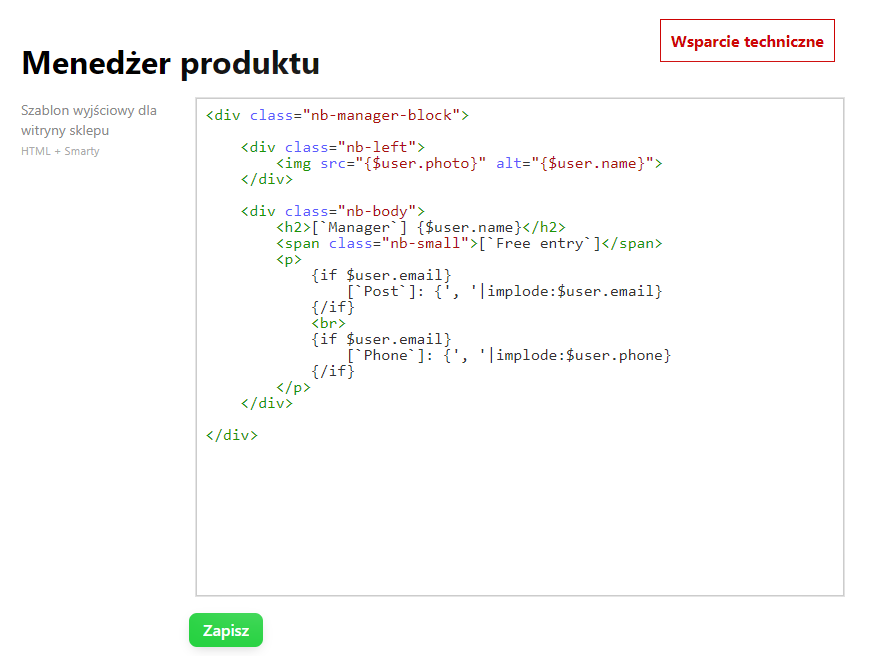
The widget style can be changed in the plugins settings:
Thanks to the "Product manager" plugin, a buyer can immediately contact a competent manager for the current product, which will increase convenience and boost sales.
Advantages of the "Product manager" plugins:
- Customizable widget template - you can adjust the plugins widget to match the site theme.
- Selection of multiple managers for products.
- Data with photo, phone, and email are automatically retrieved from the "Contacts" app.
- Automatic display of the widget on the product card in the basic block.
- Adaptive widget template.
The "Contacts" Application is required for the plugins to function.
More o wtyczce "Product manager": Updates
Categories:
| Technical specifications | |
Developed for | Shopy-Script |
Localization settings | English, Polish, Russian |
UI backend support | 1.3 |
Software type | Plugin |
Free | Yes |
| Developer and version plugins | |
Designer (programmer) | nBrains |
License | LGPL |
Version | 1.1.1.wsp |
Update | 08/13/2024 |
Loading...
Loading...