Hidden settings (files) - plugin for the "Files" app
Changing some hidden file settings.

Hidden settings (files)

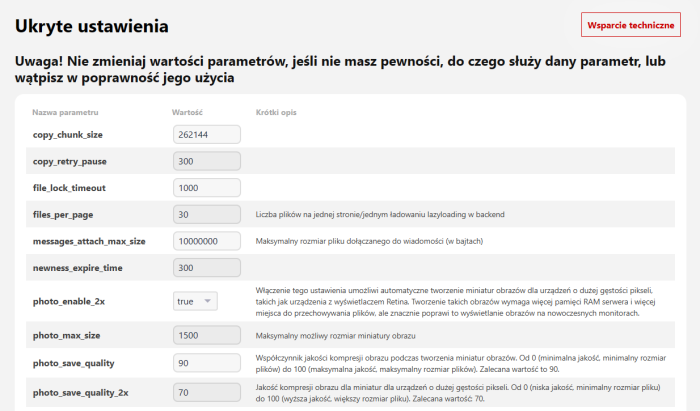
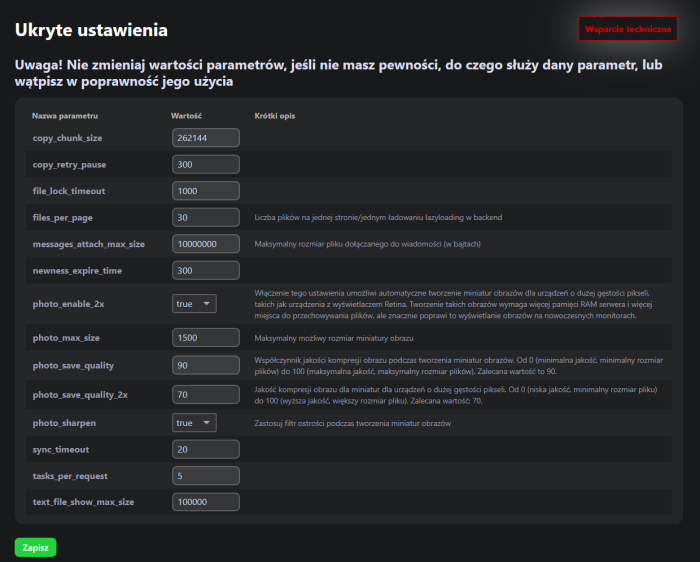
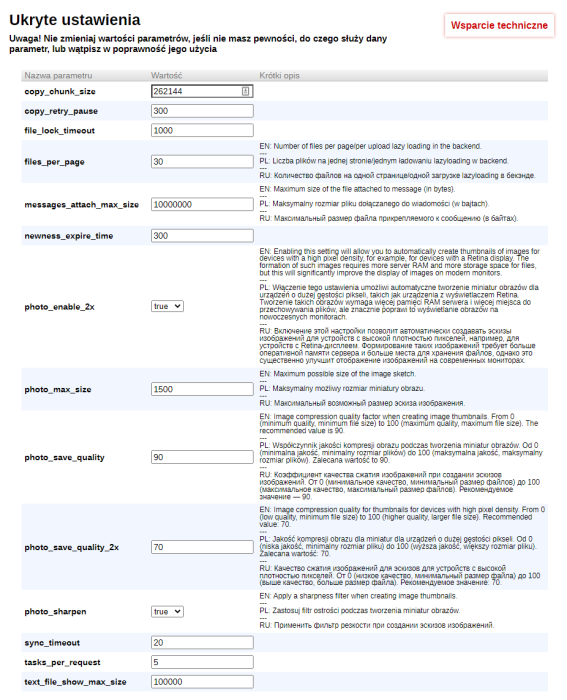


Main features of plugins "Hidden settings (files)".
Plugin "Hidden settings (files)" allows you to change the values of some hidden settings of the "Files" application. In the current version, you can change the following settings:
- files_per_page - number of files per page/single lazyloading load in the backend
- messages_attach_max_size - maximum size of a file attached to news (in bytes)
- photo_enable_2x - enabling this setting will allow automatic creation of image thumbnails for devices with high pixel density, such as devices with a Retina display. Creating such images requires more server RAM and more space for storing files, but it will significantly improve the display of images on modern monitors.
- photo_max_size - maximum possible size of an image thumbnail
- photo_save_quality - image compression quality factor when creating image thumbnails. From 0 (minimum quality, minimum file size) to 100 (maximum quality, maximum file size). The recommended value is 90.
- photo_save_quality_2x - image compression quality for thumbnails for devices with high pixel density. From 0 (low quality, minimum file size) to 100 (higher quality, larger file size). Recommended value: 70.
- photo_sharpen - apply a sharpening filter when creating image thumbnails
- copy_chunk_size
- copy_retry_pause
- file_lock_timeout
- newness_expire_time
- tasks_per_request
- text_file_show_max_size
The ability to change other hidden settings will be added as possible/needed. Plugin "Hidden settings (files)" is also available for other applications. The full list is available on this page.
More o wtyczce "Hidden settings (files)": Updates
| Technical specifications | |
Developed for | Files |
Localization settings | English, Polish, Russian |
UI backend support | 1.3, 2.0 |
Software type | Plugin |
Free | Yes |
| Developer and version plugins | |
Designer (programmer) | waResearchLab |
License | LGPL |
Version | 1.2.0.2.wsp |
Update | 03/28/2025 |
Loading...
Loading...