Image for page (site) - plugin for the "Site" application
Saving preview images for website pages.

Image for page (site)

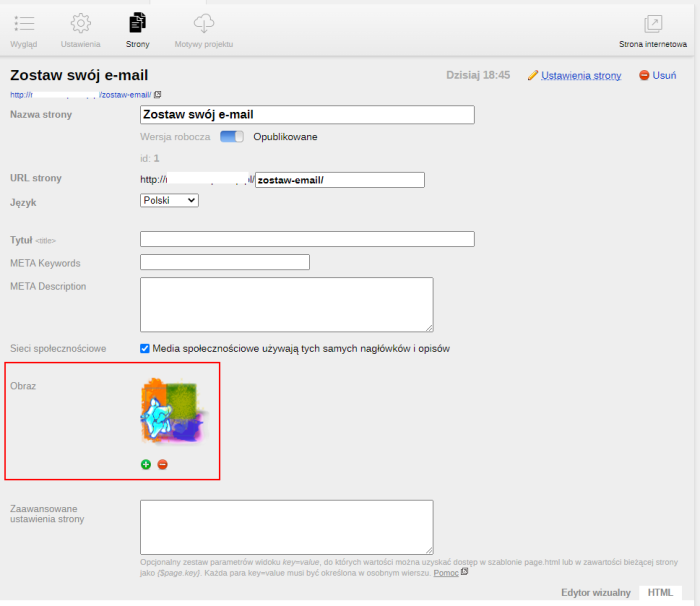



Plugin "Image for page (site)" allows you to add a preview image for website pages.
Image insertion is available only for created pages (you cannot insert an image for a new, unsaved page). The image insertion tool is accessible from the page settings.
To start using it, you need to enable the plugin in its settings.
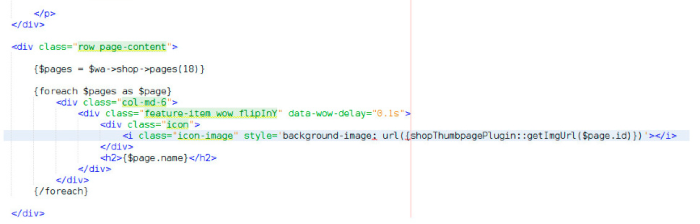
To display the image, you must insert the helper code in the appropriate place in the theme:
{siteThumbpagePlugin::getImgUrl($page.id)}
where $page.id - a variable containing the page ID.
Example:
<img src="{siteThumbpagePlugin::getImgUrl($page.id)}">
Warning!!! Installing the plugins code requires knowledge of the >Web Systems Pro< framework, Smarty, and the functions of the used theme. You can get help inserting the helper into your design theme for a fee - contact technical support with the name of your design theme.
More o wtyczce "Image for page (site)": Updates
Categories:
| Technical specifications | |
Developed for | Site |
Localization settings | English, Polish, Russian |
UI backend support | 1.3 |
Software type | Plugin |
Free | Yes |
| Developer and version plugins | |
Designer (programmer) | WA-PA |
License | LGPL |
Version | 1.0.1.1.wsp |
Update | 05/06/2023 |
Loading...
Loading...