Currency settings - plugin for Shopy-Script applications



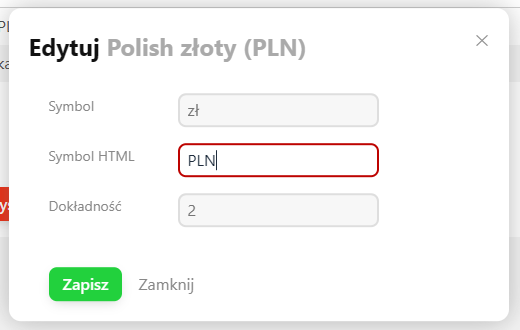

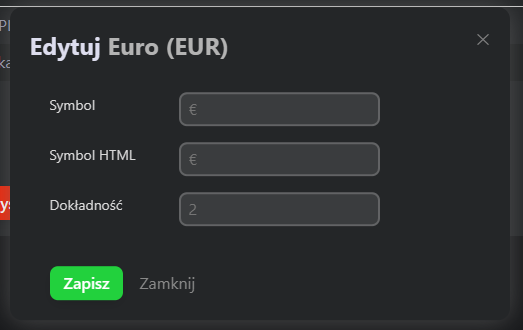


Plugin "Currency settings" for setting currency parameters:
- Symbol
- HTML Symbol
- Precision
What is the "Currency settings" module?
The Currency settings module is a free plugin dedicated to users of the Shop-Script application, which allows full control over the display parameters of currencies in the online store. With it, you can easily customize currency symbols, their display precision, and the way prices are presented, which contributes to a better shopping experience for customers and offer clarity.
Why should you use currency configuration?
Correct price presentation
Precise setting of the number of decimal places (precision) and appropriate currency symbols (text and HTML) ensure that prices look professional and are clearly understandable for customers from different countries.
🔧 Symbol and HTML Symbol.
The module allows you to set both a traditional symbol (e.g., PLN, EUR, USD) and its HTML version, which can be important when displaying currencies in different parts of the store, such as headers, footers, or the cart.
🔢 Price precision.
You can decide whether prices should be rounded to whole values or include one, two, or more decimal places - especially important for wholesale sales or products with a non-standard unit price.
Compatibility with other modules.
The Plugin Currency settings is designed to work conflict-free with other Shop-Script extensions. It can be easily integrated with payment modules, the cart, or the invoicing system.
If you want to learn more about the possibilities of customizing currencies in your store, check out the article "Custom currency settings", where we discuss practical applications and the most common configuration scenarios.
| Technical specifications | |
Developed for | Shopy-Script |
Localization settings | English, Polish, Russian |
UI backend support | 1.3, 2.0 |
Software type | Plugin |
Free | Yes |
| Developer and version plugins | |
Designer (programmer) | Welldi |
License | LGPL |
Version | 1.0.3.wsp |
Update | 06/04/2025 |