Similar materials - plugin for the "Blog" application


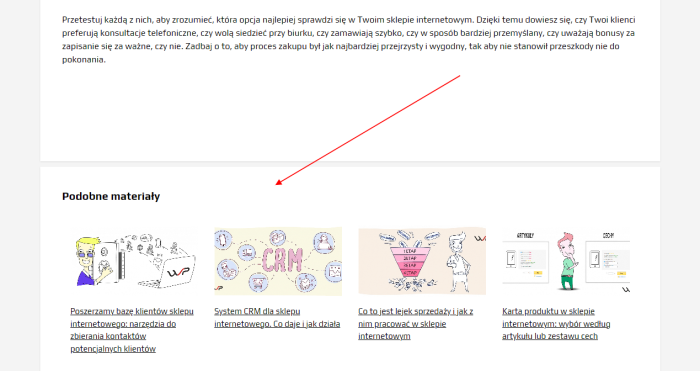
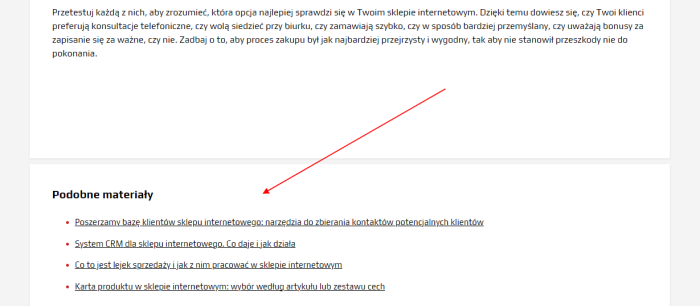


Plugin "Similar materials" for displaying related content in posts, for the "Blog" app.
How does plugin "Similar materials" work?
Finds related content by scanning and matching words in the "meta keywords" field of posts within the "Blog" app. The most relevant materials are selected as a result of the scan. Content is searched within a single blog to improve output accuracy.
Settings plugins
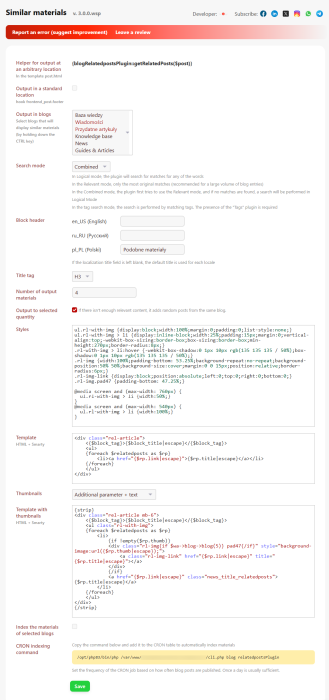
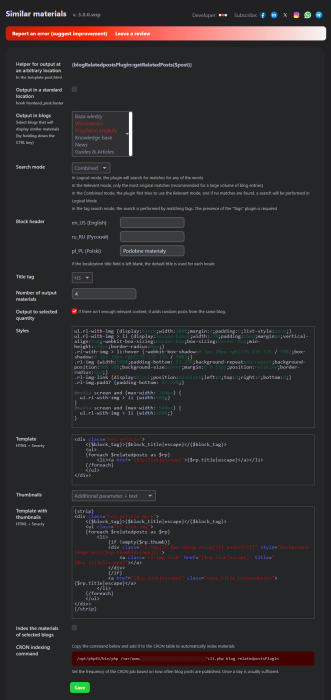
1. Helper for custom location
You can use this helper anywhere in post.html if the standard hook output below the content does not suit you. Do not forget to disable the "Output in standard location" option; otherwise, similar materials will be duplicated in multiple places.
2. Output in standard location
Check this box if you are not using the "Helper for custom location". In this case, plugin will automatically find a place to output related materials.
3. Output on blogs
Select the blogs where related content will be displayed (hold the CTRL key to select multiple). Important!!! Even if you have only one blog, it must be selected.
4. Search modes
Plugin has 4 search modes: Combined (default), Precise, Logsczny, and by tags.
In Logsczny mode, plugin searches for matches among any of the words. Recommended if your site has few entries.
In Precise mode, only the most exact matches are returned. Recommended when your blog contains many posts.
In Combined mode, plugin first tries to use Precise mode, and if no matches are found, switches to Logsczny mode. This is recommended if you're unsure which mode to choose.
By tags: this mode requires installing the plugins "Tags". In this mode, all previous search modes are disabled. Only manual article selection within each article via live search will work.
5. Block title
You can specify your own most suitable block title. The default is "Similar materials".
6. Title tag
We have provided the option to choose a header tag from H1 to H6. The default is "H3".
7. Number of displayed materials
Determines how many materials plugin should display. The default setting is "4". WARNING!!! If you see fewer than 4 posts on your page, it means that plugin found only that number of matches to display. For example, if you see 3 materials, it means only 3 matches were found for this post.
8. CSS style theme
Styles can be modified according to your preferences. (For advanced users).
9. HTML+Smarty theme
You can edit the output template according to your preferences. (For advanced users).
10. Thumbnails
It is possible to display related content with an image (preview). This can be done in several ways:
- With an additional parameter (related_thumb);
- The first image from the text (plugin automatically finds the image in the text);
- Combined option (first look for the additional parameter, then plugin searches for an image in the text).
There is a separate template for outputting related materials with an image, which you can also customize as desired.
11. Indexing content on selected blogs
Check this option if the blogs you selected under "Output on blogs" were created before installing the plugins "Similar materials", then click the "Save" button.
How to enable thumbnails?
- In the plugins settings, select from the dropdown menu the thumbnail display method suitable for you.
On an external site: related_thumb=http://www.google.ru/doodle4google/images/splashes/featured.pngTo add an extra parameter to a post: open the post -> in the right column click "Edit" in "Meta" (see screenshot below) -> insert the additional parameter with the image URL into "Settings advanced" (see screenshot below) -> click "Save";
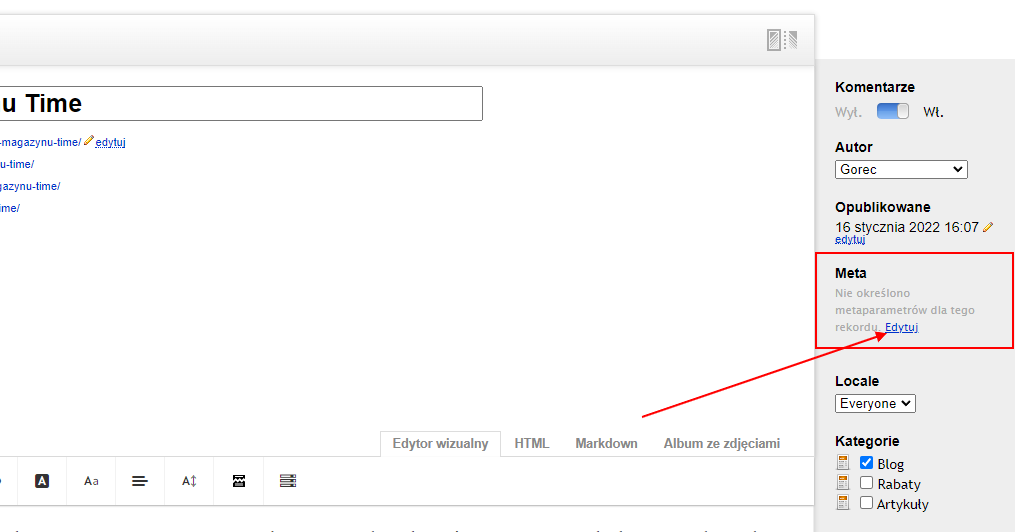
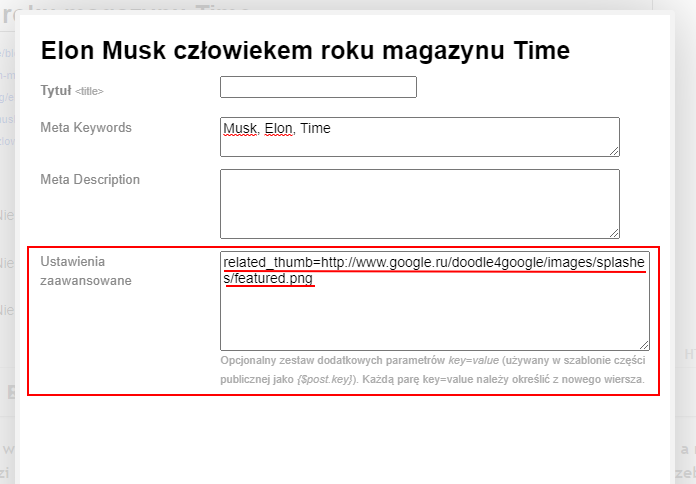
If the image is not found or the image URL is invalid, a stub will appear. - When choosing "From text":
The text must contain at least one image. Plugin will automatically find the first image and use it as a "preview". The image URL in the text can be from your own site or an external one.
If no image is found or its URL is invalid, a stub will be displayed. - When selecting "Additional parameter + text":
If this option is selected, plugin first checks the additional parameter (step 1), and if it's not found, plugin scans the post text for an image (step 2). If no image is found or the URL is invalid, a stub will be shown.
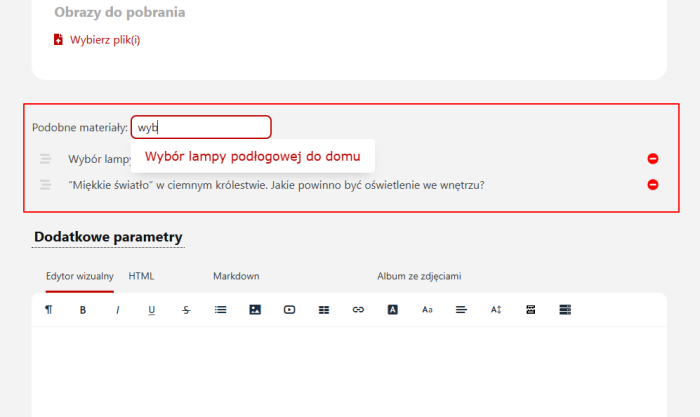
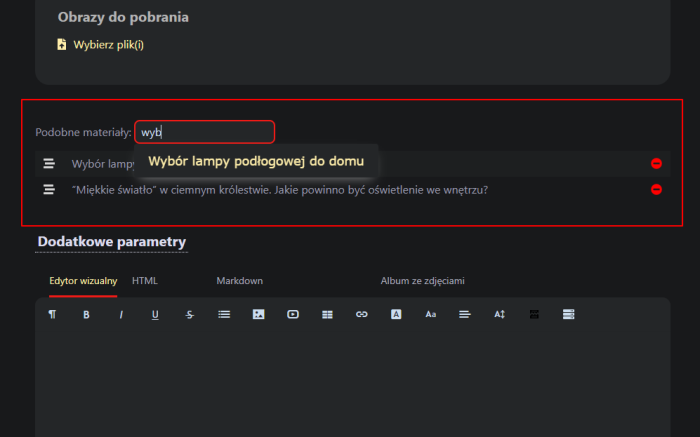
Manual selection of related content
Each article includes a live search feature, allowing you to manually select required related materials from any blog. Note! The number of displayed materials on the page is limited by plugins settings. If you added 6 materials, but the plugins settings limit output to 5, only 5 materials will appear on the page.
| Technical specifications | |
Developed for | Blog |
Localization settings | English, Polish, Russian |
UI backend support | 2.0 |
Software type | Plugin |
Free | No |
| Developer and version plugins | |
Designer (programmer) | WSPro |
License | Web Systems Pro |
Version | 3.0.0.wsp |
Update | 08/10/2026 |
With this product also buy