Improvements to backend interface - plugin for Shopy-Script application
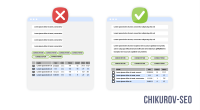


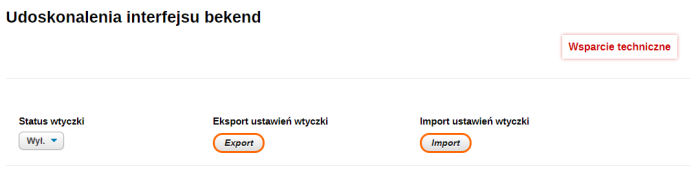
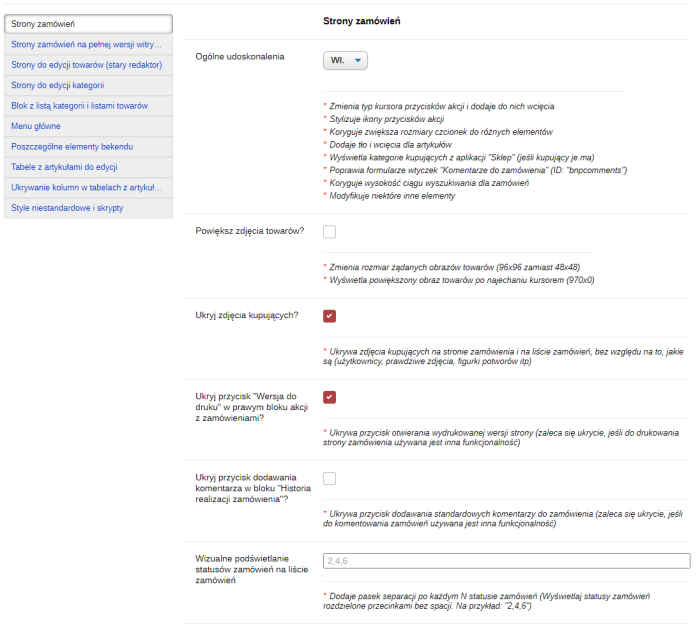
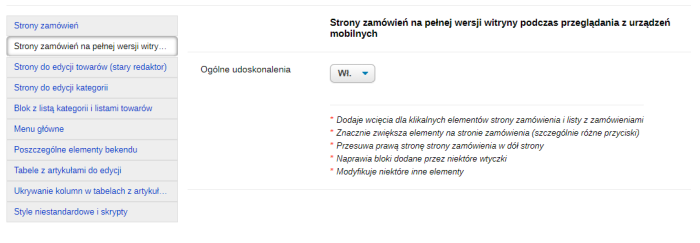


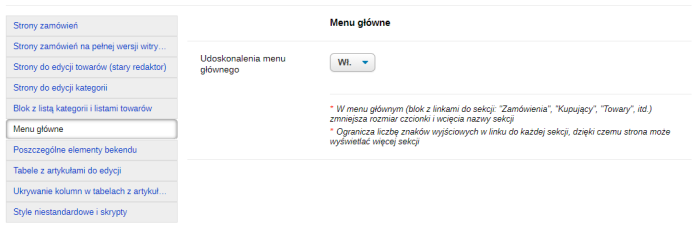


Plugin "Backend Interface Enhancements" fixes visual flaws in the backend (website administration panel), helping administrators and store managers work faster and make fewer mistakes. Plugin supports multiple settings. All settings are grouped into categories:
- Order page enhancements;
- Enhancements to order pages on the full website version when viewed from mobile devices;
- Product editing page modifications;
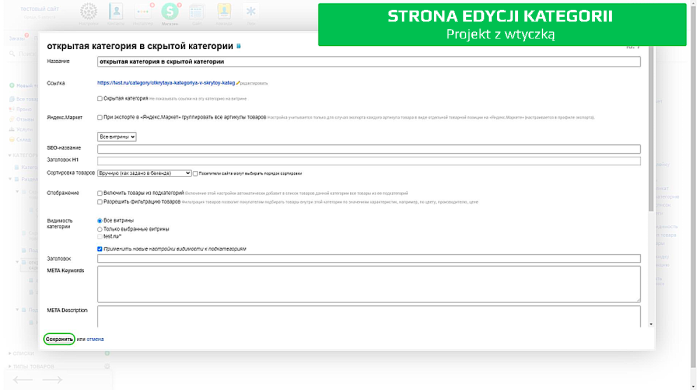
- Category editing page modifications;
- Improvements to the category list block;
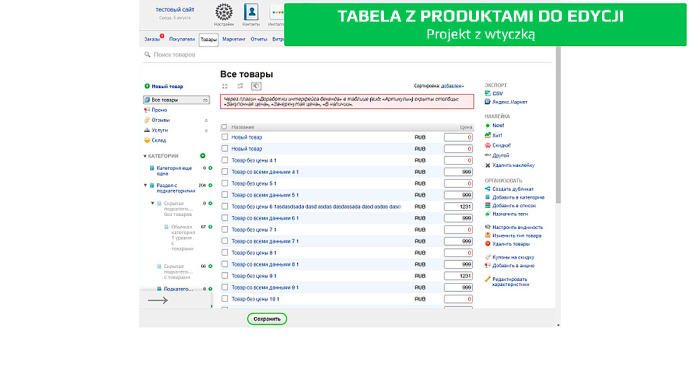
- Enhancements to the product editing table.
- Main menu improvements; enhancements to individual sidebar elements, etc.
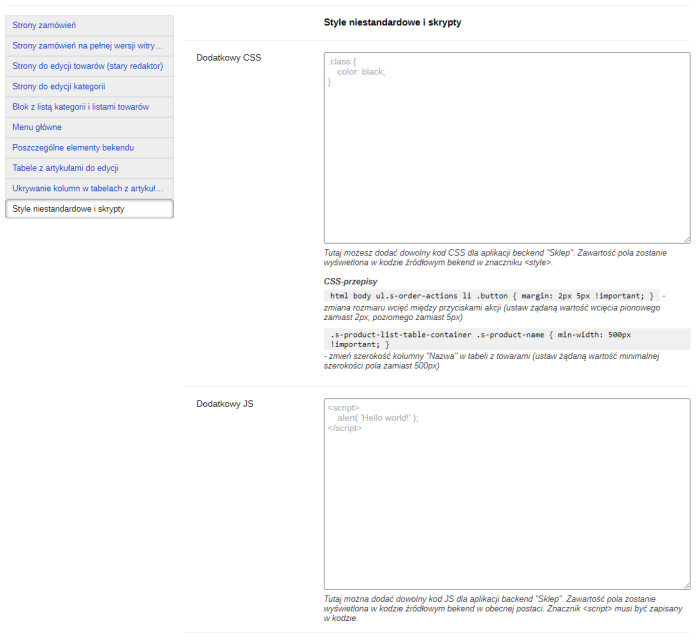
The plugin also allows adding custom CSS styles and JS code that will run within the backend of the Shopy-Script application. This enables personalized modifications to the administration panel while preserving them during engine updates.
Enhancements on order pages:
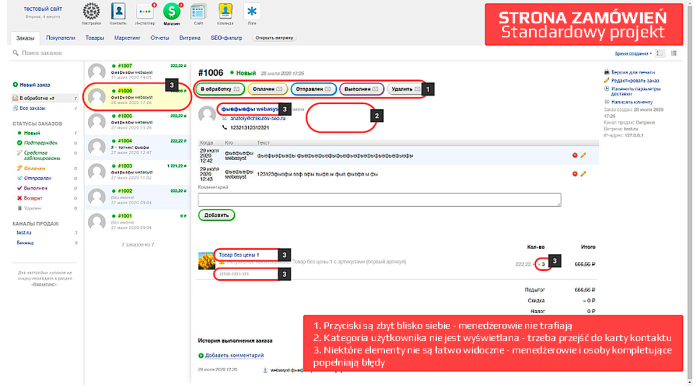
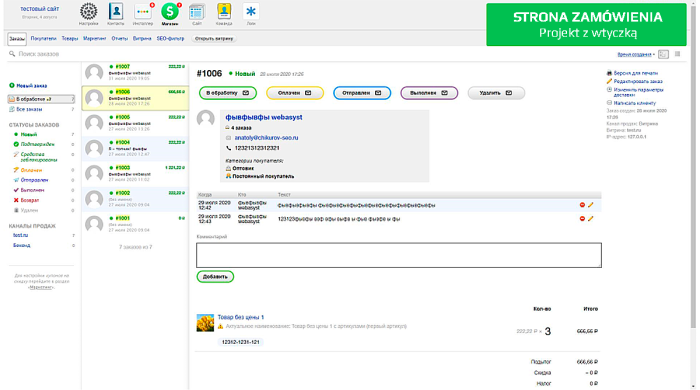
Display of customer group on order page
Now it's immediately visible on the order whether the customer is a "Wholesaler", "Regular Customer", or "Blacklisted".
Styling of action buttons for handling orders
Managers will less frequently click wrong buttons, reducing errors such as sending incorrect notifications to customers and placing orders into incorrect statuses.
Larger product images in order tables
If a manager needs to quickly enlarge an image of a product from an order, they can now do so directly from the order page.
Highlighting of paid orders
Paid orders are visually emphasized with a distinct background color, making them easier to identify among unpaid ones.
Enhancement of the free plugins "Comments on the order" interface
Writing and reading order comments with additional style editions will become a bit more convenient and enjoyable.
Changes in the ordered items table
Product names, catalog numbers, and quantities of ordered items have been enlarged. Fewer errors will be made when advising customers, assembling, and checking order completeness.
Improvements on mobile-optimized order pages:
Now you can do something!
Various indents, elements, and buttons on the order page have been increased. The right side of the order has been moved to the bottom of the page. Blocks added by certain plugins have been fixed... overall, there are many improvements. Now on the order page from your phone you can normally perform basic tasks: confirm orders, see the buyer's phone number, write/read comments, and view item numbers.
Improvements on product editing pages:
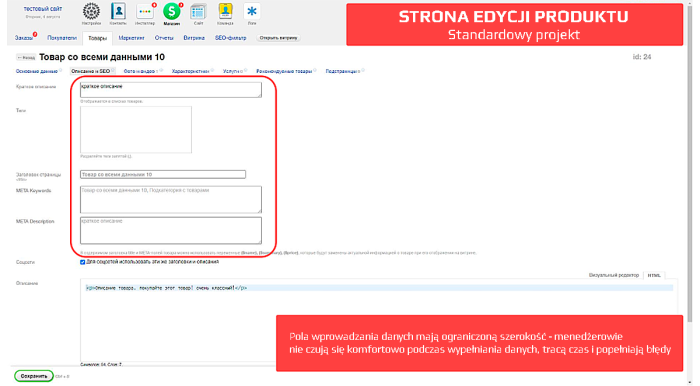
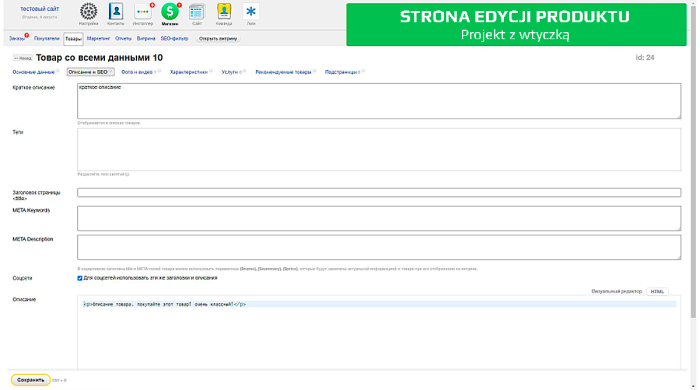
Adjusted widths of product information editing fields
The "Name", "Short description", "Tags", "Page title", "META Keywords", "META Description", "Advanced options", and several other fields will now span the full screen width. The "SKU" field will also grow larger. Filling in product data will become significantly more convenient.
Styling the button added by the "Generate SEO-URL in product card" plugin
The "Generate SEO-URL" button (as well as the button to navigate to edit product and category pages) is fixed in the upper right corner of the screen. If you are used to working with products across multiple browser tabs simultaneously, performing the same types of actions will become slightly easier: you won't need to drag your mouse cursor, adjusting for the varying lengths of product and category names.
Hiding placeholders in fields "Title", "Description", "Keywords", etc.
If these fields are empty, app Shopy-Script displays hints using the field's "placeholder" attribute. However, if you use plugins that generate meta tag templates dynamically (such as plugin SEO optimization), then the hints on the product editing page do not match the actual meta tags generated on the frontend. To prevent misleading website optimizers, plugin hides these hints.
Other minor fixes
Additionally, various indents have been added, the cursor appearance has been improved when hovering over certain elements, and features are visually separated from each other by a dividing line.
Improvements on category editing pages:
Adjustments to the width of category information editing fields
The plugins "SEO-optimization" fields have also been enlarged. Making changes via the admin panel will become significantly more convenient.
Enhancements to the category list block
Increased clickable area of the category expand/collapse icon
Finally, this icon can be quickly clicked!
Styling the button for adding a new category
It is now always visible and does not jump depending on the category name length.
Modifying hidden fields responsible for moving categories
To move categories to the right place for the first time, you no longer need to sell your soul to the devil. The invisible zone you need to reach has been increased 7.5 times (from 2px to 15px), making targeting significantly easier.
Styling the expand buttons for the category block.
You never noticed them? Well, nothing, many developers didn't see them either. Now the buttons are always in a visible place and are much more convenient to use.
Improvements in the product editing table
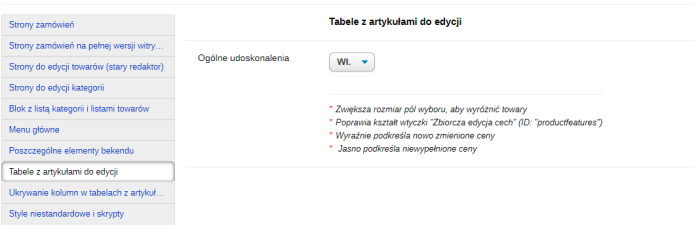
Enlarged checkboxes for selecting products
Thanks to larger checkboxes, it will be faster to select items from the list. (By the way, in case you didn't know - you can use the Shift key to select a group of items)
Enhancements to the plugins "Bulk feature editing" form
Adding new features will become a bit more pleasant. The change does not bring practical benefits, it's rather a tribute to plugins: sharing it with the "Product filter and search in backend" plugin saves a huge amount of time.
Highlighting the price that has just been changed
In the standard interface, a modified item becomes bold, increases by 1px (causing the table to shift), and still isn't very noticeable. With the plugin, it's easier to track changes made, which means fewer errors.
Assigning a zero price
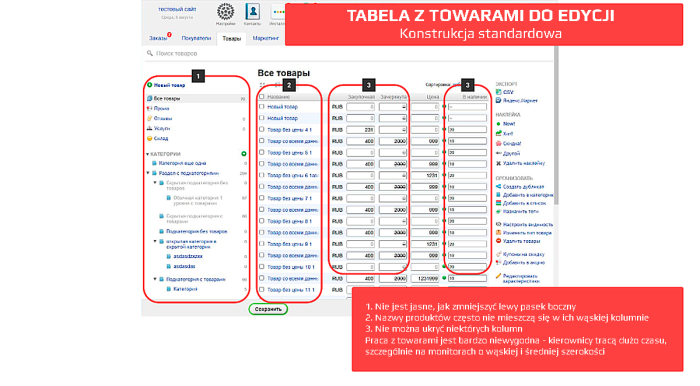
Plugin will remove extra hints for empty cells in the "Purchase Price" and "Strikethrough Price" columns, and empty cells in the "Price" column will be highlighted in red. You can spot zero prices more quickly.
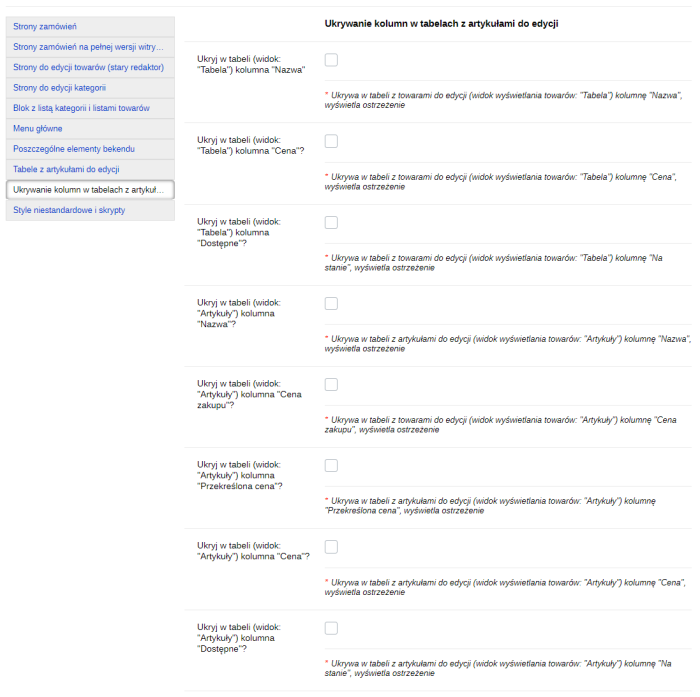
Ability to hide any columns from the table
The plugin allows you to hide columns in the products table that cannot be hidden using standard functionality, namely: "Name", "Price", "In stock", "Purchase Price", "Strikethrough Price". There is also a tip on how to increase the width of the "Name" column. All this can help display the table properly on narrow monitor screens. When mass assigning features, stock levels, and product prices, reducing browser scale and looking at small icons will become less necessary.
Other improvements:
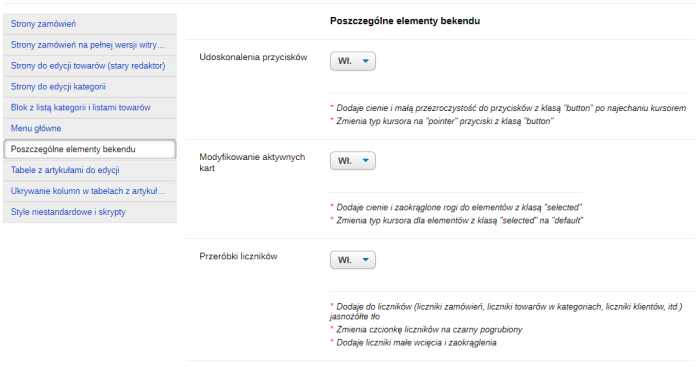
Buttons with hover effects
Additional customization will change the cursor appearance, add shadows and slight transparency to all buttons with the ".button" class when hovered over in Shopy-Script. Your inner perfectionist will be pleased.
Enhancements for active tabs
Additional styling will add shadows and rounded corners to certain elements with the ".selected" class in the backend of the Shopy-Script application. This will help quickly identify which order is currently open, which category products come from, settings, and which sites are open, etc.
| Technical specifications | |
Developed for | Shopy-Script |
Localization settings | English, Polish, Russian |
UI backend support | 1.3 |
Software type | Plugin |
Free | No |
| Developer and version plugins | |
Designer (programmer) | Chikurov SEO |
License | Web Systems Pro |
Version | 4.0.3.1.wsp |
Update | 03/05/2025 |
With this product also buy