Reserve shipping method - plugin for Shopy-Script applications




Plugin „Reserve shipping method” allows you to implement a backup delivery method on your website that will be shown to users when no other plugin delivery method works, so you don't lose a customer. A must-have for every store!
How does the plugin „Reserve shipping method” work?
If everything is OK in the website's Cart
If the customer sees at least 1 shipping method during the checkout process, the backup delivery method is not displayed in the website's Cart. However, this does not affect the calculated costs and delivery times in the delivery groups (tabs).
If no delivery methods are available in the website's Cart
If the buyer does not see any of the delivery methods during the checkout process, the backup delivery method is displayed in the website's Cart. You can hide the delivery cost and time on the page, and in the description of the backup delivery method write that delivery will be calculated and agreed with the buyer after the order is confirmed. Reserve shipping method works through the standard functionality of delivery methods — so if needed, you can disable some payment methods when it is selected and perform other similar actions without modifying the engine.
Plugin „Reserve shipping method” works only in the standard one-step cart "Checkout in cart". At the same time, the plugin does not require making changes to the design theme code or programming skills when configuring it. Follow the simple instructions, and configuring the plugins will take you from 2 to 7 minutes!
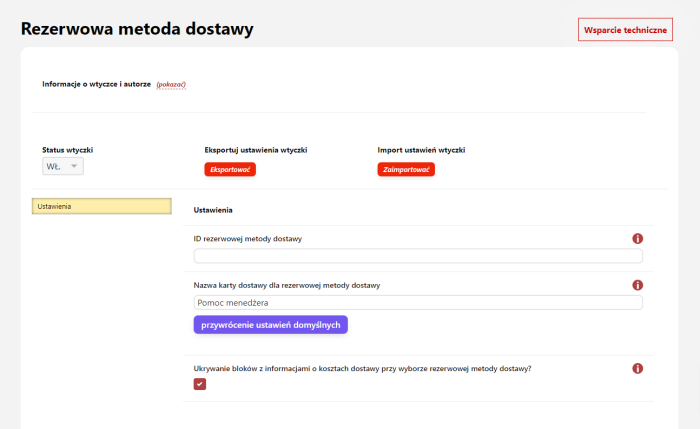
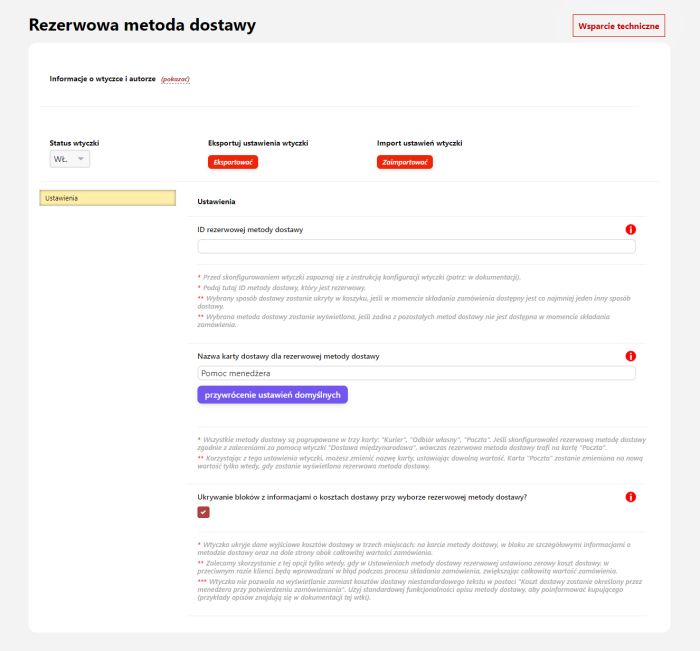
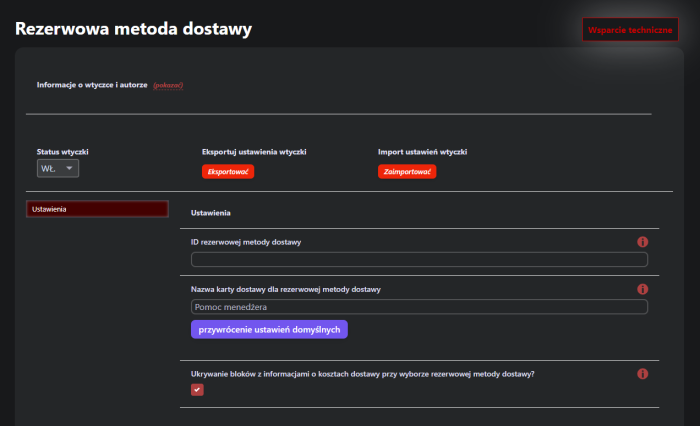
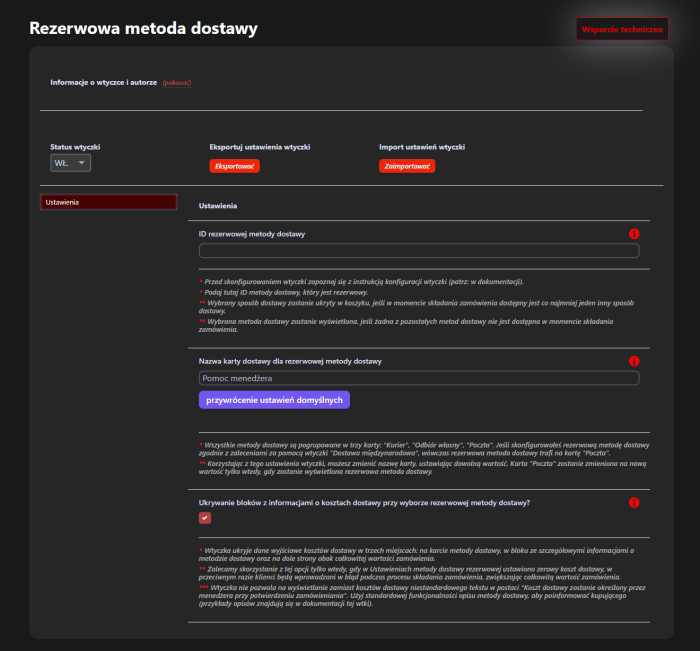
Viewing the plugins settings „Reserve shipping method”(exactly as in the admin panel)
In which cases can a backup shipping method be useful?
Delivery service server is temporarily unavailable
If you work with shipping services such as InPost, DHL, FedEx or others, you know that their websites can sometimes be down, causing shipping methods not to be displayed in the website Cart, and customers cannot place an order.
Customers uses a VPN
If the buyer uses a VPN, their country is automatically identified as "Singapore", "USA", "Germany" or any other, even though they are physically located in Poland and want to order delivery to, for example, Warsaw. However, if the country selection is visually hidden in the cart, the buyer has no way to change the country and select delivery, so they will not be able to place an order. A similar problem will occur if the buyer is actually abroad now and is placing an order for friends or relatives in Poland (such cases are also not uncommon).
Authorized buyer's data has been replaced from their profile on the site, but only partially
If the buyer has previously placed an order and "City" is stored in their user profile, it will be successfully replaced on the checkout page. But if there is no "Region" in the user profile, it may replace it incorrectly. And here a problem may arise: if you use the hiding of the "Region" field (which is filled automatically after selecting a city from hints added by some plugin), the buyer will be faced with the fact that delivery is not available until they guess to remove their city and enter it again (and most likely the buyer will not think of this. They do not want to think, they want to buy the product).
Customers does not know which region they live in
A common situation is for residents of the Warsaw region who try to place an order in conditional "Marks", indicating the region "Warsaw" instead of "gmina Brands". Plugins of delivery in such a case send a request to the delivery service, but receive a response "Delivery to this city is impossible" and the delivery methods are not displayed in the Cart.
Customers incorrectly specifies their city
If you do not use hints for the "City" field, a situation can quite often occur where the buyer enters an uncorrelated value in the "City" field. For example, they write "m.Krakow" instead of the required "Krakow" or make spelling mistakes in the city name. In this case, delivery methods will also not be shown.
"City" field suggestions are not working
If you are not using suggestions for the "City" field, be prepared to encounter the problem when suggestions fail to load. This is a common issue with servers that may be unavailable due to DDOS attacks. Customers will not be able to select a city from the list of cities, so the "Region" field will not be automatically filled, and the buyer may incorrectly enter their city.
If the store's cart contains a product with a specific weight of "100500 kg"
When importing products from suppliers, a situation often arises where the product weight listed on the supplier's website in grams is imported to your site as the same value, but only in kilograms. And if you use shipping methods with a maximum order weight limit, the Customer will not see any shipping method.
If the website administrator did not check something
It happens that the person responsible for running the site simply accidentally disabled all shipping methods (a common example: forgot to enable shipping methods in the store's Settingss).
The Plugin "Reserve shipping method" will not solve and will not prevent the above problems, but it will at least display the available shipping method in the site's Cart and allow the Buyer to place an order so that you can accept it and determine the delivery manually. Do not lose orders and money! Install and configure a backup shipping method, even if there are no checkout problems at the moment. They can easily appear in the future — be one step ahead!
Compatibility
The Plugin works correctly on both the old and new Web Systems Pro interface
- Tested on UI 1.3, UI 2.0
The Plugin works correctly on all versions of the framework and Shop-Script
- Tested on 7.0, 7.5, 8.22, 9.4, 10.2
Plugin works correctly on all design themes
- Tested on "Hipermarket", "Ahead", "Balance", "Default", "Free", "InCart", "InSale", "Mastershop", "Megashop 2.0", "Megashop 3.0", "Mobisite 3.0", "Seller", "Supreme", "TopShop", "Unishop".
- There will be no problems with other design themes, including individually designed ones, because the functionality of plugins does not depend on the layout of website themes.
Plugin works correctly in combination with other plugins
- No conflicts were found with other plugins, including plugins from other developers.
Plugin works correctly on all PHP versions
- Tested on 7.0, 7.4, 8.0, 8.3
Performance
Plugin does not slow down page loading speed on the frontend (the part of the site intended for users).
Plugin does not slow down page loading speed in the backend (site administration panel).
Plugin does not cause excessive load on the server and database.
Main advantages of plugins „Reserve shipping method”.
Multi-site and additional plugins settings New!
It is like multi-site functionality, but much more feature-rich. You can dynamically replace plugins settings for each individual storefront, user category, user device type, URL page, etc. (How does it work?)
Unique module for importing plugins settings.
Plugin includes a built-in module for exporting and importing settings. You can transfer plugins settings from one project to another or apply recommended settings from the documentation with just a few clicks!
Detailed documentation and tips on the settings page.
Plugin has been refined down to the smallest detail not only in terms of functionality, but also in terms of ease of configuration and testing. We make every effort to ensure that each of our plugins can be configured by anyone, even the most inexperienced user, and that experienced users spend minimal time on it.
| Technical specifications | |
Developed for | Shopy-Script |
Localization settings | English, Polish, Russian |
UI backend support | 1.3, 2.0 |
Software type | Plugin |
Free | No |
| Developer and version plugins | |
Designer (programmer) | Chikurov SEO |
License | Web Systems Pro |
Version | 2.0.0.1.wsp |
Update | 08/19/2024 |