Price request - plugin for Shopy-Script applications





Features plugins
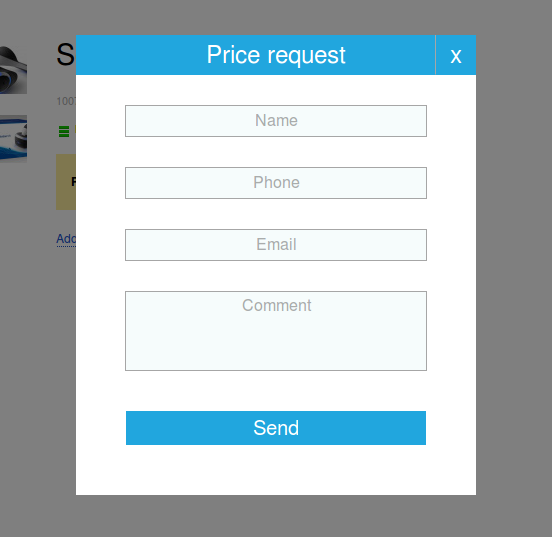
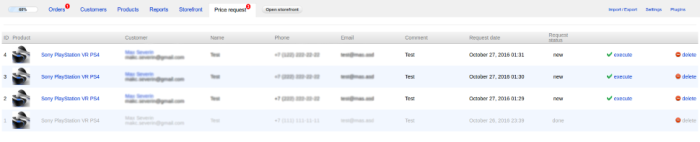
Plugin adds the ability to request prices for specific products. Instead of the price and the "Buy" button, a "Price request" button is added to the product theme, which when clicked opens a window with a form for entering customer details. Customers can leave their name, phone number, email, and comments. Then, information about the user and the product is sent by email to the administrator, and a request is created in the administration panel.
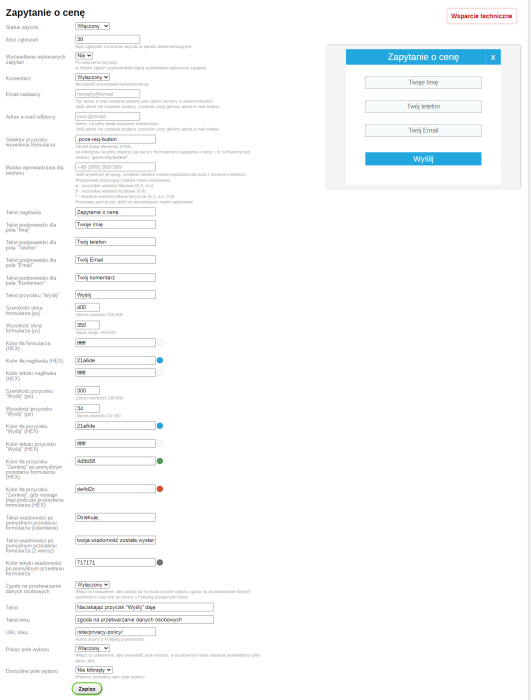
In the plugin, you can enable checkboxes that, when selected, confirm the user's consent to personal data processing.
Functions
Enable the plugin in the settings and customize the appearance of the form.
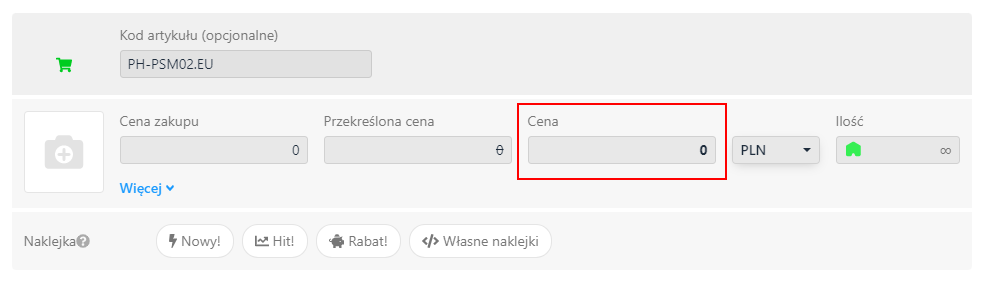
For products for which you want to request a price, set the price to 0:
Display the "Price request" button on the product page:
You need to edit the template that displays the price and the "Buy" button. The default themes of the Shopy-Script application use the product.cart.html template for this purpose. First, find the following code in the template:
<!-- price -->
<div class="add2cart">
{if $product.compare_price > 0}<span class="compare-at-price nowrap"> {shop_currency_html($product.compare_price)} </span>{/if}
<span data-price="{shop_currency($product.price, null, null, 0)}" class="price nowrap">{shop_currency_html($product.price)}</span>
<input type="hidden" name="product_id" value="{$product.id}">
<span class="qty">
× <input type="text" name="quantity" value="1">
</span>
<input type="submit" {if !$product_available}disabled="disabled"{/if} value="[`Add to cart`]">
<span class="added2cart" style="display: none;"> {sprintf('[`%s is now <a href="%s"><strong>in your shopping cart</strong></a>`]', $product.name|escape, $wa->getUrl('shop/frontend/cart'))}</span>
</div>
Then edit it as follows.
(replace the highlighted code above with the highlighted code in the example below):
<!-- price -->
<div class="add2cart">
{if $product.compare_price > 0}<span class="compare-at-price nowrap"> {shop_currency_html($product.compare_price)} </span>{/if}
<!-- Price request -->
{if $product.price == 0}
<b>Price request</b>
{else}
<span data-price="{sh{p_currency($product.price, null, null, 0)}" class="price nowrap">{sh{p_currency_html($product.price)}</span>
{/if}
<!-- Price request -->
<input type="hidden" name="product_id" value="{$product.id}">
<!-- Price request -->
{if $product.price == 0}
<input type="button" value="How much?" class="price-req-button">
{else}
<span class="qty">
× <input type="text" name="quantity" value="1">
</span>
<input type="submit" {if !$product_available}disabled="disabled"{/if} value="[`Add to cart`]">
{/if}
<!-- Price request -->
<span class="added2cart" style="display: none;"> {sprintf('[`%s is now <a href="%s"><strong>in your shopping cart</strong></a>`]', $product.name|escape, $wa->getUrl('shop/frontend/cart'))}</span>
</div>
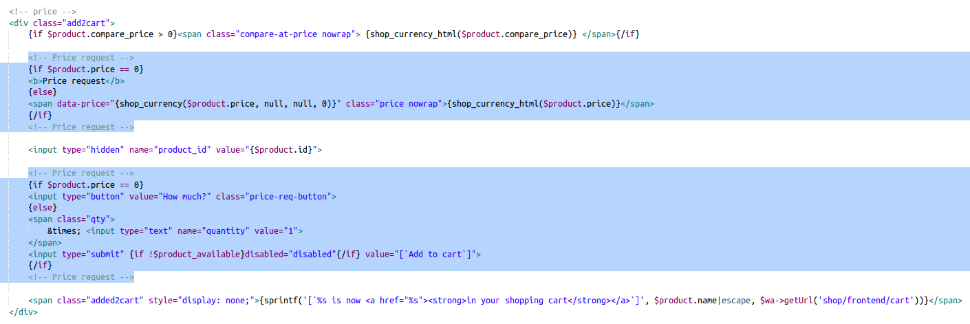
Displaying the "Price request" button in categories and lists:
The template that generates product lists needs to be edited. The default themes of the Shopy-Script application use the list-thumbs.html template for this. First, find the following code in the template:
<form class="purchase addtocart" {if $p.sku_count > 1}data-url="{$p.frontend_url}{if strpos($p.frontend_url, '?')}&{else}?{/if}cart=1"{/if} method="post" action="{$wa->getUrl('/frontendCart/add')}">
<span class="price nowrap" itemprop="price">{shop_currency_html($p.price)}</span>
<input type="hidden" name="product_id" value="{$p.id}">
<input type="submit" value="[`Add to cart`]">
<span class="added2cart" style="display: none;"> {sprintf('[`%s is now <a href="%s"><strong>in your shopping cart</strong></a>`]', $p.name, $wa->getUrl('shop/frontend/cart'))}</span>
</form>
Then edit it as follows.
(replace the highlighted code above with the highlighted code in the example below):
<form class="purchase addtocart" {if $p.sku_count > 1}data-url="{$p.frontend_url}{if strpos($p.frontend_url, '?')}&{else}?{/if}cart=1"{/if} method="post" action="{$wa->getUrl('/frontendCart/add')}">
<!-- Price request -->
{if $p.price == 0}
<b>Price request</b>
{else}
<span class="price nowrap" itemprop="price">{shop_currency_html($p.price)}</span>
{/if}
<!-- Price request -->
<input type="hidden" name="product_id" value="{$p.id}">
<!-- Price request -->
{if $p.price == 0}
<input type="button" value="How much?" class="price-req-button">
{else}
<input type="submit" value="[`Add to cart`]">
{/if}
<!-- Price request -->
<span class="added2cart" style="display: none;"> {sprintf('[`%s is now <a href="%s"><strong>in your shopping cart</strong></a>`]', $p.name, $wa->getUrl('shop/frontend/cart'))}</span>
</form>
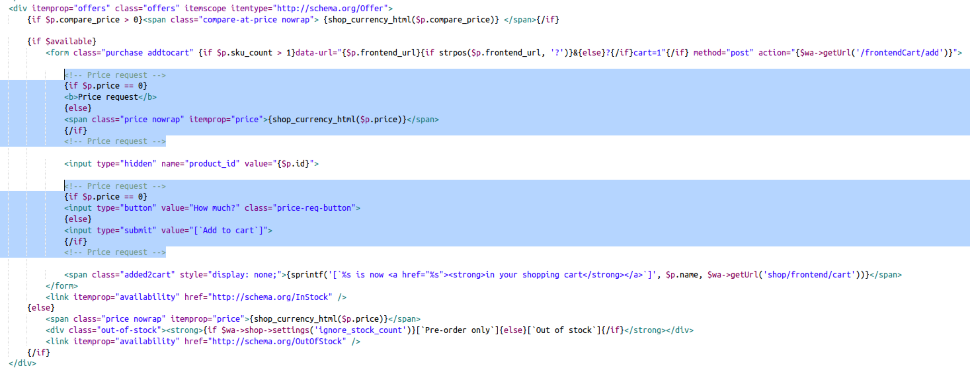
The images show the principle and approximate location of the plugins call in the design themes "Clear". Plugin is installed in other design themes in the same way.
Please note:
Configuring and integrating plugins requires editing the code of the design theme.
Technical support includes:
- Advice and answers to questions regarding the purchase and use of plugins;
- Consultations regarding the functionality and features of plugins.
Technical support does not include:
- Configuration of plugins and integration with the design theme (possible only for an additional fee - contact plugins support);
- Consultations regarding individual requirements;
- Resolving conflicts or integration with other plugins or apps;
- Consultations on other matters unrelated to this plugin.
If the user or third-party developers have modified the code of plugins, the developer does not guarantee compatibility of updates with the modified version of the product and disclaims any obligation to provide support.
| Technical specifications | |
Developed for | Shopy-Script |
Localization settings | English, Polish, Russian |
UI backend support | 1.3 |
Software type | Plugin |
Free | Yes |
| Developer and version plugins | |
Designer (programmer) | mSeverin |
License | LGPL |
Version | 1.1.0.1.wsp |
Update | 04/24/2023 |