Order management - plugin for Shopy-Script applications


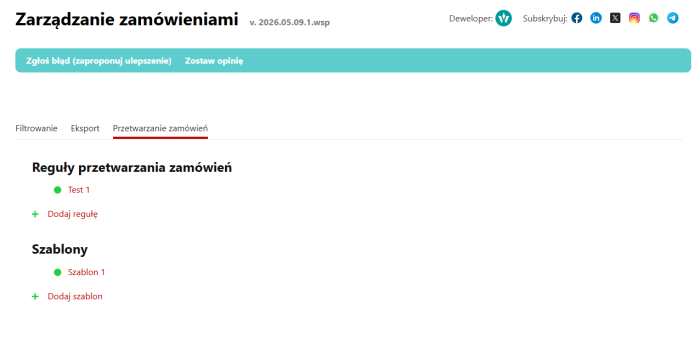






Plugin "Order management" combines essential tools for working with orders: filtering orders in the admin panel, controlling "suspended" orders, and exporting the order list to a file.
Features of the "Order management" module.
Filtering
By creation date, update date, amount, and other parameters
Flexible settings
Ability to save filters and profiles
"Export"
Ability to export the order list to .csv, .xlsx, .ods file
Order management
Actions with orders according to a schedule
Order filtering
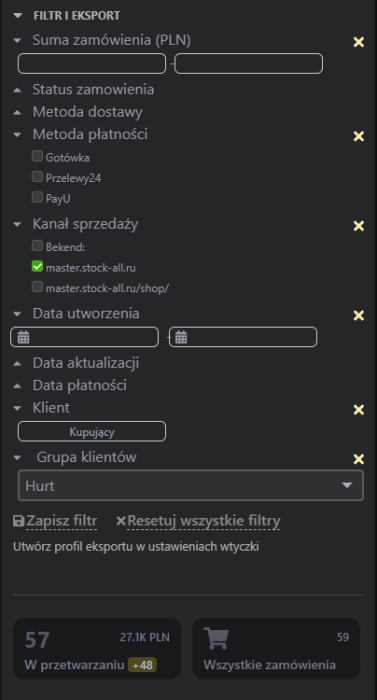
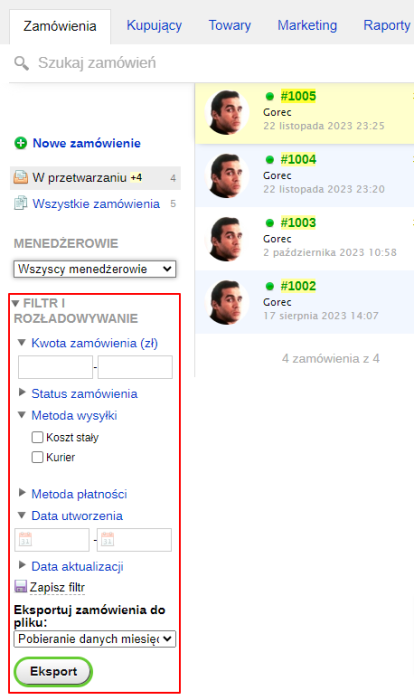
Plugin displays a filter panel in the order admin panel. This allows you to select relevant orders by amount, creation or update date, status, shipping or payment method.
If you frequently make the same selection (e.g., orders from a certain amount), you can save the filter parameters so you don't have to enter them each time.
The filter panel can be disabled in the plugins settings or collapsed.
Exporting orders
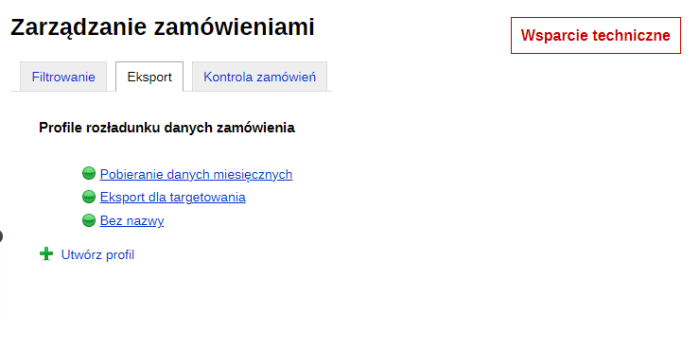
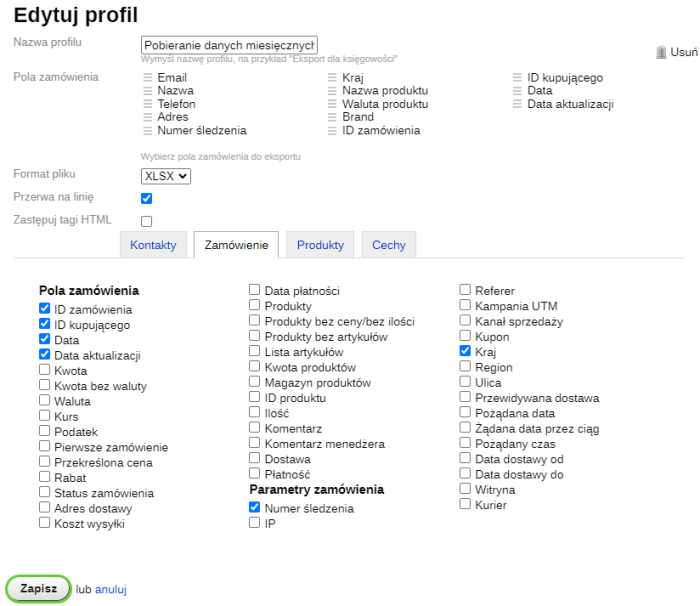
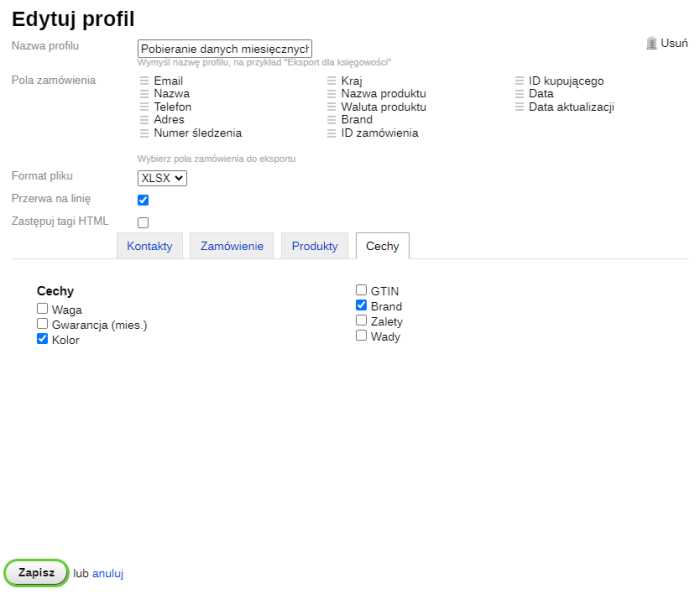
There, also in the order admin side panel, you will see an export button. It allows you to export filtered orders to a file (available formats .csv, .xlsx, .ods). In the plugins settings, you need to create an export profile beforehand, specify the export parameters, and check the relevant fields.
Controlling orders
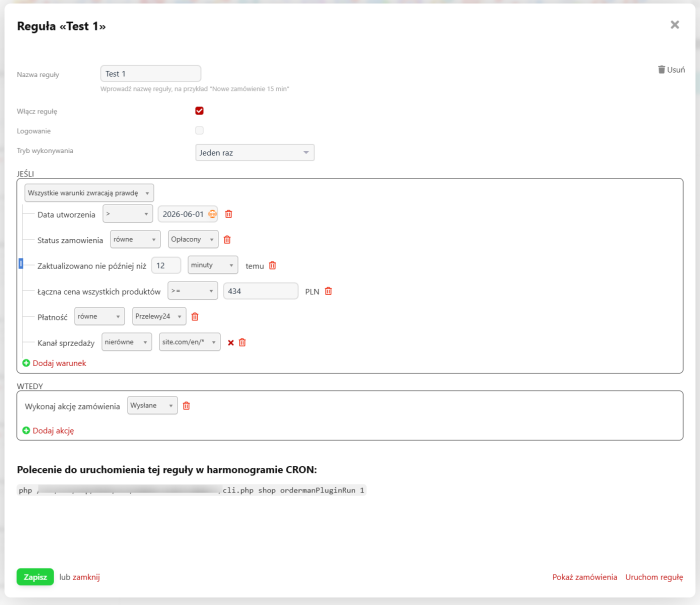
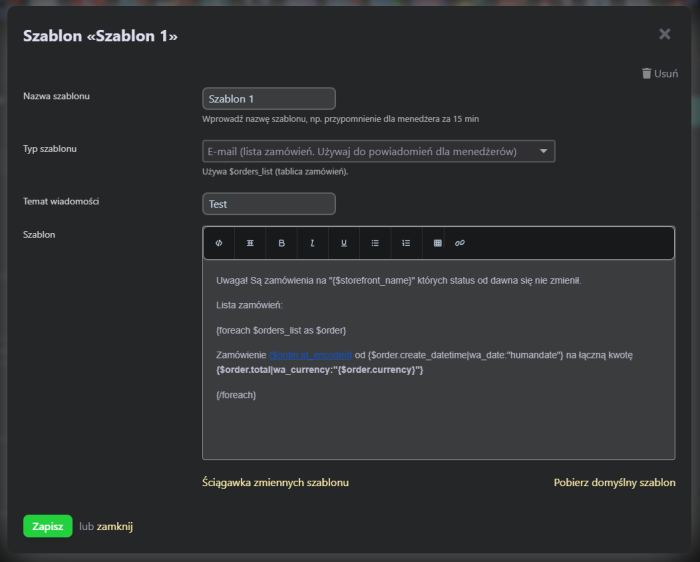
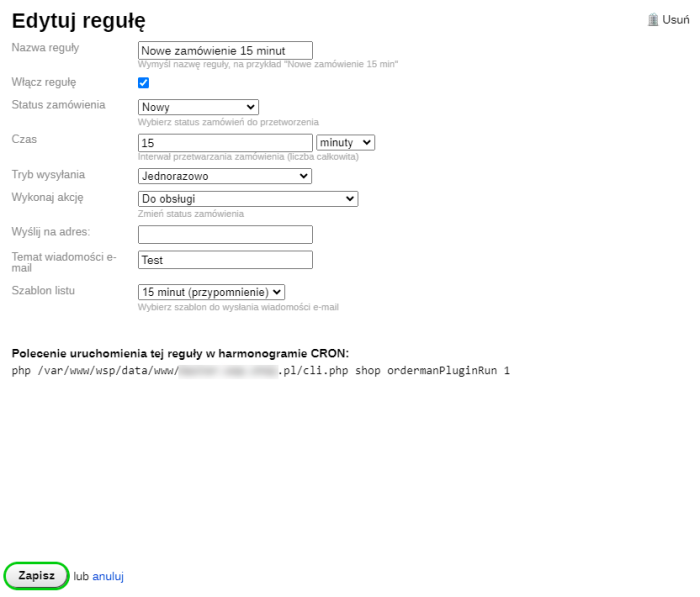
This feature can be useful if you have "suspended" orders, want to control or speed up managers' work. You will need to set up a CRON schedule. By creating a rule, you can send news emails to the appropriate addresses after a certain time has passed since the order was placed (or changed), or automatically move them to a specific status. Additionally, plugin "Order manager" is supported (you can send a message to the assigned manager).
Documentation on setting up a CRON schedule
| Technical specifications | |
Developed for | Shopy-Script |
Localization settings | English, Polish, Russian |
UI backend support | 1.3, 2.0 |
Software type | Plugin |
Free | No |
| Developer and version plugins | |
Designer (programmer) | Welldi |
License | Web Systems Pro |
Version | 2026.05.09.1.wsp |
Update | 06/05/2026 |