SEO-regions - plugin for Shopy-Script application



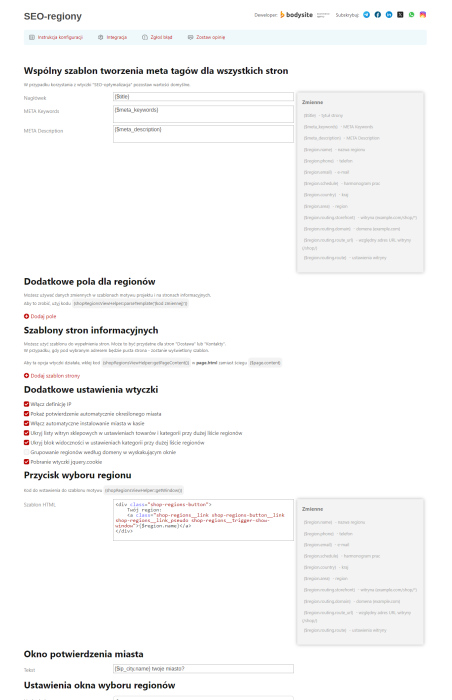
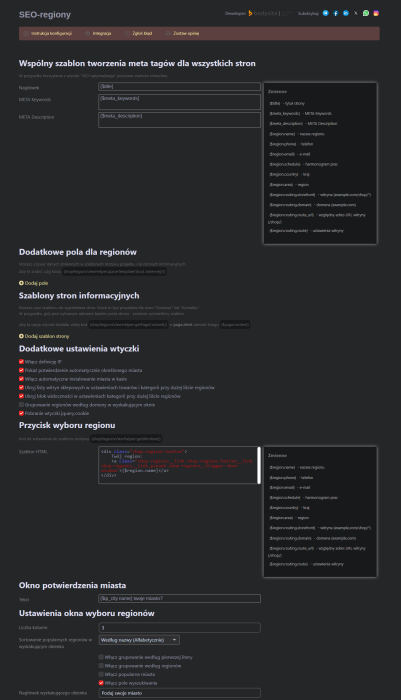






"SEO-regions" - a tool for scaling your business! Plugin is used for regional promotion based on a subdomain system. This allows you to expand your customer reach geographically with minimal effort.
Expand your operations, customer geography, and increase sales-even without physical offices or warehouses in a given region!

The main purpose of plugins is to create and centrally manage a list of regions and storefront websites to promote your online store using a subdomain system. Plugin is universal and can also be used within a single website and storefront to deliver information tailored to a specific city.
Regional promotion based on a subdomain system
Plugin will expand your audience reach by creating regional versions of your website. Each subdomain will help attract new visitors from the city it is assigned to by search engines.
Subdomains are created dynamically (pseudo-domains, synonyms, aliases) and do not take up additional space on the server (only the cache size increases). Save time and money: there is no need to perform a full installation of the >Web Systems Pro< framework or purchase additional licenses for the Shop application. Plugin allows managing regions and stores from a single admin interface.
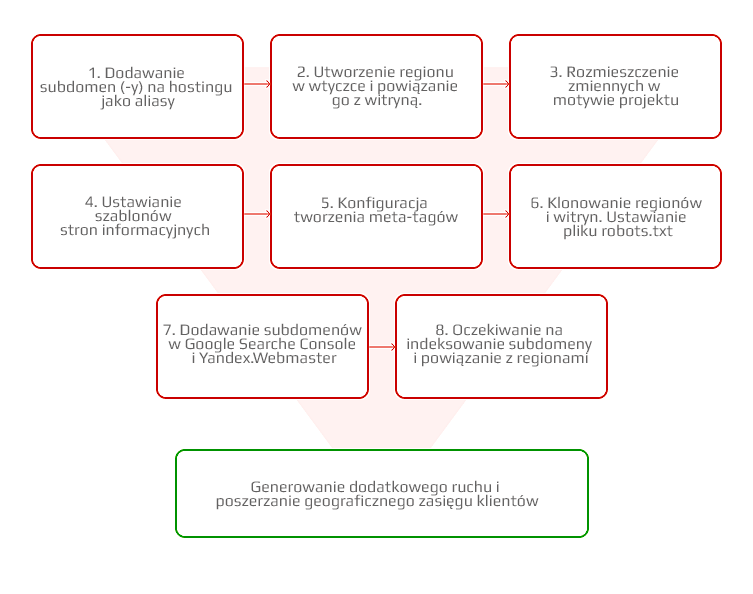
- Adding unlimited websites for individual provinces, regions, districts, or company branches.
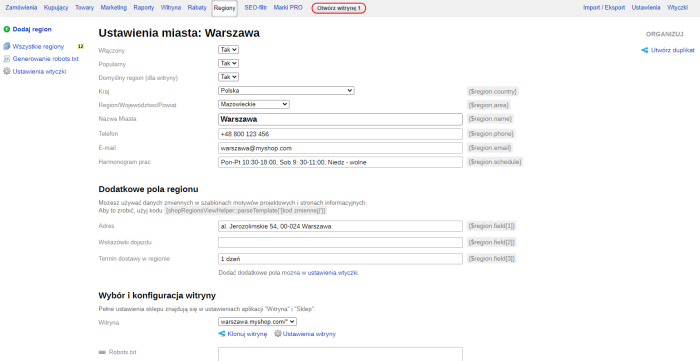
- Adding custom information for each subdomain: phone number, address, schedule, directions, email, etc.
- Templates for title, description, keywords with city and other dynamic data. Assigning and changing meta tags based on region. For greater flexibility, use the plugins "SEO-optimization".
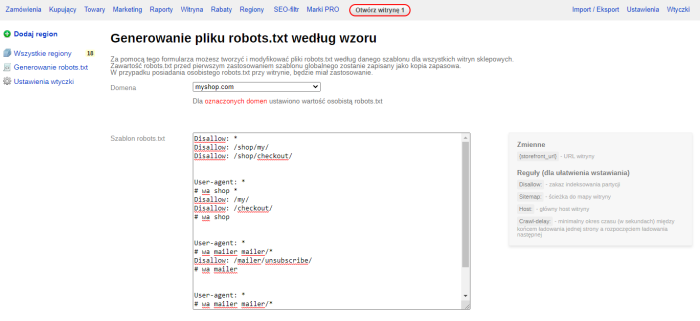
- Mass generation of robots.txt files from a template. Automatic submission of URLs in sitemap files.
- Ability to set up individual counter statistics and meta tags to verify site ownership in Yandex, Google.
- Plugin supports Smarty (a compiled template handler for PHP). Can be used in meta tags, Smarty templates, and informational pages of the store.
IP-based region detection and region-specific content delivery
- IP definition with city-level accuracy.
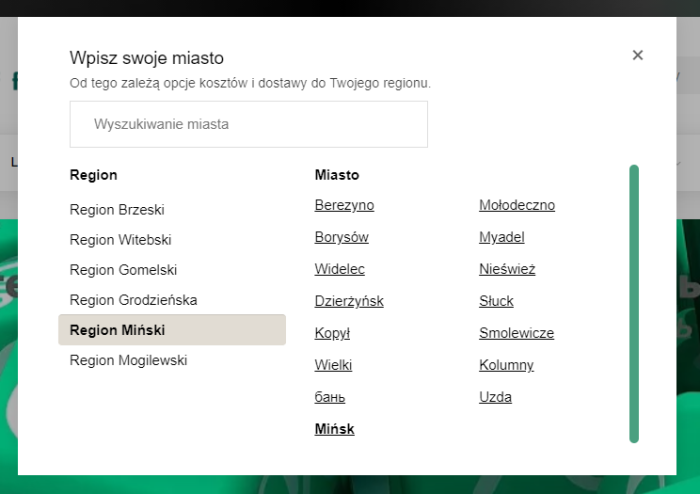
- Region selection popup. Users can manually set their city.
- Creating informational pages from templates.
- Creating and using additional variables in design theme templates, as well as in "SEO-optimization" and "SEO-filter" plugin templates.
Business Automation
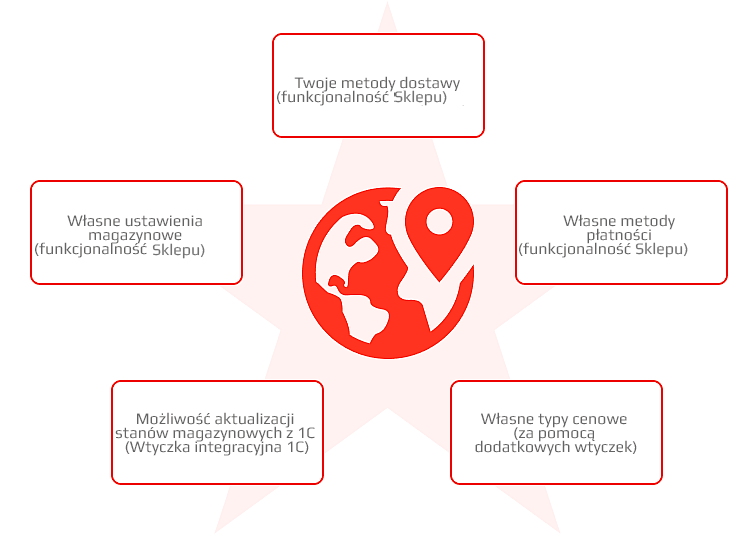
SEO-regions plugin, leveraging native features of the >Web Systems Pro< framework, the Shopy-Script app, and other add-ons, will enable you to scale and automate your business, set up logistics, and configure payment and delivery options for each city.
- Inheritance of warehouse, payment, and shipping method settings from the storefront, with the ability to customize them individually for each region.
- Selection of payment and delivery methods (via the Shopy-Script app and SEO-regions plugin).
- Ability to distribute price types by region (via additional plugins from the >Web Systems Pro< store).
Easy management of region list
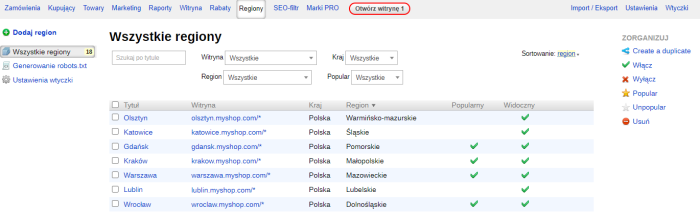
- Manage regions, storefronts, and subdomains from a single admin panel.
- Clone regions.
- Filter the list by name, regions, or storefronts.
- Mass create duplicates, enable/disable regions, delete, set "popular" and "not popular" labels.
- Choose how many regions to display per page: 30, 60, 90, or all.
Two fundamentally different operating modes of plugins:

1. Displaying a list of cities on the website
Implemented within a single website. This configuration option allows displaying region-specific information to users from different cities: addresses and phone numbers of regional branches, delivery and payment methods, maps, and working hours. You can add city variables to title, description, keywords, <h1>, and content descriptions, but only the data from the region set as default for the store will appear in search engine indexes.
- Deliver information to users based on their city!
- Don't force visitors to read long text passages!
- Make your website more user-friendly!
- Reduce the number of bounces, improve behavioral factors!
Even if you don't use subdomains but have a large list of delivery cities and multiple branches, SEO-regions plugin will be useful for you.
2. Configuring regions on subdomains
In this case, a subdomain is created for each region-an alias (synonym, clone) of the main site. For example, region.site.com. In reality, it's the same website as site.com, with the same set of products and pages.
To promote based on a subdomain system for each region, it is necessary to:
- Generate your own sitemap.xml;
- Configure the robots.txt file;
- Insert city tags into title, description, keywords, category descriptions, product descriptions, main pages, and static pages;
- Add delivery and payment information;
- Add contact details.
SEO-regions plugin allows solving these tasks.
As a result, when a visitor accesses a subdomain, they are directed to a regional page. It can be listed in Yandex.Directory, added to Yandex.Webmaster, Google Search Console. Each subdomain has an assigned regional attribute and can participate in regional rankings. This way, the global task of expanding geography is solved.
How does plugin work in specific examples?
Task 1. The main domain of the online store site.com is assigned to the Warsaw region. The site needs promotion in Kraków, Wrocław, Gdańsk, Poznań, and Lublin. A subdomain system was chosen. The company has no branches in these cities; goods are delivered via shipping companies (their addresses will be listed on the site in the "Delivery" and "Contacts" sections).
Solution:
- Connect a toll-free phone number with code 800.... or 804.... for the regions.
- Create aliases for the main domain: krakow.site.com, wroclaw.site.com, gdansk.site.com, poznan.site.com, lublin.site.com.
- Purchase and install the plugins "SEO-regions" and "SEO-optimization".
- Add Warsaw (main domain) to the list of regions in the "SEO-Regions" plugin, and link the store website to site.com.
- Add Kraków (krakow.site.com), Wrocław (wroclaw.site.com), Gdańsk (gdansk.site.com), Poznań (poznan.site.com), Lublin (lublin.site.com) to the list of regions in the SEO-regions plugin. When each region is added, please clone the main store website from site.com. Adjust Robots.txt manually or use the "Generating robots.txt" service. Create variables for displaying city information and labels, fill in each region.
- Install the "SEO-optimization" plugin. Configure templates for all store websites. Add city tags to SEO-regions plugin.
- Configure templates for static pages. Display contact details, delivery and payment information.
- Configure warehouse, payment methods, and delivery options for the store website.
- Place required city markers and a region selection window in the page theme.
- Add subdomains to Google Search Console.
After some time, once regions are assigned, subdomains will start receiving traffic. The regional optimization task has been completed!
Task 2. The online store site.com is associated with Warsaw but delivers goods throughout Poland. Delivery information should be displayed for a specific city, including pickup point address, opening hours, and other important details (phone number, route map, etc.).
Solution:
- Purchase and install SEO-regions plugin.
- Add all cities for which delivery information is available-including the main domain-to the list of regions in SEO-regions plugin. Link site.com to all regions. Set Warsaw as the default region for the site site.com.
- Create missing variables for displaying information.
- In the settings of plugins "SEO-regions", set a template for pages with delivery information. Add region variables to it.
- Display a city selection popup in the project theme to switch between regions.
Now, when switching regions, the user will receive delivery information for the corresponding region, and the text will be generated according to the template. The task of improving site usability has been completed!
All features of plugins
Capabilities for promoting an online store using a subdomain system:
- Centralized management of region and store website settings, with the ability to copy region and store settings;
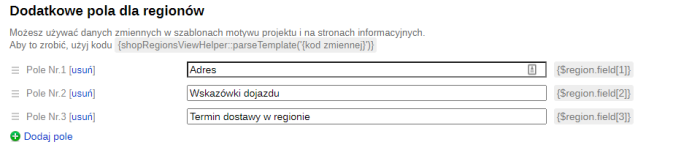
- Possibility to create an unlimited number of additional region variables for use in theme templates;
- Ability to manage Robots.txt content to specify its Host and Sitemap.xml directives;
- Ability to define a general pattern for generating meta tags; for more flexible optimization configuration, we recommend the SEO-optimization plugin;
- Ability to create and manage informational pages based on a template with region variables ("Delivery and payment", "Contacts").
General functionality of plugins:
- IP definition for all cities, regardless of whether the city is in the plugin;
- ability to create and edit "regions" and link them to the required website;
- ability to clone "Regions" and "Websites";
- ability to specify particular applications during cloning;
- ability to create additional fields in "Regions" and use them in design themes;
- ability to centrally manage settings for "Regions" and "Websites";
- ability to set a common template for generating meta tags;
- IP definition of a "Region" through city and region fields;
- ability to create necessary informational pages for "Regions";
- plugin replaces the selected region and city at checkout.
Region selection popup features:
- ability to display a popup link in a selected location of the design theme template;
- ability to enable autocomplete search form in the region selection popup;
- ability to sort the list of regions by the first letter;
- popular regions feature in the region selection popup;
- additional "Your region?" popup in case of incorrect IP detection via SypexGeo service;
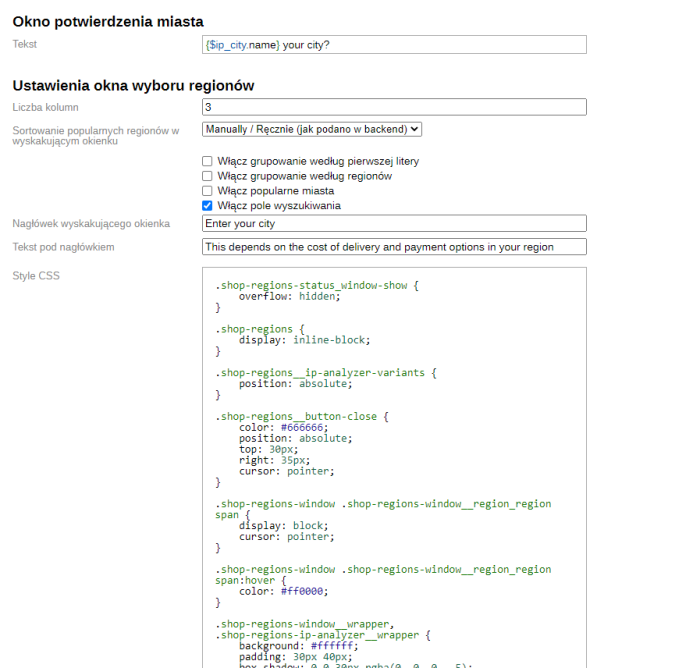
- ability to style the region selection popup according to the design;
- ability to enable grouping by regions.
Settings plugins:
- global template for generating meta tags;
- creation of additional variables for regions;
- region selection popup link code;
- region selection popup styling options.
Plugin has been tested and is compatible with the Shopy-Script application, and is fully ready for installation! It is suitable for websites hosted both on separate hosting or VDS, as well as in the web-systems.pro cloud*.
* Plugin is intended for users who understand the operation principles of the >Web Systems Pro< framework.
| Technical specifications | |
Developed for | Shopy-Script |
Localization settings | English, Polish, Russian |
UI backend support | 1.3, 2.0 |
Software type | Plugin |
Free | No |
| Developer and version plugins | |
Designer (programmer) | Bodysite |
License | Web Systems Pro |
Version | 2.25.0.1.wsp |
Update | 09/27/2024 |