Orders by managers - plugin for Shopy-Script application



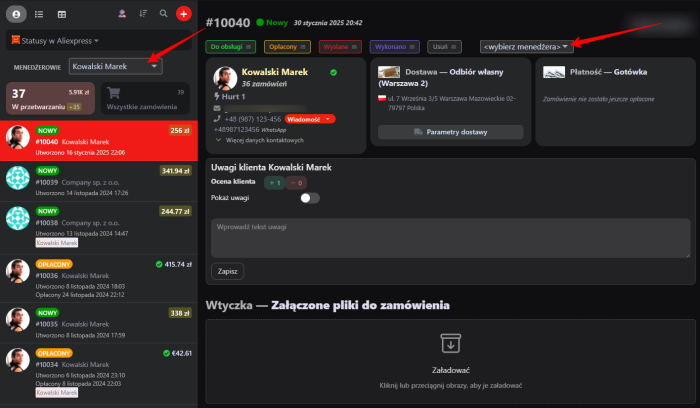


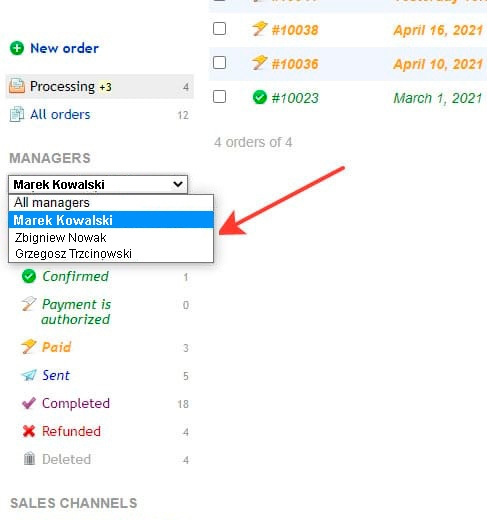




Main features of the plugins "Orders by managers":
The ability to assign a personal manager to each order;
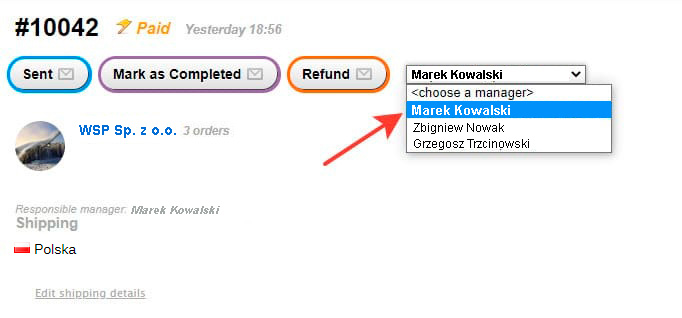
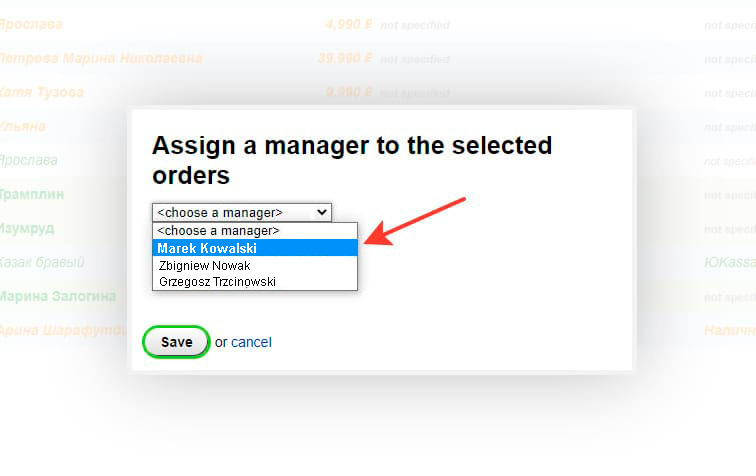
The ability to bulk assign managers through the order list*;
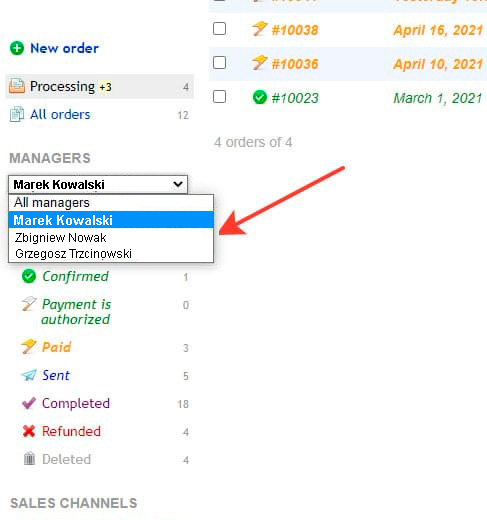
The administrator has the ability to filter by managers in the order list;
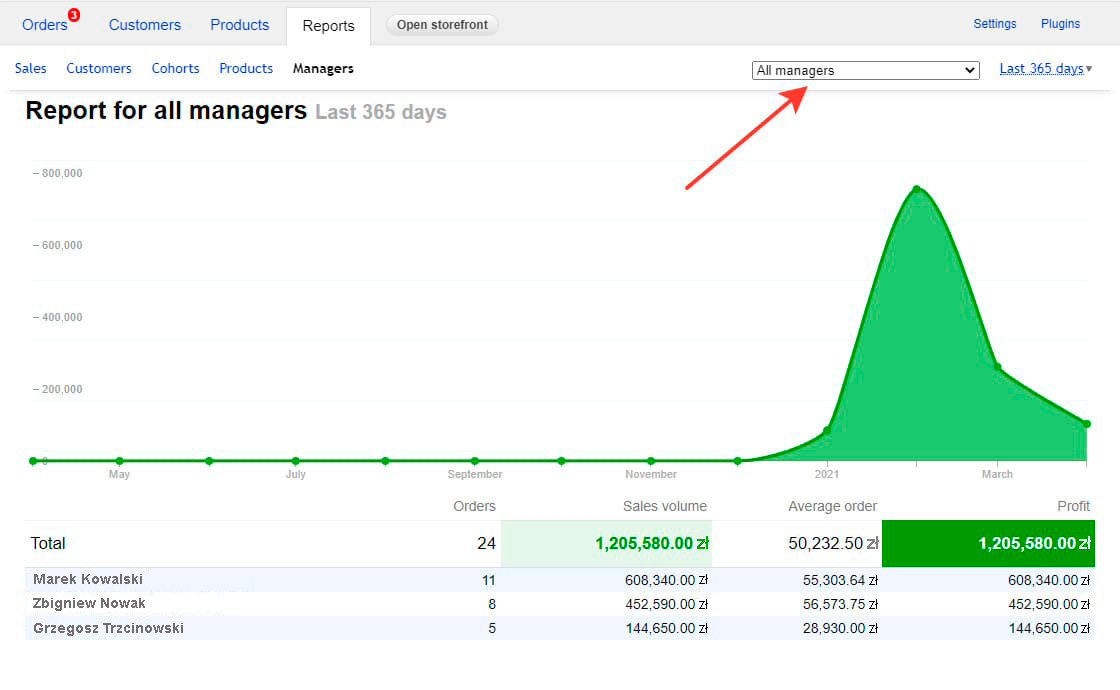
Generating sales reports for managers;
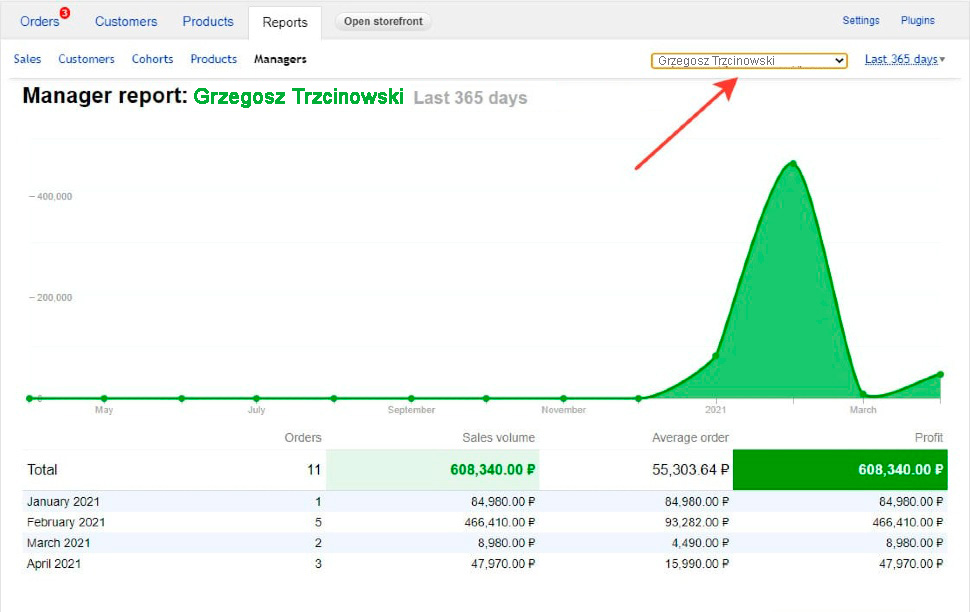
The ability to display a report for a specific manager.
*To bulk assign managers through the order list, you must:
- select the option to display the customer list in table form (1);

- choose "Assign manager" from the "With selected" menu (2);
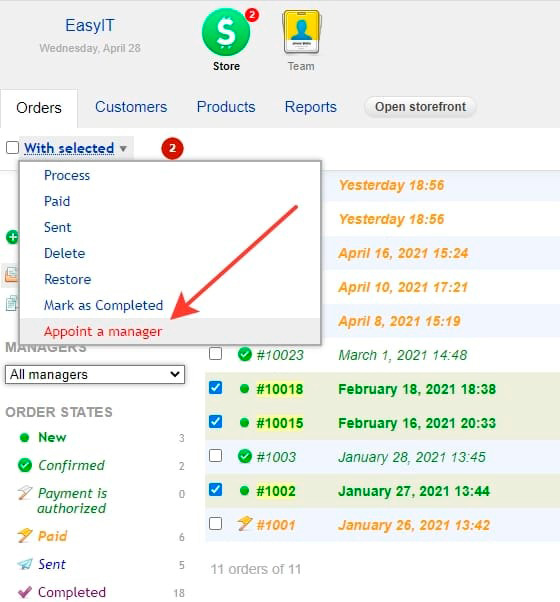
- select the appointed manager from the "select manager" menu;
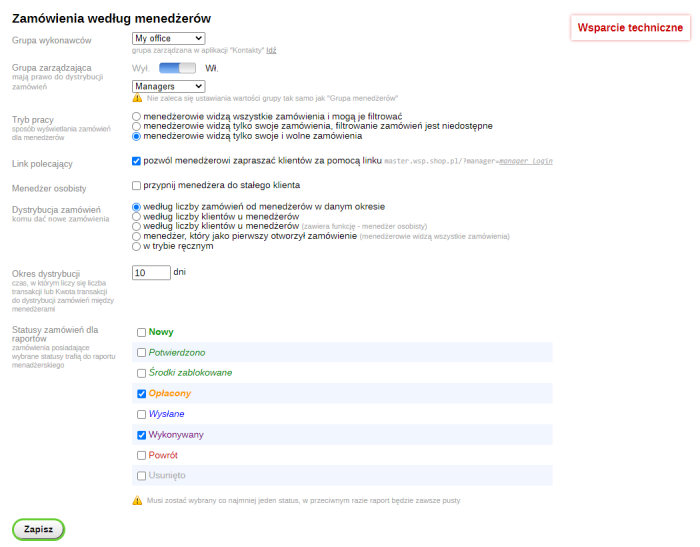
Settings:
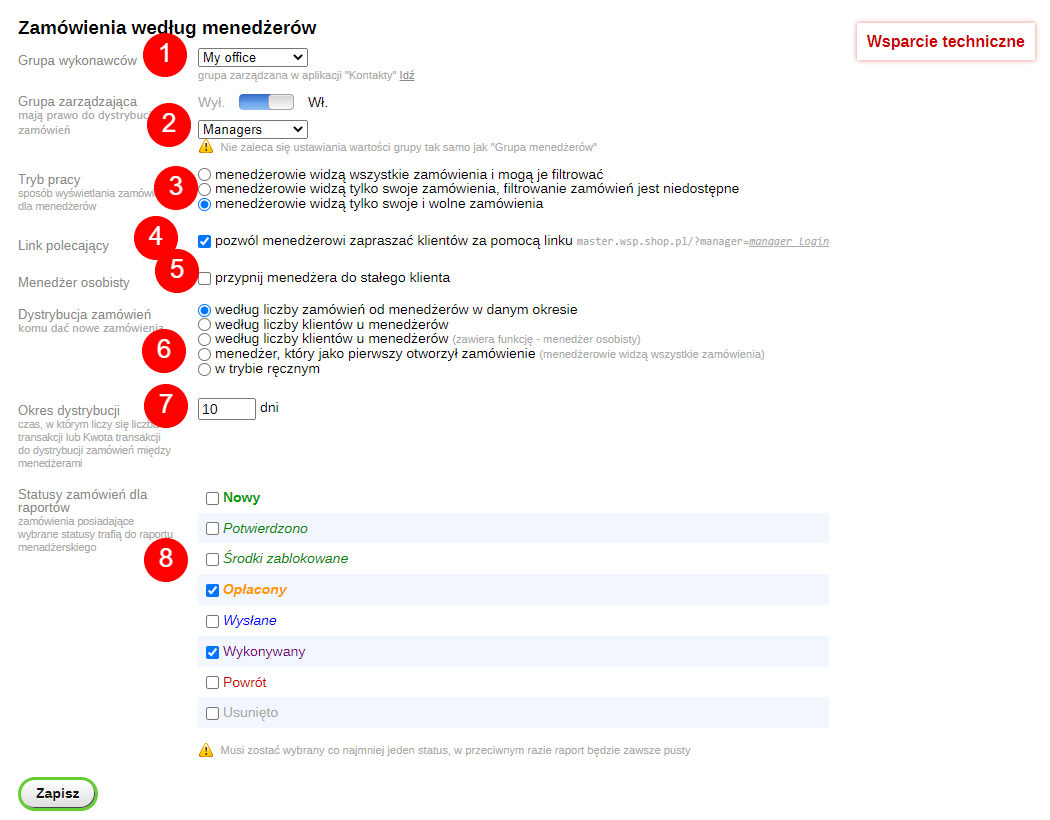
Selecting a group of executors (1);
Selecting a managing group (by default it is the administrator) (2);
Managers have options for viewing orders (3):
- only your orders;
- all orders;
- own and unassigned orders.
The ability to allow a manager to invite customers via their own link (4);
The ability to assign a manager to a regular customer (5);
The ability to distribute orders to managers depending on (6):
- the number of orders from managers over a given period;
- the total amount of all transactions with managers over a given period;
- the number of customers that managers have;
- the manager who first opened the order.
In manual mode, regardless of the above factors.
Selection of the order distribution period (7);
Order statuses included in the sales report (8).
| Technical specifications | |
Developed for | Shopy-Script |
Localization settings | English, Polish, Russian |
UI backend support | 1.3, 2.0 |
Software type | Plugin |
Free | No |
| Developer and version plugins | |
Designer (programmer) | Easy IT |
License | Web Systems Pro |
Version | 2.0.2.1.wsp |
Update | 02/06/2025 |
With this product also buy