Own delivery blocks - plugin for Shopy-Script application
Create custom delivery blocks during checkout.
Own delivery blocks

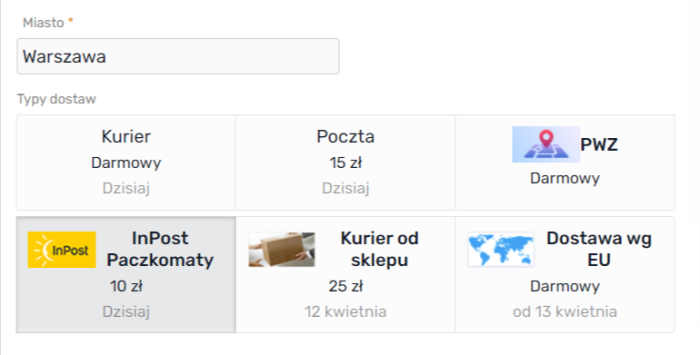

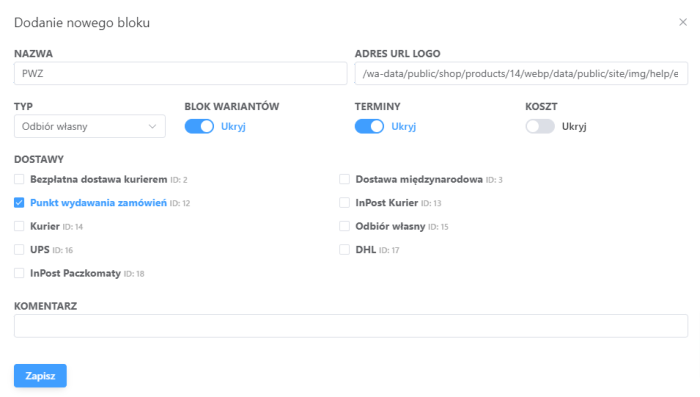


If the three standard delivery blocks (Pick-up in person, Courier, Post) in checkout are not enough for you? Do you need to assign your own stores/pick-up points in a separate block? Or perhaps you want to split pick-up points or courier delivery locations from different shipping companies into different blocks? With this plugin, it will be easy. Create the necessary blocks, name them as you wish and, if needed, sort them in the desired order.
Plugin helps solve the following problems:
- Grouping delivery methods under "Checkout in cart".
- Preventing premature loading of scripts for rendering maps with delivery points.
If you divide your own pick-up points from various delivery methods into separate blocks, the engine will have to render fewer items on the map. This will also speed up opening the modal window for selecting a pick-up point.
Plugin is intended EXCLUSIVELY for checkout in cart. NOT FOR step-by-step checkout!!!
Plugin DOES NOT WORK if "Standard design style" is enabled in "Configuring checkout in cart"!
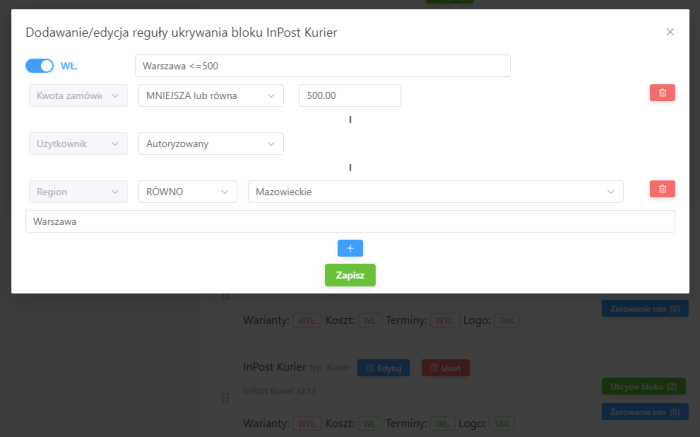
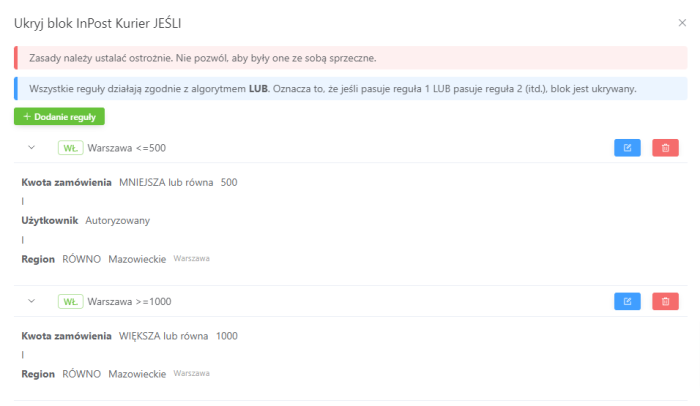
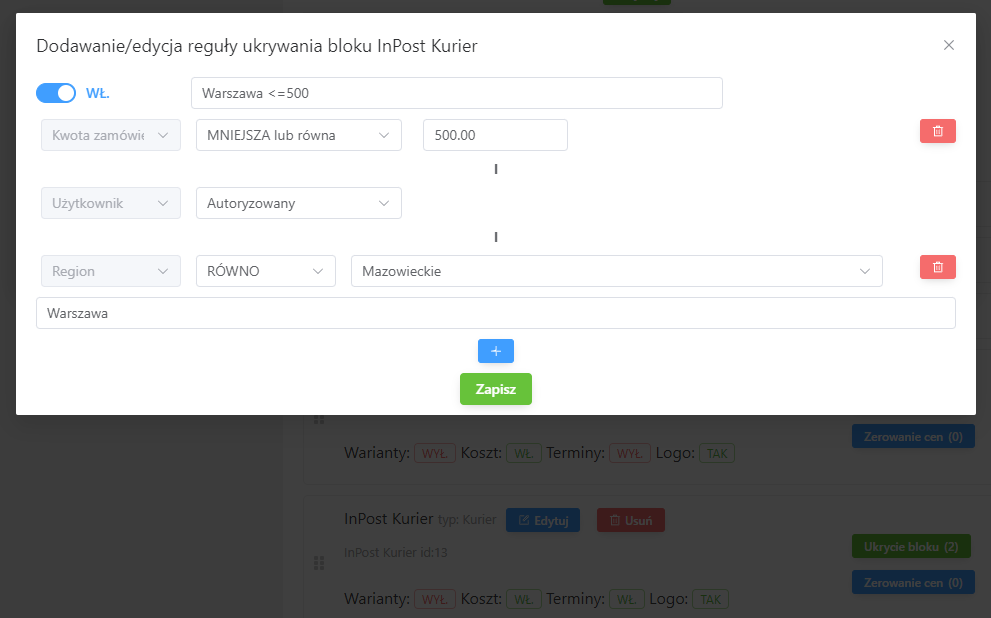
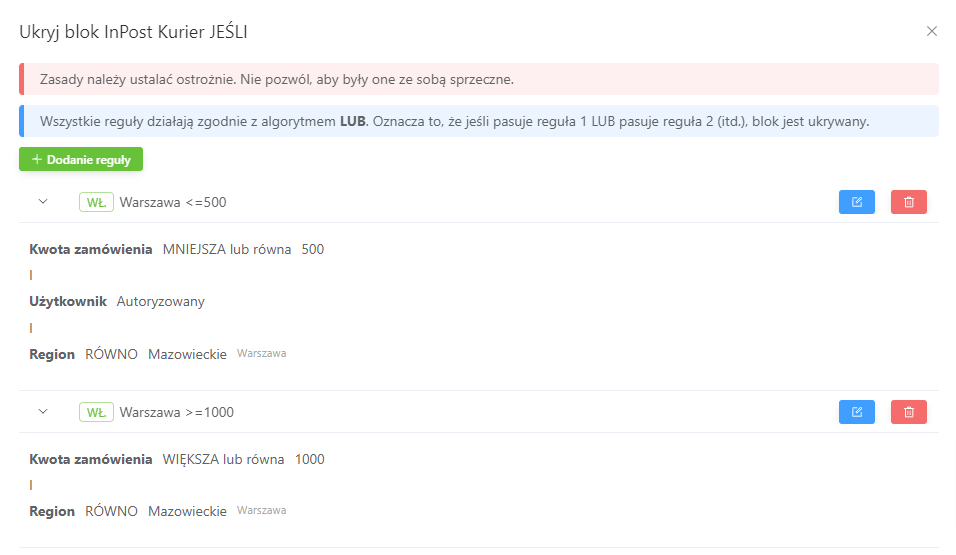
Additionally, the plugin "Own delivery blocks" allows setting rules to hide blocks or zero out their delivery price.
Possible conditions for hiding blocks
- By region (region EQUALS or NOT EQUALS)
- By order weight
- By user type (Company/Individual)
- By user group
- Order amount (GREATER than or equal to OR LESS than or equal to)
- User (authorized or unauthorized)
Possible conditions for zeroing out price in a block
Possible conditions are similar to those for hiding blocks.
Note! You can hide blocks and zero out prices ONLY for created blocks! You cannot assign rules to system blocks!
To ensure that plugin works correctly with other plugins, it is recommended to drag this plugins to the top of the plugins list in "Shop -> Plugins", then clear the cache in Installer.
| Technical specifications | |
Developed for | Shopy-Script |
Localization settings | English, Polish, Russian |
UI backend support | 1.3, 2.0 |
Software type | Plugin |
Free | No |
| Developer and version plugins | |
Designer (programmer) | BNP |
License | Web Systems Pro |
Version | 2.3.0.1.wsp |
Update | 11/18/2024 |
Loading...
Loading...
Loading...