Managing Additional parameters (site) - plugin for the "Site" application



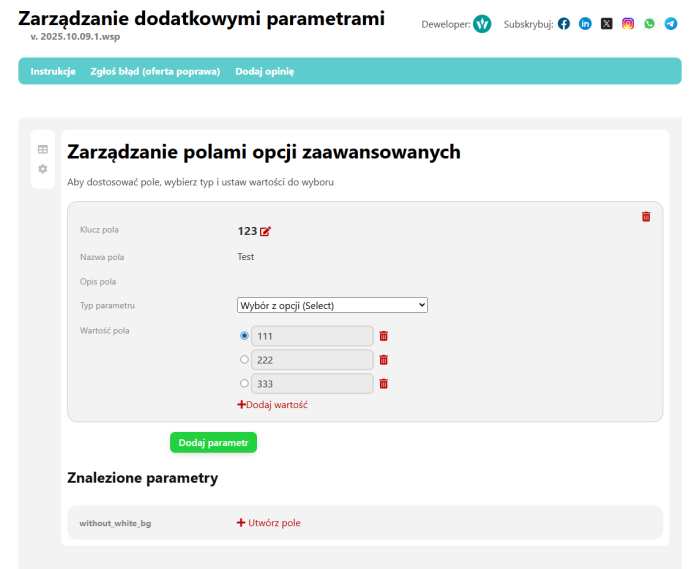
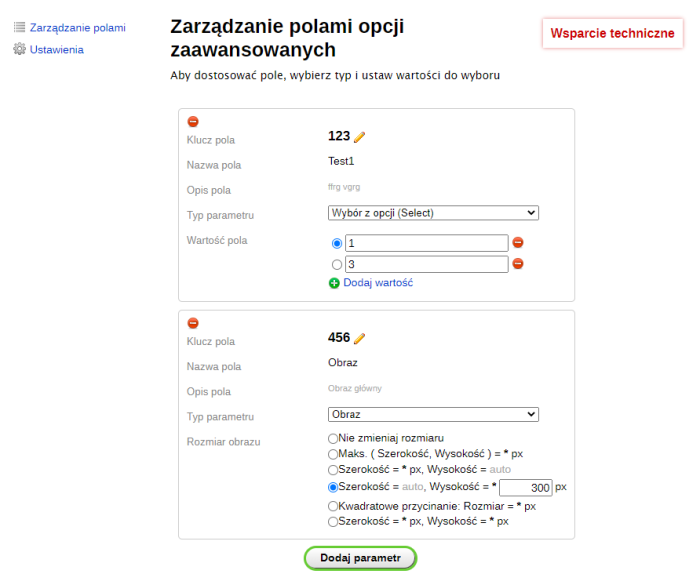
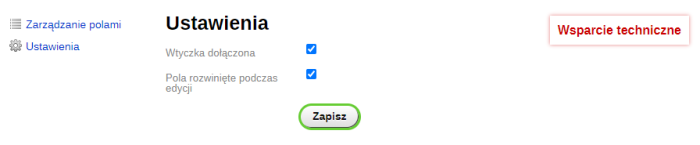


Plugin enables the creation of additional custom fields using already built-in advanced options.
The features of plugins allow adding arbitrary files and images to pages. You can create extra descriptions, informational blocks with text or HTML code, and add any necessary additional information through various field types and flexible output in design themes.
Field Types
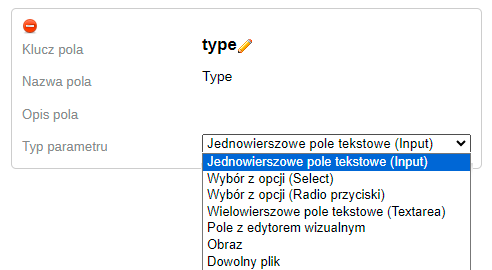
- INPUT - Simple text field
- TEXTAREA - Multi-line text field
- HTML - Field with a visual HTML editor
- SELECT - Selection field from multiple values
- IMAGE - Field for uploading images
- FILE - Field for uploading arbitrary files
What common problems does this plugin solve?
Additional (second) page description.
- Using different themes for page design.
- Displaying or hiding specific pages in any menu, for example, the site's main menu.
- Forcing an H1 header different from the main page title.
- Creating an "Important" block for pages using text or HTML code, usually placed in a separate column of the design.
- Ability to add various files to a page: instructions, diagrams, software, drivers, warranties, certificates, etc.
- Creating attractive menus with images and short item descriptions.
- Setting an image (icon, logo) for a page.
The application areas of plugins are very broad! Custom fields, custom values, and output wherever you want!
How it works
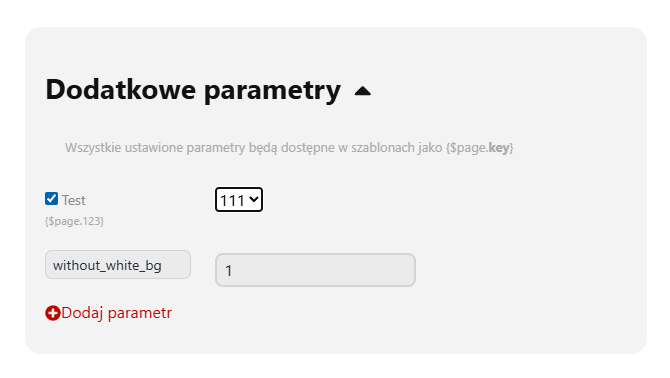
In the settings of plugins, fields are created. These fields appear in the page editing interface for data entry. All set field values become available in templates as additional parameter values.
Note: Installing plugins will not affect any previously installed options. When changing a field type to SELECT, all existing values will be imported as selection options.
Displaying parameters on the website
Set field values are accessible by key in variables - {$page.key}
Where key is the key of the additional parameter.
To correctly display parameters in design themes, it is necessary to add a condition checking the existence of a set value using:
{if isset( $page.<strong>key</strong> )}
{ $page.<strong>key</strong> }
{/if}
File output:
Note: For file-type fields, values will contain the file link.
It is recommended to create a download link for the FILE field
<a href="{$page.key}">Download diagram</a>
Image output:
To output an image (field IMAGE), wrap the parameter value in an <img> tag
<img src="{$page.key}" />
Behavior features:
All values are saved independently of configured parameters, allowing you to disable and re-enable output of certain parameters to the store without deleting actual values.
When changing a field type to SELECT (selection field), all found active values will be imported as selection options.
When changing a field type from IMAGE (image upload field) or FILE (file upload field) to any other field type, all set values and files remain unaffected. Additionally, if the value is changed to non-file links, the files will be deleted, ensuring data integrity during type changes.
After uninstalling plugins, all installed advanced options and uploaded files remain intact. Only data related to the operation of plugins are removed.
| Technical specifications | |
Developed for | Site |
Localization settings | English, Polish, Russian |
UI backend support | 1.3, 2.0 |
Software type | Plugin |
Free | No |
| Developer and version plugins | |
Designer (programmer) | Welldi |
License | Web Systems Pro |
Version | 2025.10.09.1.wsp |
Update | 05/20/2026 |
With this product also buy