
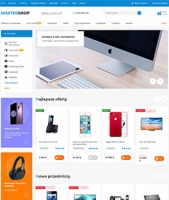
Plugins o szablonie graficznym "Mastershop"
When purchasing the Mastershop design theme, you will receive the following plugins for free:
1. Callback request.
2. One-click purchase.
3. Images for category.
4. Blog images.
5. Microprocessor with one click (can be used with the theme's microprocessor or separately).
6. Search with error correction (spelling, grammar, and keyboard layout errors).
Most plugins from other developers are compatible with the theme by default, but some plugins require integration with the theme, which involves making changes to the theme according to the plugin creator's instructions. For certain popular plugins, we have already provided integration within our themes, so no modifications to the theme are needed to ensure these plugins function properly. List of integrated plugins (must be purchased separately).
The following additional integrated plugins that work with the project theme must be purchased separately:
1. Application "Extended menu" (free).
2. Brands with pictures and descriptions.
3. SEO filter. To display helpers, enable the "Use SEO filter plugin" option in the theme settings.
4. Tag editor.
5. Search Pro, configuration guide.
6. Icon, image, and banner for category.
7. One-click purchase. To display the button, select the plugin in the "Quick order plugins" option in the project theme settings.
8. Brands Pro, configuration guide.
9. SEO regions, configuration instructions.
10. Automatic city detection and selection.
11. Single-page checkout.
12. Stickies, creator.
13. One-step order.
14. Smart filter.
15. Menu images.
16. Minimum order.
17. One-click purchase (Igor Gaponov).
18. One-click purchase (Easy IT).
19. Review catalog (Bodysite).
Other plugins integrate with the project theme independently, following the instructions provided by the plugin creators (all theme hooks for plugins are taken into account).