Plugins organizer - plugin for the Shopy-Script app







Helpdesk only in the new UI 2.0 interface
Plugin "Plugins organizer" works exclusively in the new UI 2.0 interface of the Shopy-Script app and supports both the light and dark versions of the admin panel. This tool helps you organize your plugins, making it easier to manage them in the backend.
Plugins organizer for Shopy-Script
If you have a "zoo" of plugins-a long list of names that's hard to navigate-plugin "Plugins organizer" will help bring order. It adds categories, tags, search, and quick actions directly to the standard plugin sidebar in the Shopy-Script panel. Navigation becomes convenient, and you can find any module in seconds.
What problems does plugin solve?
- Navigation in large installations – with 20–30 or more plugins, it's easy to get lost and waste time.
- Visual noise – diverse icons and descriptions make it harder to process information.
- Lack of flexible grouping – the standard version lacks categories, tags, and search for installed plugins.
- "Live" search – instead of instant filtering, you have to remember the exact name.
Plugin Organizer features
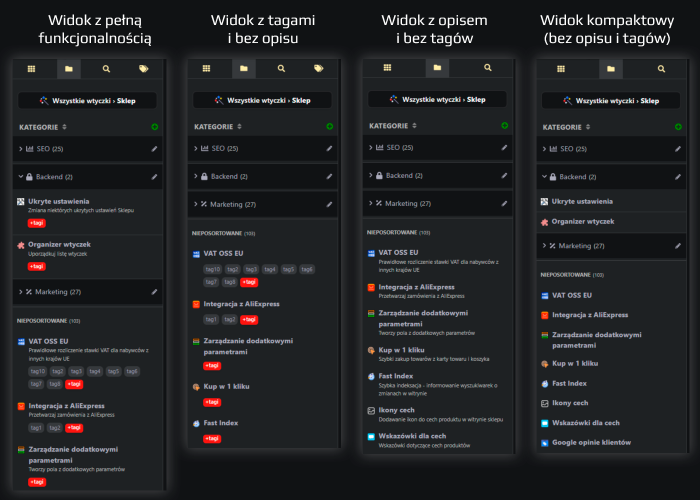
Four view modes:
- Standard: classic plugin list.
- Categories: custom groups with icons, counters, and nested plugins.
- Search: quick filtering by name and description, without reloading.
- Tags: full tag list with counters and instant filtering.
Plugin categories
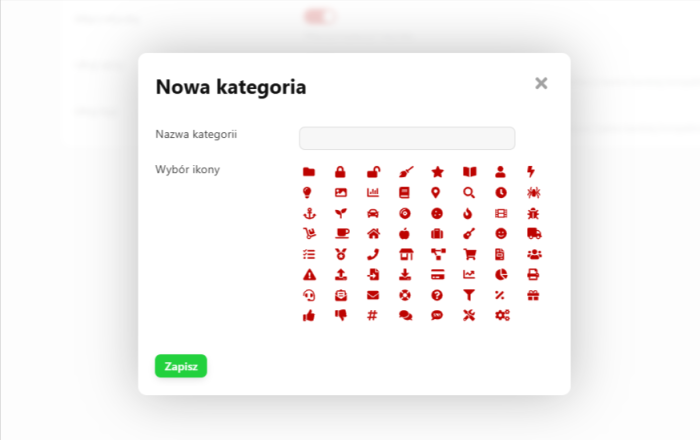
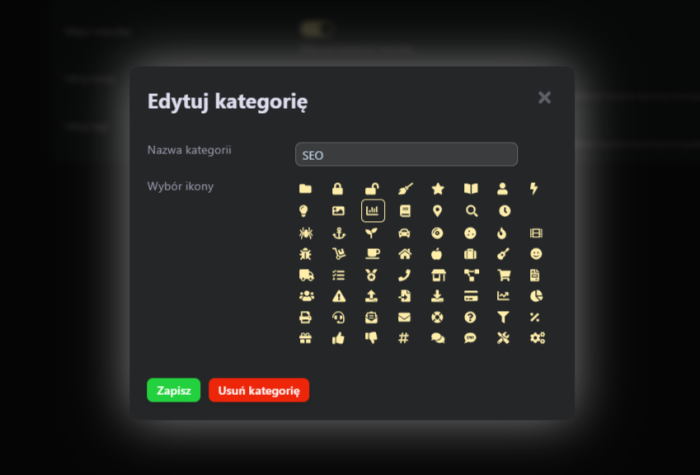
- Create, edit, and delete categories with icon selection.
- Drag and drop plugins between and within categories.
- Sort categories while preserving order:
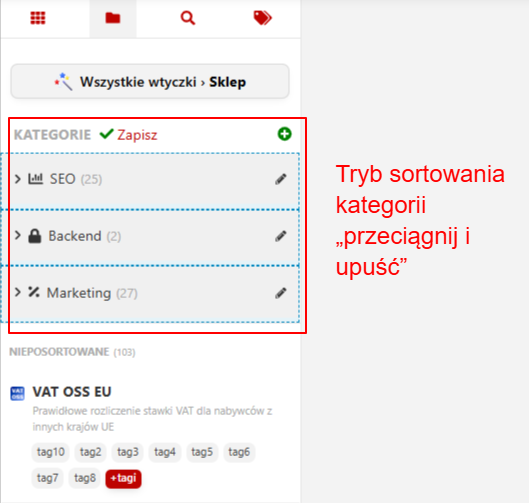
Sorting categories - Plugin counters in each category and in the "Uncategorized" section.
- Separate sorting for uncategorized plugins.
- From version 1.1.0.0.wsp - Displaying plugin IDs in the sidebar:
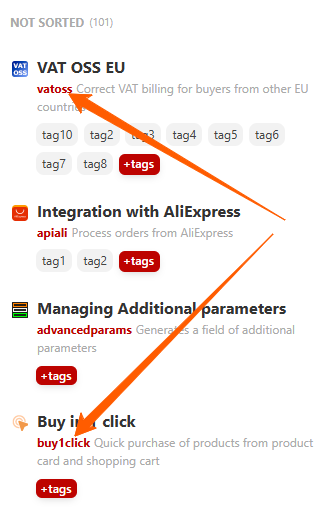
Displaying plugin IDs
Tags for plugins
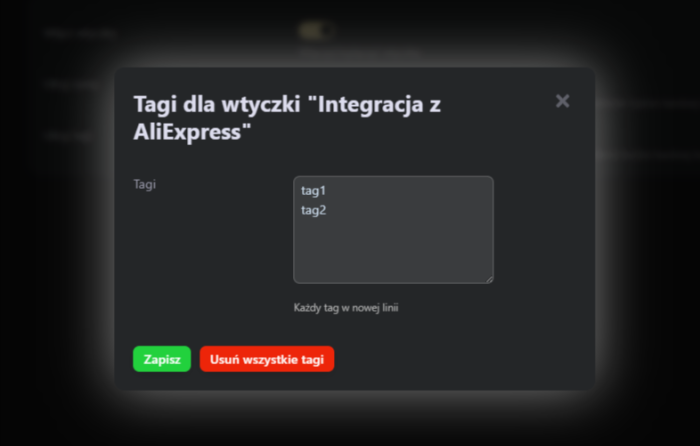
- Quickly add and edit tags for selected plugins.
- Browse all tags with counters and filtering:
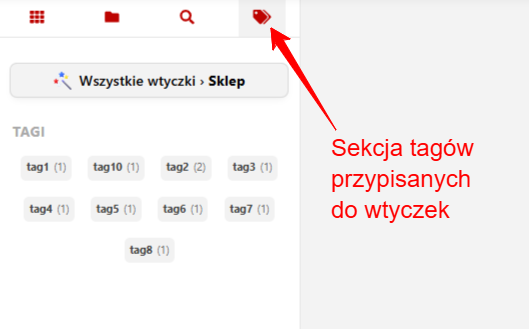
Tags section 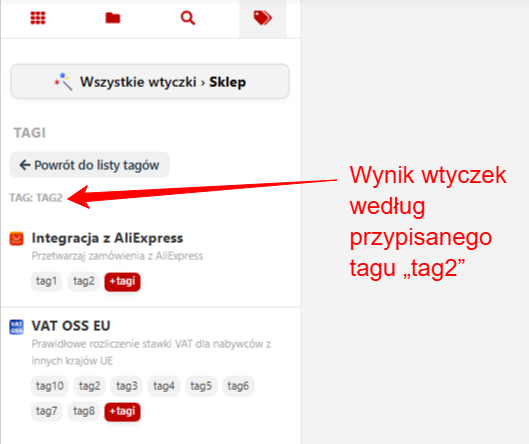
View by tag - Display list of plugins by tag.
- Clear all tags from a given plugins.
- Show tags in the plugins card with option to hide them.
Search
- "Live" search for installed plugins in the backend:
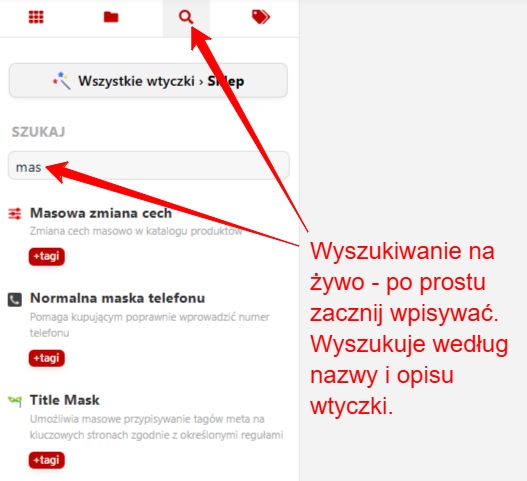
"Live" plugin search - From version 1.1.0.0.wsp - Search by installed plugin IDs.
Settings
- Enable/disable the Organizer.
- "Hide descriptions" for compact view.
- "Hide tags" for simplified interface.
Reliability and autonomy
- Automatic creation of database tables upon installation.
- Storing order of uncategorized plugins in a separate table.
Compatibility and UI
- Supports UI 2.0, with PL/EN/RU interfaces.
- Minimal network requests and fast response.
Benefits
- Speed – fewer clicks and scrolling, instant search.
- Scalability – order maintained even with a large number of plugins.
- Flexibility – categories, tags, and compact view tailored to your needs.
- Smooth UX – drag&drop, clear states, and convenient tooltips.
- Clean integration – extends standard features without disrupting workflows.
- Clear data storage – structure and order saved in separate tables.
- Future-ready – quick grouping of "uncategorized" plugins.
How does plugin work?
Plugin integrates with the extended plugin page menu, adding a panel with section tabs. Operations like drag-and-drop, sorting, or editing categories and tags are handled via AJAX requests to the backend, with client-side rendering. Data is loaded on demand, for example when opening the tag list.
Who is it for?
- Shops with 20+ integrated plugins.
- Teams where structure and speed matter.
- Projects with frequent testing and changes, where tags and categories speed up work.
Plugins organizer is a tool that transforms a chaotic plugin list into an organized and logical workspace. It saves time, reduces cognitive load, and provides the flexibility needed to manage a growing set of tools. If you value order and want to speed up navigation through plugins-this plugin will become your permanent assistant.
| Technical specifications | |
Developed for | Shopy-Script |
Localization settings | English, Polish, Russian |
UI backend support | 2.0 |
Software type | Plugin |
Free | No |
| Developer and version plugins | |
Designer (programmer) | WSPro |
License | Web Systems Pro |
Version | 1.2.0.wsp |
Update | 09/10/2026 |