SEO-optimization - plugin for Shopy-Script application


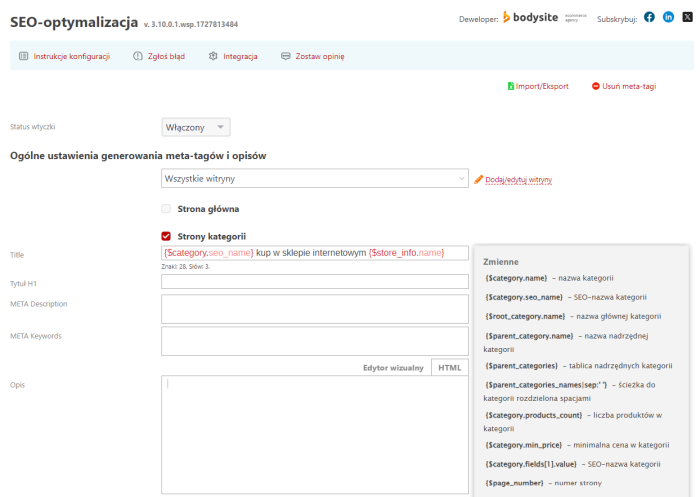
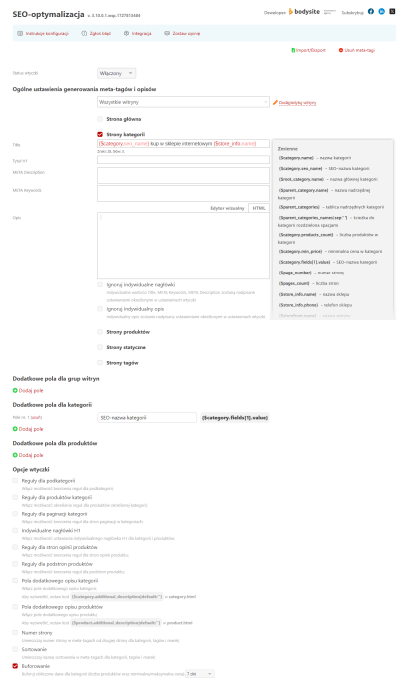
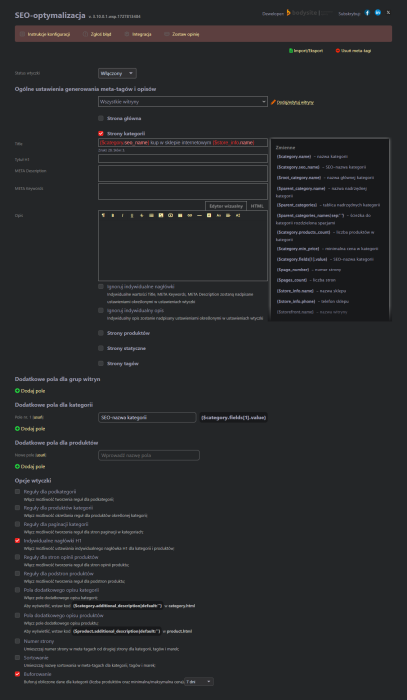
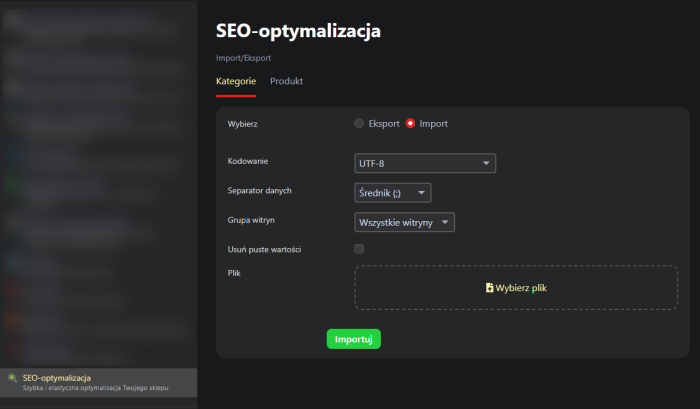


Plugin "SEO-optimization" is a professional tool for configuring search engine optimization of an online store based on the Shopy-Script application. It allows centralized management of meta tags and descriptions, thereby saving a lot of time.
The No.1 tool for online store SEO optimization! Over 10 years - the creators' experience in SEO and E-commerce, 6 years of continuous development of solutions!
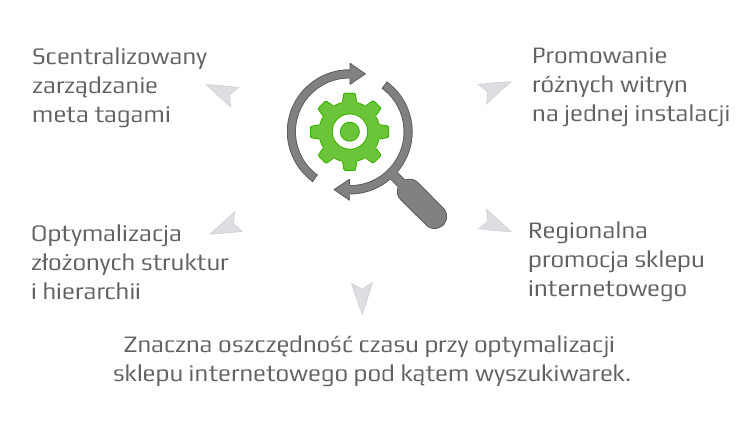
Main features of plugins:
 Fast and flexible optimization of your online store
Centralized management of your online store's optimization. Using templates and alternative names for categories and products saves a lot of time. Templates do not interfere with individual optimization of specific categories and products.
 Regional promotion
Plugin supports multi-site functionality. You can define a general template and also set optimization rules for individual store websites. Create additional variables (e.g. for cities, addresses, phone numbers, branches).
 Promotion of multiple store websites
By creating rules for each website separately and unique descriptions for the same categories and products, you can sell the same products from different store websites without fear of penalties from search engines.
 Optimization of the entire online store
Plugin allows you to configure optimization for the home page, categories, subcategories, products, static pages, pagination pages, product reviews, tags, brands.
 Additional product and category descriptions
Not enough of the basic description? Do you need to separately print SEO text and an article for buyers? Additional fields for categories and products allow you to do this.
 Creating additional variables
Create variables for store websites, categories and products. You can add any number of variables, there are no limitations from plugins.
 Smarty support
Plugin supports Smarty (a compiled module template engine for PHP). If you have programming skills, you can take advantage of Smarty's capabilities.
 Grouping websites and product categories
Create groups of store websites or product categories and assign them custom SEO optimization templates.
 Import/Export .CSV
Use Import/Export .CSV for quick editing of fields using Excel: title, SEO-name, H1 title, Title, Meta Description, META Keywords.
 Character count in fields
Stay updated on the size of meta tags and descriptions thanks to the character counting feature.
How does plugin work in specific examples?
Task 1. A new online store has been created, with over 200 categories and 30,000 products. You need to configure basic optimization: set title, description, h1 headers, add short descriptions.
Solution:
1. Purchase, install and enable the "SEO-optimization" plugin;
2. Select "Home page", "Category pages", "Product pages";
3. In the opened forms, fill in the templates using variables;
4. Use variables SEO narzędzia, SEO-optimization;
5. Fill in alternative names for categories and products*.
* Category and product names should be clear for search engines. For example, if a Category is named "For girls" on a clothing website, you need to add an SEO alternative description "Clothes for girls".
The problem has been solved using plugins "SEO-optimization". I did not have to manually set title, description, h1, and descriptions for all products and categories. As the project develops, it will be possible to replace template headers and descriptions with individual ones.
Task 2. The store contains several thousand categories. Categories have excessive title, description and descriptions. Old optimization must be quickly removed.
Solution:
1. Purchase, install and enable the "SEO-optimization" plugin;
2. In plugins settings, check the "Category pages" checkbox;
3. Fill in the appearing forms with templates for title, description, descriptions;
4. Select the option "Ignore personal headers";
5. Select the option "Ignore personal description";
6. Fill in alternative names for categories and products.
The issue has been resolved using the plugins "SEO-optimization". If you want to clear only meta tags without descriptions, you can use the "Remove meta tags" feature instead of "Ignore custom headers".
Task 3. On pagination pages, include the page number in the title, starting from the second page.
Decision:
1. Purchase, install, and enable the "SEO-optimization" plugin;
2. In the plugins settings, enable the "Page number" option;
3. Save changes.
The issue has been resolved using the plugins "SEO-optimization".
All features of the plugins:
Basic
- Templates for title, description, keywords, h1, and descriptions;
- Multi-store support;
- Smarty support;
- Built-in variables and modifiers;
- Compatibility with "SEO-filter" and "SEO-regions" plugins;
- Edit custom meta tags directly from the plugins settings page (select store, product types, filter by name);
- "SEO-name" for categories and products;
- Add custom rules for each store in Settingss of categories and products (variable support).
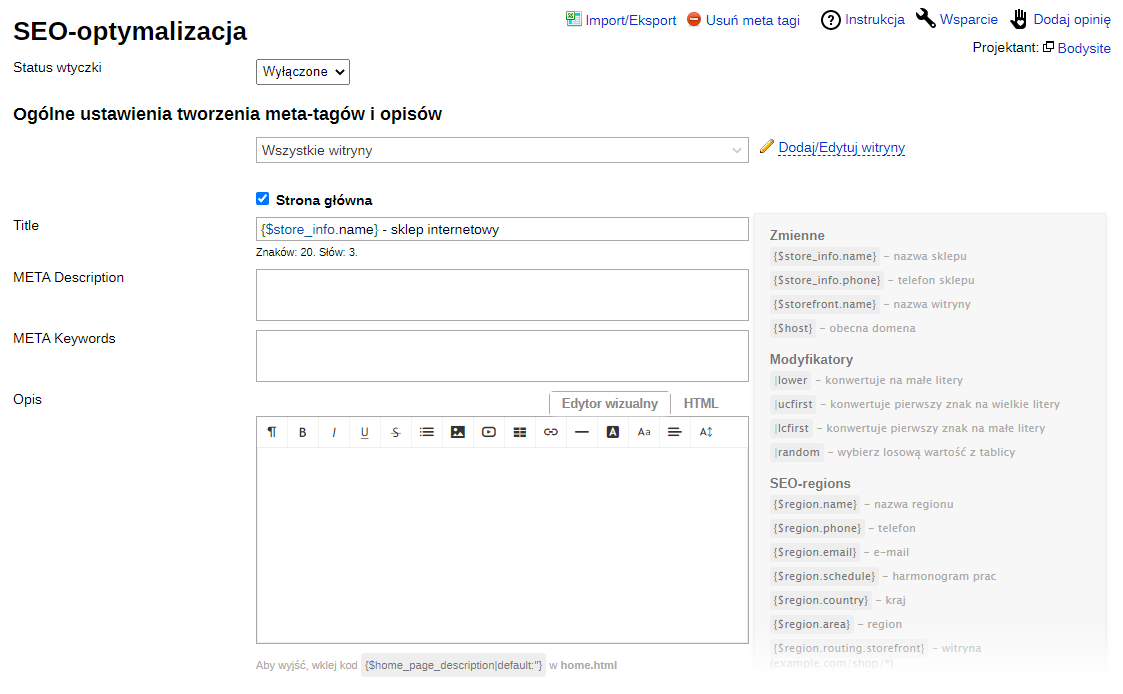
Settings for homepage, tag pages:
- Title;
- META Description;
- META Keywords;
- Description.
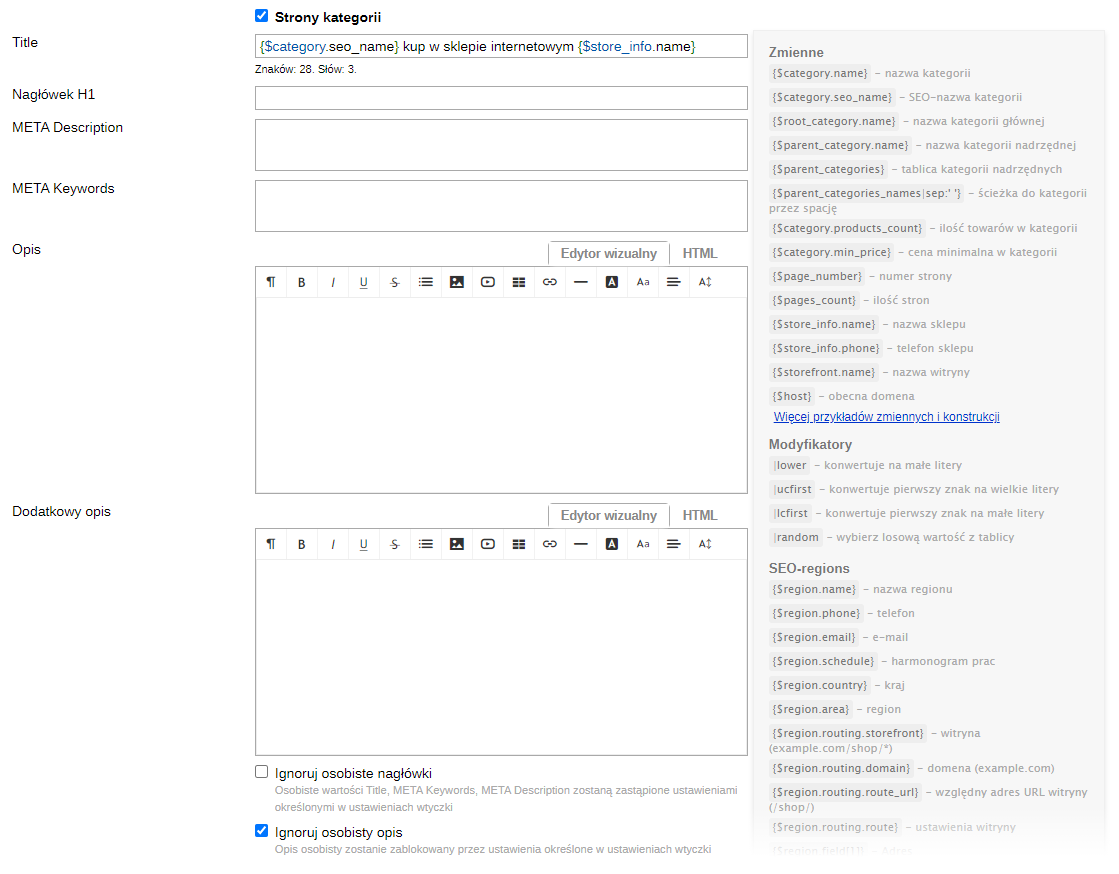
Settings for category pages, subcategories, category pagination pages, product pages:
- Title;
- META Description;
- META Keywords;
- Description;
- Additional description;
- Ignore custom headers;
- Ignore custom description.
Settings for product review pages:
- Title;
- META Description;
- META Keywords.

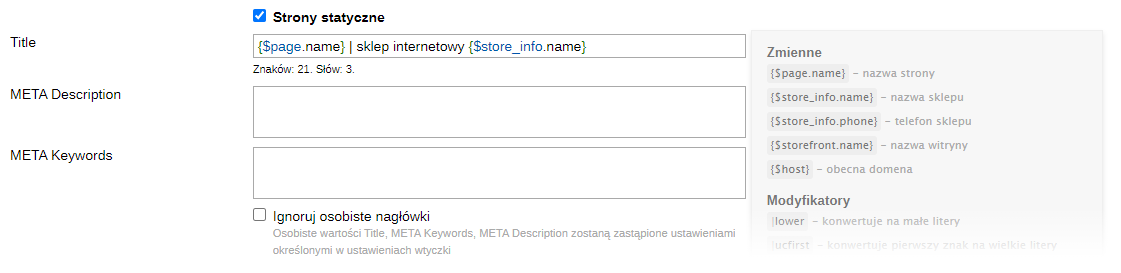
Settings for static pages:
- Title;
- META Description;
- META Keywords;
- Ignore custom headers
Additional fields (creating additional variables):
- For storefronts;
- For categories;
- For products.
Options:
- Subcategory rules;
- Category product rules;
- Category pagination rules;
- Custom H1 headers;
- Product review page rules;
- Product subpage rules;
- Category additional description fields;
- Product additional description fields;
- Page number.
Removing custom meta tags for pages:
- Homepage;
- Category;
- Products and product subpages;
- Reviews about products;
- Static.
Others:
- Support for rounding in variables €9.80 and €119.80;
- Support for AJAX filter categories;
- Support for special characters in the visual editor.
| Technical specifications | |
Developed for | Shopy-Script |
Localization settings | English, Polish, Russian |
UI backend support | 1.3, 2.0 |
Software type | Plugin |
Free | No |
| Developer and version plugins | |
Designer (programmer) | Bodysite |
License | Web Systems Pro |
Version | 3.10.0.2.wsp |
Update | 10/02/2024 |