Additional fields - plugin for app "Extended menu"


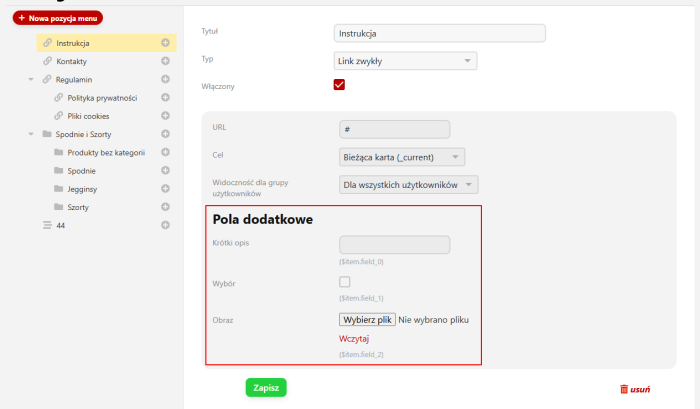
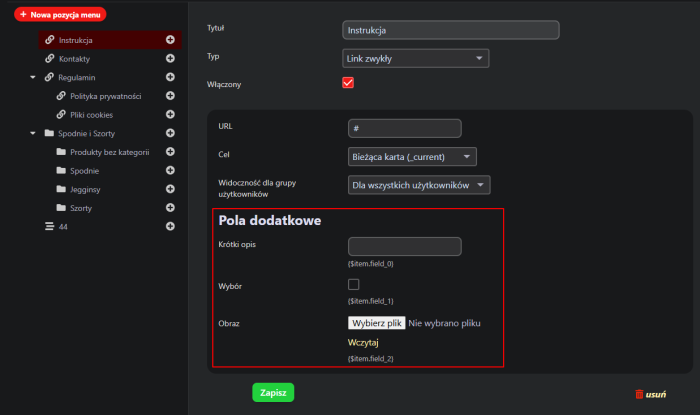


Additional fields — extends menu functionality.
Plugin Additional fields is a tool that significantly expands the capabilities of the "Extended menu" application. It allows users to add custom fields to individual menu items, making their configuration and adaptation to specific website requirements much easier.
Benefits of using additional fields.
1. Full menu personalization.
With additional fields, you can define unique parameters for each menu item. For example, you can add custom descriptions, icons, CSS styles, or other important information that will affect the appearance and functionality of the menu.
2. Easy integration with themes.
The added fields can be easily displayed in the page theme using simple variables:
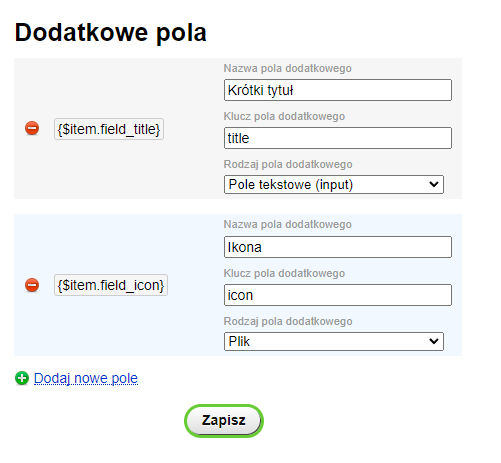
{$item.field_N}– reference to a field by identifier,{$item.field_KEY}– reference to a field using a custom key.
This makes it possible to dynamically modify menu elements without having to edit the website's source code.
3. Intuitive configuration.
Plugin has been designed to be intuitive even for users without programming experience. All additional field settings can be found in the administration panel of the Extended menu application, allowing quick customization according to individual needs.
How to add additional fields to a menu?
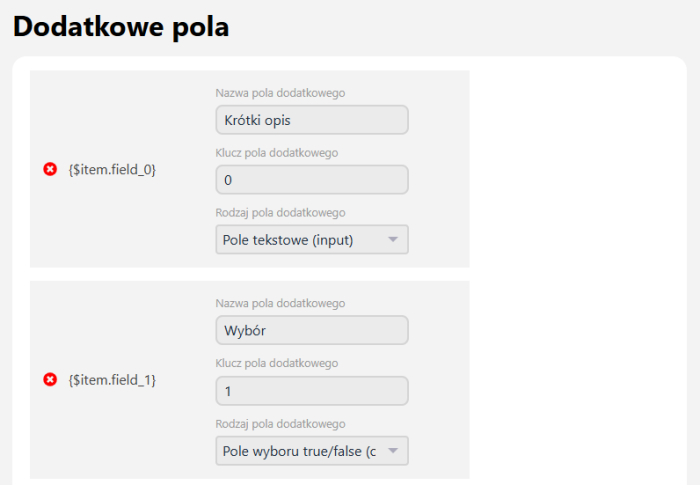
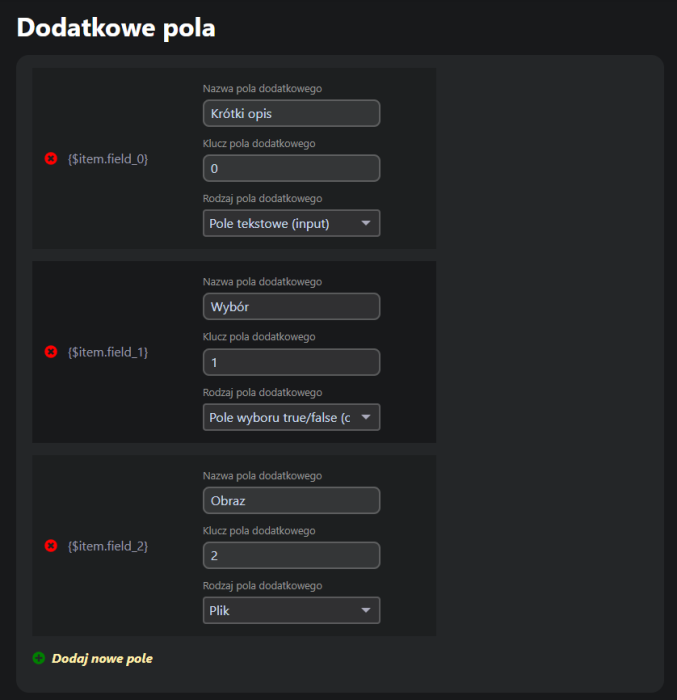
To add a new field, simply go to the settings of the Extended menu -> Plugins -> Additional fields application and use the available option Add new field. There, you can specify:
- field name;
- additional field key;
- field type.
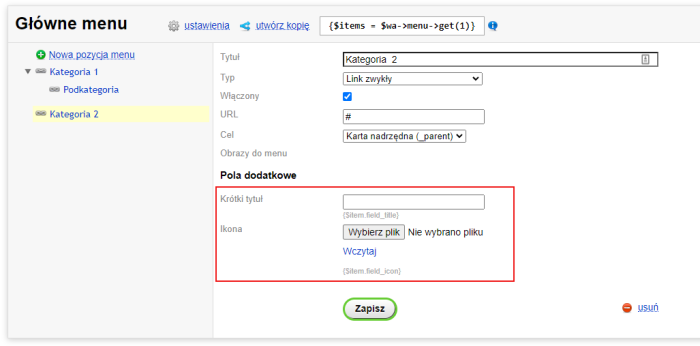
After saving the changes, the new field will be available for use in the menu editor and ready to use in the page theme. To learn how to display additional fields in the menu, read here.
4. Practical uses of additional fields.
Additional fields in menus can be used for many different purposes, such as:
- Adding icons before the menu item name;
- Displaying descriptions for individual items;
- Assigning custom CSS classes to menus;
- Adding files.
Summary.
Plugin Additional fields is an extremely useful tool that allows full control over the appearance and functionality of menus in an online store. Thanks to easy configuration and broad integration capabilities with themes, it is the ideal solution for anyone who wants to increase the flexibility of their content management system.
| Technical specifications | |
Developed for | Extended menu |
Localization settings | English, Polish, Russian |
UI backend support | 1.3, 2.0 |
Software type | Plugin |
Free | No |
| Developer and version plugins | |
Designer (programmer) | ShevskyLab |
License | Web Systems Pro |
Version | 2.0.2.3.wsp |
Update | 03/25/2025 |