Discover everything our e-commerce platform has to offer - from setting up a store, through marketing and integrations, to security, technical support, and design. Find out how to grow your online sales with Web Systems Pro.
Expand your store’s capabilities with ready-made integrations - online payments, wholesalers, shipping, SEO, marketing, CRM, notifications, and more. All designed to help you operate faster, more effectively, and more conveniently.
Searching for support for your online store? Visit our blog, knowledge base, forum, and expert articles. Here you’ll find instructions, e-commerce tips, and answers to frequently asked questions - everything you need to run a successful online store.
We strive to explain in simple terms how our theme templates work - including descriptions of their features and settings. In addition, we regularly update and expand our instructions to ensure they remain clear and helpful at every stage of using the the
Calculates company revenues and expenses, forecasts profits
Application for easy and convenient financial record-keeping for businesses. Know exactly how much money will be in your account in a month, six months, or a year. Avoid cash gaps.
Where is all the money?
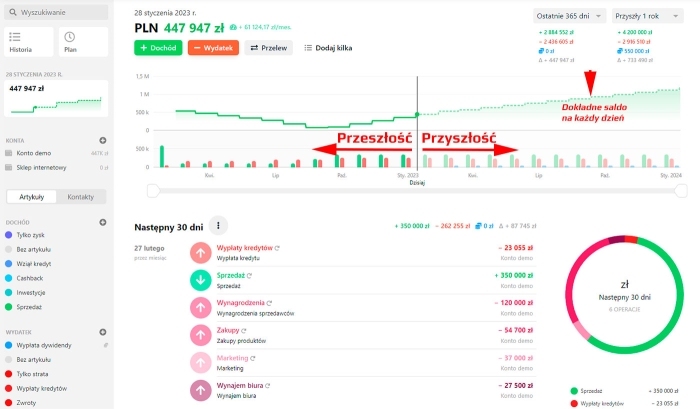
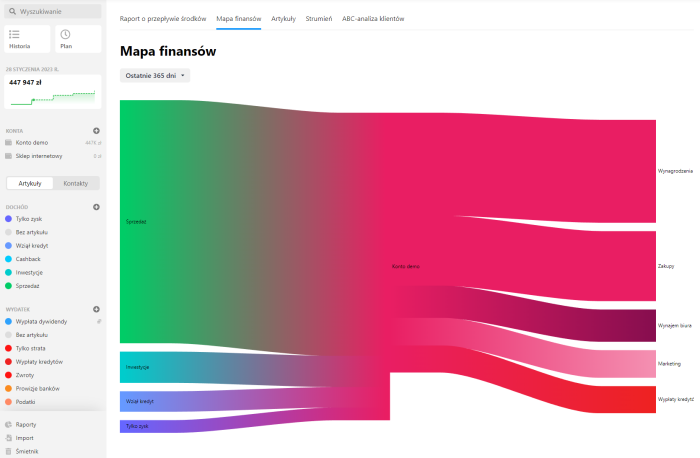
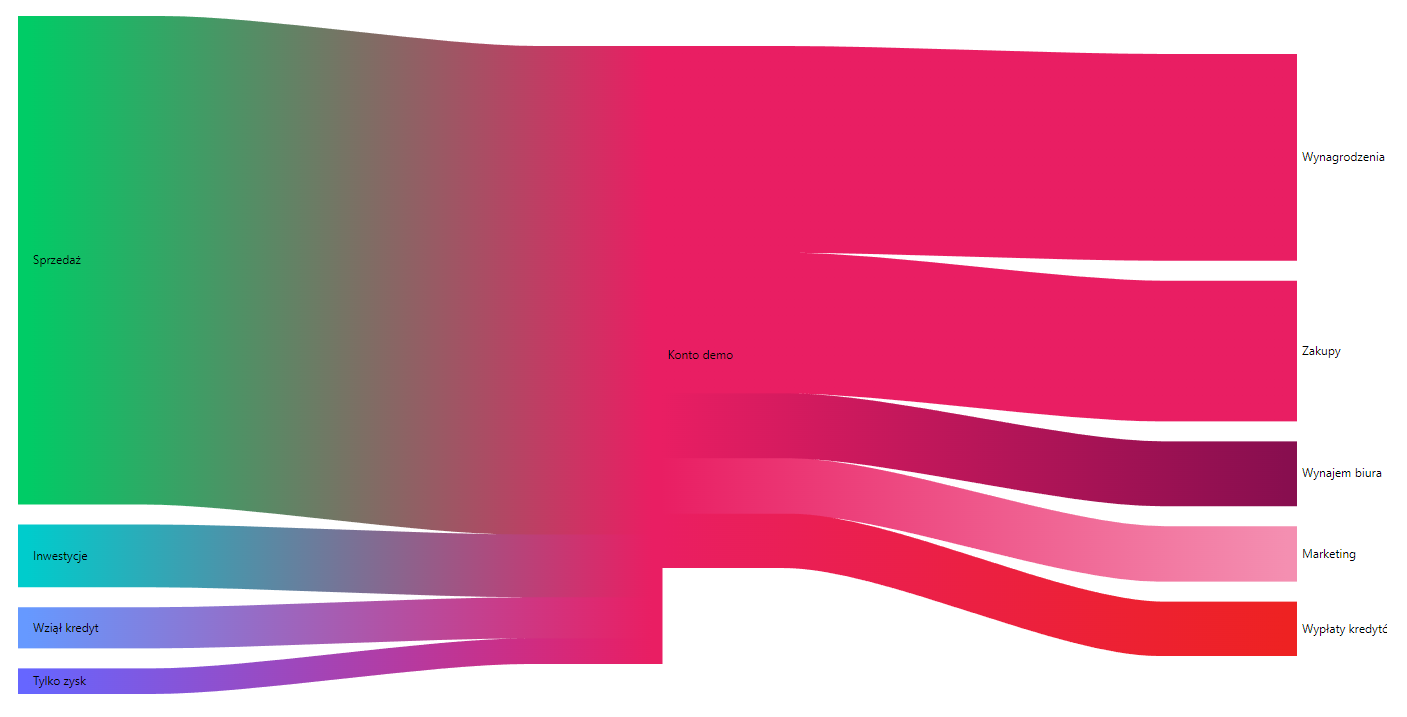
Application "Cash Flow" answers the main question — Where is the money? Where does it come from, where is it going, through which accounts, what is the profit, what to expect in the future, whether there will be any cash gaps, and what are the overall prospects. Replies on questions regarding company revenues and expenses over time are crucial for making proper decisions and effective business management.
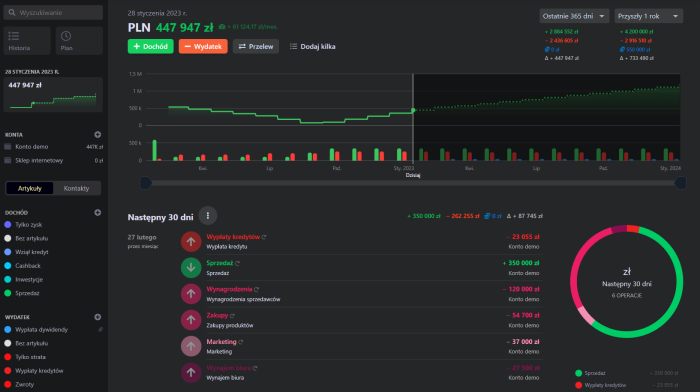
And see how beautiful it is!
Revenue and expense tracking software for organizations
Report on cash flows within the organization
Simple - just like a bank statement
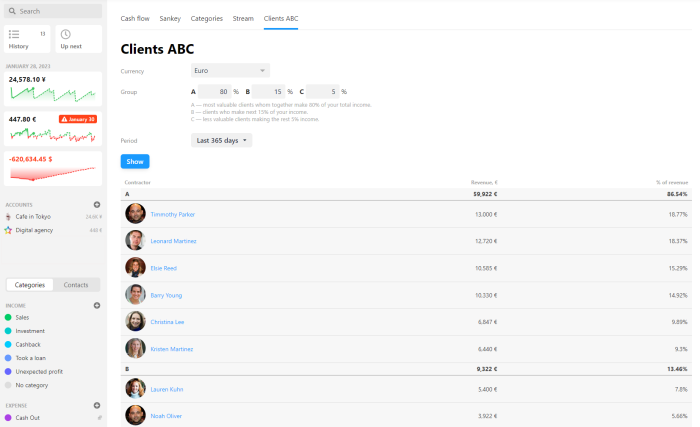
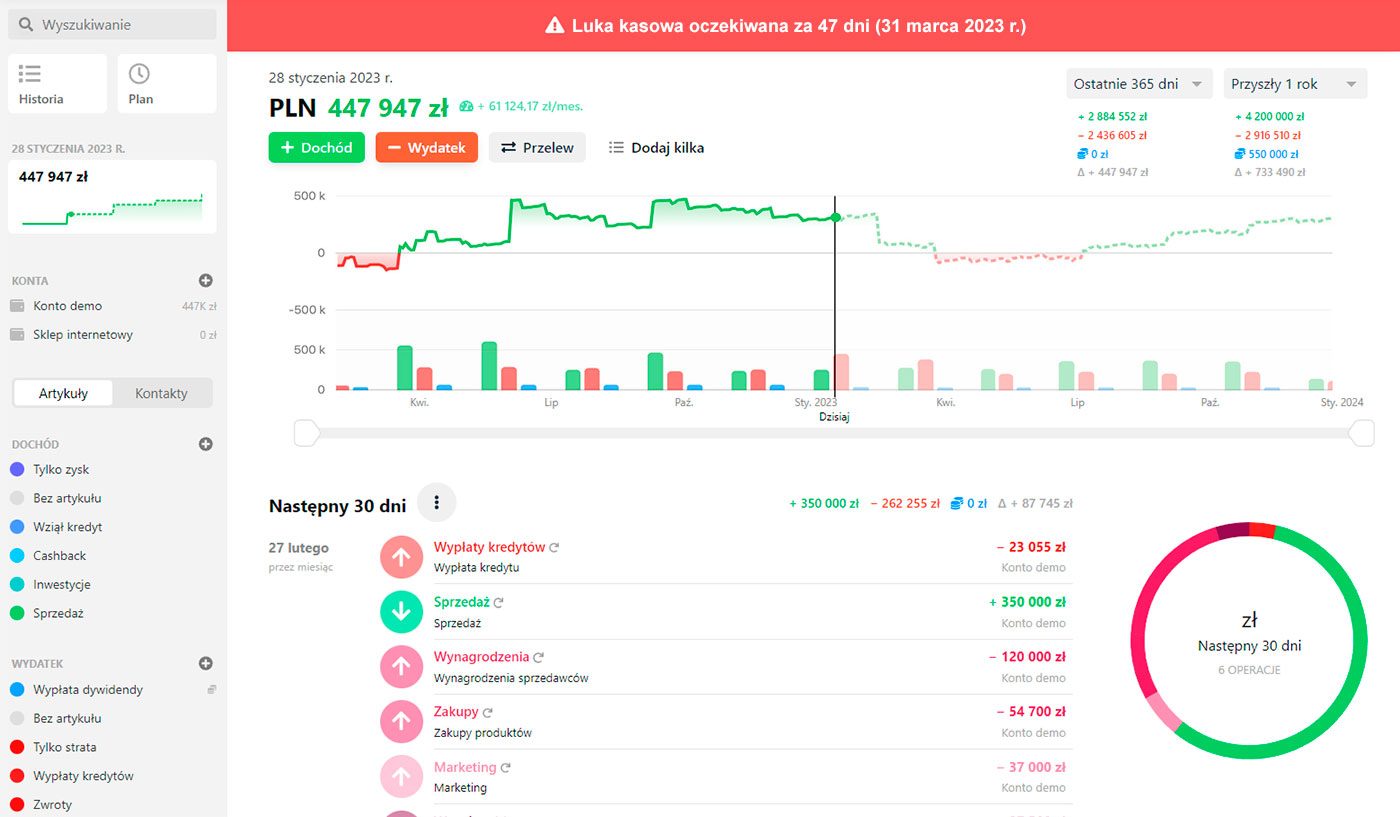
If you've ever seen a list of transactions in your online banking account, you'll easily understand how "Cash Flow" app works. A nice chart of income and expenses, a transaction list, and an accounting diagram broken down by categories. Much simpler than traditional accounting. No training required.
Zooming out
Integration with Shopy-Script application
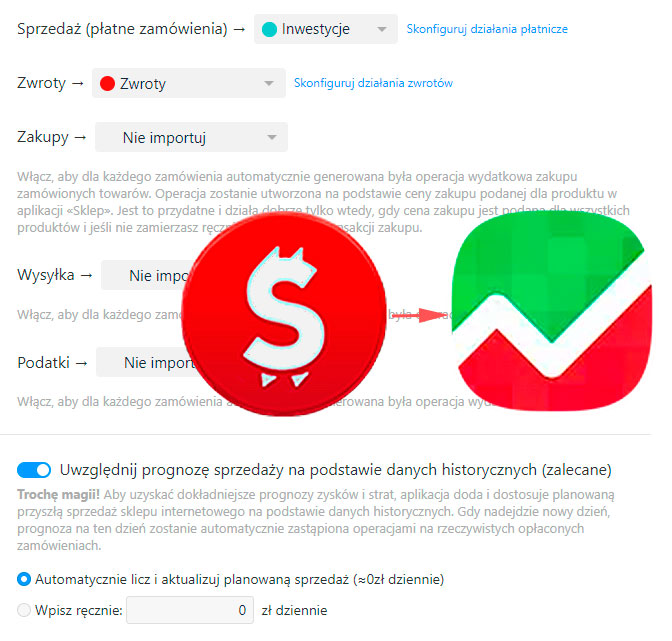
Application "Cash Flow" automatically imports data about paid orders from the Shopy-Script app and creates revenues (sales) and expenses (purchases, shipping, taxes, returns) based on them. All this can be configured in a separate section "Import → Shop".
But here's something even better - app will also analyze data on your online store's average sales over the last 30 days and build a forecast of how much future sales will bring. And it will automatically adjust this forecast as your business grows. You'll see all of this directly in the list of account operations in "Money".
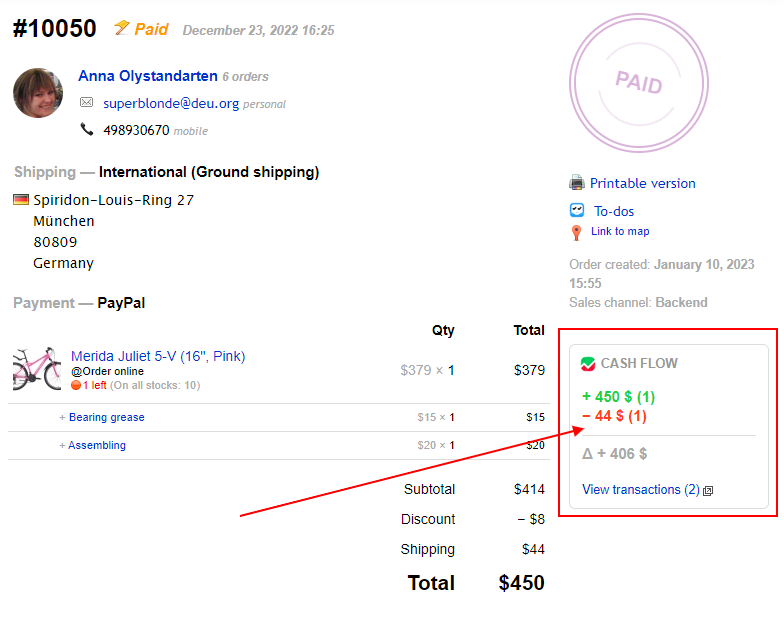
Profit — per order
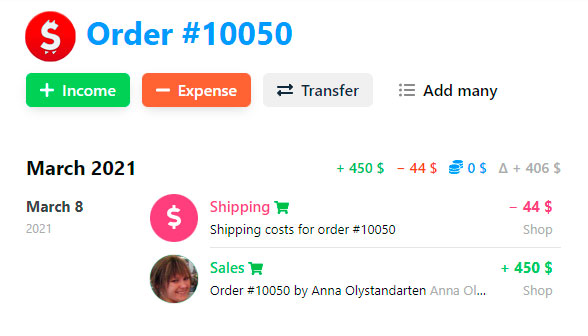
Application "Cash Flow" will automatically display on screen for each paid order from the Shopy-Script app the total turnover for all related operations: revenues, expenses, and actual profits (delta).
Financial report for online store orders from the Shopy-Script app via Cash Flow
Features
Accurate forecasting
Cash flow forecast is based solely on entered data: completed and planned transactions.
Cash Flow Report
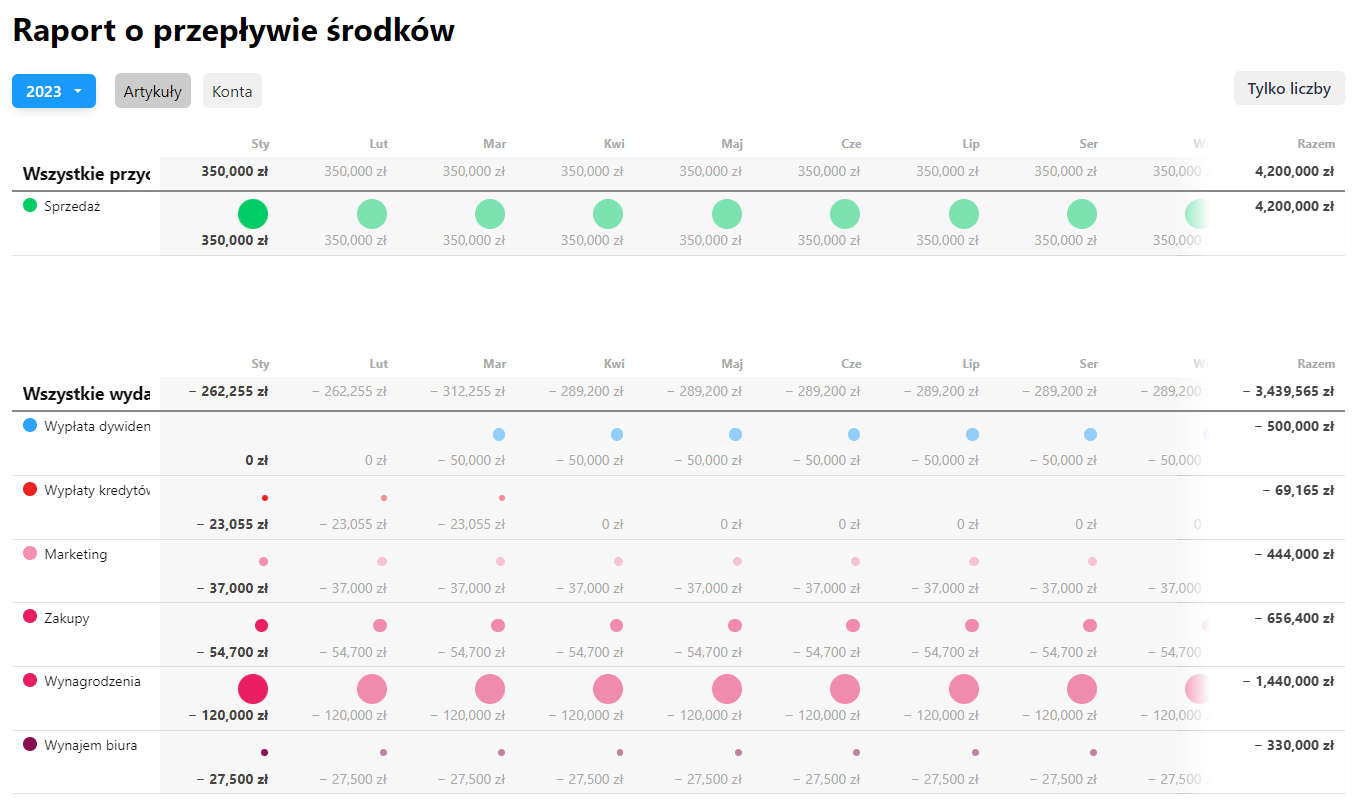
Know everything about your company's cash flows. An annual summary table, broken down by items or accounts, will show you where money comes from and where it goes.
Accounts, currencies, items
Convenient account separation allows you to maintain records for different projects, even in multiple currencies independently.
Recurring transactions
This is an advantage over Excel tracking-recurring transactions can be easily updated either all at once or individually per transaction, without affecting other related repetitions.
Reminders
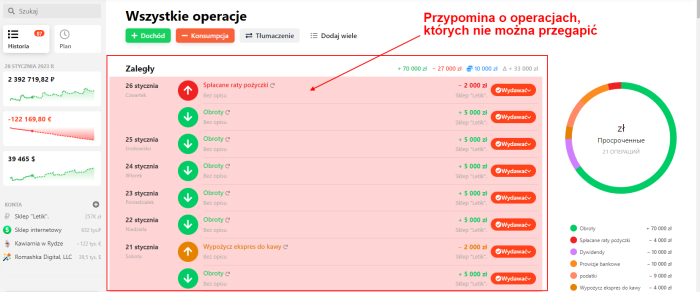
Separately note important transactions that must not be missed. Application will remind you about them when the time comes.
Team collaboration
Add employees and set access rights to transaction items and accounts. Access can be restricted so that the cash balance remains invisible to certain users.
Integration with Shopy-Script app
"Cash Flow" automatically imports data on paid orders from the Shopy-Script app and creates corresponding income and expense entries.
Communication with counterparties
Each transaction can be linked to a contact (customer, partner, supplier, employee — anyone you wish), then view a complete list of transactions and statistics in the CRM app.
Import from Excel (CSV)
Quickly import transactions from Excel to rapidly populate the app with data from your accounting system (accounting software).
No registration required! Enough talk - watch the online demo where you can click anywhere and see the app in action live.
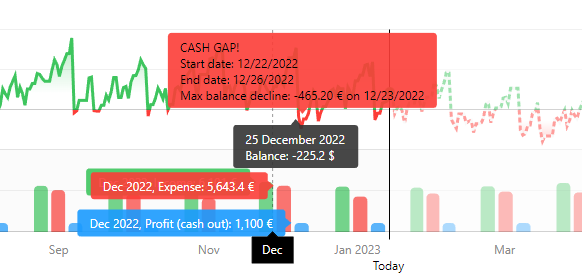
No more cash gaps
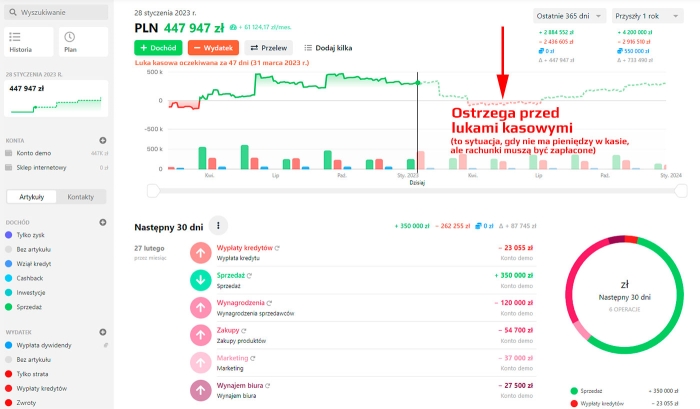
You'll learn about any potential cash gap well before it occurs. Simply add completed and planned income and expense transactions - "Cash Flow" will calculate everything and show you when and how much money will be available in your account.
"Cash Flow" will display on a clear chart both when a cash gap in your business may occur and when it will finally end.
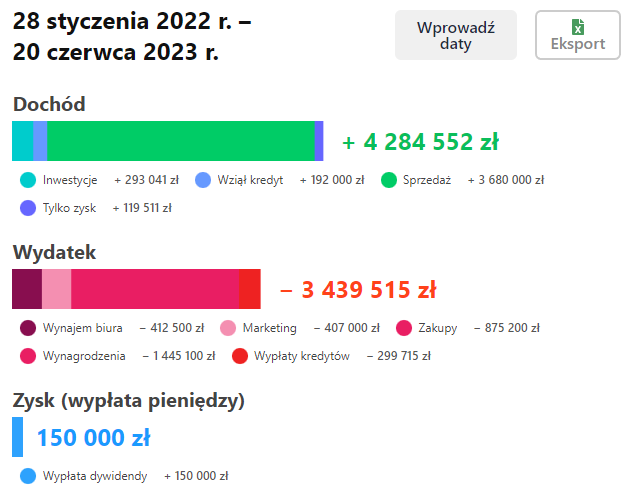
Make the right business decisions - with "Cash Flow"
Do you know whether you can hire a new employee or withdraw more money from your company account? Should you take on a new project or wait? Buy new equipment? Take out a loan? Before making any decision, assess its impact on your balance by simply looking at a chart. Be confident in your actions and clearly understand how your business decisions will affect your future income, expenses, and profits.
Business plans in 5 minutes
Calculating each new project in "Cash Flow" is simple! Create a new account, add planned income and expense transactions, and you're done. Application will automatically display a balance chart. You'll be able to instantly estimate what level of income you need to cover all future expenses.
Why do you need this when you have an accounting office?
Application "Cash Flow" are not for bookkeeping, but for managerial financial accounting. For entrepreneurs and managers. For decision-making and understanding the direction your business is heading. It does not replace online accounting, but is a standalone tool.
Why do you need this when there is online banking?
Data about past spending is certainly useful. But for an entrepreneur, it's more important to know what will happen to your money in one month, one year, or two years - to understand the consequences of hiring a new employee, moving to a new office, or buying a new car using your funds. A bank statement alone won't tell you anything about the consequences of such decisions.
Online banking shows the past, while >Web Systems Pro< Cash Flow shows the future!
FREE - You can install the selected product using the Installer in the backend of your admin panel.
Included with all tariffs - means that this product is installed in all subscription tariffs and you do not need to install it.
Installed in some tariffs - means that this product is already installed in some subscription tariffs. If your plan does not include this product, you can purchase a license by paying a one-time fee.