Link for the photo - plugin for the "Photos" app


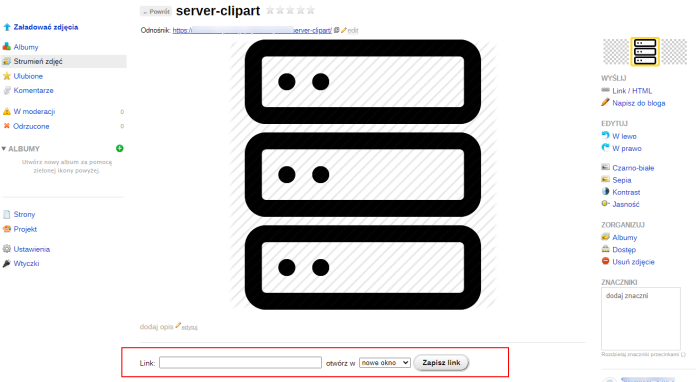



Features of the plugins "Link for the photo"
This plugin is a developer tool designed for advanced users. It allows creating an additional link to an image in the Photos application. This, in turn, enables building sliders, carousels, photo lists, portfolios, services, and other elements. The native image link leads to a disabled page, but the additional link can point anywhere, including external websites.
Immediately after installing the plugins, a form for entering a link will appear in every image.
To use this link in your project theme, you must use the helper:
Helpers
{if $wa->photos && class_exists('photosLinkPlugin')}

     {photosLinkPluginHelper::getUrl(<strong>$photo.id</strong>)}

{/if}
where: $photo.id is the ID of the desired image. As output, we immediately get the saved link.
{if $wa->photos && class_exists('photosLinkPlugin')}

     {$link = photosLinkPluginHelper::getLink(<strong>$photo.id</strong>)}

{/if}
where: $photo.id is the ID of the desired image.
As output, we receive the $link array
Where:
$link.url - The saved link.
$link.target - Link target. Can have two values: "_blank" - opens in a new window, "_self" - opens in the same window.
Example
{if $wa->photos && class_exists('photosLinkPlugin')}

        {$link = photosLinkPluginHelper::getLink($photo.id)}

        {if !empty($link)}

          <a href="{$link.url}" target="{$link.target}">Here can be an image or something else</a>

          {/if}

{/if}
| Technical specifications | |
Developed for | Photos |
Localization settings | English, Polish, Russian |
UI backend support | 1.3 |
Software type | Plugin |
Free | Yes |
| Developer and version plugins | |
Designer (programmer) | ITFrogs |
License | LGPL |
Version | 1.0.0.2.wsp |
Update | 02/03/2023 |