Direct communication - plugin for Shopy-Script applications


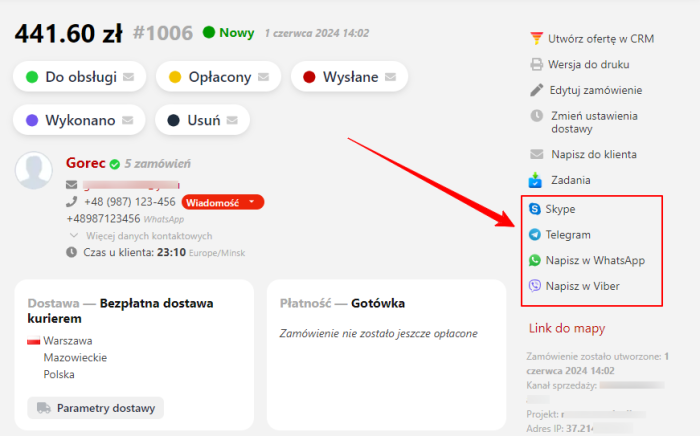
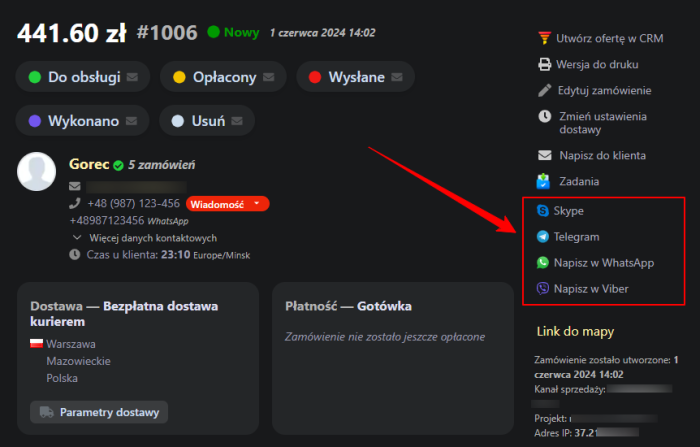
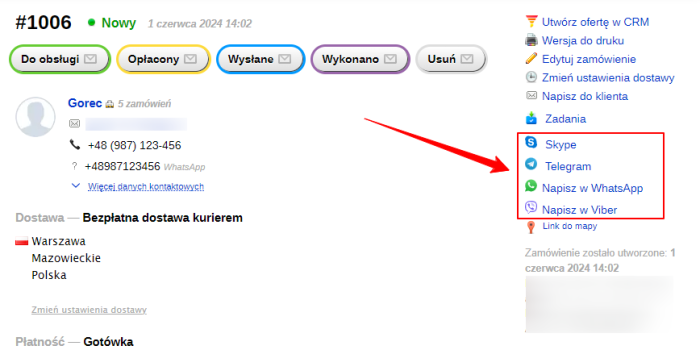
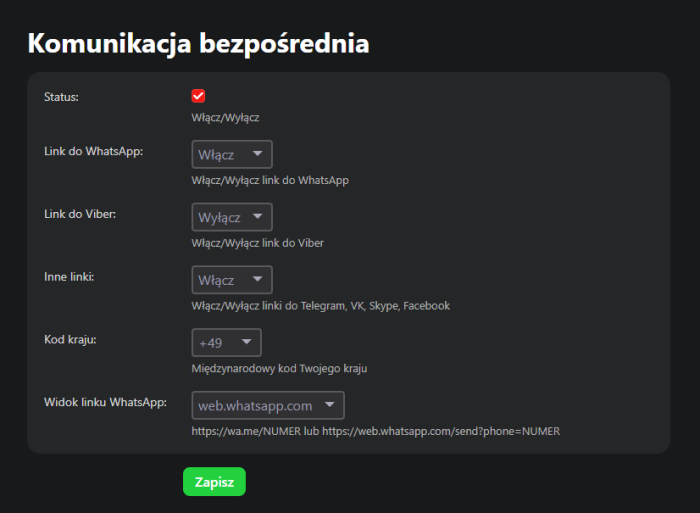


What the plugin "Direct communication" is for.
If the order contains a phone number, the plugin adds links that allow you to start a chat with the customer in WhatsApp (both in the desktop app and the web version) and in the Viber desktop app. The chat starts directly in the WhatsApp and Viber app.
If the fields for social networks and messengers (public profiles) are filled in the contact profile, the plugin adds links to VKontakte and Facebook profiles, as well as links that allow you to start a chat with the customer in Telegram (web version) and Skype (desktop app).
Note! The links are displayed only in the backend, in the order processing section.
Distinctive features of the plugins:
- Compact placement of buttons on the right side of the order management screen
- If there is no phone number in the order, the buttons are inactive
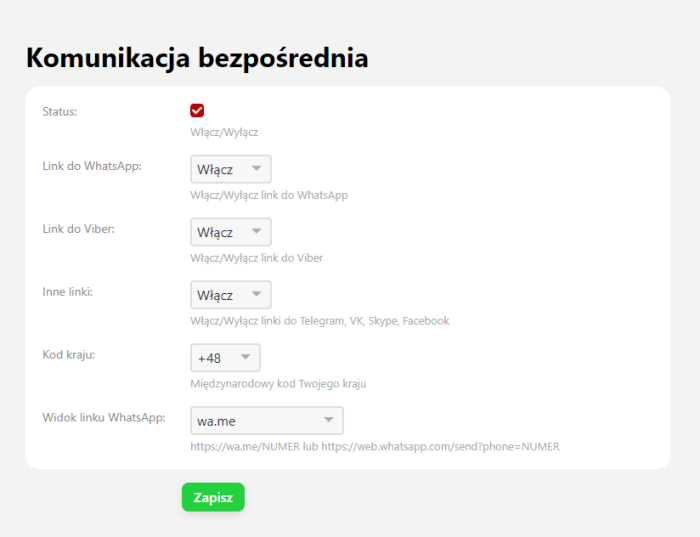
- Ability to display only the necessary buttons separately
- WhatsApp opens in a new window
- Ability to choose the WhatsApp link type
- Opening the Viber desktop app does not create unnecessary empty tabs
- SVG vector icons
- Only two or three clicks to open a dialog with a customer in WhatsApp
- Only two clicks to open a dialog with a customer in Viber
- Only two clicks to open a dialog with a customer in Telegram
- One click to open a customer profile on Facebook.
To get started, you need to log in to your WhatsApp account, log in to the Viber desktop app, log in to social networks, etc., depending on the communication methods you need.
Checking whether customer accounts exist in messengers is done on the side of the messengers themselves.
The Plugin adds direct communication links to the menu; after clicking a link, the functionality of the corresponding messengers and social networks is activated, which can be found on the corresponding description pages, for example, for WhatsApp - here. The Plugin does not affect this functionality; it works in the same way as directly clicking links from the instructions.
The Plugin is designed to work only on PCs; it is not supported in the mobile version of Shopy-Script.
| Technical specifications | |
Developed for | Shopy-Script |
Localization settings | English, Polish, Russian |
UI backend support | 1.3, 2.0 |
Software type | Plugin |
Free | No |
| Developer and version plugins | |
Designer (programmer) | iLivinskyi |
License | Web Systems Pro |
Version | 1.1.1.1.wsp |
Update | 08/12/2024 |