Last-Modified - plugin for Shopy-Script application


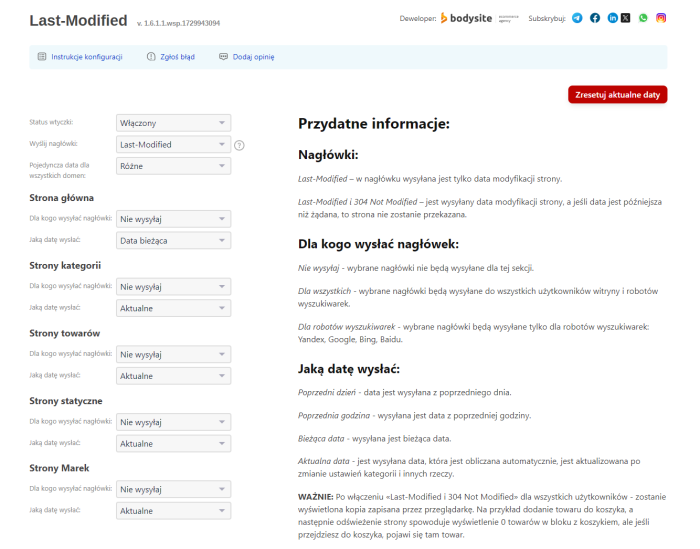
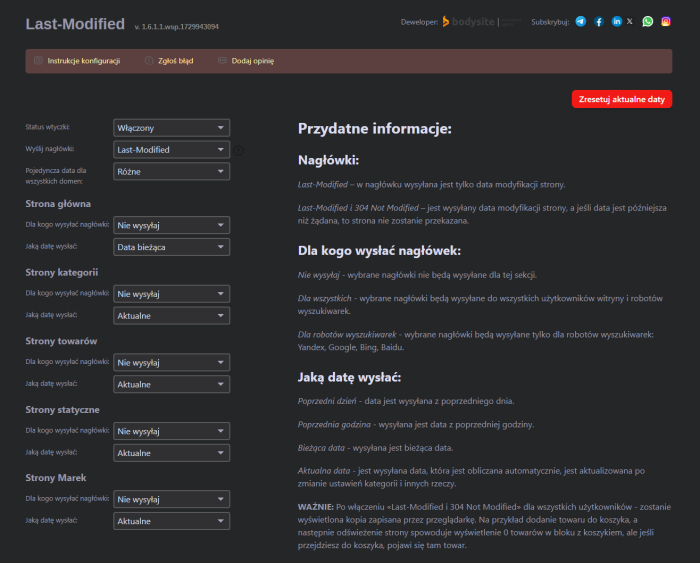


Plugin "Last-Modified" is a tool that speeds up indexing of your online store in the Shopy-Script application. Using HTTP headers, it informs search engines whether and when the requested page was modified.
Speed up your online store indexing and reduce server load with one solution!

The HTTP Last-Modified header informs the browser or search crawler about the time when the page was last modified. If the browser or search robot receives the Last-Modified header, then on the next access to the URL-provided the page is in the local cache-it will add an If-Modified-Since request (asking whether the page has changed since the date received in Last-Modified). In turn, upon receiving an If-Modified-Since request, the server must verify the received timestamp against the page's last modification time and, if the page has not changed, respond with 304 Not Modified.
How does it work in practice?
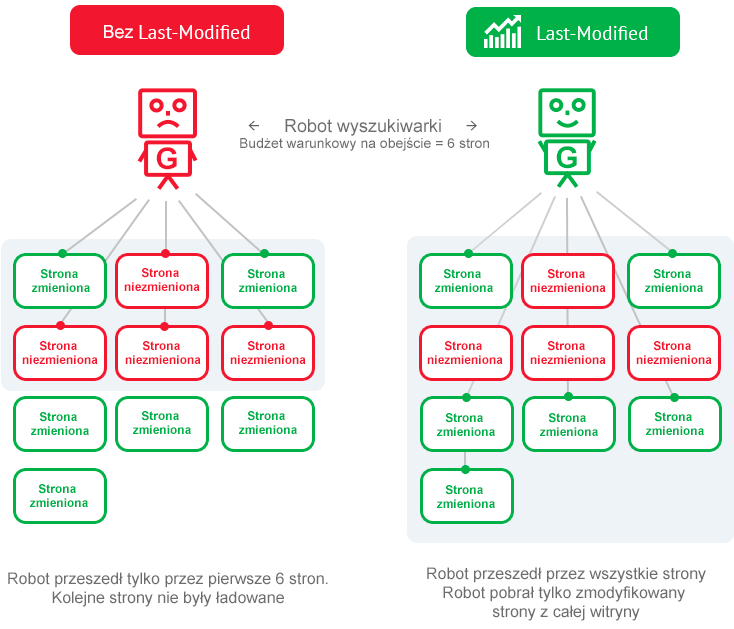
- A search engine robot has a conditional limit on the number of pages it can crawl during one visit to a site. Let's assume it can only crawl 6 pages.
- If pages are timestamped with Last-Modified and If-Modified-Since, the robot first crawls only those pages that have changed since the last visit. This way, updated pages are indexed faster.
- If the site does not provide headers Last-Modified and If-Modified-Since, the robot indexes pages in priority order, regardless of the last update date. Thus, the indexing limit is also spent on pages that are already indexed but have not yet been modified.
How will plugin be useful
 Traffic Savings
If the page has not changed, the server stops transmitting data after sending headers with the 304 Not Modified code. The page content, images, and other objects will not be transferred.
 Reduced server load
By installing the plugin, you can significantly (by 30% or more) reduce server load. This is especially true for high-traffic websites with long user session times.
 Faster indexing by search engines
Yandex and Google, through their webmaster guidelines, recommend sending the Last-Modified header and properly supporting If-Modified-Since.
Search engine recommendations
Google recommends setting Last-Modified and If-Modified-Since headers:
"Check whether your web server correctly handles the HTTP If-Modified-Since header. This allows it to inform Google whether the site content has changed since the last indexing. This helps reduce bandwidth load."

Read more at
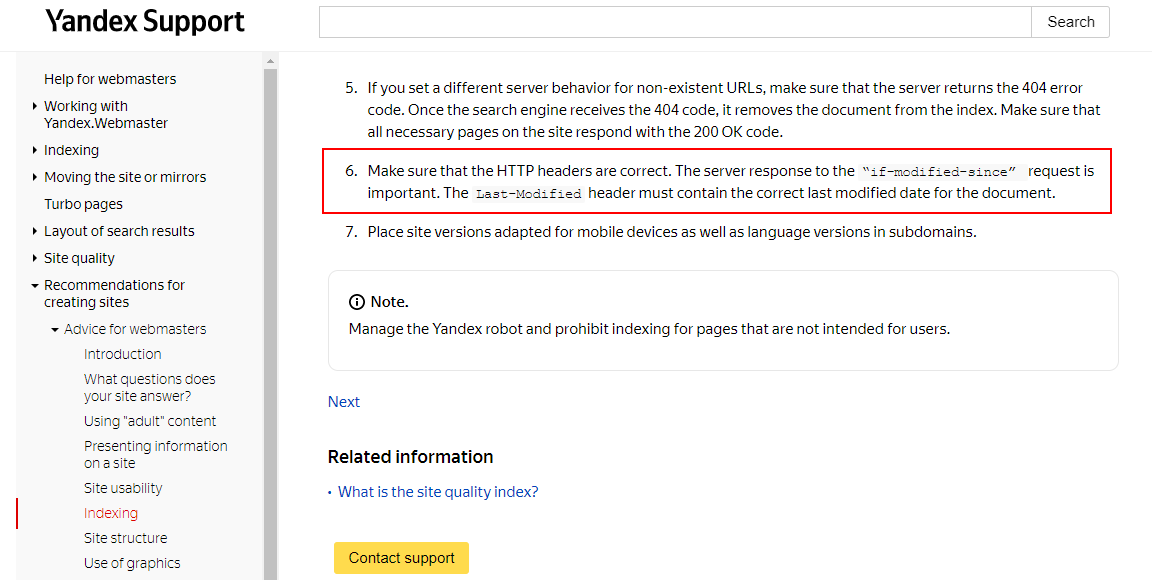
Yandex recommends setting Last-Modified and If-Modified-Since headers:
"Ensure that HTTP headers are correct. In particular, pay attention to the response your server gives to an 'if-modified-since' request. The Last-Modified header should provide the correct date of the document's last modification."
Read more at
How does plugin work in specific examples?
Task 1. You need to configure Last-Modified and 304 Not Modified headers in your online store.
Solution:
1. Purchase, install, and enable the "Last-Modified" plugin
2. Select the setting «Send headers "Last-Modified and 304 Not Modified"»
3. In all sections, mark to send headers "For search engine robots"
4. Select the date setting for the homepage as "Previous day"
5. For other sections, select the date setting as "Current"
The problem was solved using plugins "Last-Modified".
Task 2. You need to configure Last-Modified and 304 Not Modified headers for a website with a product catalog and without carta.
Solution:
1. Purchase, install, and enable the "Last-Modified" plugin
2. Select the setting «Send "Last-Modified" and 304 Not Modified headers»
3. In all sections, notice that headers are sent "For everyone"
4. Select the date setting for the homepage as "Previous day"
5. For the remaining sections, select the date as "Current"
The problem has been solved using plugins "Last-Modified".
Available configuration options:
Sent headers:
- Last-Modified;
- Last-Modified and 304 Not Modified.
To whom to send headers:
- Do not send;
- For everyone;
- For search engine bots.
Sent dates:
- Previous day;
- Previous hour;
- Current date;
- Current.
The current date is calculated automatically and is updated upon changing category settings and other things.
| Technical specifications | |
Developed for | Shopy-Script |
Localization settings | English, Polish, Russian |
UI backend support | 1.3, 2.0 |
Software type | Plugin |
Free | No |
| Developer and version plugins | |
Designer (programmer) | Bodysite |
License | Web Systems Pro |
Version | 1.6.1.1.wsp |
Update | 10/26/2024 |
With this product also buy